Top 9 Best USB Recovery Software Free Download in 2022
Programs that help us in recovering the lost files are a blessing. Recently deleted data can often be found on hard drives, including USB drives, flashcards, and cellphones.
You can recover lost files using USB data recovery software, regardless of how they were lost. With numerous recovery programs available, finding the best one can be challenging. This article highlights some of the top USB recovery tools to help with that.
Why You Need to Perform USB Data Recovery
Data stored on a USB or any other type of hard drive can be corrupted due to various reasons such as physical damage, software glitches, power outages, virus attacks, human error, and hardware failures. These factors can cause data loss, rendering the device unusable and making it difficult to access the stored information.
- Connection issues
- Driver failures
- Hardware damage
- File system error
- USB formatting
- Software errors
In cases where you lose data from a USB drive, it's essential to recover the files to avoid permanent loss. Fortunately, USB data recovery programs can help you recover your files unless the storage has been overwritten, allowing you to retrieve your essential files.
How Can USB Recovery Software Help You
When a file is deleted from a USB, its binary or log file remains, allowing recovery using USB recovery software until the space is reused for another file.
When the space is needed, the designated area will be marked as available for another file. However, the binary file will still be accessible on the computer until it's replaced. Even after being replaced, parts of the file can remain on the hard drive for a long time.
The best USB recovery software tool should be able to retrieve lost files from all different kinds of storage media, handle all file formats and storage media types, and access the hard drive's fundamental structure to salvage data from a damaged storage media.
Top 10 Best USB Recovery Software for Windows
While there are many data programs available, we've highlighted the best USB recovery software for your computer, which can effectively retrieve your data with data security. These tools are just as efficient as other programs, and some of the best ones for Windows include:
1. Qiling Dara Recovery Wizard
Deep Data Recovery is a reliable data recovery solution that excels in dependable data recovery performance, allowing users to recover various file types from different storage media. The software's user-friendly interface guides users through the scanning process, and the explorer-like window enables them to examine all recoverable data, making it a trusted tool for data recovery needs.
Easy steps for USB data recovery with this program.
Step 1. Select file types and click "USB/SD Scan" to start
Launch Deep Data Recovery, select the desired file types, and click "USB/SD Scan" to initiate the recovery process.

Note: You can choose different search modes based on where and why the data was lost.
Step 2. Choose the USB drive to scan
To recover lost files from a USB drive, select the drive where the files were lost, then click the "Scan" button to initiate the recovery process.

Step 3. Check and preview USB drive data
After the scanning process is complete, you can easily find a specific type of file by utilizing the Filter feature and the Search option, which allows for quick location of desired files.

Step 4. Restore flash drive data
After finding lost USB drive files, click "Recover" to restore them. Save the recovered files to a safe location on your PC, not the USB drive itself.
Compatibility:
It works with all Windows and macOS versions, requires 128MB RAM and 32MB space to download.
Pros:
- Recovers the data efficiently
- Fast and efficient data recovery
- Provides 100% data security
Cons:
- Multiple file formats are not supported
Editor's Suggestion:
This software is excellent for efficiently recovering data with just a few clicks. We recommend it not only for data recovery but also for solving other hard drive issues.
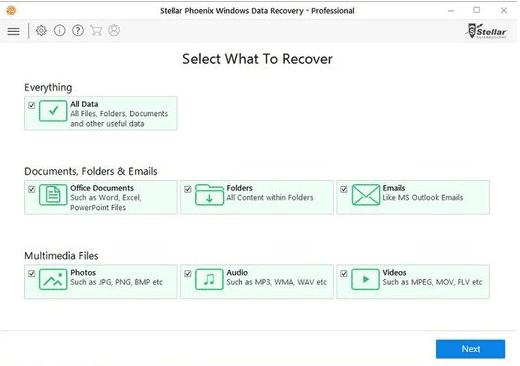
2. Stellar Data Recovery
Stellar Data Recovery is a tool that helps recover lost or deleted files, providing peace of mind for individuals and businesses alike, with support for both Mac and Windows operating systems.
Compatibility:
This software is compatible with both Windows and Mac operating systems. It demands a minimum of 4GB RAM and 128MB of hard disk space to run smoothly.
Pros:
- Advanced partition recovery
- Recovers corrupted photos
- Recover from any portable file
Cons:
- Full functionality requires 8GB RAM
Editor's Suggestion:
This USB recovery software offers convenience, functionality, and ease of use, but at a higher cost compared to most competitors.
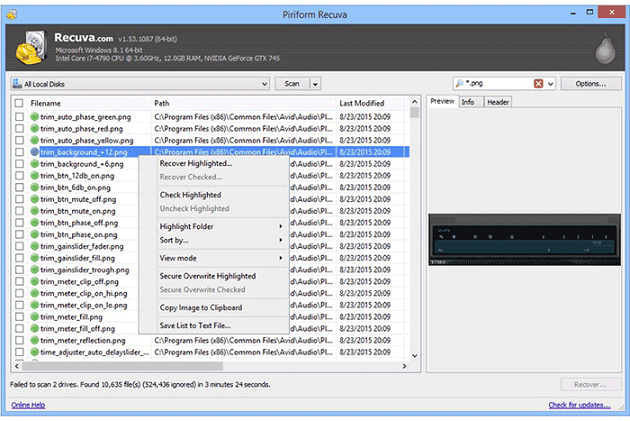
3. Recuva
Recuva is a top-notch free data recovery app that stands out for its user-friendliness and power. It's an exceptional tool that can recover lost data, even when it's not accessible from the Recycle Bin, making it a reliable solution when you need it most.
Compatibility:
The software is only compatible with Windows 7 and newer versions, and can recover data from hard drives up to 3TB in size.
Pros:
- Intuitive and straightforward interface
- Easy to use with simple navigation
- Deep scan for buried files
Cons:
- The infrequent update makes the system buggy
Editor's Suggestion:
While the software has advanced tools for various data recovery needs, its installer also prompts to install unnecessary programs, which is a drawback. We suggest trying other data recovery tools first before considering this one.
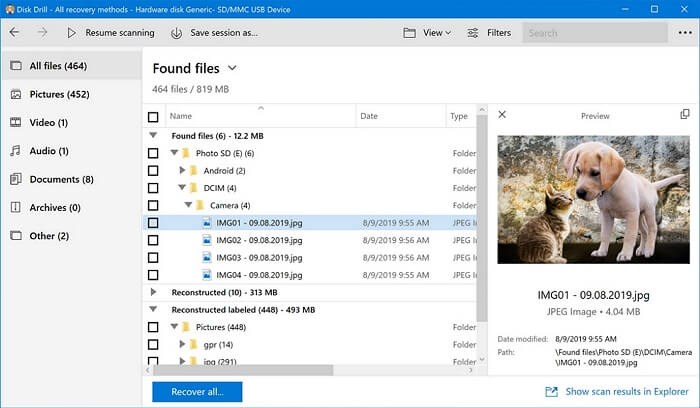
4. Disk Drill Data Recovery
Disk Drill offers a flash drive recovery solution that can help you access lost files or folders, even if you've lost the original disc. This platform enables immediate mapping to your data, allowing for full restoration in just minutes.
Compatibility:
The software is compatible with both Windows and Mac operating systems. It requires a minimum of 4GB of RAM and 250MB of hard disk space to run.
Pros:
- Recovery Vault for free data protection
- You can preview lost files
- Free byte-level backups
Cons:
- Deep scan is slow
Editor's Suggestion:
In our opinion, Disk Drill offers a complete solution at a fair price, making it the best option for recovering data from a USB drive at an inexpensive cost.
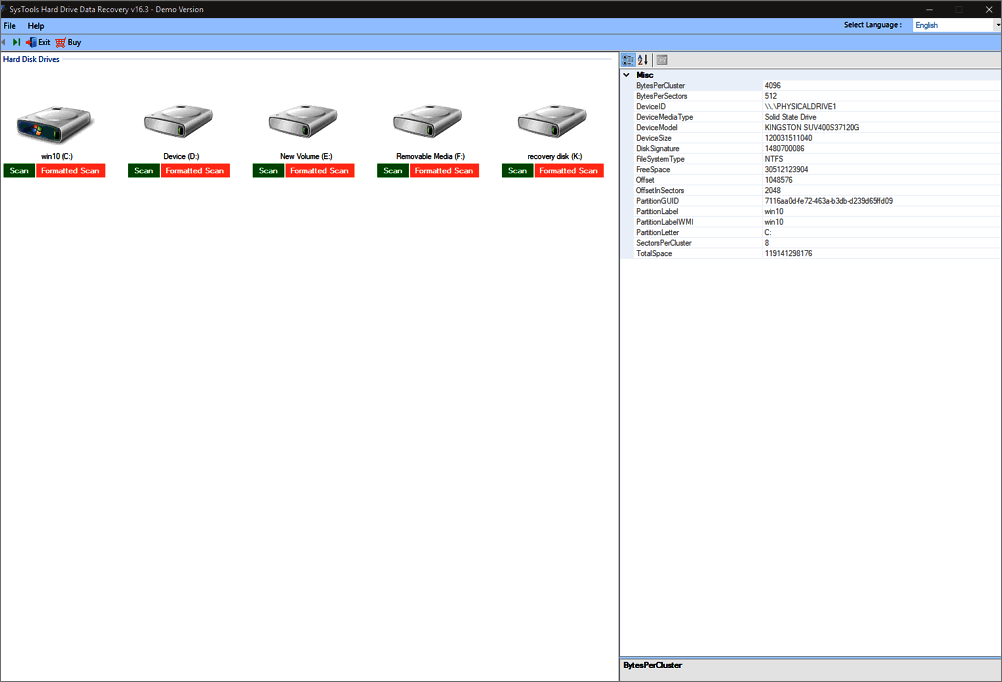
5. SysTools Pen Drive Recovery
SysTools USB flash drive Recovery is a tool that allows users to recover lost or deleted files from USB drives with ease, and also supports recovery of files from hard drives.
Compatibility:
It works with all Windows versions and requires a minimum of 2GB RAM.
Pros:
- Cyber-attack monitoring 24/7
- Backup all your critical data
- Operate your data on a secure platform
Cons:
- Scanning the data is time-consuming
Editor's Suggestion:
While being one of the best USB recovery software options for recovering lost files from a USB, it has a slightly complicated interface, making it less user-friendly. Therefore, we suggest trying other software first before opting for this one.
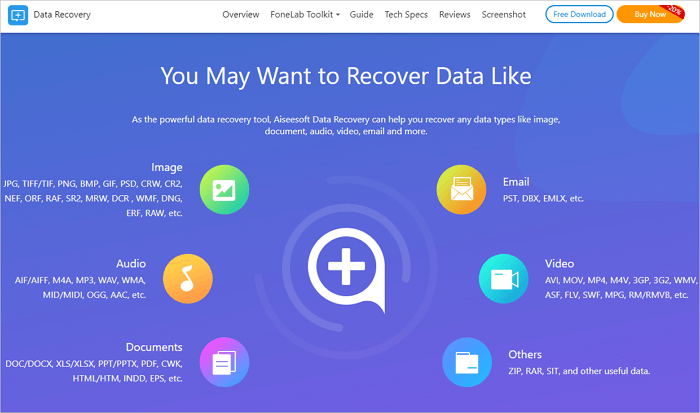
6. Aiseesoft Data Recovery
Aiseesoft Data Recovery is a program that can recover deleted or lost data from a computer, hard drive, memory card, or other storage devices, including photos, music, videos, documents, emails, and more, even if lost due to formatting, hard drive issues, or computer damage.
Compatibility:
This software is compatible with nearly all Windows versions and macOS X 10.7 or later, and it needs approximately 1GB of RAM space.
Pros:
- 100% clean data recovery
- Supports multiple file formats
- Online guide to walk you into the tool
Cons:
- Not so reliable
Editor's Suggestion:
Aiseesoft Data Recovery is a comprehensive tool that can recover various types of data, including emails and photos, in any situation. It features advanced search and scan capabilities, making it a one-stop solution for data recovery needs.
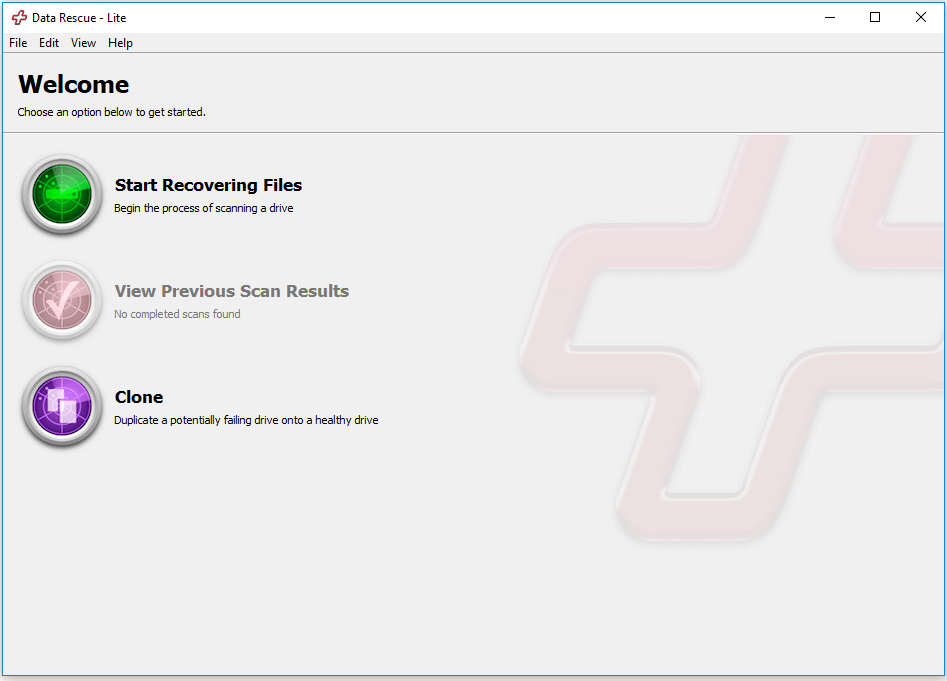
7. Data Rescue 6
Prosoft Engineering's Data Rescue 6 is a powerful data recovery software solution that relies on 20 years of data recovery progress to assist consumers in recovering billions of lost and destroyed information.
Compatibility:
It works for both Windows and Mac computers.
Pros:
- Provides a Preview Mode
- It can clone a bootable device
- Supports multiple operating systems
Cons:
- Time-consuming deep scanning
Editor's Suggestion:
Data Rescue 6 offers a simple and user-friendly interface that allows users to recover deleted files with minimal effort, making it a suitable choice for those seeking a basic tool for this purpose.
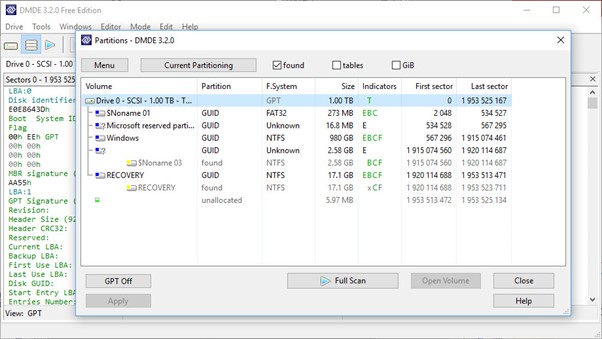
8. DMDE
DMDE is a data recovery tool with an intuitive interface that can help recover lost or accidentally deleted USB files. It also allows for a deep scan of portable devices to detect malware.
Compatibility:
It works well with Windows, macOS, and Linux operating systems.
Pros:
- Supports multiple file formats
- Comes with a disk editor
- Manage the hard drive partitions
Cons:
- Some limitations on file recovery
Editor's Suggestion:
Although the interface is user-friendly, some individuals may struggle to operate this tool. Consequently, we wouldn't suggest making it your go-to option.
9. R-Studio
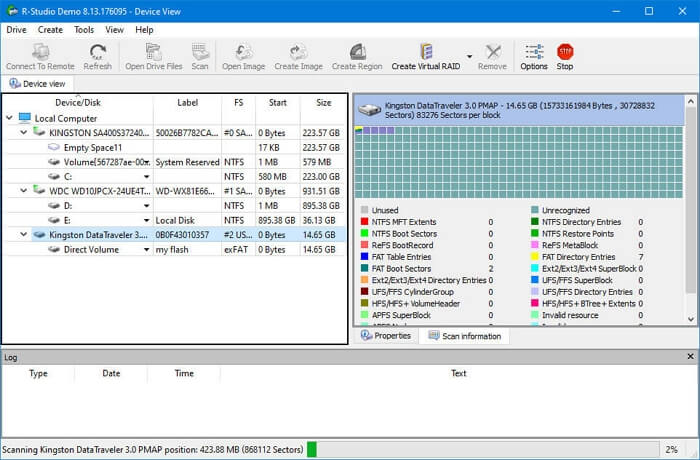
R-Studio is a data recovery software that can be downloaded on Windows, Mac OS X, and Linux computers. It can recover data from various sources, including local drives, removable discs, damaged discs, unbootable discs, and networked devices, making it a versatile tool for data recovery needs, from small to large-scale.
Compatibility:
It works well with Windows, Mac, and Linux operating systems.
Pros:
- The Demo version is available
- Recover files over a network
- Cross-platform support
Cons:
- Poor memory management
Editor's Suggestion:
Although it has some advanced features, it is quite expensive and has a complicated interface, making it not recommended.
Comparison Table
A comparison table of the best USB recovery software is available, allowing users to choose the most suitable option based on their specific needs.
| Ease of Use | Bootable Adaption | Support Systems | Price | Main Functions | |
| Deep Data Recovery | Yes | Yes | Windows and macOS | $69.95 per month | USB, SSDs, HDD file recovery |
| Stellar Data Recovery | Yes | Yes | Windows and macOS | $79.99 per month | Deep scanning |
| Recuva | Yes | Yes | Windows and macOS | $89 per month | Free unlimited data recovery Recovery from rewritable media |
| Disk Drill Data Recovery | Yes | Yes | Windows and macOS | $89 per month | Scan, protect, and recover the lost files |
| SysTools Pen Drive Recovery | Yes | No | Windows | $12.99 a month | Recovery of lost USB files |
| Aiseesoft Data Recovery | No | No | Windows and macOS | $23.96 per month | Recover deleted or lost Android files, messages, etc. |
| Data Rescue 6 | Yes | Yes | Windows and macOS | $399.96 per year | Clone the hard drive |
| DMDE | No | No | Windows, macOS, and Linux | $48.00 per buy link | Recover the NTFS file without decrypting it |
| R-Studio | No | Yes | Windows, macOS, and Linux | $49.99 one-time | File recovering, deep scan, and disk health |
Conclusion
The risk of data loss on USB drives is high due to corruption, making it essential to recover lost files. Fortunately, there are reliable USB recovery software options available, which can be chosen from the tools discussed in this article. Deep Data Recovery stands out as a top pick due to its secure and fast recovery capabilities.
Related Articles
- Btrfs Recovery Software: Recover Deleted/Lost Files from Btrfs Drives Synology/QNAP
- Download Free Online Micro SD Card Data Recovery Software
- Windows.old Restore: Restore Files from Windows.old Folder
- Does Updating to Windows 11 Delete Files? Here's the Answer
- Deep Data Recovery vs Disk Drill: Which Is Better for You
Qiling vs Disk Drill, which is better? If you lost files but do not know choose which data recovery software to get data back, find answers here. This post introduces Deep Data Recovery and Disk Drill at every point. You can learn and compare their features, advantages, and disadvantages. - What Is RAID 5? RAID 5 Requirements, Benefits, and Calculator
RAID 5 is a level of RAID storage technology that improves data storage efficiency and speed. It has key features, benefits, and drawbacks, and can be recovered from if it fails.
Products
Articles & Tutorials
- Data Recovery
- Data Backup
- File Recovery
- File Backup
- System Backup and Restore
- Disk and Partition Clone
- Technical articles
- Mobile articles
- Disk Master Help
- Windows Data Recovery Tutorials
- Windows Secure Delete Tutorials
- Windows Partition Management Tutorials
- Windows File Backup and Restore Tutorials
- Windows System Backup and Restore Tutorials
- Windows Disk Backup and Restore Tutorials
- Windows Clone Tutorials