Recover Deleted Call Recordings on Android
3 Methods for Deleted Call Recording Recovery
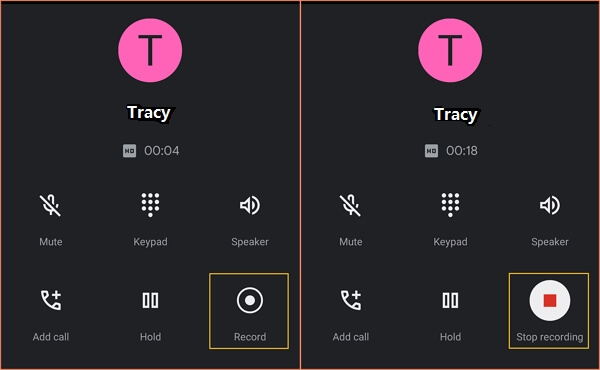
Don't worry if you accidentally deleted call recordings on your Android phone, as there are comprehensive solutions to retrieve them with ease.
To recover deleted or lost call recordings, choose the respective method and follow the tutorial below to bring them back by yourself.
| Effective Solutions | Applicable Cases |
|---|---|
| 1. Recover Call Recordings from Phone | Delete Call Recordings from Android Internal Storage...Full Guide |
| 2. Recover Recordings from Phone SD Card | Delete Call Recordings from Android Memory Card...Full Guide |
| 3. Recover Call Recordings from Backup | Delete Call Recordings from Call Recording Apps...Full Guide |
Can I Retrieve Deleted Call Recordings on Android
Unfortunately, it's not possible to recover deleted call recordings from Automatic Call Recorder Pro on your Samsung Galaxy S6. The app does not have a built-in backup feature, and deleted recordings are permanently removed from the device. However, you can try contacting the app's customer support to see if they can provide any assistance or guidance on recovering the deleted recordings. Additionally, you may want to check your device's storage for any remaining call recordings, but it's unlikely that they will be recoverable. If you're experiencing frequent data loss, consider setting up a backup system for your device in the future.
Android users may need to record calls for certain purposes, often relying on call recorder apps or the phone's internal call recording feature. However, using either method cannot prevent call recordings from being deleted.
If you are the one who accidentally deleted the call recordings on your phone, don't worry. Here, we've collected 3 practical ways to help you fully restore call recordings, voice recordings, and even call logs on your phone.
How to Recover Deleted Call Recordings
In this part, you will learn 3 practical methods for call recording recovery. Read on and choose the right solution according to your needs.
Method 1. Recover Deleted Call Recordings on Android Phone
Applicable case: Deleted call recordings from Android internal storage.
If the call recordings are stored in your Android internal storage, you can recover deleted call recordings using Android data recovery apps like Qiling data recovery for Android.
MobiSaver for Android allows you to recover lost data due to accidental deletion, virus attacks, device failures, or rooting. The app enables you to scan and preview various Android data, including photos, contacts, messages, call history, and more, with just a few clicks. You can download MobiSaver on your computer or mobile phone and follow the steps to recover your deleted call recordings.
Step 1. Connect your Android Phone to Your Computer
Run Qiling MobiSaver for Android on your computer, connect your Android phone to the computer, and click "Start" to begin the recovery process.
NOTE: This software only works with rooted Android devices, so make sure your phone is rooted before following this procedure.
Step 2. Scan Your Android Phone to Find Deleted Items
The software rapidly scans the device to identify all existing and lost data.
Step 3. Preview and Recover Deleted Call Recordings from Your Android Phone
Preview all recoverable call recordings, select the desired ones, and click "Recover" to restore them simultaneously.
Method 2. Deleted Call Recording Recovery from Android SD Card
Applicable case: Deleted call recordings from Android memory card
You can recover deleted call recordings from a removable memory card in your phone by using the card itself, as long as the data hasn't been overwritten. This method can retrieve deleted call recordings and other audio files from various types of Android SD cards, CF cards, and Micro SD cards.
You can rely on professional hard drive recovery software, such as Deep Data Recovery, to recover deleted data.
Qiling Audio Recovery Software
- Recover deleted, formatted, lost, RAW audio, video, and more.
- You can recover data from a wide range of devices, including internal and external hard disk drives (HDD), solid-state drives (SSD), USB flash drives, memory cards, voice recorders, and digital cameras.
- You can recover multiple types of files, such as audio files, photos, videos, documents, and even Adobe files, with this software.
- Recover files after a system crash, OS installation, or virus attack with ease. With the right tools and techniques, you can retrieve your important files and get back to work quickly.
To restore deleted call recordings, follow the guide below.
- Notice:
- 1. Remove the memory card from your Android phone and insert it into your computer to access it.
- 2. If you used a voice recorder, connect it to your computer or remove the storage card and connect it to the PC.
Step 1. Click "Fast Scan" to begin the process

Note: You can choose different search modes based on where and why the data was lost.
Step 2. Select the location
To recover lost music, voice recordings, and other audio files, select the location where they were lost and click "Scan".

Step 3. Preview the audio files
The scanning process for a disk can take time, depending on the disk's size. You can recover files while the scanning is in progress. To preview found audio files, click the "Preview" button in the left panel.

Step 4. Restore lost audio files
Select all found audio files, click "Recover", and save them to a safe location, such as a PC or external storage device. Confirm the recovery by clicking "OK".
Also Read:How to Recover Deleted Files from Recycle Bin?
Method 3. Recover Call Recordings from a Backup
Applicable case: Deleted call recordings from call recorder apps
Here are two call recording recovery options:
- #1. Find deleted recordings from Android backup
To recover deleted call recordings on your Android phone, simply open your phone, access your local or cloud backup drive, select the desired recordings, and download them. This will restore access to the deleted call recordings.
- #2. Contact call recording app service provider for help
To recover deleted call recordings, contact the call recording app service provider or visit the call recording cloud drive, and then find and restore the deleted recordings to your phone.
Deleted Call Recordings? Don't Worry, You Can Bring Them Back
If you've accidentally deleted important voice recordings, such as call recordings, from your voice recorder or Android memory card, don't panic. There are still ways to recover them.
Qiling data recovery software can help recover deleted voice recordings and files lost due to various reasons, such as disk formatting, power failure, virus infection, and water damage, in just a few clicks.
Recovering deleted call recordings is not difficult. Using the methods outlined above, you can quickly and efficiently bring back your call recordings from your phone, SD card, backups, and so on.
Related Articles
- 4 Ways to Fix Windows Update Stuck at 0%
- Recover Data from a Dead USB Flash Drive
- Fix Can't Find or Open Recycle Bin Windows 10
- SD Card and Disk Video Recovery Free: Recover Deleted Videos from SD Card
When users want to install the latest Windows update, they might find that the downloading stuck at 0%. This issue can occur due to various reasons, including corrupted system files, outdated Windows Update components, or conflicting third-party software. - SD Card Won't Read or Open on My Computer
If your SD memory card won't read or open on your computer. This page provides a step-by-step guide to help you fix the issue and rescue your valuable data. Follow the troubleshooting process to resolve the problem and access your SD card again.
Products
Articles & Tutorials
- Data Recovery
- Data Backup
- File Recovery
- File Backup
- System Backup and Restore
- Disk and Partition Clone
- Technical articles
- Mobile articles
- Disk Master Help
- Windows Data Recovery Tutorials
- Windows Secure Delete Tutorials
- Windows Partition Management Tutorials
- Windows File Backup and Restore Tutorials
- Windows System Backup and Restore Tutorials
- Windows Disk Backup and Restore Tutorials
- Windows Clone Tutorials