How Long Will An SSD Hold Data Without Power (SSD Lifespan)
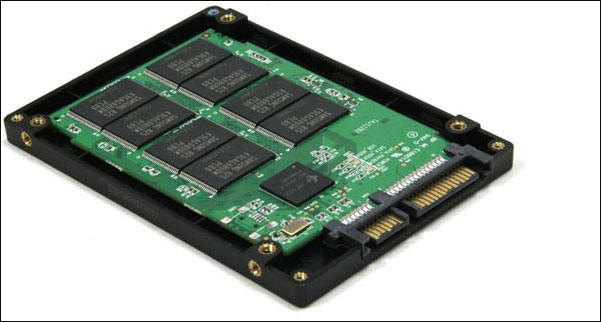
A few years ago, IT executives and administrators were concerned about losing vital data due to unexpected system failures. Manufacturers took time to convince the public that solid-state drives (SSDs) were secure for handling sensitive information. Unlike traditional hard disk drives, which store data on magnetic plates, SSDs use NAND Flash chip-based storage, a completely new medium.
A hybrid drive, also known as a solid-state hybrid drive (SSHD), is a storage device that combines a traditional magnetic hard disk drive with storage chips, providing a balance between storage capacity and performance.
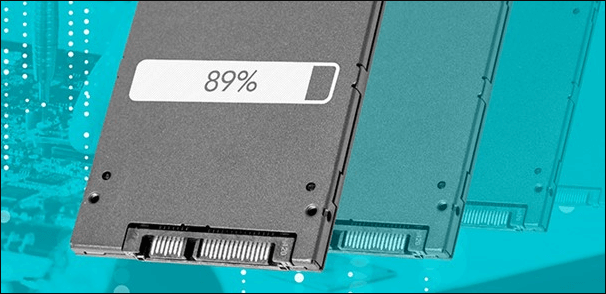
Everything About SSDs (Benefits and Disadvantages)
SSDs (Solid-State Drives) offer several benefits, including faster data access, lower power consumption, and higher reliability compared to traditional hard disk drives. However, they also have some drawbacks, such as higher costs and limited storage capacity. SSDs store data in interconnected flash memory chips, eliminating the mechanical parts found in traditional hard drives. This design allows for quick data retrieval and transfer, making SSDs a popular choice for users who value speed and efficiency in their storage devices.
SSD Benefits
SSDs offer several benefits, including faster data access and transfer speeds, lower power consumption, and increased durability. However, they also have some drawbacks, such as higher upfront costs compared to traditional hard disk drives, limited storage capacity, and potential issues with data retention and lifespan over time.
SSDs Require Less Power Than HDDs
HDDs consume about 50% more power than SSDs, which impacts battery life and energy expenses. SSDs offer superior performance, which can be crucial in situations where heat is a concern.
File Opening Becomes Faster with an SSD
Solid-state drives (SSDs) are 30 percent faster than traditional hard drives in opening files, leading to a more efficient overall system.
SSDs Have a Faster Boot Up Speed
Hard drives take longer to start up than solid-state drives due to their internal moving components, taking around 30-40 seconds to start up, which is three times slower than SSDs that take 10-13 seconds to start up.
SSDs Offer Longevity
A Hard Drive has a 25 percent shorter lifetime than an SSD, with a mean failure time of 1.5 million hours compared to the SSD's 2 million hours.
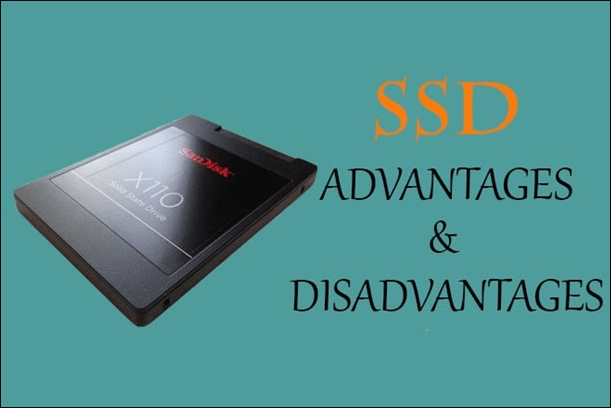
SSD Drawbacks
While Solid-State Drives (SSDs) offer numerous benefits, such as faster performance and lower power consumption, they also have some drawbacks.
Storage Capacity
A significant drawback of solid-state drives (SSDs) is that previous data cannot be recovered, as they have been wiped clean of any data that may have been left behind, posing a risk of permanent data loss in the absence of backups.
Recovery of Lost Data
Solid-state drives (SSDs) are expensive and often come with limited storage capacities, typically less than 160 GB, with some as small as 32GB, making them a costly option.
SSD Lifespan - How Long Do SSDs Really Last (Answers)
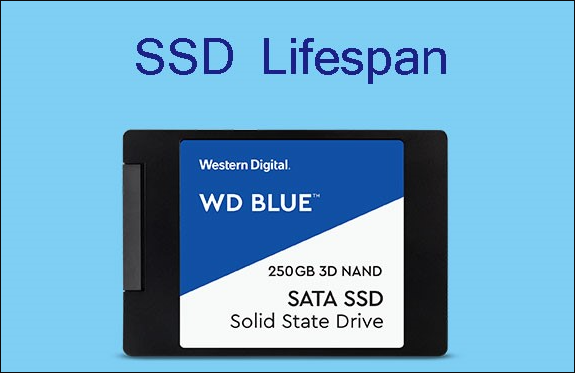
SSDs are expected to last around 10 years or more under normal use, a significant increase from previous estimates of 5-6 years.
A solid-state disk (SSD) can store data only in vacant sectors, and cannot write to sectors that are half occupied or contain fragments of a previously erased file. This means that data on an SSD must be deleted and the sectors must be completely cleared before they can be reused, which is an important consideration for systems that need to gather and delete data from SSDs.
TRIM is more important than longevity for SSDs, as it helps maintain performance by erasing unused data and freeing up resources. SSD performance drops significantly when the drive fills up, with some businesses implementing storage restrictions between 75% and 80% of capacity to prevent this.
The cost per GB of storage increases due to added policies, such as data retention and archiving, which can reduce storage capacity. Additionally, implementing policies like data deduplication and compression can also impact storage capacity. Furthermore, extending the SSD lifetime by regularly updating firmware can improve performance and durability, but may also contribute to increased costs.
SSD Data Recovery – How to Restore Data from SSDs
Even if you make every effort to prevent data loss issues, you might still have data loss issues from time to time. Fortunately, third-party SSD disk recovery software is available to aid you, with Deep Data Recovery being a recommended option. This software can recover lost information from SSD devices in various difficult data loss conditions, including logical data loss.
This software allows you to recover data from an SSD drive, unformat SSD devices, and recover files from an SSD disk in RAW format, making it a useful tool for computer users of all skill levels to recover their information in a few simple steps.
Significant Advantages of Qiling SSD Recovery Software
Recover Formatted SSD Drive: The Deep Data Recovery can retrieve data from a Solid State Drive that has been formatted or reformatted, allowing users to recover lost files and data.
Recover Deleted Data from SSD:Accidental deletion of essential data from solid-state drives (SSDs) is a common occurrence. Fortunately, with the help of a reliable SSD recovery application, you can easily recover deleted data files that were mistakenly erased.
Recover Files from Corrupted SSD:The program can recover data from a corrupted SSD, searching for and restoring all affected files and folders in a healthy state within seconds, with just a few simple clicks.
Support GPT and MBR Partition Recovery: This program can recover deleted multimedia files from SSD's GPT and MBR partitions, as well as scan unallocated volumes.
Follow these steps to recover data from an SSD utilizing Qiling SSD data recovery software.
Step 1. Select file types and click "USB/SD Scan" to start
Launch Deep Data Recovery, click "USB/SD Scan" to initiate the recovery process.

Note: You can choose different search modes based on where and why the data was lost.
Step 2. Scan the SSD
Open Deep Data Recovery, select the SSD where you lost data, and click the "Scan" button.

Step 3. View the results
When the scanning finishes, use the "Filter" and "Search" options to find lost SSD data by checking the "Deleted Files" and "Other Lost Files" folders.

Step 4. Recover SSD files
To recover lost SSD files, select the desired data and click the "Recover" button to retrieve them.
Important Note: If you previously destroyed an SSD and want to retrieve lost data, this approach is only feasible. However, it necessitates turning off the SSD TRIM. If you've already activated the "Trim" option on your SSD and are still experiencing data loss, your chances of success are slim. Disabling Trim for SSD data recovery might be worth trying if you believe it's necessary.
Conclusion
We hope this guide has provided you with a thorough understanding of how long an SSD will hold data without power, and what factors affect its lifespan.
You can weigh the benefits and drawbacks of having a data recovery software like Qiling to decide if you need one. If you've already lost data, Qiling's software can help you recover it.
FAQs - Additional Help
If you have more questions, you can read these FAQs to get help.
1. How Do I Increase the Lifespan of My SSD?
The lifetime of an SSD can be extended by disabling or relocating the system's page-file to another device, or by using inexpensive commodity SSDs as a dedicated page-file repository, which can help reduce the wear and tear on the primary SSD.
TRIM should be activated on your system to improve disk performance and longevity for SSDs. It helps remove unnecessary data, reducing wear and tear on the drive, and also improves read and write speeds. This is more important for SSDs than longevity.
2. Does an SSD Require Power?
The central question asked around is whether a Solid-State Drive (SSD) requires power. The answer is no, an SSD does not need a power cable, just like a Hard Disk Drive (HDD).
Motherboards often come with cables, including SATA, and SSDs are inserted into laptops or computer devices to function properly, as long as the computer is powered on.
3. Is SSD Good for Long-Term Storage?
The data stored on any storage device, including SSDs, HDDs, cassettes, CDs/DVDs, ultimately fails. To ensure the safety of valuable data or the preservation of the operating system, create numerous backups and store them in separate places.
4. Which Is Better for Storage SSD or HDD?
SSDs use less power and have longer battery life compared to HDDs, which require more power to boot up due to their rotating drives.
While SSDs are currently pricier per gigabyte than HDDs, the cost gap is narrowing as SSD prices drop faster than HDD prices. Additionally, PCIe SSDs tend to be quicker than HDDs with SATA connections due to their higher number of channels.
Related Articles
- (3 Ways) How to Recover Deleted Photos from Computer/External Hard Drive
- How to Remove Bad Sector from Hard Disk Using CMD
- How Do I Repair a Corrupted DOCX File? [6 Reliable Fixes Available]
- How to Recover Formatted Files with Free Format Recovery Software
- How to Find Autodesk Product Key? Answer Is Here!
Want to find Autodesk product key? Locating any key of existing software can be easily extracted by a product key finder. Moreover, if you prefer to take the manual and free options, you are lucky to read this article. All methods we marked are available for Windows 11. - How to Find A Chrome Account and Password
If you're trying to find a Chrome account and password, this article is for you. We'll explore two different methods to help you locate your Chrome account and password.
Products
Articles & Tutorials
- Data Recovery
- Data Backup
- File Recovery
- File Backup
- System Backup and Restore
- Disk and Partition Clone
- Technical articles
- Mobile articles
- Disk Master Help
- Windows Data Recovery Tutorials
- Windows Secure Delete Tutorials
- Windows Partition Management Tutorials
- Windows File Backup and Restore Tutorials
- Windows System Backup and Restore Tutorials
- Windows Disk Backup and Restore Tutorials
- Windows Clone Tutorials