macOS 13 Ventura vs. Monterey: Should You Upgrade?
The latest macOS version, Ventura, has generated massive buzz, but the final release is delayed, causing problems for Mac users who are eager to upgrade.
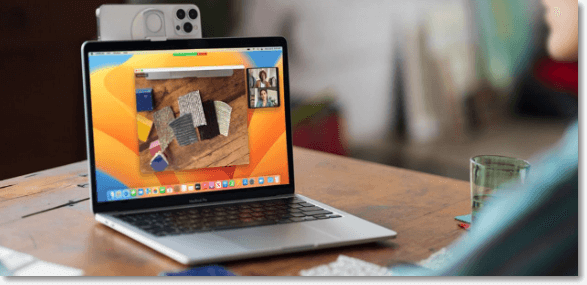
The beta version of Ventura has been met with both excitement and frustration, as users experience issues and confusion due to the new features and changes, leading to negative feedback.
Upgrading to macOS Ventura can be a good idea, but it ultimately depends on your specific needs and preferences. To help you decide, let's compare macOS Monterey and Ventura. We'll explore the key differences between these two operating systems, including their features, performance, and compatibility. By weighing the pros and cons, you'll be able to make an informed decision about whether to upgrade to macOS Ventura or stick with macOS Monterey.
An Overview of Monterey vs. Ventura (macOS 12 vs. macOS 13)
To determine which operating system is better suited for you, it's essential to have a comprehensive understanding of both macOS Ventura and macOS Monterey, including their features, capabilities, and requirements.
Monterey macOS
macOS Monterey, the 12th version of macOS, succeeded Big Sur and introduced several changes, including Mac shortcuts and features like TestFlight. It also brought Universal Control, allowing a single mouse and keyboard to control multiple iPads and Macs.
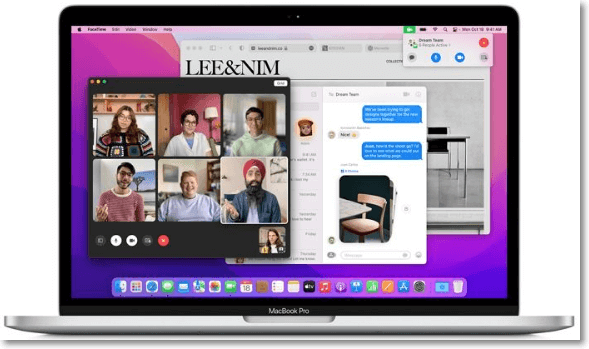
The OS supported the Apple Music Voice Plan Subscription, allowed Noise Cancellation and Portrait Mode in apps like FaceTime, integrated Live Animoji and Memoji with the lock screen, and introduced Live Text and a new toolbar for Preview and Finder apps.
The new features and changes in the update were impressive, particularly the addition of Low Power mode, which significantly increased battery life while in use. Additionally, the yellow privacy indicator was integrated to inform users whether the webcam or mic is on, providing an extra layer of security. Other enhancements were made to FaceTime and Time Machine for improved efficiency and functionality.
Ventura macOS
macOS Ventura is the latest version of the operating system, succeeding macOS Monterey. It promises exciting changes with new features like Stage Manager, improved Safari, iCloud Shared Photo Library, and more. The final version is yet to be released, but we can assist with downloading macOS 13 Ventura.
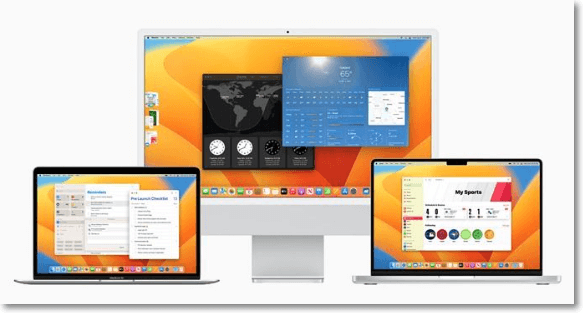
The Font Book, Mail, Spotlight, and various apps like weather and clock have been visually redesigned and improved for better functionality and user experience.
The Freeform app offers increased productivity and collaborative work, along with AVIF support, an updated Siri, and a revamped System Preferences.
Monterey vs. Ventura: What Are the Differences?
There are several differences between macOS Monterey and Ventura. Here are the key points of comparison:
macOS Ventura vs. Monterey: Can You Upgrade?
To ensure a smooth upgrade to macOS Ventura, it's essential to check your Mac's compatibility first. You can do this by checking the model list provided by Apple, which includes supported MacBook, MacBook Air, MacBook Pro, iMac, iMac Pro, Mac Pro, and Mac Mini models. You can also check the "About this Mac" section in System Preferences to see if your Mac is running on a compatible version of macOS. If your Mac is not compatible, you may want to consider upgrading to a newer model or using a different operating system.
Here is the list of compatible devices or systems that can be updated to Ventura.
- MacBook Pro 2017 & later
- MacBook 2017 & later
- iMac 2017 & later
- Mac mini 2018 & later
- iMac Pro 2017
- MacBook Air 2018 & later
- Mac Studio 2022
- Mac Pro 2019 & later
Besides, if you happen to find your mac failed to upgrade, follow the steps down below:
macOS Ventura vs. Monterey Spotlight and Stage Manager
In Ventura, Stage Manager is a new feature that allows you to use multiple apps and windows simultaneously, making it easy to work while swapping between different apps. This feature can be thought of as an advanced version of Expose and Search, previously available on Monterey, and will be available on the left side of the screen.
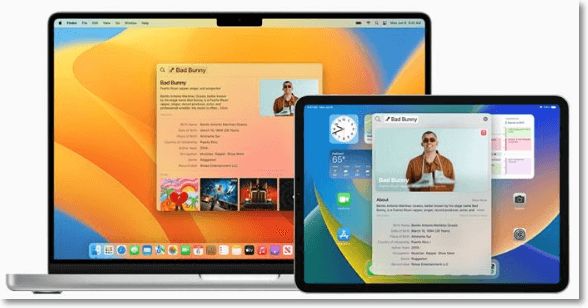
Spotlight, a feature on Mac, has improved in Ventura, allowing users to search the web and locate images on the iCloud Photo Library, and also support Live Text.
macOS Ventura vs. Monterey Mail and Messages
With Ventura, Mail and Messages have undergone significant improvements. Users can now unsend messages within a few seconds after sending them, and Messages supports SharePlay, a feature that allows for synchronized media sharing. Additionally, Mail has introduced the ability to set reminders for incoming messages and schedule the timing of outgoing emails.
macOS Ventura vs. Monterey Safari
Safari in Ventura has seen minimal changes, with the primary difference being its improved performance, making it the fastest browser globally. The Shared Tab Groups feature is an upgrade to the Tab Groups in Monterey, offering a more enhanced browsing experience.
macOS Ventura vs. Monterey System Settings
In Ventura, the System Preferences have been revamped and are now called the System setting, with a visually distinct look similar to an iOS app. A new sidebar has been added, displaying various settings.
Monterey vs. macOS Ventura: Is It Worth Upgrading
If you're considering upgrading to macOS Ventura, here are the key factors to help you decide.
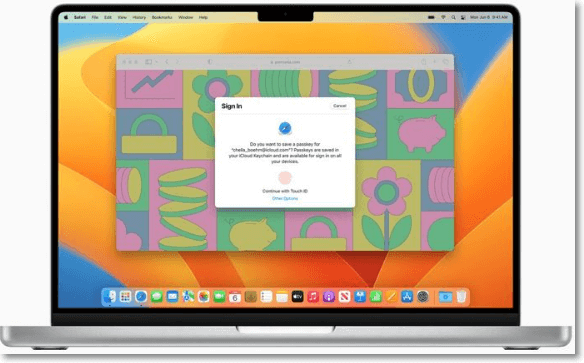
There are several reasons to upgrade to Ventura from Monterey, including access to new features like Stage Manager, Passkeys, and Continuity Camera, as well as improvements to existing features and apps.
macOS Ventura is a more secure and reliable operating system compared to its predecessor, with Apple continually working to eliminate vulnerabilities and improve the overall security of its latest versions.
Some users may be hesitant to upgrade to the new macOS Ventura due to potential issues such as glitches, bugs, and app compatibility problems.
The best time to upgrade to Ventura is not now, as some new features won't be available at the final launch, but will be added later through a software update.
Waiting a few months for the stable version is recommended to avoid glitches and get all the features listed.
To prepare for installing macOS Ventura, you should first ensure that your Mac is compatible with the new operating system. Check the Apple website for the list of supported Mac models.
- Before purchasing the existing system, ensure it is compatible with your operating system. To do this, check the list of compatible devices available, which will provide you with the necessary information to make an informed decision.
- Check and ensure that the apps you need are compatible with Ventura, otherwise, there will be issues while working.
- Free at least 20-25 GB of free space on your Mac is required to install, download, and run macOS Ventura smoothly.
- Before opting for an upgrade, you can also use Time Machine Backup to back up your important data.
- Keep your Mac fully charged during the update process and have the charger plugged in to be safe.
- Ensure a stable and reliable network connection to prevent issues during the update process, which may interrupt the update or cause problems within the new OS.
Final Verdict
macOS Ventura is the latest version of the operating system for Macs, succeeding Monterey. It boasts a range of features, including improved Spotlight and Safari, as well as new additions like Stage Manager and Freeform.
Before upgrading, ensure your system is compatible. Then, review the new features and determine if they're necessary. It's often wise to wait a few months after the final version is released, allowing you to benefit from all the new features later.
Monterey vs. Ventura FAQs
Before making a final decision, gather more knowledge by browsing through the questions and answers listed below to ensure a smooth move ahead.
1. Should I update my macOS to Ventura from Monterey?
If you don't need the new features right away, it's recommended to wait a few months before updating from Monterey to Ventura, as the initial public release may encounter glitches, bugs, and system issues.
2. How to update my macOS to Ventura from Monterey?
To update to macOS Ventura, you'll need to go to System Preferences, click on Software Update, and then click Update to download the latest version. Follow the on-screen instructions to install Ventura.
3. How to downgrade from the macOS Ventura?
There are three different ways to downgrade from the macOS Ventura.
- Method 1. Downgrade with Time Machine
- Method 2. Downgrade with macOS Recovery
- Method 3. Downgrade with Bootable Installer
Related Articles
- Windows Recovery Environment [How to Access with Video]
- 3-2-1 Backup Rule: Establish A Secure Data Backup
- 2020 Top 5 Free Online PDF Service
- What Are the System Recovery Options on Windows? [Detailed Description]
- How to Factory Reset Microsoft Surface with Every Possible Way
Learn how to factory reset Microsoft Surface safely. Use Windows settings, recovery options, or reset methods while protecting data. - [Full Guide] How to Factory Reset PC Without Turning It On
Make your PC brand new and super fast with the help of factory reset settings. Learn different methods and techniques for how to factory reset pc without turning it on. Also, find out details of EasyUS software to create a backup in your window before the factory reset.
Products
Articles & Tutorials
- Data Recovery
- Data Backup
- File Recovery
- File Backup
- System Backup and Restore
- Disk and Partition Clone
- Technical articles
- Mobile articles
- Disk Master Help
- Windows Data Recovery Tutorials
- Windows Secure Delete Tutorials
- Windows Partition Management Tutorials
- Windows File Backup and Restore Tutorials
- Windows System Backup and Restore Tutorials
- Windows Disk Backup and Restore Tutorials
- Windows Clone Tutorials