Windows 11 Update Slows Down SSD Performance? Newest Guide
If you're experiencing slow computer issues or slow SSD issues after updating to Windows 11, Qiling may be able to help you resolve these problems.
Windows 11 Update Slows Down SSD Performance? Unfortunately Yes
The Windows 11 update has been known to slow down SSD performance, with some users experiencing a significant drop in speed, from 7,000MB/s to 3,000MB/s or even 1,000MB/s.
Windows 11's mandatory updates are reportedly causing severe performance issues with SSD speeds, particularly affecting NVMe SSDs which are known for their exceptional speed.
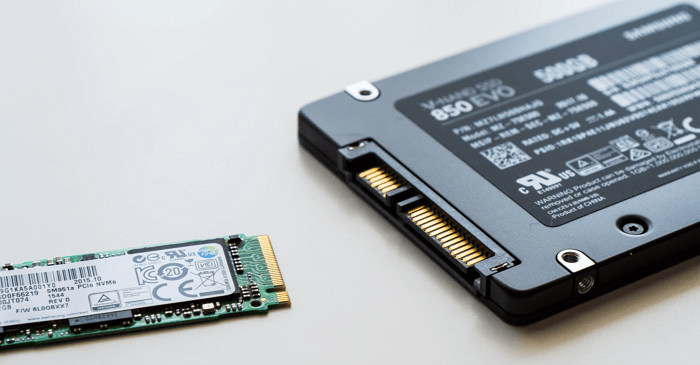
Users experiencing slow SSD performance on Windows 11, particularly after the "Moment 2" update, may not have a common factor, and the issue doesn't seem to affect all users. One user reported his NVMe SSD speed dropped to 1/7th its original speed.
Here are some real cases from different forums:
I've noticed that my relatively fresh laptop is experiencing slow performance issues, with long boot times, delayed wake from sleep, slow file explorer, and slow app and web page loading. This was not a problem on Windows 10, but has become an issue since switching to a new operating system.
The latest Windows 11 update has been causing issues such as slow SSDs and WiFi connections, blue screen of death (BSoD), and other problems for some users, according to reports on Reddit.
Many users have reported issues with their SSD read and write speed after a Windows 11 update. To troubleshoot, we recommend testing your SSD's read and write speed after the update to see if it's the cause of the problem.
How Do I Make Sure My SSD Gets Slower After Windows 11 Update
To get an accurate SSD speed test result, use Qiling Disk Master's DiskMark feature, which can test real-time or peak read/write speed without errors, making it a great tool for novices, and it's fully compatible with Windows 11 and older versions, with the DiskMark feature being free.
Step 1. To activate the "Surface test" feature in Qiling Disk Master, launch the software and click the download button under the "Disk management" tab page. This will initiate the surface test.
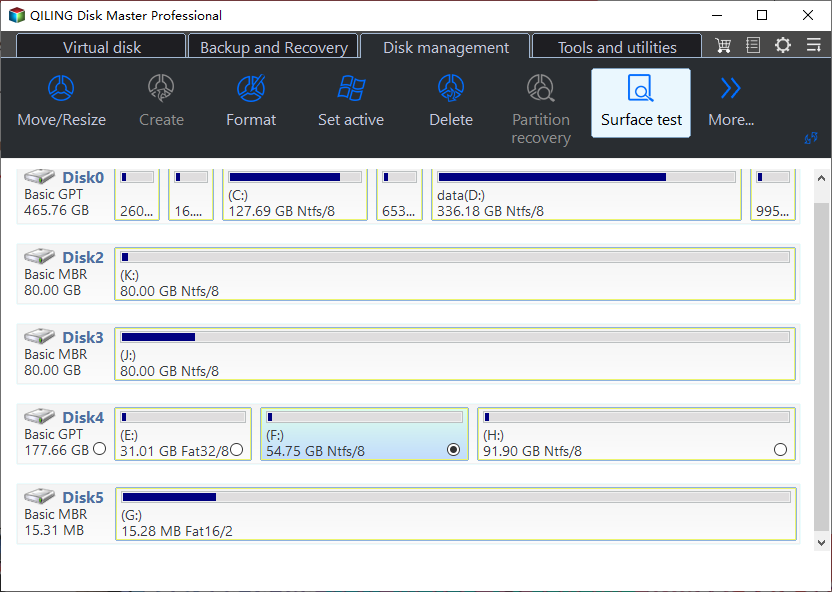
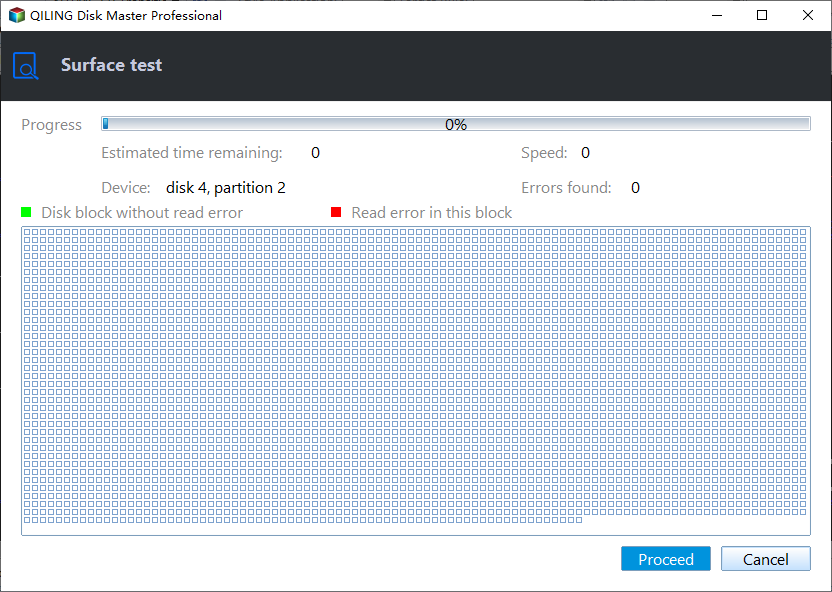
Step 2. To select the target drive, test data, and block size, click on the drop-down box and choose the desired options from the available selections.
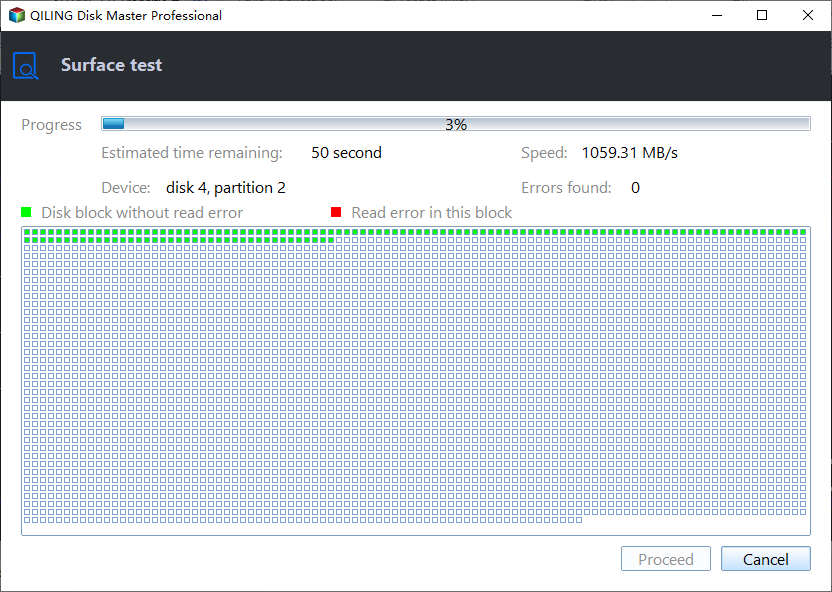
Step 3. Once everything is configured, click "Proceed" to begin the disk test, and you'll see the Sequential read speed, I/O, and Delay data displayed.
If you're still unsure, you can also watch the tutorial video for further clarification. Additionally, there's more information available on the speed of SSDs if you're interested.
If your SSD speed drops significantly after a Windows 11 update, Qiling Disk Master can potentially improve its read and write speed by 4K aligning your SSD. This can provide a clear read and write speed of the SSD.
4K Align SSD to Improve Its Speed
Here is how to 4K align SSD:
Step 1. Go to "Disk management" tab page.
Step 2. To align a disk, select it, right-click, and choose the "4K Alignment" feature.
Now, you can run a game or test the SSD speed again to see if it has been improved. This tool can help you optimize your SSD for better performance. It can also help you identify and fix any issues that may be affecting your SSD's performance.
Other Key Features of Qiling Disk Master
- Test SSD read/write speed
- Format/wipe an SSD
- Merge partitions on an SSD
- Clone SSD to larger SSD
- Check SSD health and temperature
If you want to test your SSD's read/write speed or improve its performance, this tool can be helpful. You can download it by clicking the provided button.
Rollback to Fix Windows 11 Slows Down SSD Performance
The July 2023 Patch Tuesday update is expected to address an issue that was not resolved in the June 2023 optional update. The issue remains unresolved, and the update is expected to provide a solution.
KB5027303 - June 2023's optional update.
KB5027231 - June 2023's Patch Tuesday (This is mandatory).
KB5026372 - May 2023's Patch Tuesday (This is mandatory).
KB5025239 - April 2023's Patch Tuesday (This is mandatory).
KB5023778 - March 2023's Patch Tuesday
After installing the latest Windows 11 update, some users have reported that their SSD has slowed down. A possible solution is to roll back to the previous version of Windows 11, which can be done by going to Settings > Update & Security > Recovery, and selecting the "Go back" option. This may resolve the issue for affected users. However, it's worth noting that this solution may not be ideal for everyone, and users should weigh the pros and cons before deciding to roll back. Additionally, it's possible that Microsoft may release a patch to fix this issue in the near future.
Step1. Right-click on the "Start" button and then click "Settings."
Step 2. Click on the "Windows Update" section near the bottom left corner of the Settings window.
Step 3. Click Update History
Step 4. To uninstall Windows updates, slide the mouse down to the "Uninstall Updates" section and click on it.
Step 5. To uninstall KB5023706, select the update in the list of installed updates, confirm the operation with the "Uninstall" button, and wait for the process to complete.
The article discusses the importance of sharing information about a particular issue with others. It emphasizes that sharing the article with others will help them learn about the issue and potentially make a positive impact. The buttons provided allow users to easily share the article on various social media platforms, making it simple for others to learn about the issue and get involved.
Conclusion
Windows 11 users have been experiencing a slowdown issue where their devices become slow when performing SSD-intensive tasks, such as copying large files or playing heavy games, since the March 2023 Cumulative Update. This has resulted in longer PC boot times and slower SSDs. A speed test tool can be used to diagnose the issue, and two methods are available to fix the error, which will be explained in more detail.
Windows 11 Update Slows Down SSD Performance FAQs
Do you have any further questions about Windows 11 update slowing down the SSD performance? Here, these questions may help you get more details about his issue.
1. Does Windows 11 slow down SSD?
Some Windows 11 users have reported technical and hardware issues after upgrading, including a significant impact on SSD speed.
2. Why is my PC so slow after Windows 11 update?
Microsoft's latest Windows 11 update is causing issues, specifically slowing down SSDs, particularly NVME, with some users experiencing a 50% reduction in speed. The cause is unknown, but a future patch may resolve the problem.
3. How to fix Windows 11 NVMe Slow error?
Some users reported that rolling back to a previous version resolved the NVMe SSD slowdown error.
Related Articles
- [2023] Efficient Ways To Fix PS4 Disc Drive Not Working! Error Reading!
- How to Backup Outlook Emails to Gmail [2023 Detailed Tutorial]
- Tutorial for Tesla Format USB, Everything You Should Know in 2023
- Disk Boot Failure - Insert System Disk and Press Enter in Windows 10
- (Solved!) Windows Update Stuck on Restarting🔥
If your Windows update gets stuck on restarting, there are ways to fix the issue. This article will guide you through the solution and also recommend using Qiling Disk Master, a tool that can help protect your data. - 4 Ways Included | How to Fix Windows Won't Boot from CD
Windows won't boot from CD - how to fix it? In this article. you can learn how to fix Windows that won't boot from CD in 4 ways and how to make a CD bootable using Qiling Disk Master.
Products
Articles & Tutorials
- Data Recovery
- Data Backup
- File Recovery
- File Backup
- System Backup and Restore
- Disk and Partition Clone
- Technical articles
- Mobile articles
- Disk Master Help
- Windows Data Recovery Tutorials
- Windows Secure Delete Tutorials
- Windows Partition Management Tutorials
- Windows File Backup and Restore Tutorials
- Windows System Backup and Restore Tutorials
- Windows Disk Backup and Restore Tutorials
- Windows Clone Tutorials