How to Load Old Cyberpunk 2077 Saves on Xbox
As a super large role-The release of Cyberpunk 2077 sparked an unprecedented surge in the game market, despite being marred by numerous bugs that frustrated many players. Nevertheless, the game's unique theme, engaging plot, rich game elements, and innovative cross-gender roles helped it achieve remarkable sales and a strong reputation.

Cyberpunk 2077 released an update in February 2022, including a new generation version for PS5 and Xbox Series X/S, with free upgrades for PS4 and Xbox One players. However, players who have changed consoles face the issue of loading previous saves on their new devices.
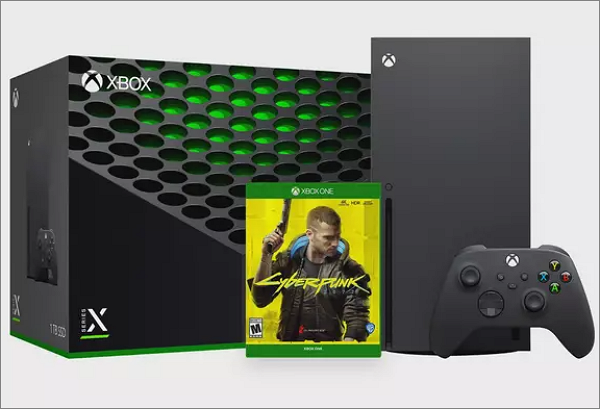
For Xbox users, this article provides guides on how to load old saves for Cyberpunk 2077, regardless of whether you use Xbox One or Xbox Series X/S.
How to Load Old Cyberpunk 2077 On Xbox
Xbox provides three methods to transfer saves between Xbox One and Xbox Series X/S: Cloud transmission, network transmission, and USB transmission. After transferring your saves to the new device, open the game, manually search for the old save, and you can load the previous game data and play normally.
Now let's check out these 3 solutions.
Transfer Old Saves from the Cloud
With Smart Delivery, Xbox players can upload and access their Cyberpunk 2077 saves from the cloud, allowing them to download and play from any device.
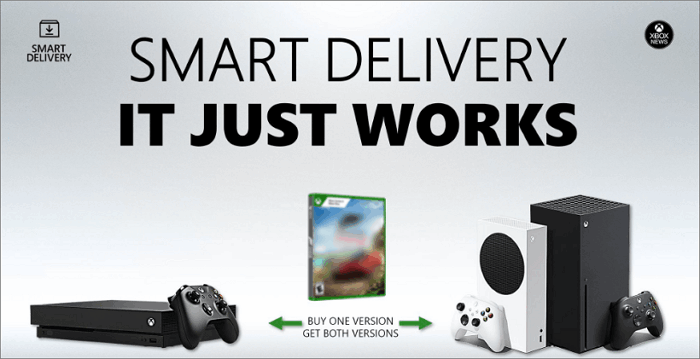
This method is suitable for transferring saves from Xbox One to Xbox Series X/S, but it's time-consuming.
Transfer Old Saves via the Same Internet
To transfer game saves from Cyberpunk 2077 from Xbox One to Xbox Series X/S, you can use Microsoft's network transmission function. This allows you to copy saves directly to the new device by connecting both consoles to the same Wi-Fi network.
Here are the specific steps.
Step 1. To reset Xbox One, go to the main menu and click "My games & apps".
Step 2. Click Manage>Settings and select "Network Transfer"
Step 3. Select "Allow network transfer" on this page
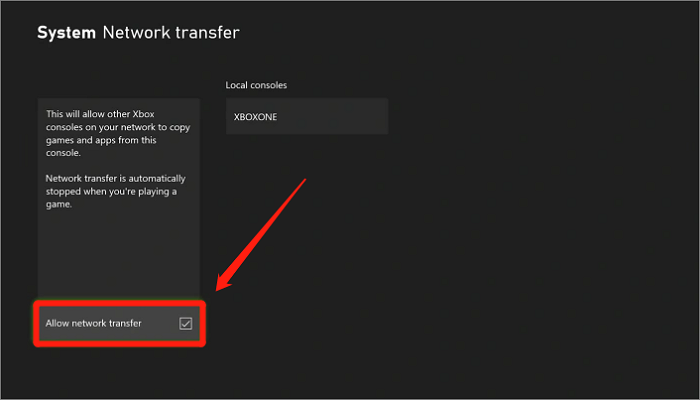
Step 4. To start the Xbox Series X/S, press the power button on the controller or the console itself. Once it's on, navigate to the "My games & apps" section.
Step 5. To transfer data from your old Xbox One to a new one, go to the Settings app, select Manage, then Network transfer, and finally choose the Xbox One from the list of Local consoles.
Step 6. To access the Xbox One game list, press the Xbox button on your controller to open the guide, then click on "My Games & Apps" and select "Xbox One" from the list. Next, click on "Cyberpunk 2077" from the game list.
Step 7. To proceed, select "Copy" and then you can load the old saves after the process is done.
Compared to cloud transmission, connecting to the same network via a wireless connection is more efficient for seamless game save migration. This approach saves time and eliminates the risk of data corruption.
Using USB External Drive
Using a USB external drive for transferring game saves is a recommended method, allowing for quick and efficient loading of old saves without relying on network connections.
To ensure your USB drive is compatible with the Xbox system, please confirm that you are using a USB 3.0 drive and have formatted it. This is a requirement for compatibility.
Step 1. Insert USB into Xbox One and navigate to "My games&apps"
Step 2. Locate Cyberpunk 2077 and click Menu>Manage game and add-ons
Step 3. To save your game data and transfer it to a USB, follow these steps: Save your game data, then go to the "Move or copy" option and select "Move" to transfer the data to your USB. This will save your progress and move the game data to the USB, allowing you to play on a different console or device.
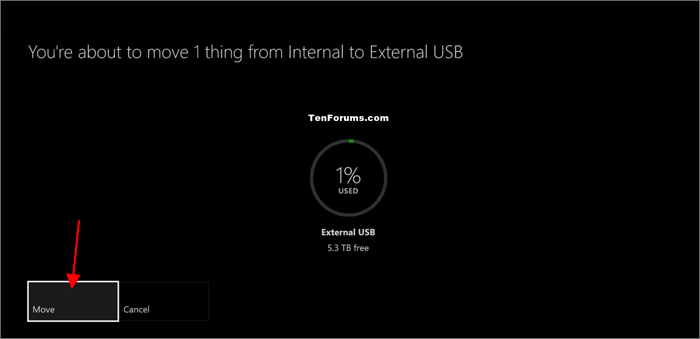
Step 4. Insert the USB into Xbox Series X/S and choose Settings>System>Storage
Step 5. To transfer all data of Cyberpunk 2077 from an external device, connect the device to your computer, open the game's launcher or go to the game's installation folder, and copy all files from the "Save Games" folder on the external device to the same folder on your computer. Make sure to copy all files, including any additional files created by the game.
After transferring the data, you can open Cyberpunk 2077 on Xbox and successfully load your old saves to continue playing the game.
The cross-save feature on Xbox allows users to save their game progress on one console and pick up where they left off on another. This means that users can start playing on their Xbox One, save their progress, and then pick up where they left off on their Xbox Series X/S, without having to restart the game from the beginning.
How to Backup Cyberpunk 2077 Files
Before transferring and loading saves for Cyberpunk 2077, we highly recommend backing up your saves first. While Xbox is a stable gaming device with Cloud storage, there's still a risk of data loss due to network or hardware issues. To ensure the security of your game files, consider using one of the best backup software to safeguard your saves.
Qiling Backup Home is a professional game backup software that allows you to create a scheduled backup of your system, disk, files, and APP data, with customizable full, differential, and incremental backup methods, and free 250 GB cloud storage.
To back up your Xbox hard drive, simply remove the hard disk and follow the tutorial below. This will ensure that all your data, including games, profiles, and other files, are safely backed up.
Step 1. To start a disk backup in Open Qiling Backup, select "Disk Backup" from the home page. This will initiate the backup process for your disk.

Step 2. Qiling Backup provides users with flexibility in selecting the backup scope, allowing them to choose between backing up an entire disk or a specific partition, catering to their individual needs.
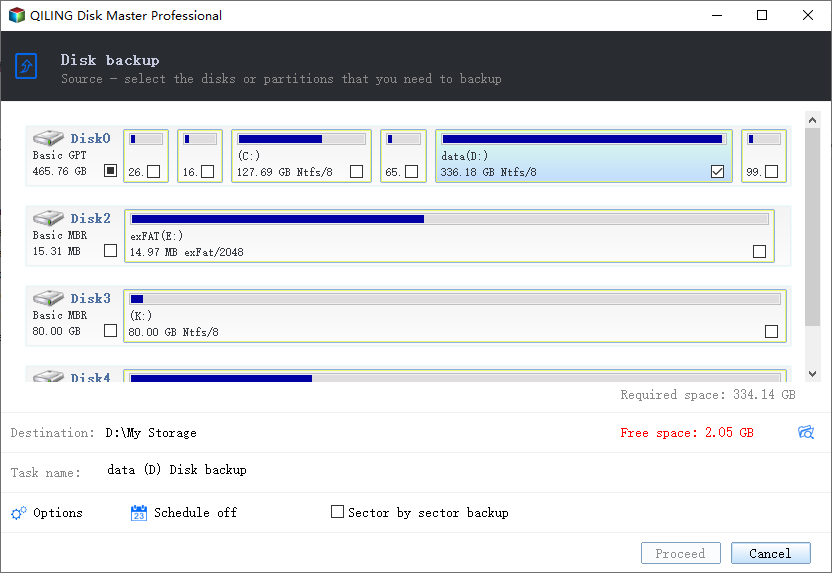
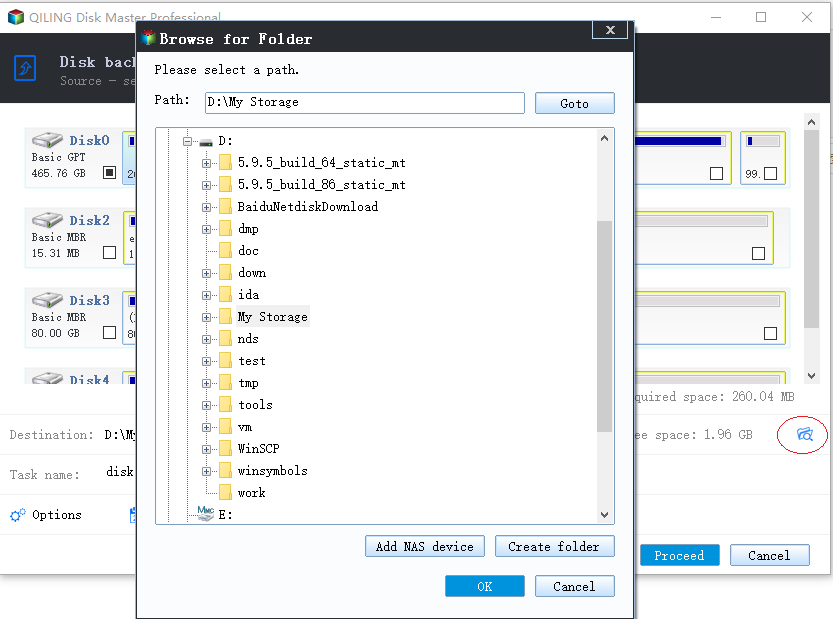
Step 3. Select the destination where you want to save the backup, which can be a local drive or a NAS.
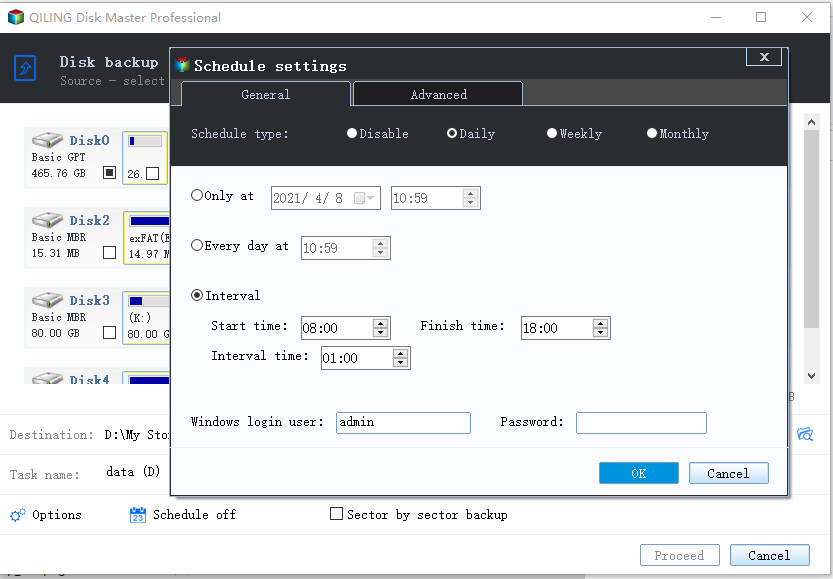
Step 4. After completing the backup process, you can click "Proceed" and then click the "Advanced" button in the task to further manage your backup, such as recovering it, creating an incremental backup, etc.
Conclusion
The solution for loading old saves on Xbox in Cyberpunk 2077 involves transferring the game data to a new device and then opening the game to resume previous progress. To ensure the game data's security, consider using Qiling Backup Home to back up the game files.
FAQs
1. Does Cyberpunk have cloud save on Xbox?
Cyberpunk 2077 on Xbox allows for cloud saving, automatically saving game files to the cloud once an internet connection is established, ensuring seamless continuity of gameplay.
2. Can Cyberpunk save transfer to other Xboxes?
You can transfer your Cyberpunk saves to other Xboxes using one of three methods.
Method 1. Transfer old saves from the Cloud
Method 2. Transfer old saves via the same internet
Method 3. Transfer old saves using a USB external drive
Related Articles
- Windows 10 Keeps Restarting or Continuously Reboots? Fix It Now!
- Fix IE Browser Shuts Down Suddenly in Windows 10/8/7 Error
- How to Fix Checking File System on C Error on Windows 7/8/10/11 Startup
- How to Format SD Card on GoPro [Quick Solutions]
- RAR vs ZIP. What Is The Difference Between ZIP and RAR?
The article explores the differences between ZIP and RAR files, two popular compression formats used to reduce the size of digital files. - eSATA External Hard Drive: Everything You Should Know
In this article, we will discuss what is eSATA external hard drive and its pros and cons. Besides, you can get some recommendations for eSATA external hard drives.
Products
Articles & Tutorials
- Data Recovery
- Data Backup
- File Recovery
- File Backup
- System Backup and Restore
- Disk and Partition Clone
- Technical articles
- Mobile articles
- Disk Master Help
- Windows Data Recovery Tutorials
- Windows Secure Delete Tutorials
- Windows Partition Management Tutorials
- Windows File Backup and Restore Tutorials
- Windows System Backup and Restore Tutorials
- Windows Disk Backup and Restore Tutorials
- Windows Clone Tutorials