Detailed Guide | How to Recover Deleted Videos from DJI
If you've accidentally deleted videos from your DJI drone camera, don't worry! You can recover them using a few simple methods. First, check if the deleted videos are still stored in the drone's memory. If so, you can recover them using the DJI GO app or the drone's built-in recovery feature. If the videos are no longer in the drone's memory, you can try using a data recovery software to scan your device for deleted files. This software can help you recover the videos from your device's storage. Additionally, you can also try using a USB recovery method to recover the deleted videos.
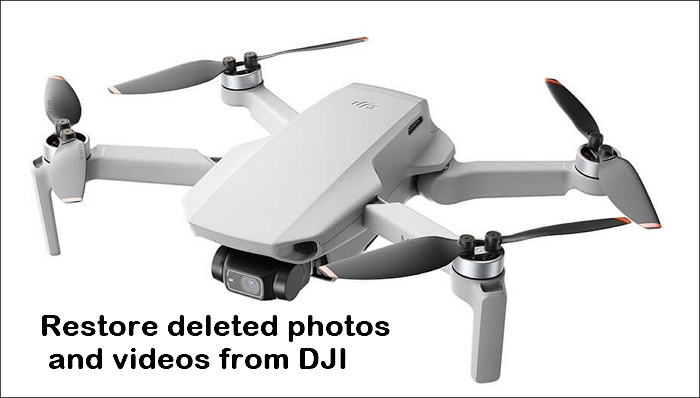
Things You Need to Know About the Deleted Files on DJI
Although there is no security mechanism for DJI videos, users can still recover lost photos and videos using suitable data recovery software. As long as newly taken data hasn't filled the data blocks, there's a possibility of recovering deleted files. Before attempting to recover deleted files, it's essential to keep in mind two key points.
1. About the video/photo saving formats
DJI's data collection involves photo and video formats, which are essential to understand. These formats are used to store visual data, and their specifics can provide insight into the type of information being collected.
- In contrast to iOS and macOS, which use H.265 video encoding, DJI employs H.264 video encoding and 10-bit D'Cinelike format.
- DJI Camera uses JPEG and DNG RAW formats for photo files.
- DJI Drones uses both MP4 and MOV formats for video files, which have the same quality.
This suggests that the recovery program's ability to recover improperly encoded video files might be due to a specific cause, such as a particular encoding issue.
2. The type of memory cards
DJI drones use external memory cards and have 8GB of onboard memory, which saves deleted pictures and videos.
The memory card in your DJI drone uses ExFat for cards smaller than 32GB and Fat32 for cards bigger than 32GB. You need to recover the erased images and videos from the memory card.
[Step-By-Step] 3 Ways to Recover Deleted Videos from DJI
Here are the steps to find your misplaced or deleted photos and videos from your DJI devices: Check your device's storage for deleted files, use the DJI GO app's "Album" feature, check your computer for downloaded files, check your SD card for stored files, and contact DJI customer support for assistance. You can also check the DJI website for any available software updates that may help recover your files.
Method 1. Retrieve deleted files on DJI's SD card with Deep Data Recovery
When DJI drones and camcorders save their videos and photos, they are always stored on the SD card inserted. Therefore, SD card recovery is the first thing to consider when discussing DJI file recovery.
To recover files from an SD card, you can use Deep Data Recovery, a third-party tool designed to recover deleted or lost files from various digital storage media, including SD cards, hard drives, CDs, and DVDs.
- Tip
- If you accidentally delete recordings from a DJI device, stop using the SD card as soon as possible to prevent new data from overwriting the lost recordings, making them unrecoverable.
Here are the steps to using Deep Data Recovery to recover your deleted videos from the SD card.
Step 1. Select the SD card to scan
- Download and install Deep Data Recovery on your Windows PC.
- To connect your SanDisk/Lexar/Transcend SD card to a computer, you should use an SD card reader or an adapter that can read the SD card. Plugging the SD card directly into a USB port on the computer is not recommended, as it may cause damage to the card or the computer. Instead, insert the SD card into the SD card reader, and then plug the reader into a USB port on the computer.
- To recover data from your SD card, open Open Qiling SD card recovery software and select SD Card Recovery on the left panel, where all connected drives will be displayed. Choose your SD card and click "Scan" to begin the recovery process.

Step 2. Check for scan results
- Wait for the scanning process to complete.
- To specify one or several file types to show up, like Pictures or Videos, you can use the "Show files of type" option in the settings. This allows you to narrow down the files displayed to only those of the selected type, making it easier to find specific types of files.
- Click "Preview" to check if they are the wanted files.

Step 3. Recover SD card data
- Preview the recovered files and click "Recover".
- To prevent overwriting the original files, choose a different location to save the recovered files instead of the original SD card. This will ensure that the recovered files are stored safely and can be accessed later without any issues.

Method 2. Restore deleted photos from DJI using DJI Go App
The DJI Go app is available for Android and iOS devices, allowing users to record and share flight logs. It also enables seamless transfer of photos and videos taken by the DJI drone camera to the app on mobile devices, making it a useful tool in case of a crash that results in lost recordings.
Step 1. To clear video cache on the DJI Go app, go to the "Settings" and select "Video Cache".
Step 2. Click "Editor" at the bottom of the app display.
All of your most recent videos are now visible to you. You can get them back all with only one click.
- Notice:
- The method involves using the SD card slot on your drone to transfer files to the microSD card, which is then inserted into your drone's main SD card slot. This will result in video and picture files being recorded in lower definition than those on your drone's main SD card, as the microSD card is not designed to handle the same level of data as the main SD card.
Method 3. Perform CHKDSK to recover deleted photos and videos from DJI
SFC and CHKDSK are critical system detection utilities ensuring the volume file system's integrity. CHKDSK fixes external drives, while SFC scans and replaces corrupted system files.
If your DJI drone's SD card displays a notice saying "The SD card is broken. Reformat it if you want to", it's likely due to corruption, but you can fix the issue and recover deleted videos and photos using CHKDSK.
Step 1. Connect your DJI devices' USB drive or SD card.
Step 2. To open the Command Prompt, type "cmd" into the start menu's search field and press Enter. This will open the Command Prompt window, where you can enter commands to interact with your computer.

Step 3.To recover corrupted files, right-click on the "cmd. exe" file and select "Open as administrator" from the context menu. This will open a command window with elevated privileges, allowing you to run commands that require administrator access.
Then you can access the photos and video on your DJI's memory drive.
Matters Need Attention and Prevent File Loss
Unexpected data loss can be a frustrating experience. To minimize the risk, consider taking proactive steps such as regularly backing up important files, using cloud storage services, and implementing version control systems. This can help ensure that your data is safely stored and easily recoverable in case of an unexpected loss.
Instead of cutting the data, copy it to the computer.
When transferring data from an SD card to a computer, it's better to copy the data instead of cutting it at the destination. This way, you'll have two sets of files, one on each device, so if one device fails, the other will still have the data. This approach ensures data redundancy and helps prevent loss in case of device failure.
Use the DJI Go app to record the flight records
To record flight logs, you'll need to use the DJI Go app, which adds an extra layer of security to your recordings and photos.

Frequently make a backup of the files on the SD card
Always make a backup of your DJI media files on an SD card and format the card to reset it, or use a Windows backup software to keep your files safe.
Final Thoughts
The article discusses DJI's deleted file and the possibility of recovering it, with a focus on using methods to restore deleted photos and videos from a DJI device. A third-party tool, Deep Data Recovery, is highlighted as a potentially easy and effective solution for recovering deleted files.
Something More About DJI Video Recovery
Here, we also included 3 questions you may be interested in. Check and find the answers here.
1. Where are DJI videos stored?
There are different ways to store your drone videos. You can find your DJI videos in these paths below.
- Internal drone storage
- External hard drive
- SD cards
- Cloud-based storage
2. How to repair corrupted DJI video files?
The solutions listed below make it simple to correct faulty video files.
- Repair with Command Prompt on CHKDSK.
- Utilize DJI fix software
- Repair DJI Videos with Video Repair Tool
3. How do I restore my DJI videos?
You can lose DJI app footage either intentionally or unintentionally, but if you've saved the files on your computer, recovering them may be easier. However, if you haven't created a backup, Deep Data Recovery is one of the most popular data recovery software options to retrieve your lost data.
4. How do I recover deleted videos from my DJI app?
If you're using an Android smartphone, you can transfer flight records to your computer by connecting your device to your computer with a USB cable.
On an iOS device, connect it to a computer, open iTunes, select the iPhone icon, go to File Sharing, and navigate to DJI Go to find and download the flight logs.
Related Articles
- Cloud Drive Data Recovery: Recover Data from WD, Dropbox, Google
- Free PDF Recovery: Recover Deleted, Unsaved, and Corrupted PDF File
- 2023 Tips| How to Recover Files Deleted by McAfee
- Recover Data from a Dead Hard Drive and Repair the Corrupted Disk
- The Best 7 Data Recovery Services in San Francisco, CA
If you're facing an emergency situation like a broken hard drive, smartphone, or computer that won't boot, you'll need a reliable data recovery service. - The Best 10 Data Recovery Services Near Me in San Jose, CA
There are several local qualified and experienced companies in Atlanta that can assist you in recovering lost data. The data recovery labs listed in the table below can recover data from your computer, smartphone, external hard drive, SSD, or SD card.
Products
Articles & Tutorials
- Data Recovery
- Data Backup
- File Recovery
- File Backup
- System Backup and Restore
- Disk and Partition Clone
- Technical articles
- Mobile articles
- Disk Master Help
- Windows Data Recovery Tutorials
- Windows Secure Delete Tutorials
- Windows Partition Management Tutorials
- Windows File Backup and Restore Tutorials
- Windows System Backup and Restore Tutorials
- Windows Disk Backup and Restore Tutorials
- Windows Clone Tutorials