Backup Fails on a Deduplicated Volume in Server 2025
Quick Navigation:
- How Deduplication Affects Backup
- Read the Job Log
- Choose a Compatible Method
- Retry and Verify
- Frequently Asked Questions
Data Deduplication in Windows Server 2025 keeps file content in a shared chunk store and shows the original files through a filter driver. A backup job that reads the volume as raw blocks, or that opens files in a way the filter does not expect, can end with an error or produce a set that cannot be restored.
How Deduplication Affects Backup
On an optimized volume, the files you see in Explorer are reparse points that lead into the chunk store. The filter driver rebuilds the original content whenever a program reads a file, and that work happens on the server, not on the backup target.
A file-level tool goes through the normal read path and receives the rehydrated data, which is far larger than the space the volume reports. A block-level tool that reads the disk directly sees the chunk store rather than files and cannot turn it back into usable documents.
Server 2025 also reports optimized volumes with their own attributes in the job log, which helps to separate a rehydration problem from a permissions or a network problem.
Read the Job Log
Open the job log and find the first failure rather than the last one. A job on a deduplicated volume usually fails with a read error, an unexpected end of file, or an access error on a path that opens without trouble in Explorer.
The log often names the volume and the file that stopped the job. If that volume is optimized, note the job type, because image-level jobs against optimized volumes are the pattern that fails most often.
Check how much data was written before the failure. A job that stops at the same percentage every run points to one file or one chunk, while a job that stops at random points points to the disk or the link instead.
Choose a Compatible Method
Use a file-level backup against the optimized volume and keep image-level jobs for volumes that are not optimized. Mixing the two on one server is a valid design as long as each job knows what it is reading.
Exclude the deduplication store and the system volume that hosts it from block-level jobs, and schedule the job outside the optimization window so the filter is not rebuilding chunks while the backup reads them.
A job that starts after the optimization job has finished is more reliable than one that runs during it, even on the same volume and with the same selection.
Retry and Verify
Qiling Disk Master reads a deduplicated volume through the normal file path, so the backup holds the files rather than the chunk store, and a restore does not depend on the deduplication role still being enabled.
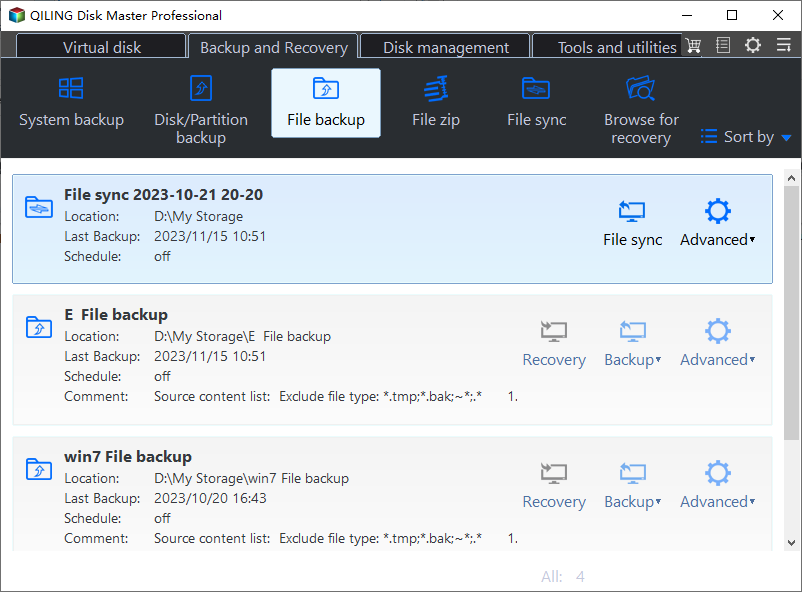
Step 1. Open File Backup
Start the program and choose File Backup on the home screen. The task is file-level by design, which is the mode that matches an optimized volume.
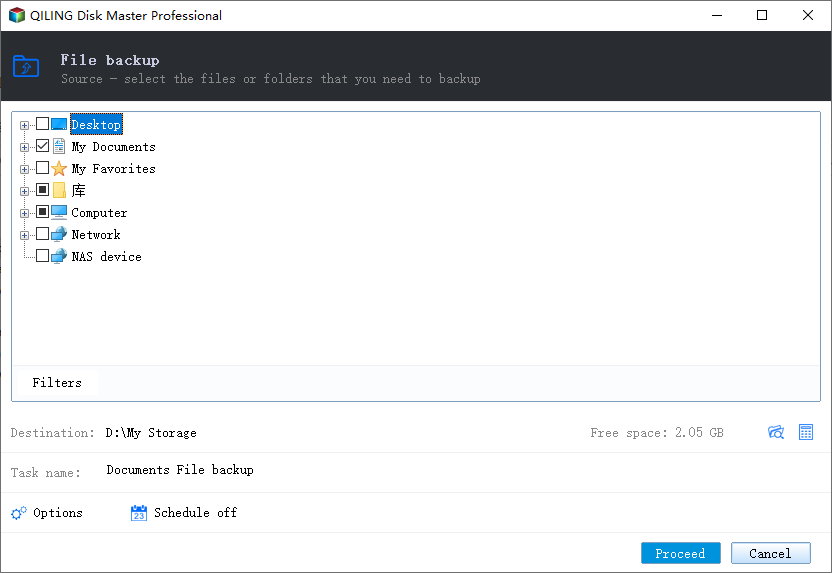
Step 2. Select the Source Volume
Add the optimized volume as the source and use the filter to drop folders that hold temporary data. Keep the list narrow, because the filter driver rebuilds every file as it is read and a wide selection takes longer than usual.
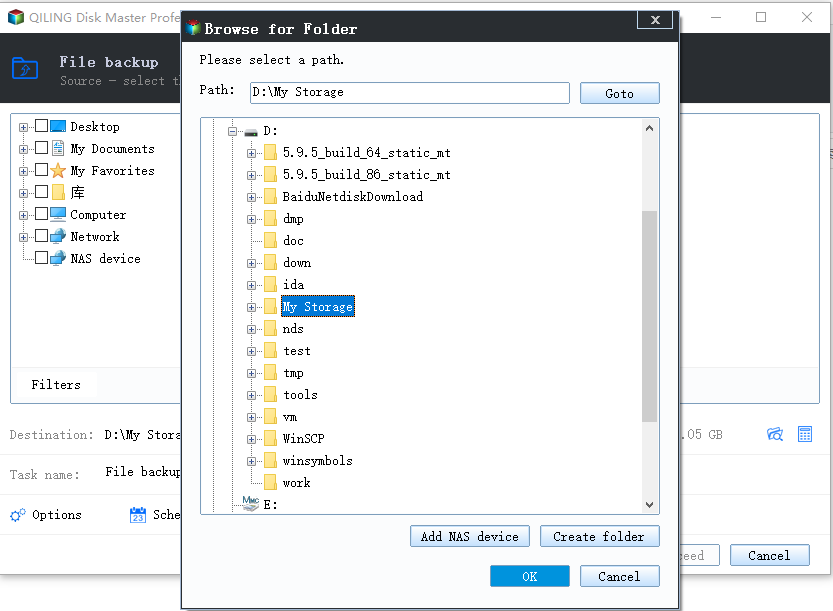
Step 3. Set the Destination and Run the Job
Choose a destination on a different physical disk, set the schedule after the optimization window, and click Proceed. When the job ends, open its log and confirm that the file count and the total size match the source volume.
Frequently Asked Questions
Can I back up an optimized volume with an image tool?
Only when the tool supports the deduplication filter. An image taken as raw blocks stores the chunk store, and it will not restore into usable files on another machine.
Does the backup stay compressed like the volume?
No. The data is rehydrated as it is read, so the backup is close to the size of the original files and needs a destination with that much free space.
Why does the job take longer than before deduplication?
Every read passes through the filter driver, which rebuilds the file. The cost is processor time and elapsed time on the server, not network throughput.
Related Articles
- Backup Fails With VSS Error 0x800423f4
- Windows Backup Error 0x8078005D
- Back Up Before Windows 11 26H2
- System Image Recovery vs. System Restore
- Clone a Drive with an NVMe Enclosure
Products
Articles & Tutorials
- Data Recovery
- Data Backup
- File Recovery
- File Backup
- System Backup and Restore
- Disk and Partition Clone
- Technical articles
- Mobile articles
- Disk Master Help
- Windows Data Recovery Tutorials
- Windows Secure Delete Tutorials
- Windows Partition Management Tutorials
- Windows File Backup and Restore Tutorials
- Windows System Backup and Restore Tutorials
- Windows Disk Backup and Restore Tutorials
- Windows Clone Tutorials