VSS Writer Timed Out: Fix Backup Error 0x8004230F
Quick Navigation:
- What 0x8004230F Reports
- Check the Writer State
- Slow Disk or Busy Application
- Restart the Backup
- Frequently Asked Questions
The backup stops before it copies a single file, and the log names 0x8004230F together with a shadow copy writer that did not answer in time. Windows asks every writer to flush its data and freeze for the snapshot, and one participant missed the deadline, so the whole snapshot was cancelled. Because the job never reached the copy phase, the previous backup set is still the newest good one.
What 0x8004230F Reports
The Volume Shadow Copy Service coordinates the backup tool and a set of writers, each one owned by an application that keeps data in a half-written state on disk. The tool requests a snapshot, the service tells every writer to prepare, and the snapshot is taken only after all of them confirm. A writer that is still busy when the timer expires produces this error, and the snapshot is rolled back.
Different tools word the message differently, but the code is always about the same stage: writer preparation, not the data copy. Wording such as the writer timed out or the shadow copy could not be completed both point here, and neither means the backup destination is faulty.
The writers that fail most often are the heavy ones. The SQL Server writer has to flush open transactions, the Exchange writer has to close its log stream, and the system writer has to walk a large file set. Hyper-V and SharePoint writers behave the same way when their guests are busy, and a writer that stops with an inconsistent snapshot instead is described in VSS writer error 0x800423f0.
Check the Writer State
Start with the name in the error text, because the recovery differs per writer. A message that names SqlServerWriter or Exchange Writer points at the application, while a failure on the system writer points at the volume and its free space.
The writer list itself comes from a Windows built-in command, vssadmin, which is part of Windows and is not a feature of Qiling Disk Master. Open an elevated Command Prompt, run the writer listing, and read the State line of each entry; a writer that reports a waiting state or a failed state explains the timeout on its own.
Restarting the responsible service is done in the Services console, also a Windows built-in tool. Restart the service for the named writer, then list the writers again; a state that returns to stable means the application recovered, while a writer that falls back to failed needs its own application log checked.
Do not restart the whole server as a first move. A writer restart takes seconds and preserves the running workload, while a reboot drops every session and hides the original cause without proving that the writer is healthy. A writer that reports a hard failure rather than a timeout follows a different path, which the VSS error 0x800423f4 walkthrough covers.
Slow Disk or Busy Application
The timeout measures elapsed time, not work done, so a disk that answers slowly enough can trip it even when every application is idle. Compare the failure time with the disk activity in the performance view; a queue that stays deep for the whole snapshot window shifts the diagnosis from the application to the storage.
Free space belongs in the same check. The snapshot needs room on the volume that holds the original data, and a volume below fifteen percent free slows the copy and can fail the snapshot outright. Clean temporary files and old restore points before the next run, and point the shadow storage at a volume with more headroom if the layout allows it.
An application-side cause leaves a different footprint: the job fails at the same hour every day, or only while a batch, an index rebuild, or a mailbox move is running. Move the backup outside that window and the same job usually completes with no other change.
If the writer stays in a failed state after a restart, look at that application before touching VSS at all. A database with a broken backup chain or a mail store with a corrupt log keeps failing its writer until the application itself is repaired.
Restart the Backup
Once the writer is stable and the volume has room, run the job again against a destination on a separate disk. Qiling Disk Master takes its snapshot through the same service, copies the volume afterwards, and shows the running phase in the Description pane, so a second timeout can be told apart from a copy error at a glance.
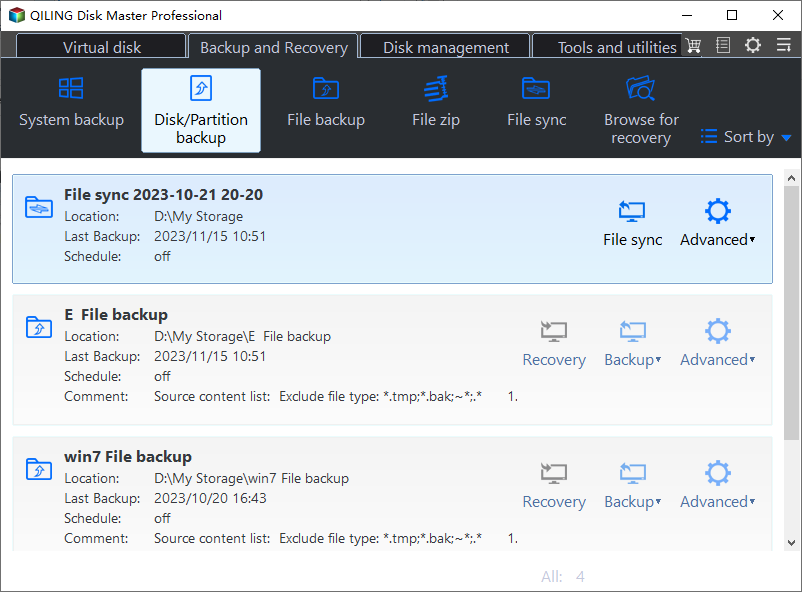
Step 1. Open Disk/Partition Backup
On the Backup and Recovery tab, click Disk/Partition backup. A whole-disk image includes the boot partitions and the recovery partition, which is what a bare-metal restore needs.
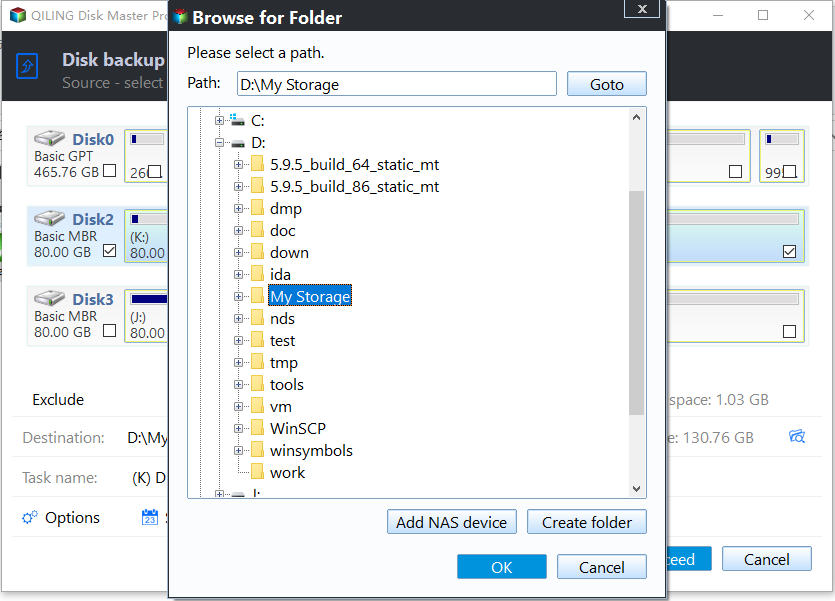
Step 2. Choose the Destination
Select the source disk, then pick a folder on a second physical disk for the image. Keeping the image off the disk that is being snapped removes the write load that made the writer miss its deadline.
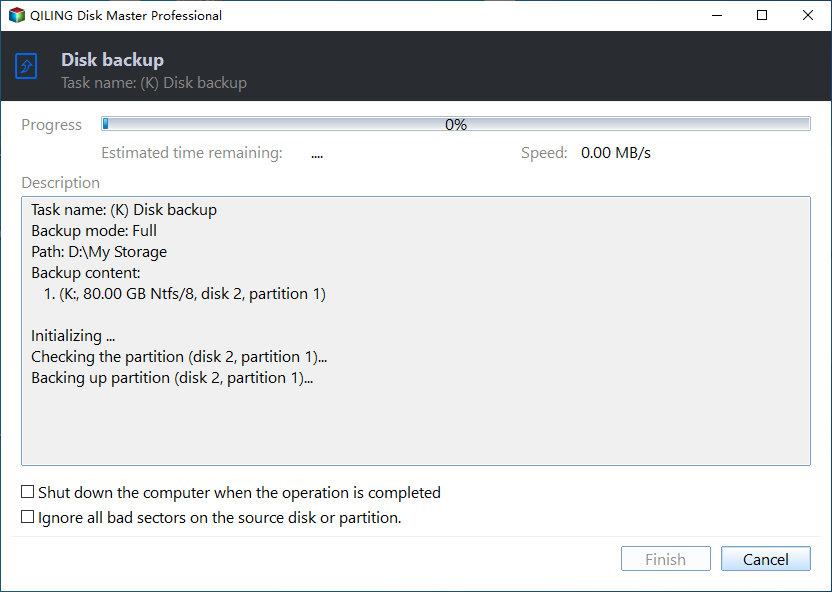
Step 3. Start the Job and Read the Description
Set the task name, schedule the run outside working hours, and click Proceed. The Description pane lists the backup mode and the current partition, so a job that stops during preparation fails before that line, while one that stops later failed on the copy.
Frequently Asked Questions
Is 0x8004230F the same as a VSS writer failure?
It is one member of that family. A code such as 0x800423f0 points at an inconsistent snapshot and 0x800423f4 at a non-retryable writer error, so read the code before choosing a fix.
Can I exclude the writer that times out?
Only by excluding its application from the image, which leaves that data unprotected. For a database or a mail server, use the application's own backup for its stores and the image for the operating system.
Does a second attempt damage the previous backup?
No. The failed attempt is discarded before any data is written, so the last complete image stays valid and can still be restored.
Related Articles
- VSS Writer Error 0x800423f0 During Backup
- Backup Fails With VSS Error 0x800423f4
- System Image Restore Failed With 0x80042412
- How to Use Windows Server Backup and Its Alternative
- Windows Backup Error 0x8078005D on System Images
Products
Articles & Tutorials
- Data Recovery
- Data Backup
- File Recovery
- File Backup
- System Backup and Restore
- Disk and Partition Clone
- Technical articles
- Mobile articles
- Disk Master Help
- Windows Data Recovery Tutorials
- Windows Secure Delete Tutorials
- Windows Partition Management Tutorials
- Windows File Backup and Restore Tutorials
- Windows System Backup and Restore Tutorials
- Windows Disk Backup and Restore Tutorials
- Windows Clone Tutorials