Clone a Drive to a Portable SSD: Samsung T7 Guide
A portable SSD such as the Samsung T7 or T9 is a fast USB drive that fits in a pocket. Cloning to one gives you a full copy of Windows and your files without opening the computer.
This guide explains when a portable SSD makes sense, how to run the clone, and why booting from USB is less reliable than installing an internal drive.
PAGE CONTENT
- When a Portable SSD Works
- Clone to the Portable SSD
- USB and Boot Limits
- Clone with Qiling Disk Master
- Test and Use the Copy
- FAQs About Portable SSD Cloning
- Back Up Before You Clone
When a Portable SSD Works
- Full offline backup. A clone is a plug-and-play copy of the whole system.
- Moving between machines. Carry the drive to another PC and read the files at once.
- Temporary boot drive. Some PCs can start Windows from USB4 or Thunderbolt.
- No case opening. You avoid the screws, the battery, and the internal slot.
- Fast USB links. A 10 Gbps model is much quicker than a USB flash drive.
Portable SSDs are built for data, not for permanent internal boot duty. Use them as a backup or a bridge while you prepare an internal drive, and expect lower performance than an NVMe slot.
Clone to the Portable SSD
- Check the capacity. The portable SSD must hold the used data, not the full source size.
- Connect directly. Plug the drive into a rear USB port, not a hub or a monitor dock.
- Confirm the format. The clone replaces the layout, so back up anything already on the drive.
- Select the portable disk. In the clone wizard, choose it as the destination disk.
- Wait, then eject. Eject the drive in Windows before you unplug it after the clone.
If you plan to boot from the portable SSD, keep it on the same USB port after the clone. Changing ports can change the disk number and confuse the boot entry.
USB and Boot Limits
- Firmware boot support varies. Many laptops ignore USB boot entries by default.
- USB is slower than NVMe. Windows feels sluggish compared with an internal SSD.
- Heat and power draw. Long use can throttle a bus-powered portable SSD.
- Windows activation may trip. Moving the drive to new hardware can trigger a reactivation check.
- Accidental unplug risk. A booted USB drive must stay connected for the whole session.
For a permanent upgrade, clone the portable SSD again to an internal drive, or use the portable copy as the source for a restore. Avoid running Windows from USB for weeks.
Clone with Qiling Disk Master
Qiling Disk Master treats the portable SSD as a normal destination disk and can resize partitions to use its full capacity.
Watch the video tutorial below to clone the drive step by step with Qiling Disk Master.
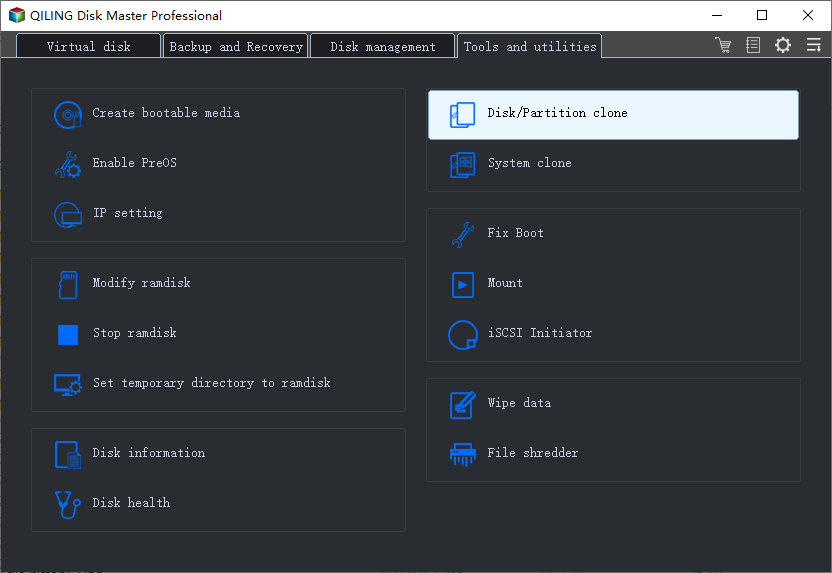
Step 1. Open Qiling Disk Master, choose Clone, and then select Disk Clone.
Step 2. Select the source disk and click Next.
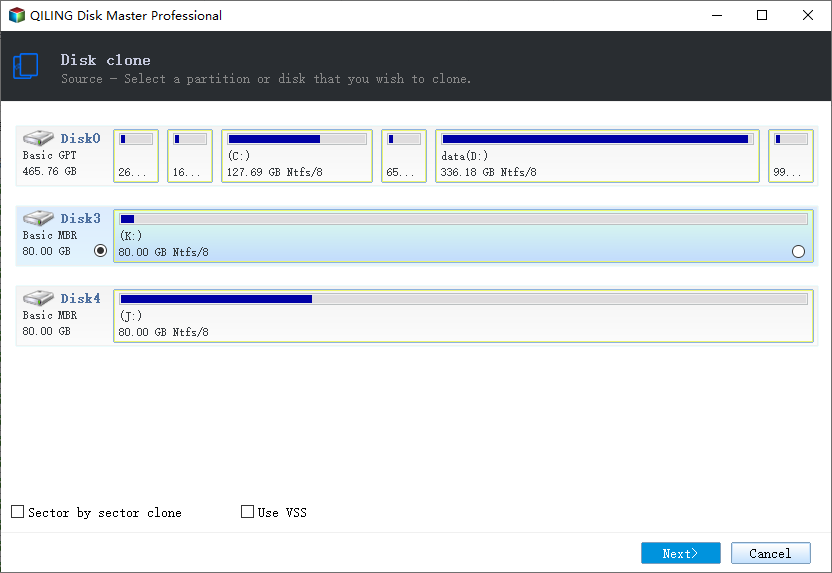
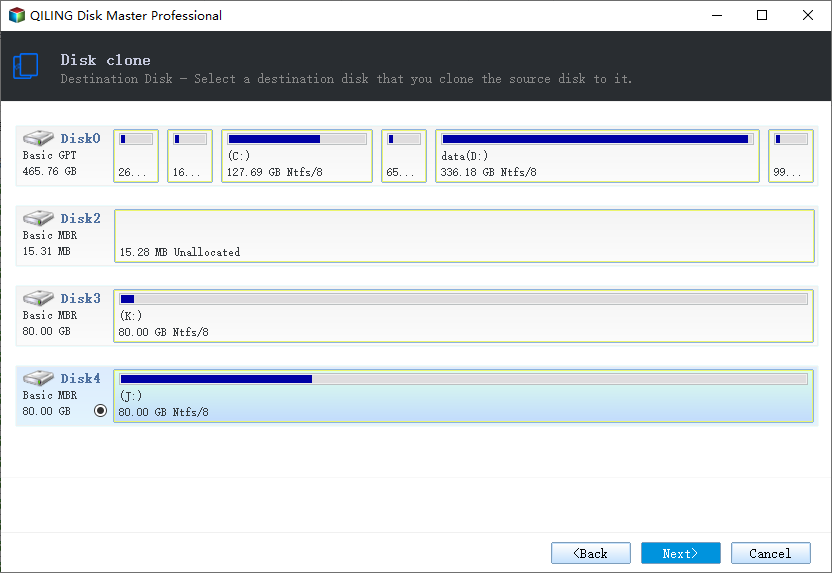
Step 3. Select the portable SSD and confirm that its data will be replaced.
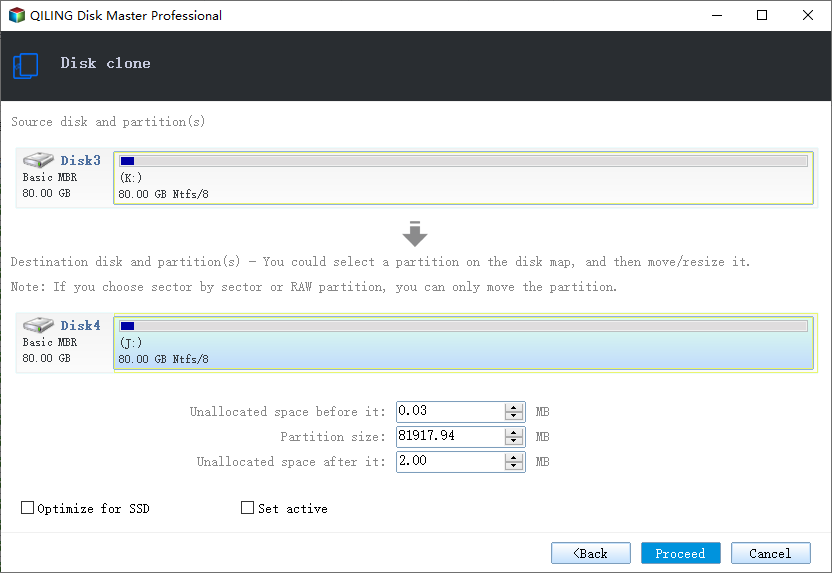
Step 4. Choose the clone mode and adjust the partition size for the portable drive.
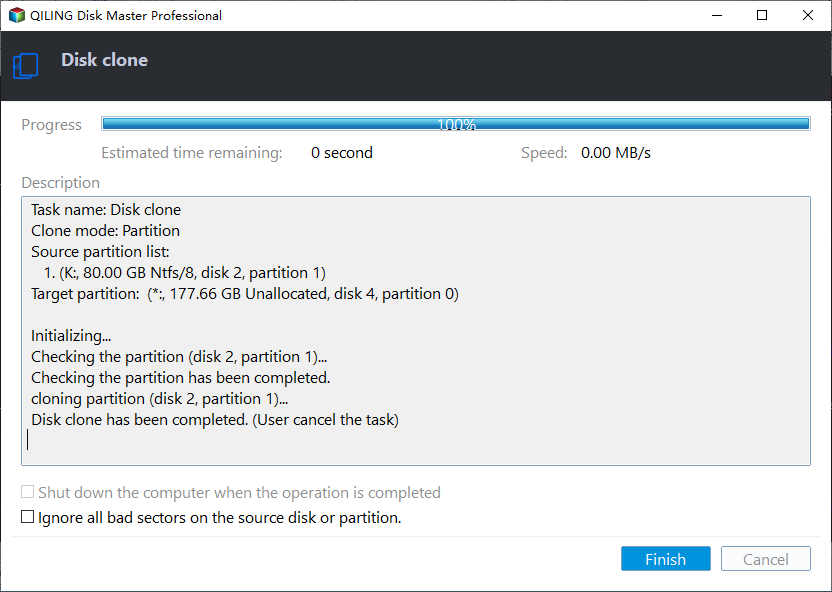
Step 5. Click Proceed, wait for the copy to finish, then eject the drive safely.
Test and Use the Copy
- Open the drive in File Explorer. Confirm the folders and the Windows directory are present.
- Try a USB boot. Use the firmware boot menu and select the portable drive.
- Expect activation prompts. A different machine may ask you to reactivate Windows.
- Keep the original drive. Do not format the source until the copy is proven.
- Restore if needed. If the drive is a backup, restore the image or clone it to an internal disk.
If the portable SSD is not accepted as a boot device, the firmware does not support it. In that case, use the drive for backups and install an internal SSD for daily use.
FAQs About Portable SSD Cloning
Can I boot Windows from a Samsung T7?
Sometimes. It depends on the firmware and the USB controller. USB4 and Thunderbolt ports have the best chance.
Is cloning to a portable SSD the same as a backup?
A clone is a full readable copy, but it is not versioned. A backup image lets you roll back to an earlier date.
Why does the portable SSD show less capacity after cloning?
The clone copied the old partition size. Extend the volume in Disk Management to use the rest.
Can I clone a 2 TB drive to a 1 TB portable SSD?
Only if the used data fits. A clone does not shrink partitions automatically.
Will the portable copy stay bootable after unplugging?
Yes, the data remains, but boot success depends on the firmware each time you connect it.
Back Up Before You Clone
Cloning to a portable SSD is itself a backup step, but a failed copy still leaves the destination wiped. Save a system image first if the source drive is your only working copy.
Watch the video tutorial below to back up Windows and restore it if the clone fails.
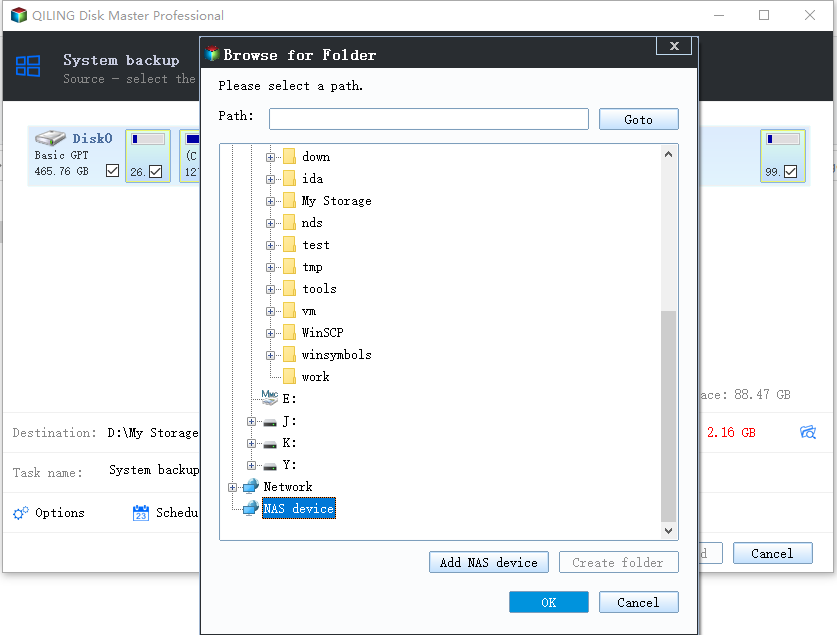
Step 1. Open Qiling Disk Master and select System Backup to include the boot partitions.
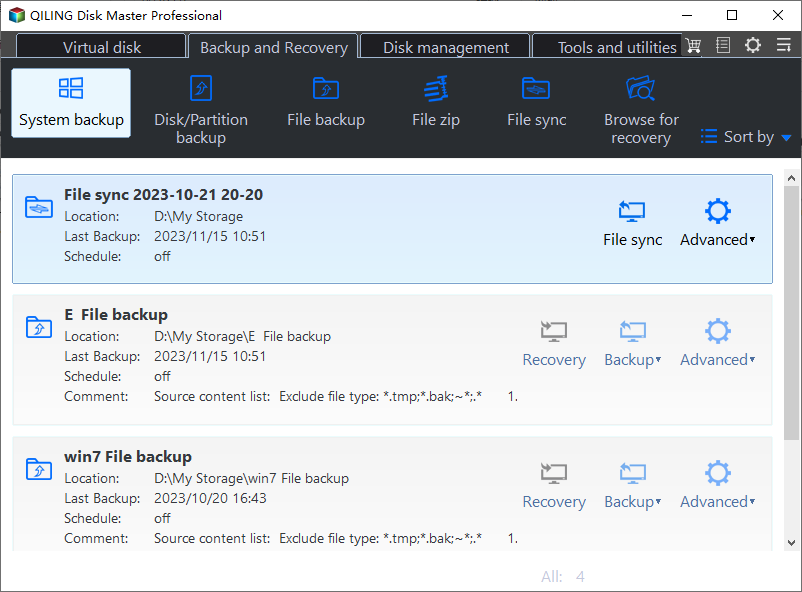
Step 2. Save the image to a drive other than the target disk and start the backup.
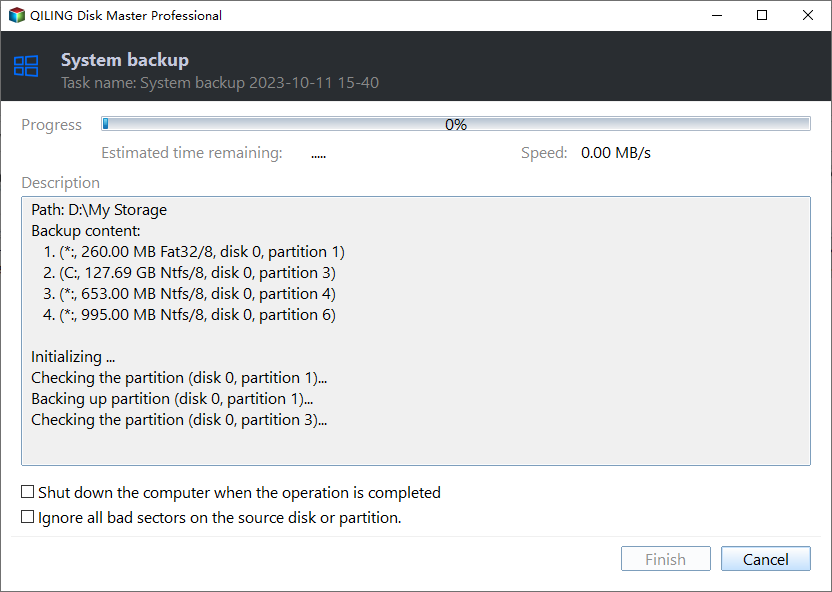
Step 3. Click Proceed to start the system backup and wait patiently until it finishes. You can also tick Shut down the computer when the operation is completed to power off automatically.
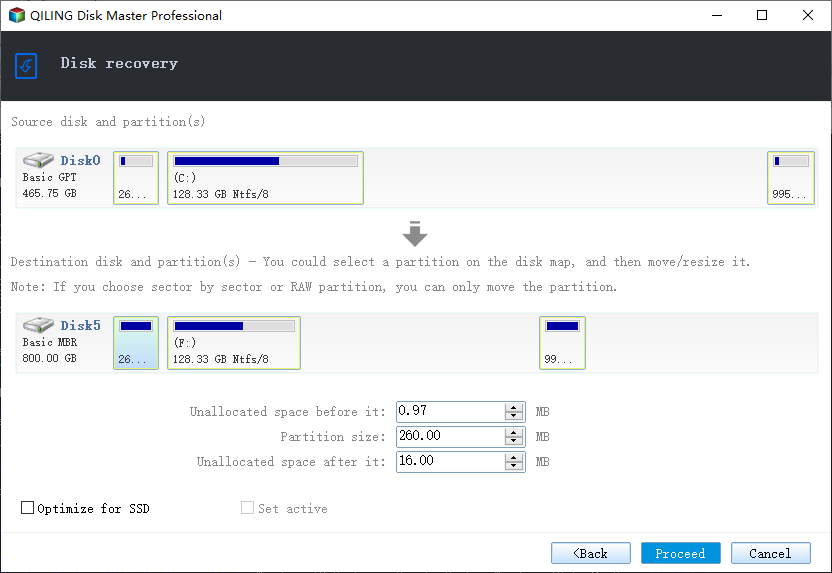
Step 4. If the portable copy will not boot, restore the image to the original drive and keep the SSD as a data backup.
Conclusion
A portable SSD is a fast, simple clone target and a solid offline backup. Treat USB boot as a bonus, not the plan, and keep the original drive until the copy is verified.
For more external-drive guides, see Clone Windows 11 to an External SSD, Clone Windows 10 to an External Hard Drive, Clone the C Drive to an External Hard Drive, and Cloned Drive Won't Boot? Fix It.
Related Articles
- Clone Windows 11 to an External SSD
Stage a bootable USB copy. - Clone Windows 10 to an External Hard Drive
Copy the system to USB storage. - Clone the C Drive to an External Hard Drive
Back up the system volume only. - Clone a USB Drive to an ISO or Image
Turn a USB copy into an image. - Cloned Drive Won't Boot? Fix It
Repair the boot after cloning.
Products
Articles & Tutorials
- Data Recovery
- Data Backup
- File Recovery
- File Backup
- System Backup and Restore
- Disk and Partition Clone
- Technical articles
- Mobile articles
- Disk Master Help
- Windows Data Recovery Tutorials
- Windows Secure Delete Tutorials
- Windows Partition Management Tutorials
- Windows File Backup and Restore Tutorials
- Windows System Backup and Restore Tutorials
- Windows Disk Backup and Restore Tutorials
- Windows Clone Tutorials