ReFS Volume Offline: Metadata Write Failed to the Disk
Quick Navigation:
- Why ReFS Goes Offline
- Find the Failing Component
- Mount the Volume Read-Only
- Copy the Data to a Healthy Disk
- Frequently Asked Questions
ReFS writes every metadata block with a checksum and an integrity stream. When a write to that area fails, the file system cannot confirm the state of its own structures, so Windows marks the volume offline instead of continuing. The message about metadata or a missing device describes the symptom; the fault sits below the file system.
Why ReFS Goes Offline
Integrity streams protect file data, and the same checksum mechanism covers the metadata that describes directories, extents, and the allocation table. A metadata write that cannot be completed leaves those structures in an unknown state.
NTFS would often retry and log an event; ReFS detaches the volume because a half-written metadata block breaks the guarantee that every read can be verified. The offline flag is a protection measure, not the failure itself.
Typical triggers are a drive that drops off the bus under load, a failing cable or backplane, a controller that resets, and an enclosure that powers down a bay. The volume usually comes back after a rescan and then drops again on the next heavy write.
Find the Failing Component
Check whether the disk still appears in Device Manager and Disk Management. If every disk on the same controller is gone, the controller or its driver is the cause; if one disk vanished, the cable, the bay, or the drive itself is the likely fault.
Move the drive to another port with another cable and rescan. A volume that mounts and stays online after the move was never a file system problem, and the old cable or backplane should be retired.
Read the drive's SMART data before you trust it again. Growing reallocated sectors or uncorrectable errors mean the drive is failing; a rising CRC error count with a clean media report points at the link instead.
Windows built-in Device Manager, Disk Management, and Event Viewer are Microsoft tools and provide this evidence. Qiling Disk Master does not read SMART or change the offline flag, so gather the facts before you start any copy.
Mount the Volume Read-Only
If Windows allows it, bring the volume online with the read-only attribute so nothing writes to the damaged metadata while you work. Disk Management offers the same option in its context menu on the volume.
Windows built-in diskpart can also set a volume read-only with its attributes command; that is a Microsoft tool and is not part of Qiling Disk Master. Use it only to protect the volume, never to repair it.
Copy the most important files first. A volume that returns metadata errors can serve some files and fail on others, and the ones that read cleanly now may not read at all after another reset.
Do not run a repair or format on the volume until the data exists somewhere else. A repair can rewrite metadata that was the only map to the files you still need.
Copy the Data to a Healthy Disk
Qiling Disk Master images a whole volume to another disk, so files that Windows refuses to open through Explorer can still be captured at the block level and extracted later. The steps below create that image.
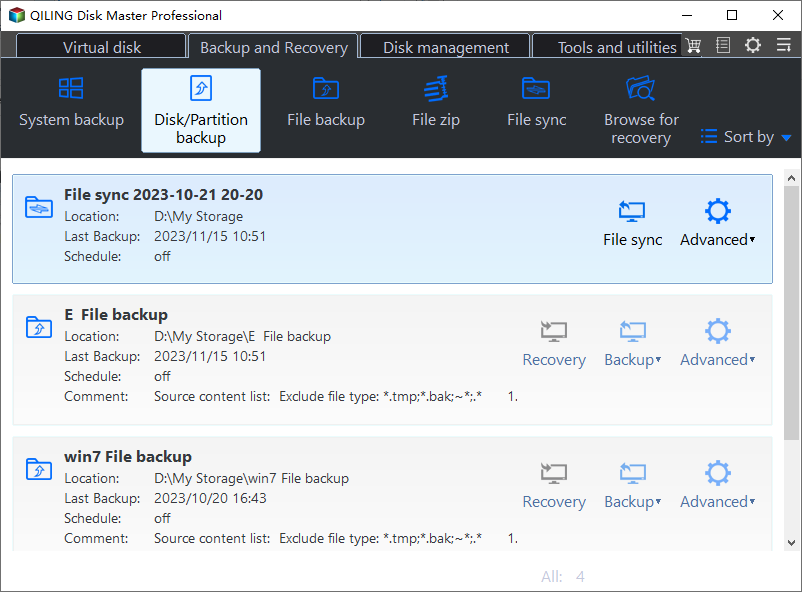
Step 1. Open Disk Backup
Go to the Backup and Recovery tab and choose Disk Backup. A disk image captures the entire volume with its file system structures, which is what a damaged ReFS volume needs.
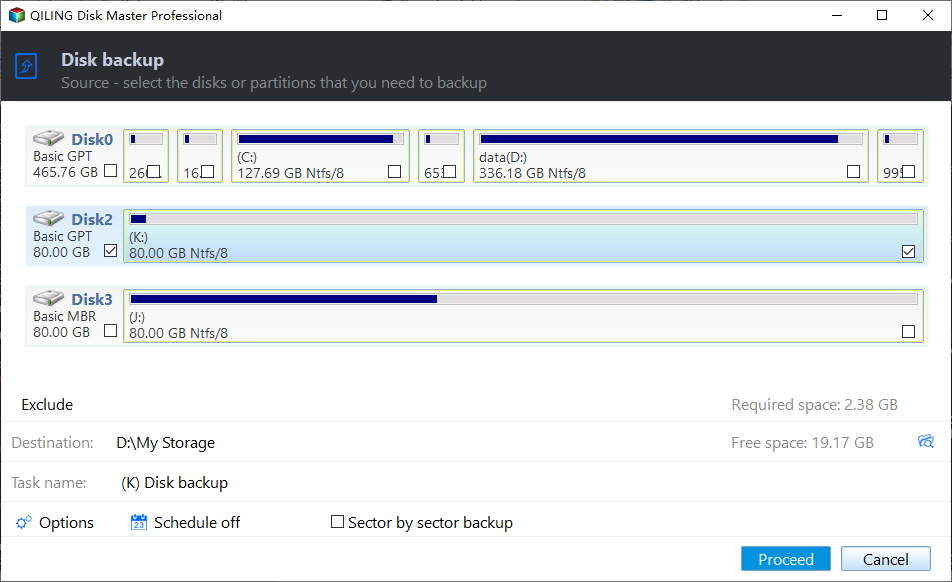
Step 2. Select the Affected Disk
Tick the disk that holds the offline ReFS volume directly in the source list. Confirm the capacity and the disk number against the report from Disk Management so the failing drive is the one selected.
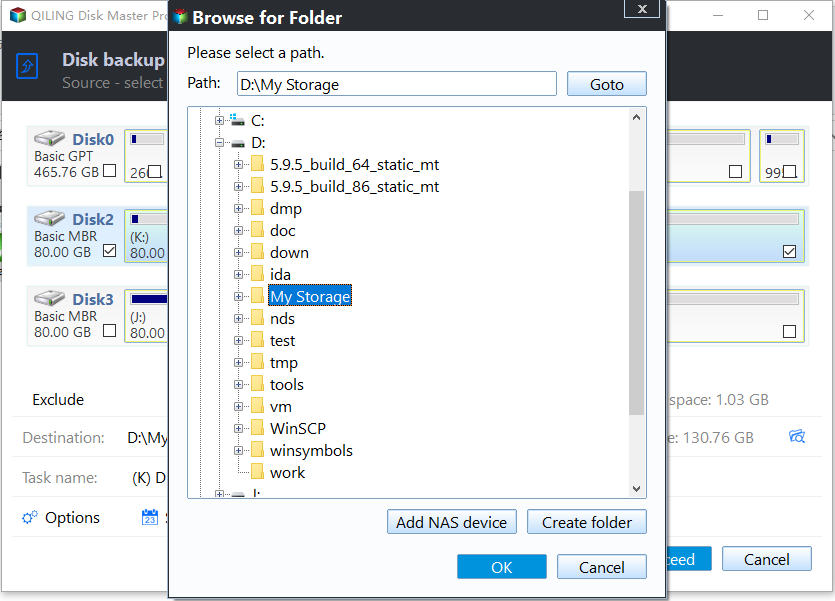
Step 3. Set a Destination on Another Disk
Choose a folder on a healthy disk with enough free space for the used data, then check that the path does not sit on the same controller that is dropping the drive. A USB enclosure or a network share is a safer target than another bay on the same backplane.
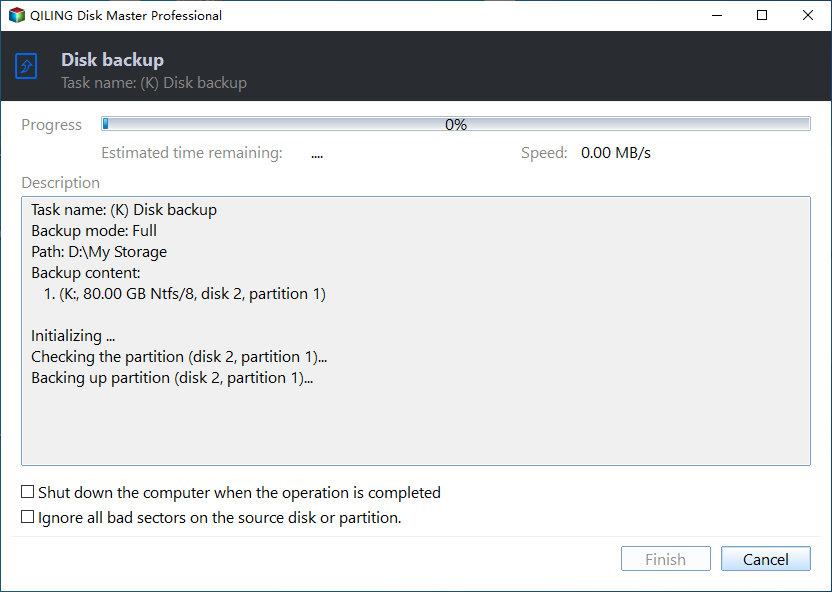
Step 4. Review the Task and Proceed
Check the task summary, click Proceed, and watch the first few percent for read errors. A task that aborts immediately usually means the drive has left the bus again, which confirms a hardware fault rather than a file system one.
Frequently Asked Questions
Does chkdsk repair a ReFS volume?
No. ReFS has no chkdsk in the NTFS sense; it relies on integrity streams and block-level reconstruction, so the old NTFS repair habits do not apply.
Can an offline ReFS volume be brought back permanently?
Only when the underlying fault is fixed. A volume that returns after a rescan and drops again under load will keep failing until the cable, bay, or drive is replaced.
When must the disk be replaced?
When SMART reports uncorrectable errors, when the drive disappears from the bus under load, or when it fails to answer after a reseat. Copy the data first and replace it after the copy is verified.
For how ReFS rebuilds damaged blocks, see ReFS block-level reconstruction.
Related Articles
- ReFS Block-Level Reconstruction and What It Repairs
- Disk Offline After a Windows Update
- External Hard Drive Disconnects During Large File Copies
- Virtual Disk Detached: Majority Disks Unhealthy in S2D
- Windows 10 Drive Converted to RAW Format
Products
Articles & Tutorials
- Data Recovery
- Data Backup
- File Recovery
- File Backup
- System Backup and Restore
- Disk and Partition Clone
- Technical articles
- Mobile articles
- Disk Master Help
- Windows Data Recovery Tutorials
- Windows Secure Delete Tutorials
- Windows Partition Management Tutorials
- Windows File Backup and Restore Tutorials
- Windows System Backup and Restore Tutorials
- Windows Disk Backup and Restore Tutorials
- Windows Clone Tutorials