Two-Way to Three-Way Mirror Conversion Fails in S2D
Quick Navigation:
- Why the Conversion Fails
- Check Pool and Volume Health
- Create the New Virtual Disk
- Back Up the Volume Before You Rebuild
- Frequently Asked Questions
A two-way mirror virtual disk in Storage Spaces Direct keeps two copies of every slab. Changing it to a three-way mirror looks like a property change in the console, but the request is rejected with The operational status does not allow this operation. Resiliency is written when the virtual disk is created, and the volume has to be rebuilt before it can hold three copies.
Why the Conversion Fails
NumberOfDataCopies and ResiliencySettingName are set during creation and stored in the metadata of the virtual disk. Neither value can be edited on a live disk, and no setting in Windows Admin Center or the Settings page turns an existing two-way mirror into a three-way one.
The setting also decides how slabs are placed across the members. A three-way mirror needs three copies on three fault domains, so the pool must already hold enough healthy capacity before a disk of that type can exist.
The error describes the state of the object rather than a lack of free space. On a volume that is detached, repairing, or short of members, the request never reaches the layout stage at all.
Check Pool and Volume Health
Record the current number of data copies, the resiliency setting, and the health of every member before you plan the migration. A disk that reports lost communication cannot serve as the source for the new layout, and a volume marked Incomplete will not copy cleanly.
Compare the used space of the volume with the raw capacity you can offer. A three-way mirror stores three copies, so a 4 TB volume needs roughly 12 TB of pool capacity, plus room for the old disk while both exist.
Look at the provisioning type as well. If the volume is thin and the pool is overcommitted, the copy can stop halfway when the pool runs out of slabs, a case covered in thin-provisioned volume runs out of space.
Create the New Virtual Disk
Create a second virtual disk with three-way mirror as its resiliency setting and give it at least the size of the volume you are leaving. Attach it to the same host, initialize it, and format it with the same file system and allocation unit size as the source.
Keep the old volume online and untouched during the copy. Dragging folders in Explorer is enough for a handful of files, but a backup tool that can filter, resume, and verify a large tree is far more reliable when the volume holds thousands of small files.
Windows Admin Center, Hyper-V Manager, and the Storage module commands such as New-VirtualDisk are Windows built-in tools, not features of Qiling Disk Master. They create and attach the new virtual disk; the data copy described below can run against the mounted volume either way.
Do not delete the old virtual disk once the copy finishes. Take it offline but leave it in place for at least one backup cycle, until the new volume has been read back and verified.
Back Up the Volume Before You Rebuild
Qiling Disk Master reads the volume that the pool exposes to Windows and copies its files to a disk outside the pool, which is the step that has to finish before the old virtual disk is removed. The steps below take that backup and verify it.
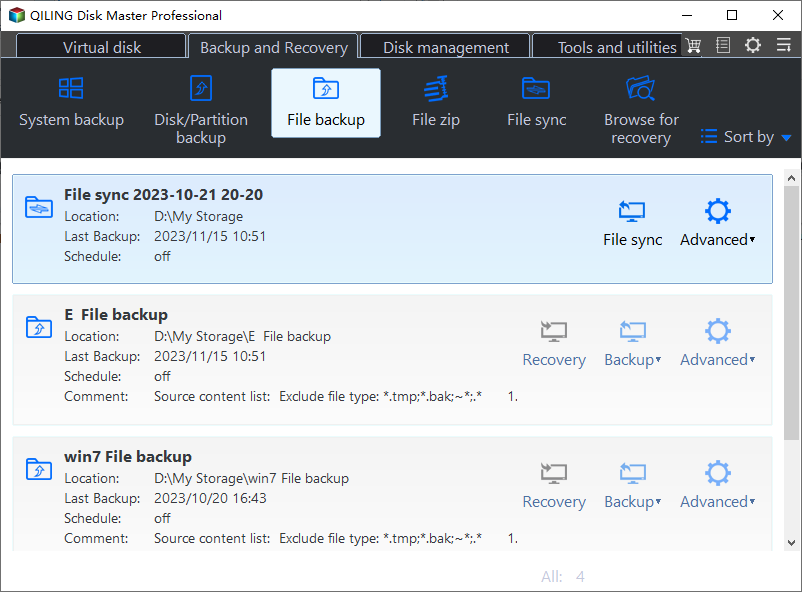
Step 1. Open File Backup
On the Backup and Recovery tab, click File Backup. File Backup works on the volume the pool exposes to Windows, so it can read the files even though the virtual disk itself is not something a clone tool can address.
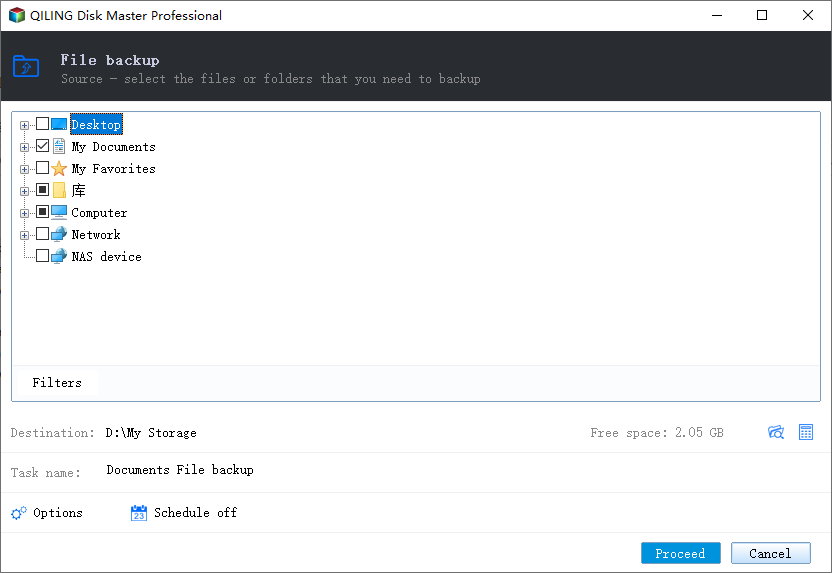
Step 2. Select the Files or the Whole Volume
Expand the tree and tick the folders that hold the data, or select the volume root to take everything. Close the programs that hold large files open, and let the snapshot option cover whatever cannot be closed.
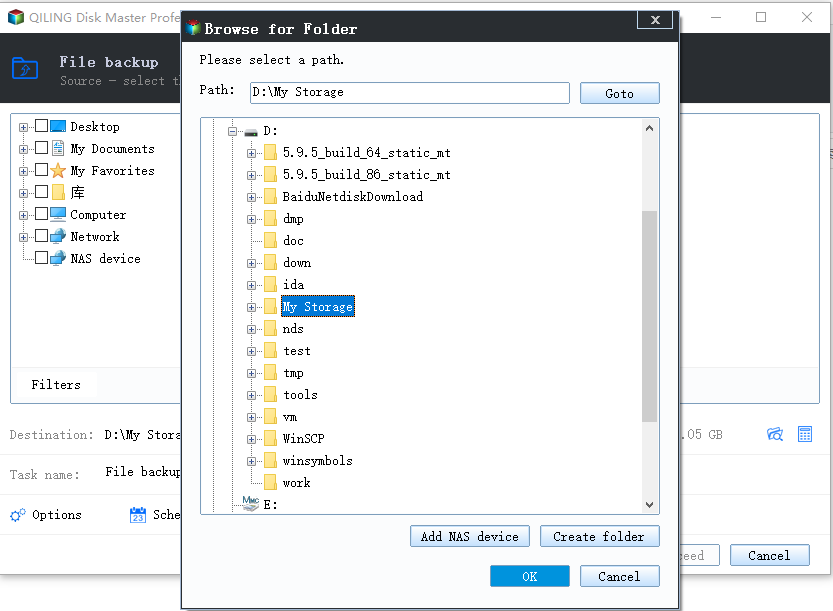
Step 3. Choose a Destination Outside the Pool
Set the destination on a disk that is not a member of the pool. A backup stored on the same pool is lost with the volume you are about to rebuild, and a thin pool can fail the write once its slabs are gone.
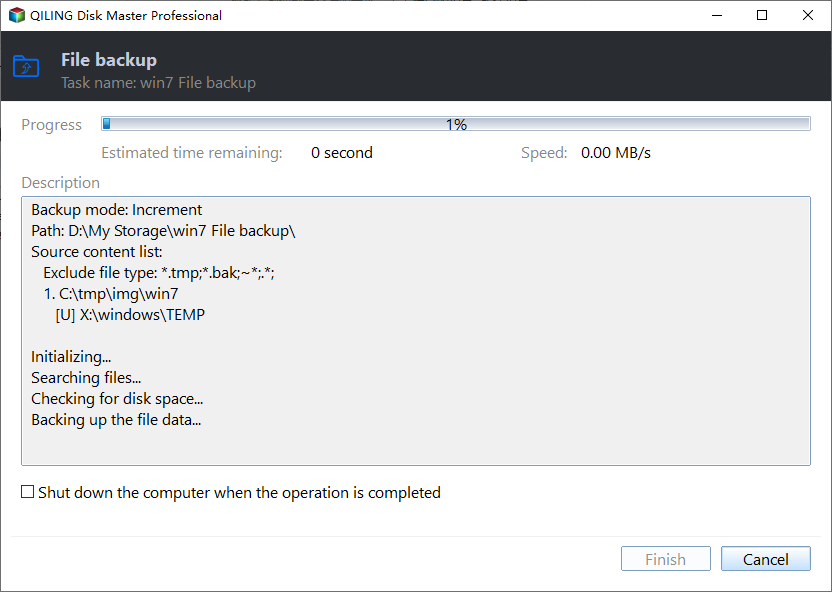
Step 4. Run the Task and Check the Result
Name the task and click Proceed. When it ends, open the backup and restore a few files to a temporary folder to confirm that they open; only then remove the two-way mirror disk and create the three-way one.
Frequently Asked Questions
Can a two-way mirror be converted in place?
No. The resiliency setting and the copy count are fixed at creation, and no Windows tool edits them on a live virtual disk.
Does a three-way mirror need three separate servers?
It needs three fault domains, which normally means three servers with local disks. A two-node cluster cannot host a three-way mirror on its own.
Will the migrated volume keep its drive letter?
Only if you assign it. The new disk arrives with a different signature, so plan a short cutover where the old volume is offline and the new one takes the same letter.
If the pool refuses to extend while you prepare capacity, see Storage Spaces Direct pool cannot extend.
Related Articles
- Storage Spaces Direct Pool Cannot Extend: Stuck Storage Job
- Storage Spaces Reduce Resiliency Warning
- Storage Pool Will Not Claim a Replacement Drive
- Thin-Provisioned Volume Runs Out of Space
- Back Up Windows Server 2025 Storage Spaces
Products
Articles & Tutorials
- Data Recovery
- Data Backup
- File Recovery
- File Backup
- System Backup and Restore
- Disk and Partition Clone
- Technical articles
- Mobile articles
- Disk Master Help
- Windows Data Recovery Tutorials
- Windows Secure Delete Tutorials
- Windows Partition Management Tutorials
- Windows File Backup and Restore Tutorials
- Windows System Backup and Restore Tutorials
- Windows Disk Backup and Restore Tutorials
- Windows Clone Tutorials