The Legend of Zelda: Tears of the Kingdom Lost Progress, How to Fix? [PC/Switch]
Page Context:
When loading The Legend of Zelda: Tears of the Kingdom on Nintendo Switch, the entire game's save data is reset to the first hour of the game.
"The only save data I could locate when I loaded up the game, in my case, was from a week ago before I ever purchased the game. How can I recover the Legend of Zelda Tears of the Kingdom lost progress?"
Many players have encountered the frustrating problem of losing progress in The Legend of Zelda: Tears of the Kingdom, making it difficult to continue their adventure. Fortunately, this article discusses several effective strategies for recovering The Legend of Zelda Tears of the Kingdom lost progress.
| 4 Methods | Evaluation |
| 🧰Recover Lost Progress via Software | Easy to achieve, sound effect, and simple process |
| 🎮Find Saved Game File Location PC | Simple process, but hard to achieve |
| 🕹️Download Data from eShop on Nintendo | Good effect, but hard to achieve |
| 🧑💻Ask Data Recovery Service for Help | Simple process, good effect, but expensive |
Recover Legend of Zelda: Tears of the Kingdom Disappeared Game Progress on PC
You can lose game progress in The Legend of Zelda: Tears of the Kingdom due to various reasons, including quitting the game without saving, encountering a game-breaking bug, or experiencing a system crash.
If you're playing in co-op mode, a disconnect from the host's console can also cause The Legend of Zelda Tears of the Kingdom lost progress. A disconnection from the Nintendo network or a corrupted save file can also lead to lost data.
- 😈 Virus attacks could erase or corrupt the saved files.
- 😨 Accidental deletion occurs when you unintentionally delete an entire folder while rearranging your data.
- 🔋A computer system crashes and the saved file becomes corrupted when there is a lack of power.
- ⚡Game crash, potentially corrupting the save file in the process.
Players who use emulators to run The Legend of Zelda: Tears of the Kingdom on a PC can also recover deleted or lost game saves and data. This allows them to regain access to The Legend of Zelda Tears of the Kingdom lost progress and restore their game data.
Solution 1. Recover Lost Legend of Zelda Progress via Software
If you've lost the Legend of Zelda Tears of the Kingdom game file on your PC, you can use Qiling Data Recovery Wizard, a professional game data recovery program, to recover it.
This tool can retrieve deleted game files, as well as pictures, movies, audio files, and other types of data from almost any storage device. It's a versatile utility that helps you recover lost files efficiently.
- Qiling Data Recovery Wizard supports over 1000 file kinds and guarantees excellent outcomes.
- Data from lost PC games, such as Hogwarts Legacy, Genshin Impact, and Elden Ring, can be recovered.
- This data recovery solution is compatible with macOS devices and Windows 11/10/8/7 PCs.
To recover lost data on your PC quickly and securely, install this software and follow these 3 simple steps.
Step 1. To proceed, select the precise file location and click the "Scan" button.

Step 2. After the process, select the "Deleted Files" and "LostFiles" folders in the left panel, then apply the "Filter" feature or click the "Search files or folders" button to find the deleted files.

Step 3. After clicking the "Recover" button, save the restored files in a different location from the original one to ensure they are safely stored and can be accessed later.

Solution 2. Find Saved Zelda File Location PC
The Legend of Zelda Tears of the Kingdom creates an autosave folder on your PC's local disk, where you can recover lost progress by checking this directory and storing the data.
C:\Users\Your Username\AppData\Local\The Legend of Zelda Tears of the Kingdom\Saved\SaveGames
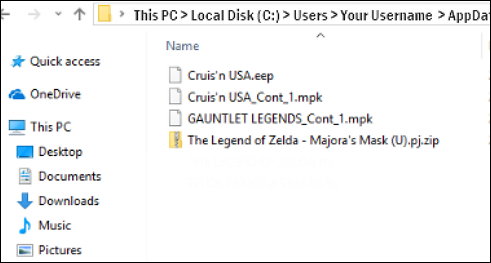
If you've lost a game save in The Legend of Zelda: Tears of the Kingdom, you can try using specialized data recovery software to restore it.
You can use a software's trial edition to scan and preview lost game files without paying, and then pay to restore the missing progress if the software works. If you're unsure about the file size of The Legend of Zelda Tears of the Kingdom, you can read the related article below.
According to Nintendo's official website, The Legend of Zelda: Tears of the Kingdom requires approximately 16 GB of storage space on the Nintendo Switch. On PC, the file size may vary depending on the emulator and additional content installed.
This article provides information on the storage size of Tears of the Kingdom and offers tips on how to free up space on your device. Check it out for detailed guidance on managing your storage for a smooth gaming experience.
Recover Legend of Zelda: Tears of the Kingdom Lost Game Progress on Switch
The Nintendo Switch allows you to save game data, videos, and screenshots to an SD card, freeing up internal storage. This means you can recover The Legend of Zelda: Tears of the Kingdom from the SD card.
Solution 3. Download Legend of Zelda Data from eShop on Nintendo
If you unintentionally deleted the whole game on your Nintendo Switch console without any local backups, you can recover the game by downloading it from the Nintendo Switch eShop. This process also helps with Nintendo Switch SD card data recovery.
Step 1. To access the eShop and download a game, you'll need to select a user account that has the necessary permissions. This typically involves logging into your Nintendo Switch with a user account that has been authorized to access the eShop.
Step 2. Select "Re-download" under "Account Information" in the eShop.
Step 3. The game will be re-downloaded from the cloud after clicking the cloud download button.
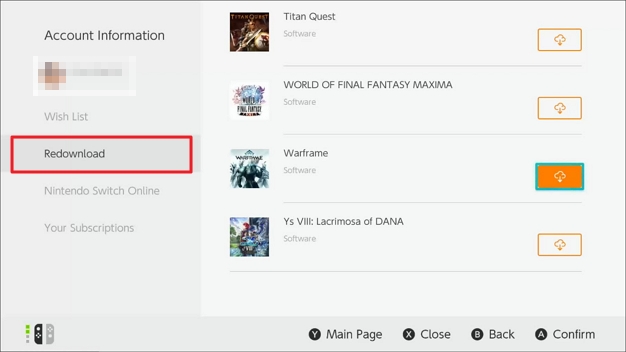
To recover The Legend of Zelda Tears of the Kingdom lost progress, consider using cloud saves that allow you to access your game data from any device. You can also try reinstalling the game or checking for updates. If you're on a console, check whether the save data is stored internally or linked to your account.
Solution 4. Ask Data Recovery Service for Help
If you're still having trouble recovering lost Tears of the Kingdom progress on your Switch or other devices, consider reaching out to data recovery experts for personalized assistance.
Qiling data recovery services can quickly and easily recover lost game saves by examining laptops, computers, hard drives, or SSDs and swiftly recovering lost game data.
Consult with Qiling data recovery experts for one-on-one manual recovery service, offering personalized assistance after a free diagnosis.
- To repair a corrupted RAID structure, unbootable Windows OS, and corrupted virtual disk file, you can follow these steps:
- Recover/repair lost partition and re-partitioned drive
- To fix a BitLocker-encrypted drive that's been reformatted and is now in a raw state, the process involves two main steps. First, the drive needs to be restored to its original state by re-adding it to the BitLocker recovery key management system.
- Fix disks that become GPT-protected partitions
Nintendo Error: How to Avoid the Legend of Zelda Lost Progress
On the Nintendo Switch, game save data is stored in the System Memory, and each player account has its own separate save location. This means your progress is tied to your specific user profile and console.
Your saved progress may appear lost even though it is still present on the system in situations like those described below. Please verify that you are using the same console and user account as before.
- You're using a different console to play.
- The user you've chosen is different.
If you cannot find your game data, it may have been accidentally deleted through one of the following actions. Check your game's settings to see if there is an option to recover deleted data, or try using a data recovery tool to scan for any corrupted or missing files.
- Manually delete the saved data.
- Transferring saved data/user's account
- Initializing the console or formatting the Switch
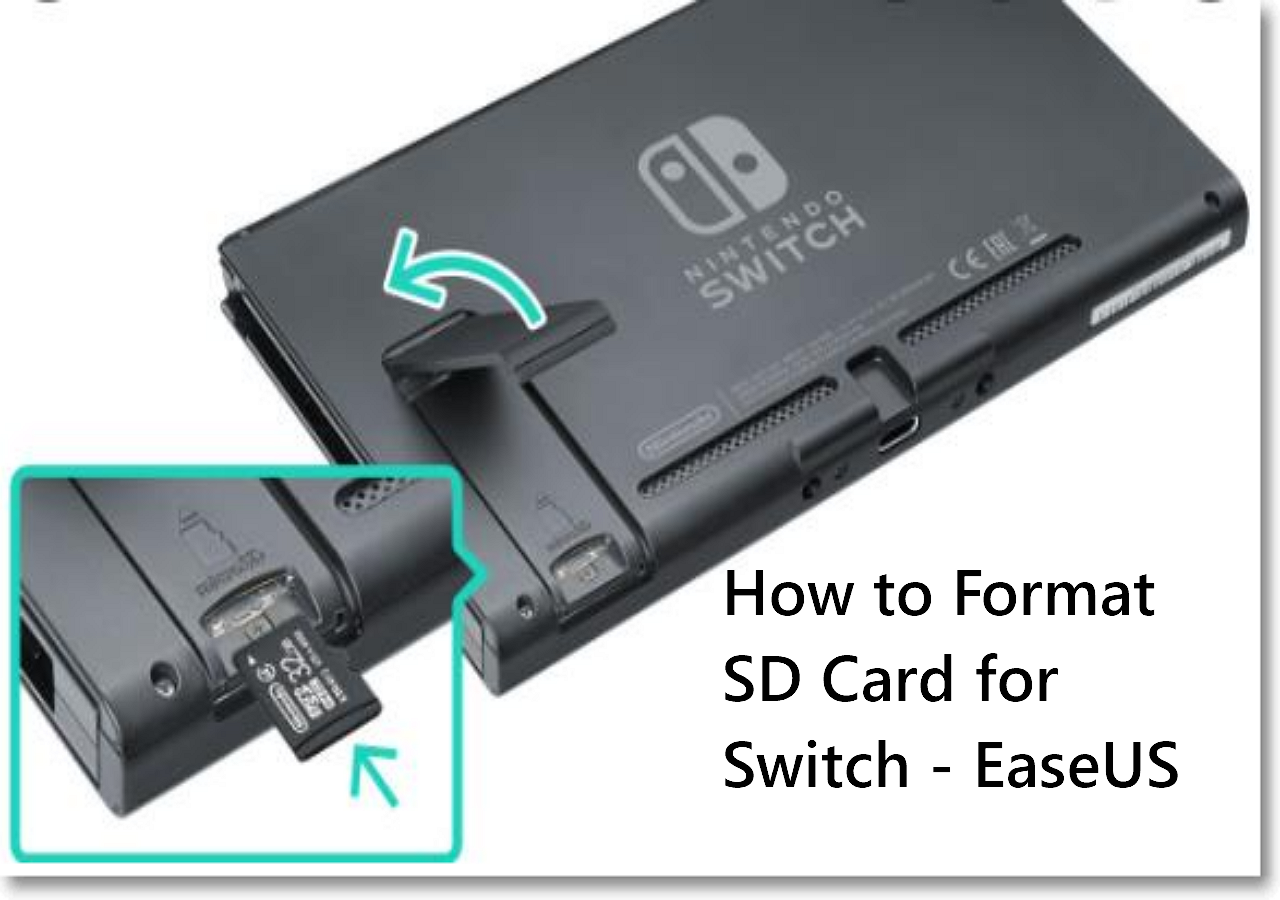
How to Format SD Card for Switch [Everything You Need]
Formatting an SD card for the Nintendo Switch on a PC, Mac, or the Switch itself involves choosing the right format. The Switch supports exFAT, which is a file system that allows for large storage capacity and compatibility across multiple platforms. On a PC or Mac, you can format the SD card using the built-in disk management tools, such as Disk Management on Windows or Disk Utility on macOS, to set the file system to exFAT. Alternatively, you can use the Nintendo Switch's built-in formatting tool to format the SD card directly on the console, which will also set the file system to exFAT.
Summary
If you've lost progress in The Legend of Zelda: Tears of the Kingdom on PC or Switch, don't worry - there are 4 options to recover your game save. Hopefully, this information helps you successfully restore The Legend of Zelda Tears of the Kingdom lost progress.
If you still need help, feel free to contact our customer care department for further assistance. In the meantime, make sure to back up your game saves to keep them safe. Thanks for reading!
The Legend of Zelda: Tears of the Kingdom Lost Progress FAQs
Here are 4 additional questions about recovering The Legend of Zelda Tears of the Kingdom lost progress. Check here for the answers.
1. How do I recover lost game data on a Switch?
When downloading The Legend of Zelda: Tears of the Kingdom from the Nintendo eShop, previously saved game data will be automatically restored. You can also use the Save-Data Backup option to restore your saved data.
If you don't have any backup, try using SD card recovery software to retrieve game data from the Nintendo Switch.
2. What to do if you lose your Nintendo game?
If you have a damaged copy of The Legend of Zelda Tears of the Kingdom, it's recommended to purchase a replacement from a store. If the game was published by a third-party licensee, you should reach out to the publisher to inquire about repair or replacement options.
3. Does Nintendo Account save game progress?
The system saves user-specific data in memory, which remains unchanged whether the game is run from a cartridge or downloaded from the eShop, as long as the same user is selected on the console.
4. What happens to cloud saves when Nintendo Online expires?
If your Nintendo Switch Online subscription expires, you won't be able to access your Save Data Cloud backups. However, if you resubscribe within 180 days, you'll be able to access your prior backups.
Related Articles
- Top 14 Best Free Video Repair Software for Windows/Mac
- Recover Deleted Photos from Folder Lock App in Android and PC
- 'The file cannot be opened because there are problems with the contents' Fixes
- Fixed: Recent Documents Not Showing in Word 2013 2016 on Windows 10/8/7
- How to Get, View, Remove Windows 10 Update? [2022 Latest Guide]
Windows 10 is the current major operating system on Windows computers, and managing updates is an essential part of using it. This page provides information on how to get, view, and remove Windows 10 updates, allowing users to take control of their system's updates on their own. - GIMP Recover Last Session: Recover Unsaved/Deleted/Lost GIMP Photos or Files
Did you accidentally delete or format GIMP files on your PC, or lose unsaved GIMP photos due to a crash or virus attack.
Products
Articles & Tutorials
- Data Recovery
- Data Backup
- File Recovery
- File Backup
- System Backup and Restore
- Disk and Partition Clone
- Technical articles
- Mobile articles
- Disk Master Help
- Windows Data Recovery Tutorials
- Windows Secure Delete Tutorials
- Windows Partition Management Tutorials
- Windows File Backup and Restore Tutorials
- Windows System Backup and Restore Tutorials
- Windows Disk Backup and Restore Tutorials
- Windows Clone Tutorials