Crucial BX500 VS MX500: What's Their Difference [2024 New]
Crucial BX500 VS MX500, how are they different, and which one is better for you? This article will detail the differences between the Crucial BX500 and Crucial MX500.
The Crucial BX500 and MX500 are both solid-state drives (SSDs) designed for storing and loading data in computers. They differ in their storage capacity and interface type.
Overview of Crucial BX500 and MX500
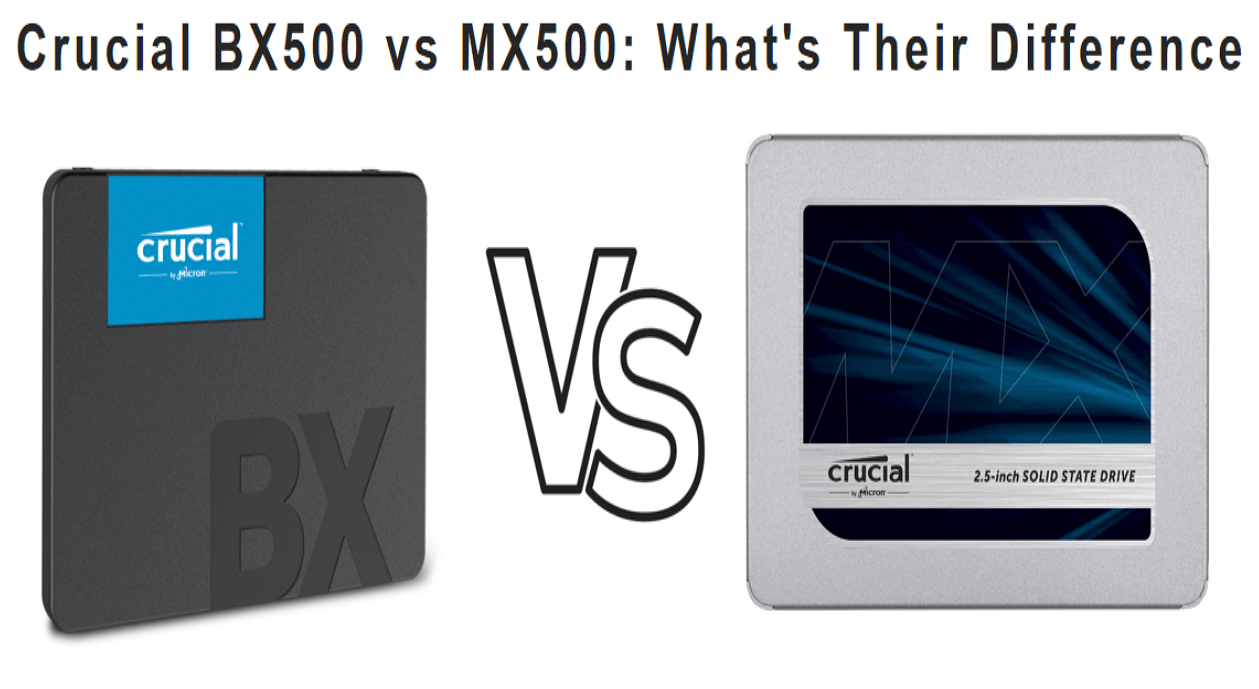
The Crucial BX500 and MX500 are both SATA SSDs from Crucial, a reputable brand in the storage industry. The BX500 is positioned as a budget-friendly option with fewer features and a shorter warranty, while the MX500 is a more premium product offering better performance, more features, and a longer warranty period.
Crucial BX500 SSD
The Crucial BX500 SSD is the successor to the popular BX300 series, skipping the 400 naming scheme like the mainstream MX500 branding. Compared to the Crucial MX series, the BX series is a streamlined, no-frills SSD with a few accessories and features.
The Crucial BX500 is a budget-friendly SSD available in 2.5-inch form factor with 6 GB/S or SATA III interface options, and comes in five capacities up to 2TB, designed for affordability with a simple feature set.
Crucial MX500 SSD
The Crucial MX500 is a hard drive that uses Micron's 64-layer 3D TLC NAND, making it the second-generation TLC NAND in Crucial's mainstream MX series. Available in 2.5-inch and M.2 2280 form factors, it comes in capacities up to 2TB and offers solid quality, speed, and security, backed by helpful service and support.
Crucial BX500 VS MX500: What's Their Difference
Here are the differences between BX500 and MX500 in one paragraph:
| Comparison | Crucial BX500 | Crucial MX500 |
|---|---|---|
| Appearance | 2.5-inch form factor and SATA 6.0 GB/S interface | M.2 and 2.5-inch form factors; SATA 6.0 GB/S interface |
| Performance(1TB) | 540MB/S(Sequential Read) | 540MB/S(Sequential Read) |
| Capacity | 120GB, 240GB, 480GB, 1TB, 2TB | 250GB, 500GB, 1TB, 2TB |
| Warranty | 3-year | 5-year |
| Price(1TB) | $99.99 | $114.99 |
Now, we'll detail their differences in the five aspects.
Crucial BX500 VS MX500: Form Factor and Interface
The Crucial BX500 and MX500 SSDs have different interfaces that affect their connection speed to the computer. The BX500 has a 2.5-inch form factor and a SATA 6.0 GB/S interface, while the MX500 is available in M.2 and 2.5-inch form factors with the same interface.
Crucial BX500 VS MX500: Capacity
The Crucial BX500 and MX500 hard drives come in various capacities, with the BX500 offering up to 5 options and the MX500 up to 4, both reaching a maximum of 2TB. This allows for more flexibility in choosing the right size for your needs.
Crucial BX500 VS MX500: Performance
When comparing the Crucial BX500 and MX500 in terms of performance, the MX500 generally offers better speeds and more consistent performance. The MX500 includes DRAM cache, which helps maintain faster speeds during sustained workloads, while the BX500 lacks a DRAM cache, relying instead on SLC caching. This means the MX500 can handle demanding tasks more efficiently than the BX500.
| Comparison | Crucial BX500 SSD 1TB | Crucial MX500 SSD 1TB |
|---|---|---|
| Sequential Read | 540 MB/S | 560 MB/S |
| Sequential Write | 540 MB/S | 510 MB/S |
| Random Read | N/A | 95,000 IOPS |
| Random Write | N/A | 90,000 IOPS |
The Crucial MX500 SSD 1TB is slightly faster than the Crucial BX500 SSD 1TB, but the difference is not significant.
Crucial BX500 VS MX500: Warranty
The Crucial BX500 and MX500 SSDs differ in their warranty, with the BX500 offering a 3-year limited warranty and the MX500 offering a 5-year limited warranty.
Crucial BX500 VS MX500: Price
The budget is a crucial factor when selecting a hard drive or SSD. Prices for Crucial SSDs vary by capacity, with the 1TB BX500 priced around $99.99 and the 1TB MX500 priced at approximately $114.99. Generally, larger SSDs are more expensive.
Conclusion
The Crucial MX500 SSD is likely better than the BX500, but both have differences, such as speed, capacity, and interface.
If you want to transfer data/game/system or other documents from a Crucial BX500 SSD to a Crucial MX500 SSD, you can follow the link provided to get assistance with the transfer process.

To clone Windows 10 to a larger SSD, first, ensure the new SSD is recognized by your system. Then, download and install a cloning software such as Qiling Disk Master to clone the operating system.
Want to know how to clone Windows 10 to a larger SSD? This article provides two efficient ways to help you transfer your operating system and data to a larger solid-state drive, making it easy to upgrade your computer's storage capacity.
Related Articles
- Windows 11 Free Upgrade from Windows 10 [How-to] Step by Step
- Hot Backup vs Cold Backup: Definition, Pros & Cons
- What Is Hard Reset & How to Hard Reset PC/iPhone/Android
- What Is A DLL File and Where Are DLL Files Located in Windows 10
- How to Clear Cache on Chrome on Windows and Mobile Devices
Learn what cache is in Google Chrome in detail. Go through the detailed steps to clear the cache on Google Chrome on Windows and mobile devices quickly and accurately. - [Quick Steps] How to Enter Startup Repair Windows 10 in 2024
Problems with sign-If your Windows 10 PC is experiencing issues with booting normally, it's likely that there are some problems that need to be solved. In such cases, the Startup Repair tool can be a helpful solution.
Products
Articles & Tutorials
- Data Recovery
- Data Backup
- File Recovery
- File Backup
- System Backup and Restore
- Disk and Partition Clone
- Technical articles
- Mobile articles
- Disk Master Help
- Windows Data Recovery Tutorials
- Windows Secure Delete Tutorials
- Windows Partition Management Tutorials
- Windows File Backup and Restore Tutorials
- Windows System Backup and Restore Tutorials
- Windows Disk Backup and Restore Tutorials
- Windows Clone Tutorials