Recover Deleted Files from SanDisk Extreme Pro | 3 Ways
SanDisk Extreme Pro Recovery Is Possible
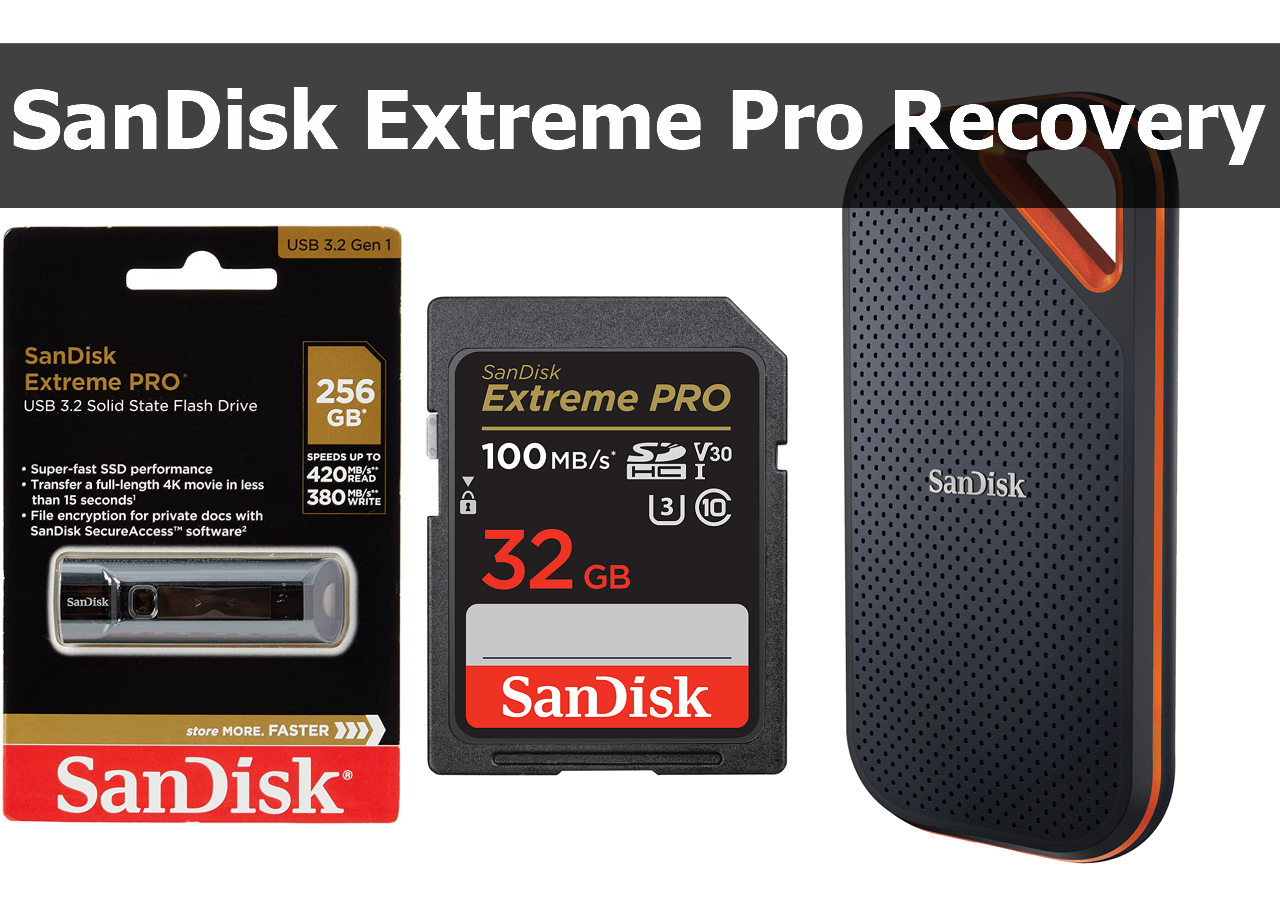
The SanDisk Extreme Pro series offers a range of storage devices, including USB flash drives, SSDs, and memory cards. With this information, it's possible to explore the possibility of data recovery from these storage devices, providing a deeper understanding of their capabilities and limitations.
✅USB flash drive: Data loss on a USB flash drive can occur due to various reasons, such as incorrect ejection or failure to remove the drive from the computer. However, if the drive is not physically damaged, data recovery is still possible, and a USB recovery tool can be a helpful solution, especially when backups are not available.
✅Memory card: SanDisk Extreme Pro memory cards may lose data due to card corruption or physical damage, but professional recovery software can often resolve data loss, even in cases where the card has been formatted.
✅SSD: When using a SanDisk Extreme Pro SSD as your startup disk, keep in mind that recovering data from it can be a bit more challenging if TRIM is enabled, which is a feature that optimizes SSD performance by deleting unnecessary data blocks. This can make it harder to recover deleted files or data, but it's still possible with the right tools and techniques.
We'll present three methods to consider, and you can read them all before deciding which one you think is the most effective.
Method 1. Recover Deleted Files from SanDisk Extreme Pro with Data Recovery Software
Data recovery software can save you time when recovering deleted files from various storage devices, including SanDisk Extreme Pro SSDs, USB drives, and memory cards. Choosing a functional recovery software that supports most storage devices is more convenient. Deep Data Recovery is a handy and 100% safe tool, and you can easily download the trial version by clicking the button, with the option to upgrade to the Pro version if needed.
This tool is easy to use and has many handy features, allowing you to fix multiple data loss issues with its recovery capabilities.
- The software supports recovery of data from various storage devices, including memory cards, USB flash drives, external hard drives, and more.
- Recover data from formatted hard drives, SD cards, USB drives, and external hard drives, as well as corrupted storage devices.
- Recover data from SanDisk Extreme Pro devices that are not recognized by your computer.
- Recover deleted files from SanDisk Extreme Pro storage devices, including MP4, JPEG, DOC, and other widely used files, using a reliable data recovery software.
You can recover data from your SanDisk devices using the Qiling data recovery tool, which also supports SSD data recovery.
Step 1. Select a location and start scanning
Launch Deep Data Recovery, hover on the partition/drive where the deleted files were stored, then click "Scan" to find lost files.

Step 2. Select the files you want to recover
When the scanning has finished, select the deleted files you want to recover, filtering by file type if needed, or searching by name in the search box for the fastest results.

Step 3. Preview and recover deleted files
Preview the recoverable files, select the desired files, and click "Recover" to save them to a new location, such as a cloud storage like OneDrive or Google Drive, instead of restoring them to the original disk.

After recovering data from your SanDisk Extreme Pro, you can share your positive experience on social media to help others who may be struggling with data loss from their SanDisk Extreme Pro devices. This can help spread the word about the effectiveness of this tool and provide support to those in need.
Method 2. How to Use SanDisk RescuePRO to Recover Data
SanDisk RescuePRO is a specialized software designed for SanDisk storage devices, supporting various file types like photos, videos, documents, and music. Unlike Qiling, it doesn't offer file preview and the free version has limitations on RAW image recovery.
To recover lost data from a SanDisk Extreme Pro, you can use a data recovery program. The program can be used to scan the device, locate and retrieve lost files, and recover them to a safe location.
Step 1. Download and install SanDisk RescuePRO from its official website, and have your SanDisk Extreme Pro storage device ready.

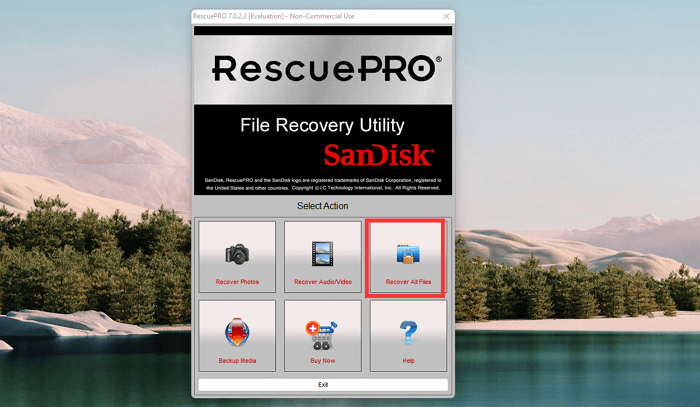
Step 2. After launching the software, click "Recover All Files".
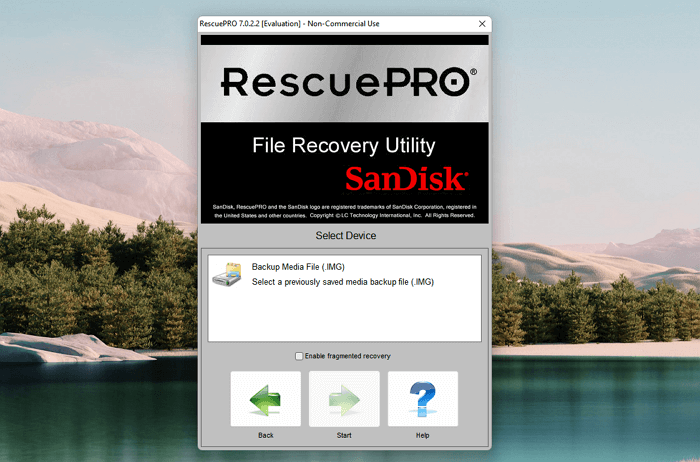
Step 3. Select your SanDisk storage device and click "Start".
Step 4. This software will start scanning, and you can choose an output folder to view the recovered files, which will be automatically saved there after scanning.

If the software fails to recover data, you can go back to Method 1 or proceed with the next solution.
Method 3. Perform SanDisk Extreme Pro Recovery with Data Recovery Services
If you have important data on a SanDisk Extreme Pro drive that's not working, it's best to let a professional data recovery team handle it. You can search for local data recovery services in the USA, such as those listed in Google Maps.
It's better to contact Qiling data recovery services in advance to learn about basic situations and recovery prices, as knowledgeable engineers can analyze the problem and answer questions online.
Consult with Qiling data recovery experts for a one-on-one manual recovery service, which includes a free diagnosis followed by a range of services that can be provided based on the results of the diagnosis.
- Repair corrupted storage devices and recover data from unbootable systems.
- Recover/repair lost partition and re-partitioned drive
- Recover data from BitLocker-encrypted drives that have become RAW or inaccessible.
- Fix disks that become GPT-protected partitions
How to Avoid Data Loss on SanDisk Extreme Pro Storage Devices
To avoid data loss on your SanDisk Extreme Pro storage device, it's essential to take preventive measures. Since data recovery can be costly, especially for large storage spaces, learning how to prevent data loss is crucial. Regular backups, using the device's built-in encryption and password protection, and being mindful of physical damage or liquid exposure can help prevent data loss.
- ❌Avoid physical damage. Be cautious when carrying the SanDisk Extreme Pro Portable SSD or other portable devices to avoid potential damage.
- 🗂️Create backups frequently. It is recommended to back up your device to the cloud every week to ensure your data does not encounter further loss.
- ✅Use safe readers. If you're using a SanDisk Extreme Pro memory card, use a reliable card reader to access your memory card.
- 🦠Scan the virus frequently. Malware and viruses can easily invade your computer, especially when transferring data from different computers, making your device vulnerable to cyber threats.
Applying safe data recovery software is also crucial. Some recovery tools can cause file corruption or further loss, so it's essential to choose a reliable one. Deep Data Recovery is a good option, and you can download it today to see its capabilities.
SanDisk Extreme Pro Drive Data Recovery FAQs
The SanDisk Extreme Pro recovery process can be complex and time-consuming, but it's a crucial step to recover data from a corrupted or damaged drive. To recover data from a SanDisk Extreme Pro, you'll need to follow a series of steps, including identifying the type of data you want to recover, preparing the recovery environment, and using specialized software to scan and recover the data.
1. Does SanDisk have a recovery software?
SanDisk RescuePRO is a recovery software specifically designed to recover lost or accidentally deleted files from SanDisk storage devices, including memory cards, USB drives, and SSDs.
2. What is the alternative to SanDisk RescuePRO?
One alternative to SanDisk RescuePRO is Deep Data Recovery, a popular data recovery software developed by Qiling that can recover deleted files from various storage devices, including SanDisk storage devices.
3. How do I recover data from my SanDisk SD card?
You can recover your SanDisk SD card using the Deep Data Recovery tool. To ensure successful data recovery, stop using the SD card immediately to prevent data from being overwritten. After scanning the SD card with the Qiling recovery tool, you can easily locate and retrieve your lost files.
Related Articles
- Windows 10 vs Windows 11 File History: Backup Files Automatically
This article introduces you to Windows 10 vs Windows 11 File History and stepwise guide to backup files in Windows 11. An easier alternative is included. - Best Client-Server Backup Software for Windows | Download
To backup client computers from a central server, you can use client server backup software to save backup time and administrative cost. Go and have a try. - Acronis Cloning Software: A Thorough Review & Alternative
The Acronis cloning software is one of the best cloning software available on the market today. In this post, we will see a detailed review of Acronis Cloning software along with the step-by-step guide and a perfect alternative (Qiling Disk Copy) with even more advanced features for Disk Cloning. - How to Solve Windows Migration Assistant Not Working
Discover effective solutions to fix Windows Migration Assistant not working issues. Learn step-by-step troubleshooting tips to ensure a smooth transition to a new Windows system. - How to Install Windows 11 Without Secure Boot and TPM
This is a tutorial on how to install Windows 11 without Secure Boot and TPM. In this article, you can learn how to bypass Secure Boot and TPM to install Windows 11 on your computer with the help of Qiling Disk Master. - Windows 11 Black Screen No Cursor
When Windows 11 displays a black screen with no cursor, it can be a frustrating experience. Fortunately, there are 5 effective guides with detailed steps and screenshots that can help resolve this issue, regardless of its cause.
Products
Articles & Tutorials
- Data Recovery
- Data Backup
- File Recovery
- File Backup
- System Backup and Restore
- Disk and Partition Clone
- Technical articles
- Mobile articles
- Disk Master Help
- Windows Data Recovery Tutorials
- Windows Secure Delete Tutorials
- Windows Partition Management Tutorials
- Windows File Backup and Restore Tutorials
- Windows System Backup and Restore Tutorials
- Windows Disk Backup and Restore Tutorials
- Windows Clone Tutorials