Best Free Backup Software for Windows Server (Featured Picks)
To avoid losing your data forever, consider using the best backup software for Windows Servers. With most data being digital, it's easy to store and access files quickly, but this also means that losing them can be devastating, making regular backups a crucial step in data protection.
Losing precious files due to a hard drive crash or virus attack can be stressful and pricey. To avoid this situation, it's advisable to download a backup utility (free or paid) to store your data safely. Various tools are available, some offering free trials or completely free options, which may suffice for basic needs. However, if you want to utilize advanced features, you may need to purchase a plan tailored to your needs.
Our selection of the best backup software is designed to make it easy for you to find the perfect one. To help you make an informed decision, here are some key factors to consider: ease of use, backup speed, data security, scheduling capabilities, and pricing plans.
Standards for Picking Best Windows Server Backup Software
In the vast sea of technological options, selecting the best Windows Server backup software is crucial to safeguard against potential data loss. With numerous choices available, it's essential to consider factors such as data protection, recovery speed, and scalability to ensure your business's continuity and peace of mind.
Below are our comparison criteria and standards for picking the best Windows Server backup software, helping you protect your most valuable data while discovering the features, advantages, and preferences that best serve your company's needs.
Among the criteria that we have taken into account in order to propose the best solution, we have focused on the following:
- Choose relatively easy-to-use solutions, and data security should remain within your reach.
- To safeguard our valuable data, we need a tool that can completely back it up with scheduled backups, ensuring fast and reliable performance, and providing complete protection.
- Companies should prioritize working with reliable data providers that offer good service, are always available, and can easily revert data in case of any issues. This ensures that your data is handled with care and can be recovered if needed.

Open Source Backup Software for Windows Server 2003
Open-Open-source backup software for Windows Server 2003 can be a valuable tool for server users, but it's not without its issues. Despite this, there are still several options available, including five open-source tools that can be used for backup purposes. However, for a more reliable alternative, there are other options available.
5 Best Free Backup Software for Windows Server
We'll be showcasing a series of Windows backup software that offer a mix of free and paid versions, with the free versions often meeting basic needs. These tools are designed for various user types, from individuals to large or small companies, making them a versatile option for different users.
1. Qiling Backup Enterprise

The Qiling backup Enterprise software offers the option to either back up the entire device or select specific personal data for protection. It allows for the backup of a system, disks, individual folders, or partitions to and through local and network media.
Qiling Backup Enterprise stands out from other software with its user-friendly interface and reputation as the best backup software for Windows Servers. It offers four different versions and comes with characteristic features. The software is highly efficient and easy to use, making it a great option for cloud backup, and is also fully configurable.
Features:
- One-click backup and instant restore
- System Image Restore
- Disaster recovery
- Bootable restore
- Password-protected secure backups
Pros and Cons:
| Pros | Cons |
|---|---|
|
|
Pricing Plan:
- Basic: Free
- Home: $39.95/1-Year
- Workstation: $49/1-Year
- Server: $199/1-Year
- Advanced Server: $299/1-Year
- Technician: $999/1-Year
Note: These pricing plans are a bit overview. You can check the complete pricing plan by visiting their websites.
2. iDrive

iDrive is a popular cloud backup service that offers a unique combination of cloud storage and backup, providing the same amount of cloud storage as backup space. It offers various backup options, including disk image backup, NAS backup, and server backup, making it a versatile choice. With its unmatched privacy and security, iDrive is an ideal option for those seeking reliable cloud backup solutions.
Features:
- Lots of backup features
- Sync and share functionality
- Unlimited devices
- Free basic plan
- Messaging backup and recovery
Pros and Cons:
| Pros | Cons |
|---|---|
|
|
Pricing Plan:
iDrive Mini: $3.71/First Year
iDrive Personal: $59.62/First Year
iDrive Team: $74.62/First Year
iDrive Business: $74.62/First Year
Note: Prices may fluctuate, so it's best to check the website for the most current pricing plans.
3. Acronis Cyber Backup
Acronis Cyber Backup is a comprehensive online software that provides cyber protection services, including backup and data recovery. It offers two products tailored to companies' needs, providing efficient and comprehensive protection.
- Acronis Cyber Backup - Perfect backup software for businesses with small IT environments.
- Acronis Cyber Backup Advanced is a software designed for companies with larger computing environments, providing a comprehensive backup and recovery solution.
Features:
- Image-based backup
- File-level backup
- Local Backup
- iOS and Android mobile backup in the cloud
Pros and Cons:
| Pros | Cons |
|---|---|
|
|
Pricing Plan:
The product starts at $65, inclusive of all features, and for more updated offers, you can visit their website.
4. Altaro VM Backup
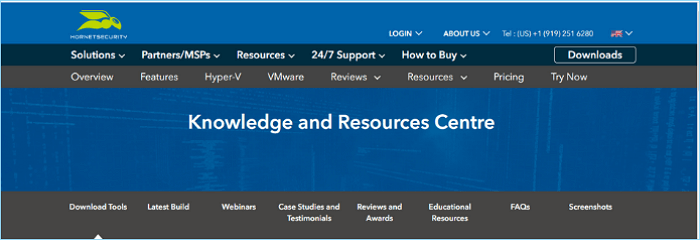
Altaro Virtual Machine Backup is a professional suite that helps manage virtual machine backups, compatible with various platforms, and offers features to keep virtual machines safe and backed up, including offsite backups to replicate backups to an offsite location.
Features:
- Advanced compression algorithm
- Automatic backup
Pros and Cons:
| Pros | Cons |
|---|---|
|
|
Pricing Plan:
$579 per year for 5 VMs. Please visit their website for more updated prices, as prices may fluctuate over time.
5. Uranium Backup Base
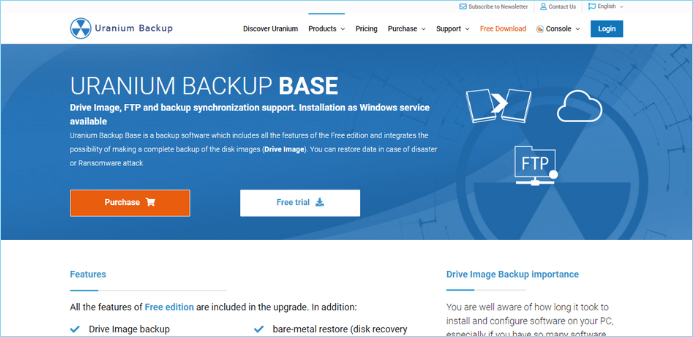
This free backup software meets the needs of both home users and professionals/companies by allowing various types of backup copies, including complete, differential, and incremental copies, while saving space. It also enables scheduling backups, encrypting them with 256-bit AES, and accessing remote server copies via FTP.
Features:
- Drive Image backup
- FTP/FTPS/SFTP backup
- File and folder synchronization
Pros and Cons:
| Pros | Cons |
|---|---|
|
|
Pricing Plan:
- Base: €80
- Pro DB: €150
- Pro Shadow: €150
- Pro Virtual: €229
- Gold: €290
- Professional: €18/mon
Note: Prices may fluctuate over time, so it's best to check the website or contact the company directly for the most up-to-date pricing information.
The Bottom Line
Qiling Backup Enterprise is a reliable option to consider when selecting backup software for Windows servers, allowing users to test its features firsthand and determine if it meets their specific needs.
Qiling Backup Enterprise This program has a very clear and easy-to-understand interface, making it easy to use, and we can access backup copies from Windows at any time.
If you have any questions or suggestions, please feel free to share them with us in the comments. We're interested in hearing your thoughts and would be happy to help in any way we can.
FAQ on Free Backup Software for Windows Server
The FAQs below may answer your questions about Windows Server backup software.
1. How do I back up my Windows server?
Microsoft provides the built-in Windows Server Backup feature, which allows you to back up and restore your Windows Server environment. This feature includes comprehensive backup and restore options, enabling you to use the Windows Server Backup service to safeguard your server's data.
2. Does Microsoft have a backup solution?
OneDrive is a backup software by Microsoft that allows you to store all your folders and files in one location.
3. What is the best way to back up a server?
Qiling Backup Enterprise is the best way to back up a server, offering reliable options. We highly recommend trying it, and you'll likely say, "Wow, that's what we were looking for!"
Related Articles
- Best Software to Automatically Clone Hard Drive[2022 Roundup Review]
- How to Automatically Clone A Hard Drive as A Backup for A PC
- Convert Disk Image to Virtual Disk File (.vmdk or .vhd)
- A Complete Guide to Windows Server Backup and Restore [2022 Update]
- Fix WintoUSB Stuck at 0% and Install Windows with An Easy Tool
If you're looking to use Windows software on a USB for added portability while traveling, you might be frustrated by the WintoUSB getting stuck at 0 error. However, this issue can be resolved, and we'll cover the key aspects to resolve it in this article. - Top 10 Forensic Imaging Tools in 2022 (Best Free Digital Forensic)
Sometimes, in the face of some emergency or legal dispute, we need to conduct digital forensics. This article will introduce the top 10 free forensic imaging tools. Among them, Qiling Backup can work well.
Products
Articles & Tutorials
- Data Recovery
- Data Backup
- File Recovery
- File Backup
- System Backup and Restore
- Disk and Partition Clone
- Technical articles
- Mobile articles
- Disk Master Help
- Windows Data Recovery Tutorials
- Windows Secure Delete Tutorials
- Windows Partition Management Tutorials
- Windows File Backup and Restore Tutorials
- Windows System Backup and Restore Tutorials
- Windows Disk Backup and Restore Tutorials
- Windows Clone Tutorials