How to Clone a Crucial SSD to a New Drive
Crucial bundles Acronis True Image for Crucial with most of its MX and BX drives, and the licence unlocks the moment a Crucial SSD is detected. That works well on a desktop with a free port, but the same tool can stall on a single-slot laptop or refuse a drive attached by USB.
This guide covers how the Crucial bundle behaves, what the clone needs from the target disk, and the steps for Qiling Disk Master when the OEM build will not cooperate.
PAGE CONTENT
- How Crucial Cloning Works
- Prepare the Crucial SSD
- Check the Clone Requirements
- Clone with Qiling Disk Master
- Boot from the Crucial SSD
- FAQs About Crucial Clones
- Back Up Before the Clone
How Crucial Cloning Works
- The licence is tied to a Crucial drive. Acronis True Image for Crucial activates only while a Crucial SSD is connected.
- It covers clone and recovery. The bundle copies disks and restores images, without the paid cloud extras.
- It clones the full disk by default. Automatic mode carries every partition across to the target.
- It hides advanced options. Some scheduled and differential features are disabled in the OEM build.
- It inspects the target model. A drive behind a cheap USB bridge may not register as a Crucial product.
The bundle is a fair freebie for a straightforward upgrade. It becomes a problem when the new drive sits in an enclosure, because the activation check reads the reported model rather than the drive itself.
Prepare the Crucial SSD
- Fit the drive first. Install the M.2 or 2.5-inch Crucial SSD before you launch any clone tool.
- Leave it unallocated. A new drive shows as unallocated space in Disk Management, which is normal.
- Set the controller to AHCI. RAID or legacy IDE mode can keep the drive out of the wizard.
- Check the firmware level. Crucial Storage Executive reports the firmware version and offers updates.
- Clear space on the source. The used data must fit inside the Crucial capacity.
Do not partition the new disk by hand. The clone writes its own table and partition layout, and a prepared volume only confuses the destination step.
Check the Clone Requirements
- Match the partition style. An MBR source needs an MBR target, and a GPT source needs a GPT target.
- Keep every boot partition. The EFI system partition and the recovery volume must travel with the system drive.
- Suspend BitLocker. Suspend encryption before an intelligent clone, or use a sector-by-sector copy.
- Turn off third-party encryption. Tools that filter disk writes can corrupt a clone halfway through.
- Plan a second connection. A USB 3.0 enclosure or a spare SATA port lets both disks stay attached.
Two requirements decide whether the clone boots: the partition style and the boot partitions. A copy that drops the EFI partition produces a disk that looks complete in Disk Management but never reaches Windows.
Clone with Qiling Disk Master
Qiling Disk Master does not check the drive brand, so it accepts MX500, P5, T500, and older BX models through an internal port or a USB enclosure. Install the drive, then run the wizard.
Watch the video tutorial below to clone the drive step by step with Qiling Disk Master.
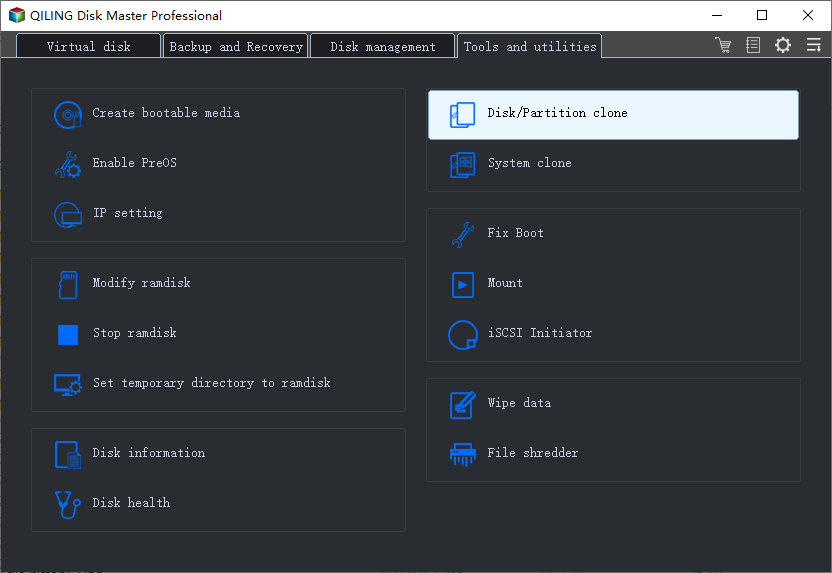
Step 1. Open Qiling Disk Master, choose Clone, and then select Disk Clone.
Step 2. Select the source disk and click Next.
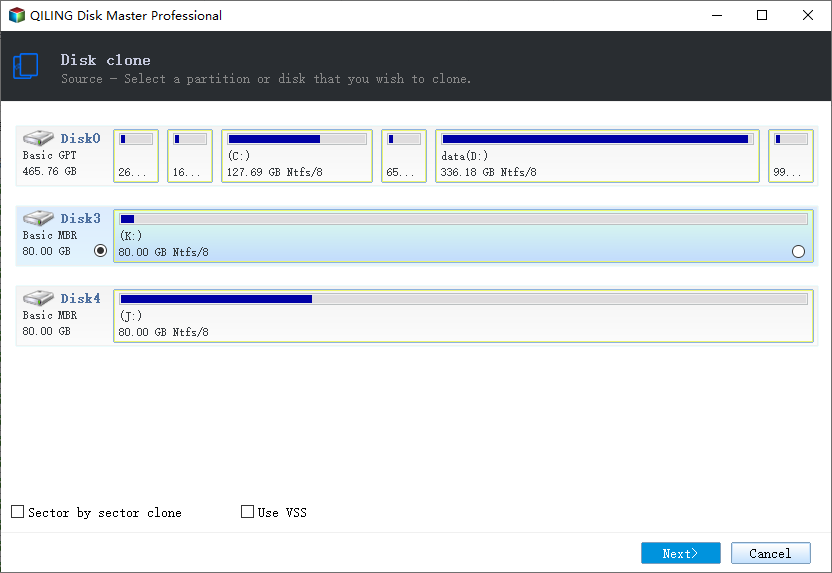
Step 3. Select the Crucial SSD as the destination and confirm that its data will be replaced.
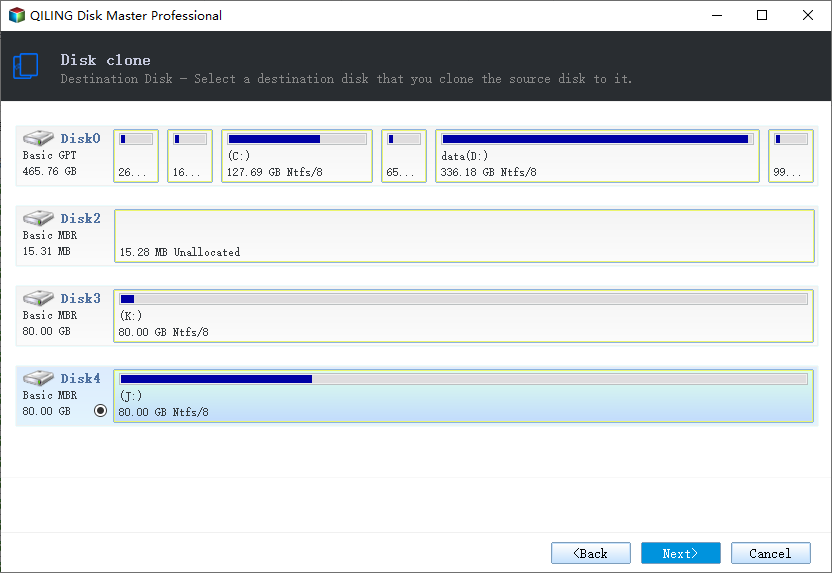
Step 4. Choose intelligent clone and fit the partitions to the Crucial capacity.
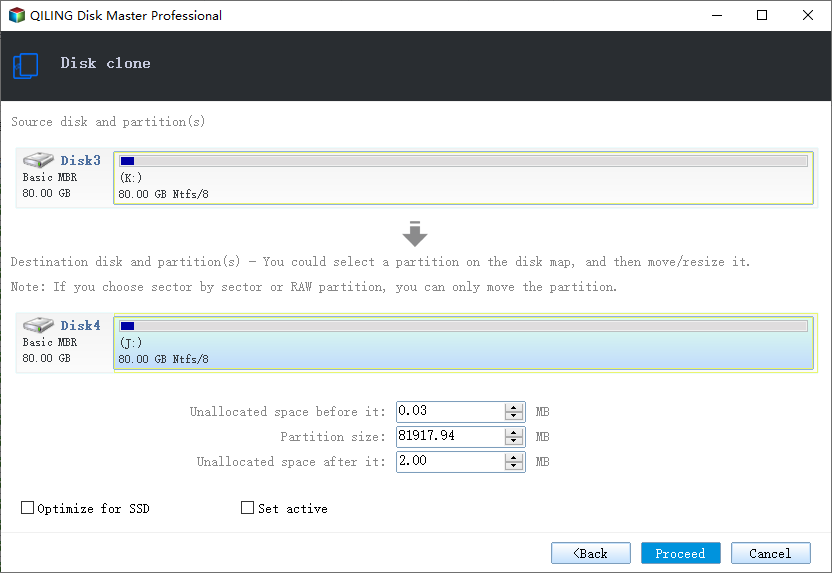
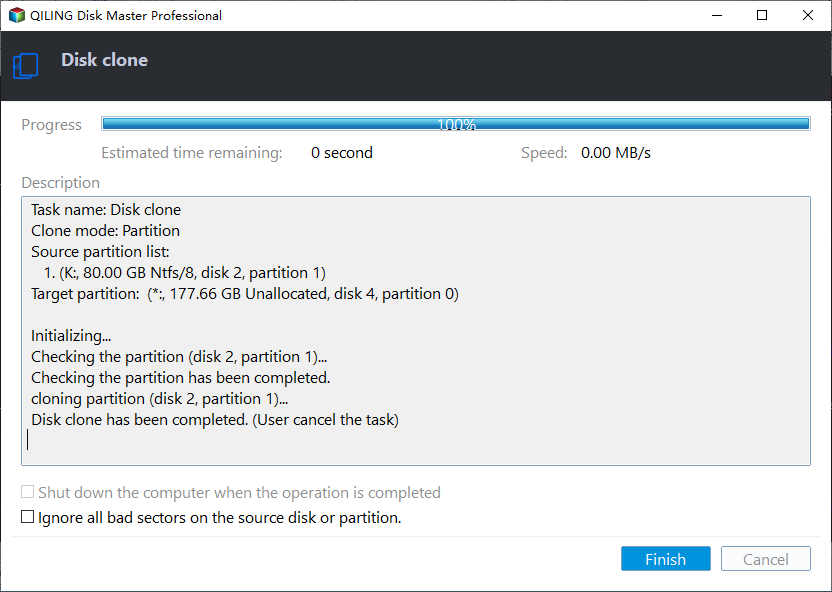
Step 5. Click Proceed, wait for the copy to finish, then shut the machine down before you remove any cable.
Boot from the Crucial SSD
- Power off before swapping. Move or remove the old drive while the machine is shut down, not restarting.
- Set the boot order. Put the Crucial SSD at the top of the UEFI boot list.
- Match Secure Boot to the disk style. GPT wants Secure Boot enabled, while an MBR clone usually wants it off.
- Boot with only the new drive. A single disk proves the clone stands on its own.
- Confirm the system letter. The Crucial volume should come up as C after the first start.
If the Crucial SSD is missing from the boot menu, check that the enclosure did not leave the clone on a layout the firmware rejects. Re-clone through the internal slot and retry.
FAQs About Crucial Clones
Why does Acronis for Crucial ask me to activate it?
The tool needs a Crucial SSD present and readable before it unlocks. Fit the drive internally and open Crucial Storage Executive first.
Can I clone to a Crucial SSD inside a USB enclosure?
With a brand-neutral tool, yes. The OEM build often fails the model check over USB and refuses to continue.
Will the extra space on a larger Crucial SSD be usable?
Only if the clone fits the partitions to the new disk. Otherwise the spare room stays unallocated until you extend the volume.
Does the Crucial clone tool work on Windows 11?
Yes. Download the current build from the Crucial support page, since older installers predate Windows 11.
Can I clone a BitLocker drive to a Crucial SSD?
Yes. Suspend BitLocker for an intelligent clone, or use a sector-by-sector copy that keeps the encryption intact.
Back Up Before the Clone
Replacing the system disk leaves no fallback if the copy fails. Write a full image to a separate drive before you start, so the old installation can be restored in place.
Watch the video tutorial below to back up Windows and restore it if the clone fails.
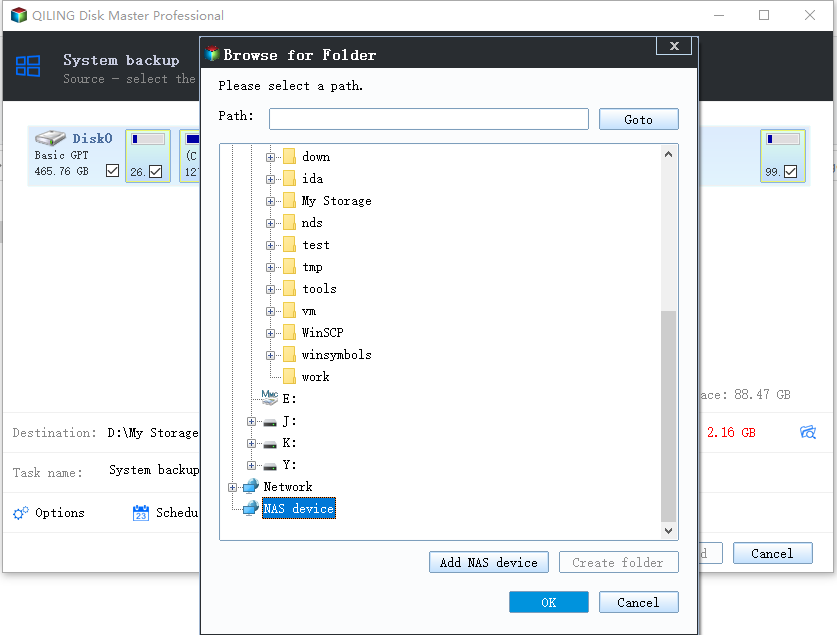
Step 1. Open Qiling Disk Master and select System Backup to include the boot partitions.
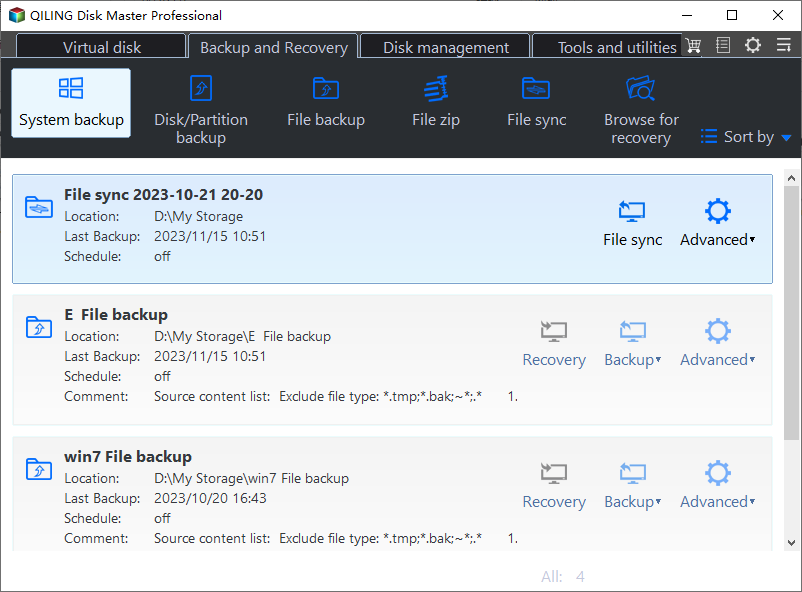
Step 2. Save the image to a drive other than the target disk and start the backup.
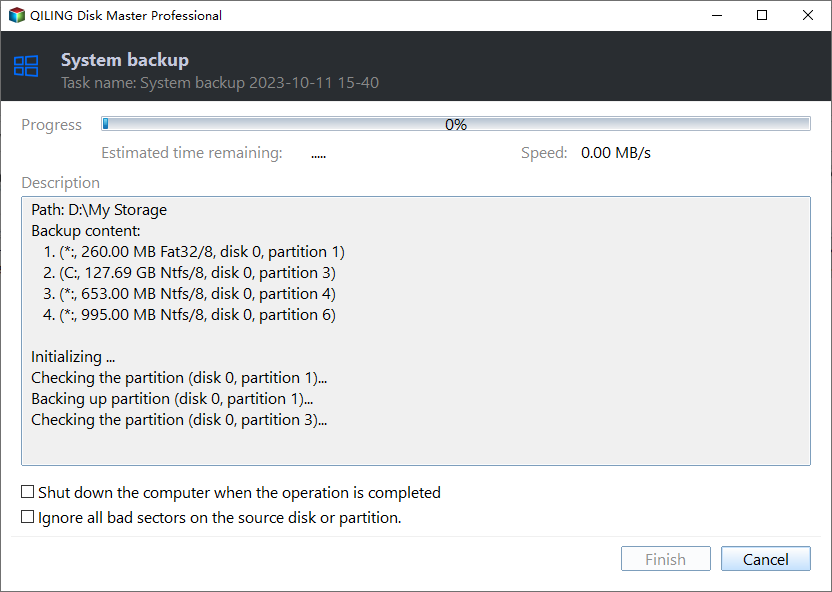
Step 3. Click Proceed to start the system backup and wait patiently until it finishes. You can also tick Shut down the computer when the operation is completed to power off automatically.
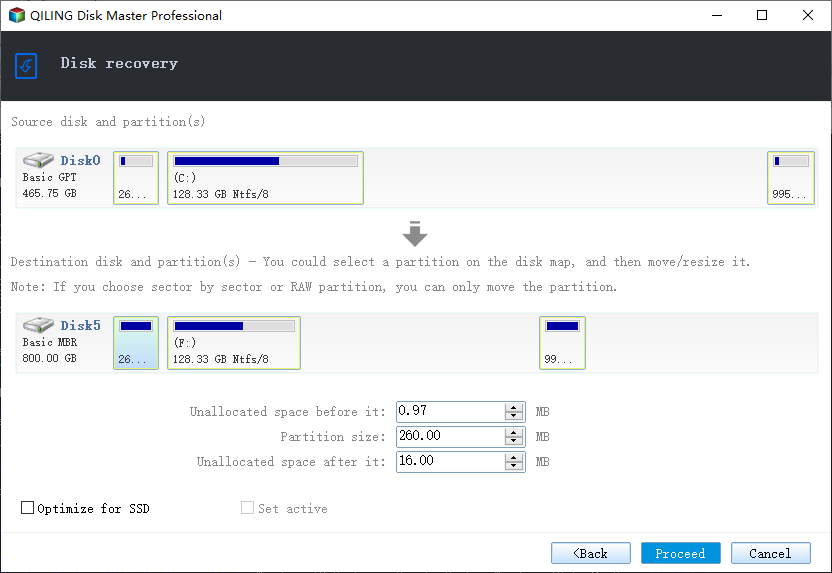
Step 4. If the Crucial SSD will not start, restore the image to the original drive and repeat the clone.
Conclusion
Crucial gives buyers a free Acronis build, but the licence depends on a readable Crucial model and dislikes USB targets. Prepare the drive, match the partition style, keep the boot partitions, and use a brand-neutral tool when the bundle blocks the upgrade. After the copy, move the drive inside, set the boot order, and confirm the system volume still comes up as C.
For more on brand SSD upgrades, see Acronis True Image for Crucial Not Working, How to Clone a Kingston SSD to a New Drive, How to Clone a WD SSD to a New Drive, and Best Free Disk Cloning Software in 2026.
Related Articles
- Clone to a Crucial P3 Plus SSD: What to Know
Clone Windows to a QLC PCIe 4.0 drive and plan capacity for heavy writes. - How to Clone a Kingston SSD to a New Drive
Same steps for a Kingston drive. - Crucial Storage Executive Clone: Migrate to a Crucial SSD
Migrate Windows to a Crucial SSD step by step. - Best Free Disk Cloning Software in 2026
Pick a free clone tool for the upgrade. - Clone an M.2 SSD With Only One Slot
Upgrade with just one M.2 socket.
Products
Articles & Tutorials
- Data Recovery
- Data Backup
- File Recovery
- File Backup
- System Backup and Restore
- Disk and Partition Clone
- Technical articles
- Mobile articles
- Disk Master Help
- Windows Data Recovery Tutorials
- Windows Secure Delete Tutorials
- Windows Partition Management Tutorials
- Windows File Backup and Restore Tutorials
- Windows System Backup and Restore Tutorials
- Windows Disk Backup and Restore Tutorials
- Windows Clone Tutorials