Crucial Storage Executive Clone: Migrate to a Crucial SSD
Crucial Storage Executive is the free utility that Crucial ships with its SSDs. It reports health, updates firmware, and enables Momentum Cache on some models. It does not clone. Crucial's official migration path is a licensed Acronis build, and knowing which program does which job saves a lot of time.
This article covers the utility, the Acronis for Crucial offer, the limits of both, and a simpler route for moving Windows to a Crucial SSD such as the P3 Plus.
PAGE CONTENT
- What Storage Executive Handles
- Prepare the Crucial SSD
- Acronis for Crucial and Its Limits
- Clone with Qiling Disk Master
- Verify the Crucial SSD Boots
- FAQs About Crucial Cloning
- Back Up Before the Migration
What Storage Executive Handles
- It shows drive health. SMART values, temperature, and remaining life are in one panel.
- It updates firmware. Crucial SSDs can be flashed directly from the utility.
- It can enable Momentum Cache. Supported drives use spare memory to speed up writes.
- It reports capacity and over-provisioning. Spare area settings are visible per drive.
- It has no clone option. No menu copies partitions, files, or boot records.
The utility answers the question of whether the SSD is healthy. It does not answer the question of how to get Windows onto it.
Prepare the Crucial SSD
- Back up the target SSD. The migration deletes everything already on it.
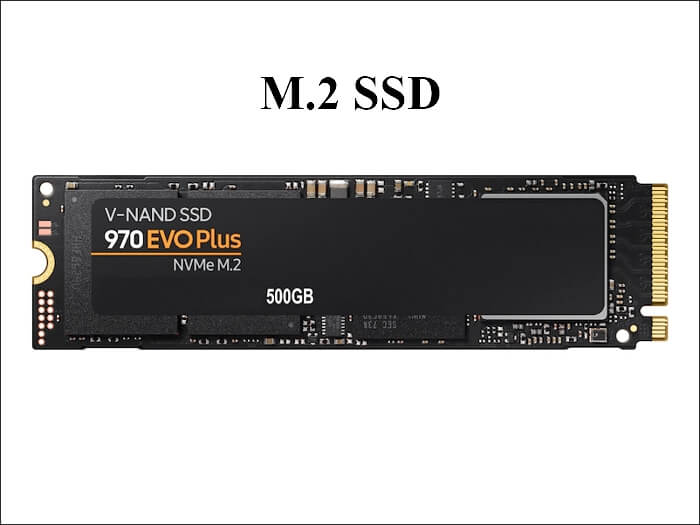
- Mount the drive internally. Use a SATA port or an M.2 slot when one is free.
- Check used space only. The Crucial SSD must hold the data, not the full disk size.
- Suspend encryption. Pause BitLocker so every block can be read.
- Record the boot mode. UEFI or legacy BIOS must match on the target.
A Crucial SSD that arrives formatted with a different partition style is the most common reason a clone boots nowhere. Check the style before the copy, not after.
Acronis for Crucial and Its Limits
- It is a custom build. The installer checks for a Crucial drive before it unlocks.
- It needs the drive attached. External enclosures sometimes fail that check.
- It is time limited. Older builds expire and stop accepting new hardware.
- It can miss recovery partitions. A partition mode clone may drop the recovery volume.
- It rarely resumes. A failed copy restarts from zero.
The offer is genuinely useful while it applies. The catch is that both the drive and the installer must be current, and neither is guaranteed years later.
Clone with Qiling Disk Master
A general cloning tool removes those conditions. Qiling Disk Master copies the system disk with its EFI and recovery partitions, then writes boot entries aimed at the Crucial SSD.
Watch the video tutorial below to clone the drive step by step with Qiling Disk Master.
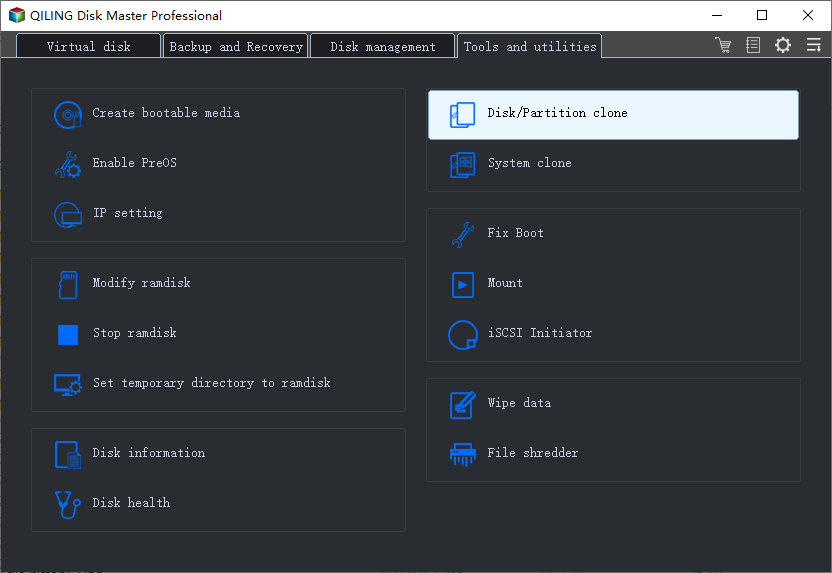
Step 1. Open Qiling Disk Master, choose Clone, and then select Disk Clone.
Step 2. Select the source disk and click Next.
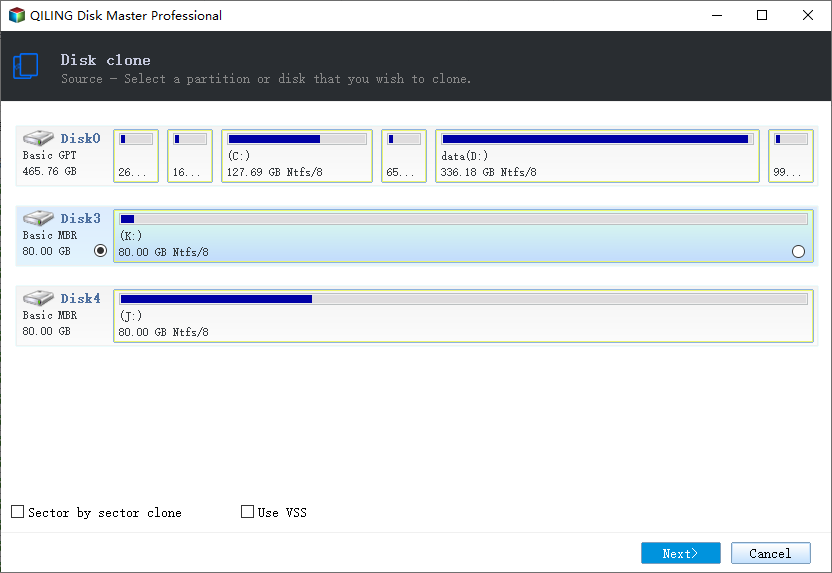
Step 3. Select the destination SSD and confirm that its data will be replaced.
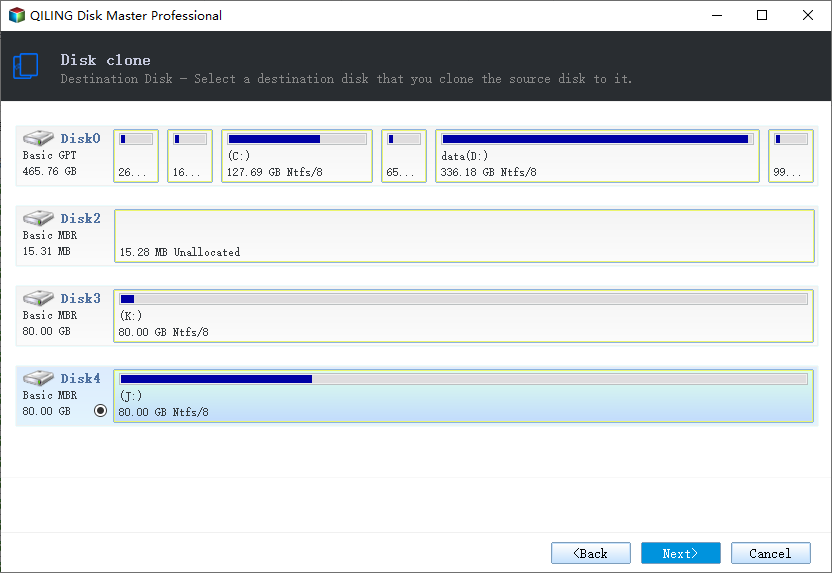
Step 4. Choose the clone mode and confirm the system partition gets the C letter on the target.
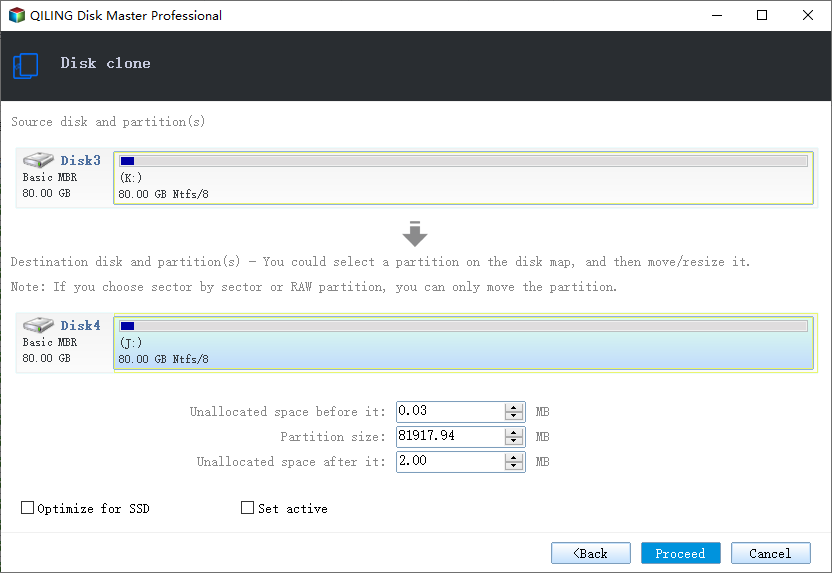
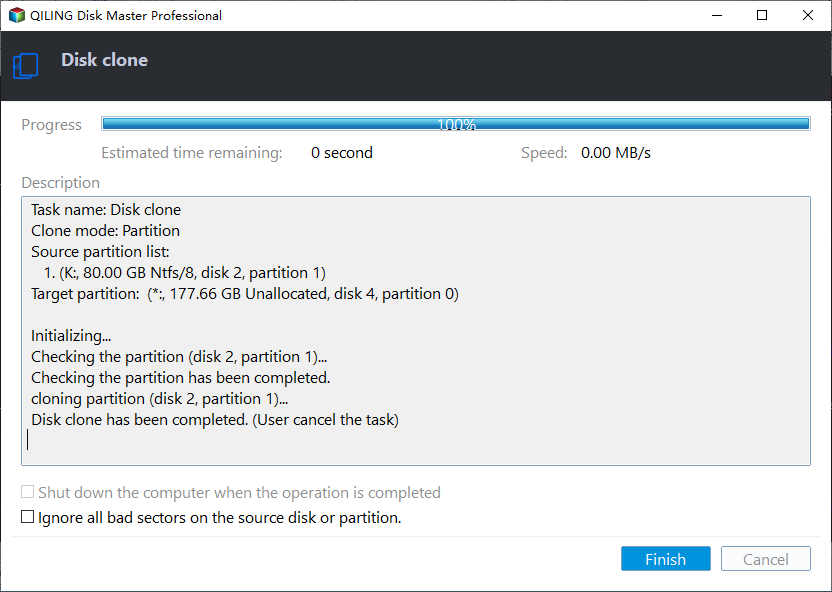
Step 5. Click Proceed, wait for the copy to finish, then shut the machine down before you remove any cable.
Verify the Crucial SSD Boots
- Boot with the Crucial SSD alone. The old disk must be disconnected.
- Review Disk Management. EFI, system, and recovery volumes should all appear.
- Open Storage Executive. Confirm health and firmware on the new drive.
- Test a few programs. Large applications reveal missing files quickly.
- Keep the old disk a week. Retire it only after the clone proves stable.
If the clone runs but some installed programs fail, a partition was probably skipped. Compare the volume lists rather than reinstalling software blindly.
FAQs About Crucial Cloning
Does Crucial Storage Executive clone a disk?
No. It monitors health, updates firmware, and tunes caching; cloning is outside its scope.
Is Acronis for Crucial free?
Yes, with limits. The build is free for Crucial owners but tied to a qualifying drive and a support period.
Can I clone Windows to a Crucial P3 Plus?
Yes. Any cloning tool treats it as a normal NVMe drive; only the bundled offer adds brand checks.
Why does the clone fail at the end?
Usually a boot entry or recovery partition issue. Rebuild the boot records and check that every volume copied.
Should I install the SSD before cloning?
Yes. Internal installation is faster and avoids USB detection problems.
Back Up Before the Migration
Every clone reads the source disk in full, which is the moment a weak drive tends to fail. An image taken beforehand keeps a failed migration from turning into lost data.
Watch the video tutorial below to back up Windows and restore it if the clone fails.
Step 1. Open Qiling Disk Master and select System Backup to include the boot partitions.
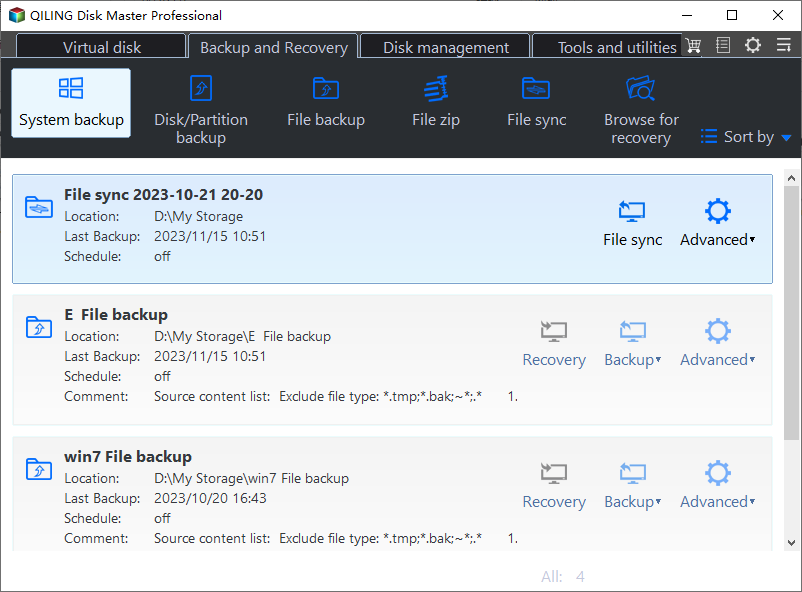
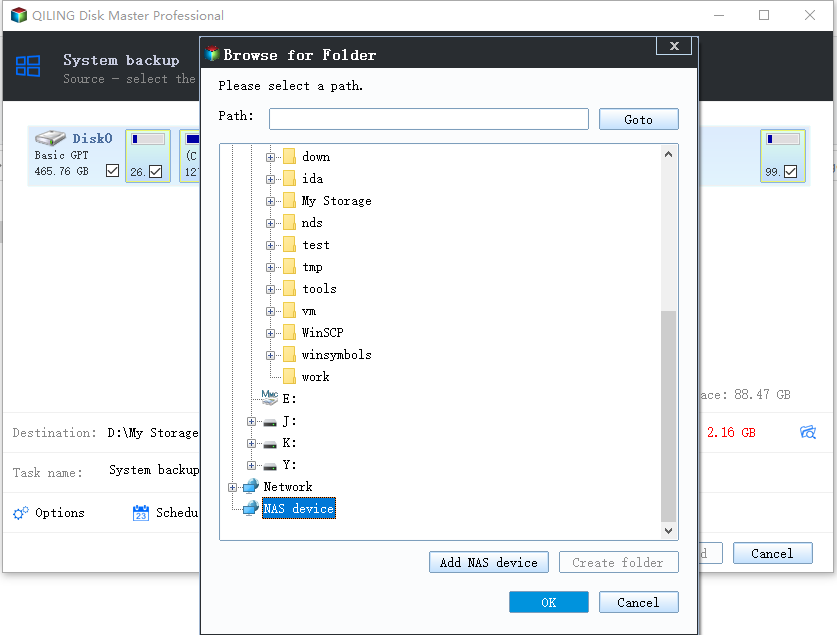
Step 2. Save the image to a drive other than the target disk and start the backup.
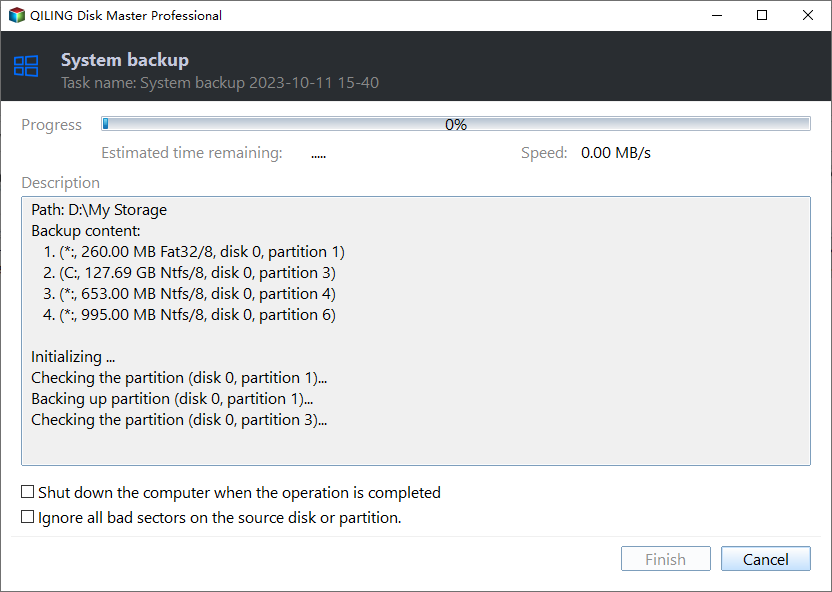
Step 3. Click Proceed to start the system backup and wait patiently until it finishes. You can also tick Shut down the computer when the operation is completed to power off automatically.
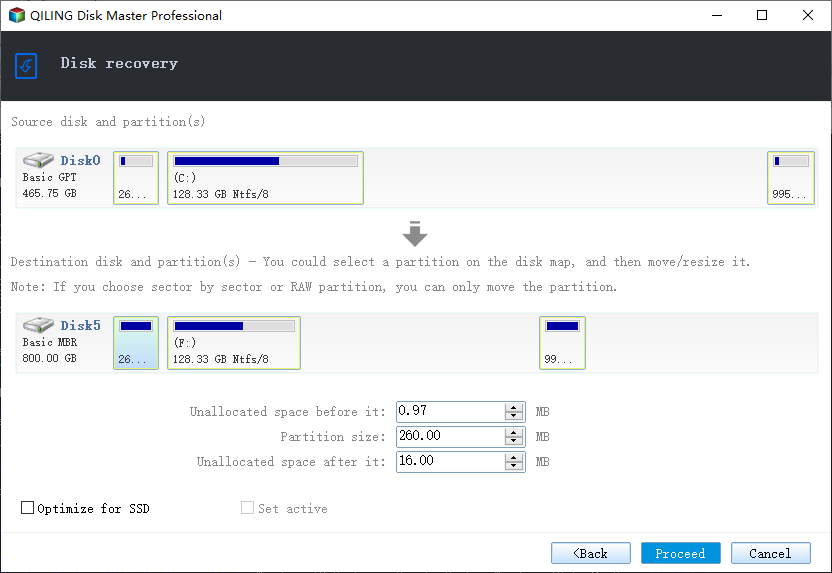
Step 4. If the clone or the boot repair fails, restore the image and then reassign drive letters or rebuild the boot records from Windows Recovery.
Conclusion
Crucial Storage Executive is a health console, not a migration tool, and Acronis for Crucial is the official bridge while it lasts. For a clone that ignores branding, check the partition style, copy the whole disk, and confirm the boot before retiring anything.
For more on Crucial upgrades, see Clone a Crucial SSD, Clone a Crucial P3 Plus SSD, Acronis True Image for Crucial Not Working, and Cloned Drive Won't Boot? Fix It.
Related Articles
- Migrate the Operating System to an SSD
Move only Windows to the new drive. - SSD Not Detected After Cloning
Make Windows recognize the new SSD. - Clone an SSD to a Larger SSD
Expand the copy onto a bigger drive. - 4K Alignment When Cloning an SSD
Keep the partitions aligned for full SSD speed. - Windows Not Activated After Cloning
Reactivate Windows after the disk swap.
Products
Articles & Tutorials
- Data Recovery
- Data Backup
- File Recovery
- File Backup
- System Backup and Restore
- Disk and Partition Clone
- Technical articles
- Mobile articles
- Disk Master Help
- Windows Data Recovery Tutorials
- Windows Secure Delete Tutorials
- Windows Partition Management Tutorials
- Windows File Backup and Restore Tutorials
- Windows System Backup and Restore Tutorials
- Windows Disk Backup and Restore Tutorials
- Windows Clone Tutorials