WD SSD Dashboard Clone: Move Windows to a Western Digital SSD
The WD SSD Dashboard ships with Western Digital drives and shows health, temperature, and firmware. Owners often open it expecting a migration tab, then discover the dashboard has no way to copy a disk. The confusion is common enough that WD publishes its own note about which tool to use.
This article covers what the WD SSD Dashboard can do, the Acronis build Western Digital offers for cloning, the limits of that build, and how to move Windows onto a WD Blue SN570 or any other Western Digital SSD.
PAGE CONTENT
- What the WD Dashboard Covers
- Ready the WD SSD
- Clone Options WD Provides
- Clone with Qiling Disk Master
- Test the Western Digital Drive
- FAQs About WD SSD Cloning
- Back Up Before the Swap
What the WD Dashboard Covers
- Health and temperature. The dashboard reads SMART values and charts the remaining life of the drive.
- Firmware updates. It flashes new firmware for supported WD SSD families.
- Diagnostics and TRIM. Short tests and manual TRIM run from the same panel.
- Capacity and space report. It shows how the drive is split between partitions.
- No cloning module. The dashboard cannot copy partitions, files, or boot records.
Think of the dashboard as the post-migration check-up. It tells you whether the new drive is healthy, not how to fill it.
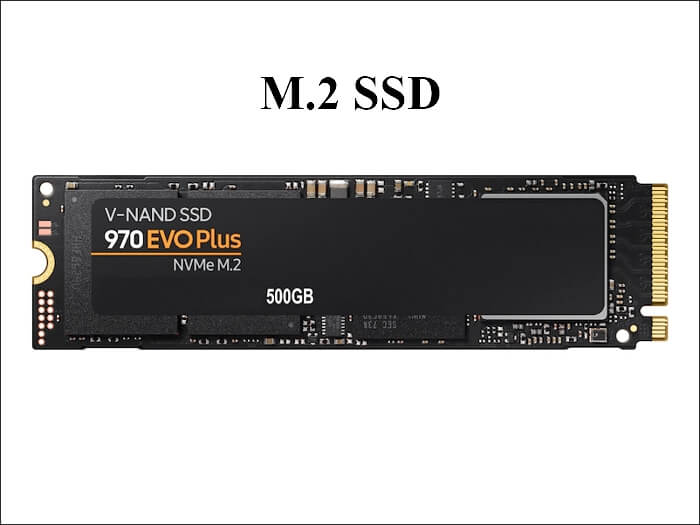
Ready the WD SSD
- Empty the target SSD. The clone overwrites everything currently stored on it.
- Attach it directly. A SATA or M.2 slot is more reliable than a USB enclosure.
- Check the used space. The WD SSD needs room for the data, not for the full source size.
- Suspend BitLocker. Unlock encryption before the copy, or the tool cannot read the volume.
- Note the boot mode. Record whether Windows uses UEFI or legacy BIOS so the target can match it.
The boot mode matters more than most people expect. A UEFI installation cloned onto a disk prepared for legacy BIOS will not start, even when every file copied correctly.
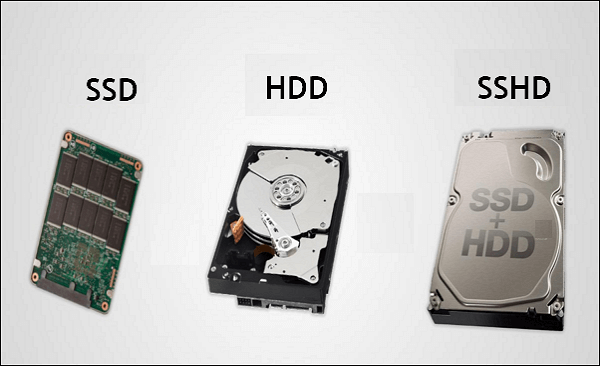
Clone Options WD Provides
- Acronis True Image for Western Digital. A free custom build covers WD and SanDisk drives.
- It needs a qualifying drive. The installer unlocks only when a WD disk is present.
- It expires. The free build is limited in version and support period.
- It skips some layouts. Unusual partition schemes can fail without a clear message.
- It cannot resume. An interrupted copy starts again from the beginning.
The official build works while the drive, the Windows version, and the installer all line up. When one of them does not, the same brand check that makes the tool free becomes the blocker.
Clone with Qiling Disk Master
A stand-alone cloning tool ignores the drive label and copies what it finds. Qiling Disk Master handles the system disk, the EFI partition, and the recovery volume in one pass, then rebuilds the boot entries for the target.
Watch the video tutorial below to clone the drive step by step with Qiling Disk Master.
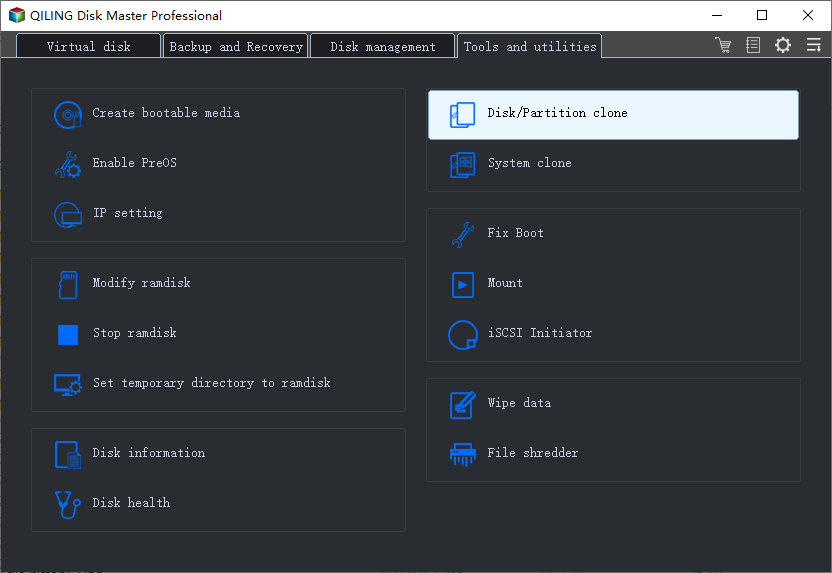
Step 1. Open Qiling Disk Master, choose Clone, and then select Disk Clone.
Step 2. Select the source disk and click Next.
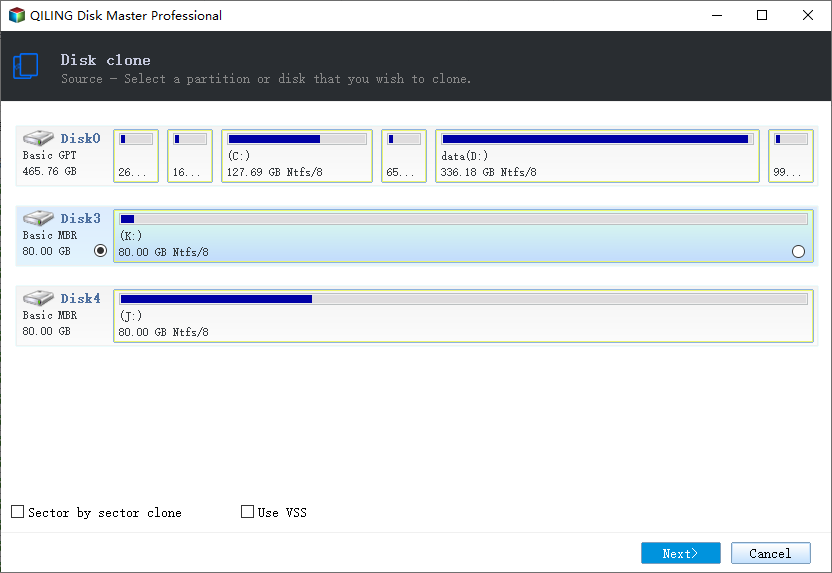
Step 3. Select the destination SSD and confirm that its data will be replaced.
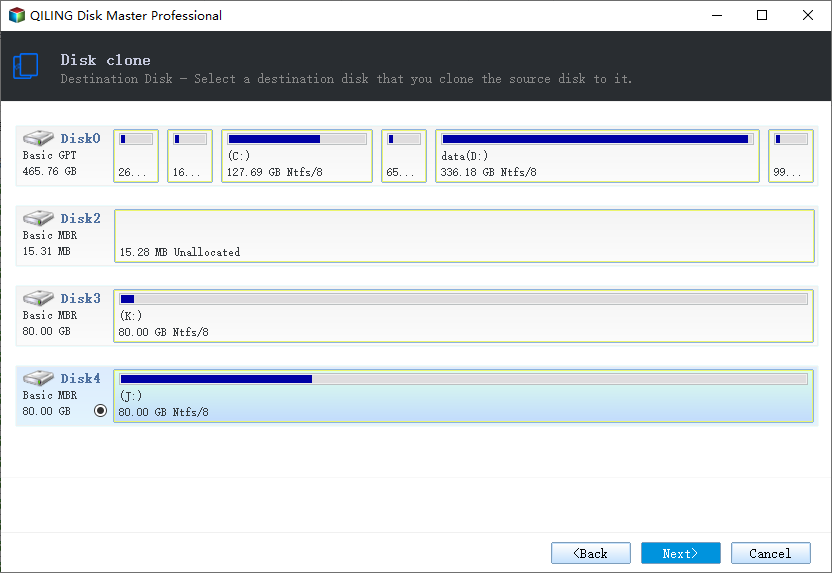
Step 4. Choose the clone mode and confirm the system partition gets the C letter on the target.
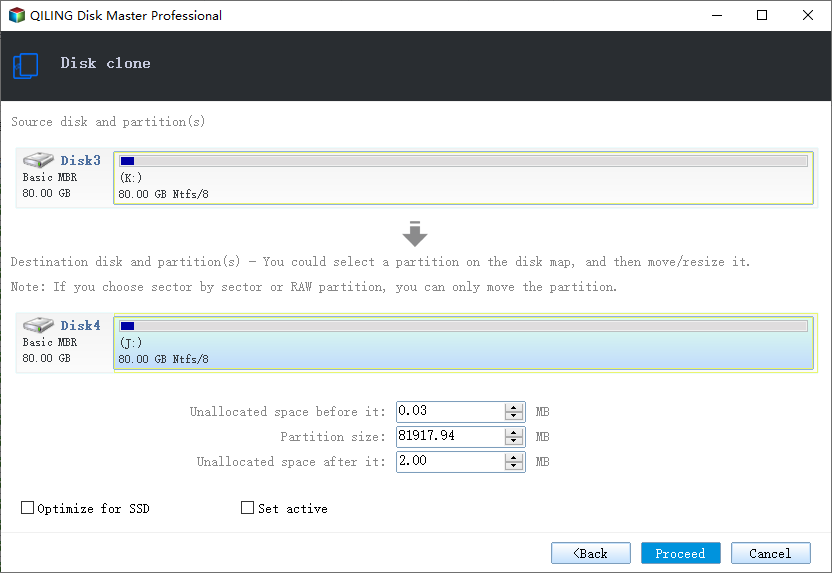
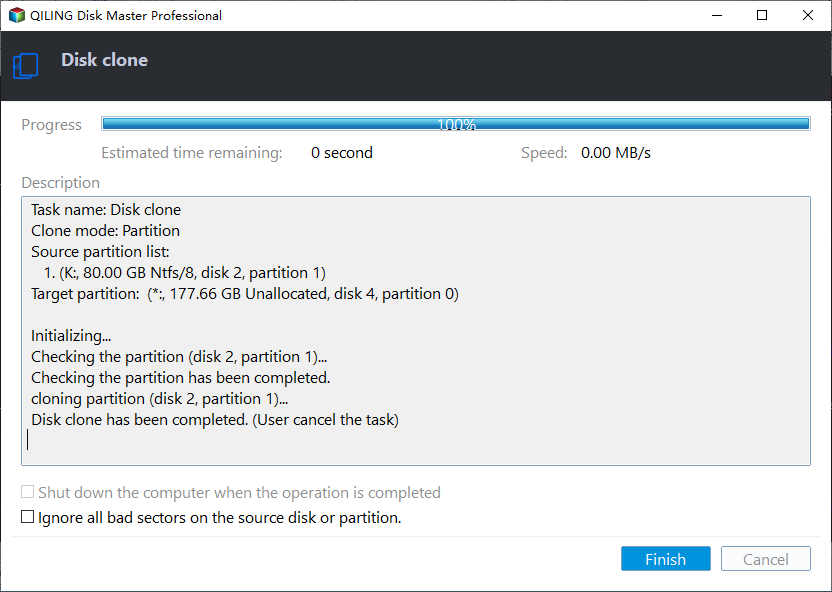
Step 5. Click Proceed, wait for the copy to finish, then shut the machine down before you remove any cable.
Test the Western Digital Drive
- Start with the WD SSD only. Unplug the old drive before the first boot.
- Scan the partition list. EFI, system, and recovery volumes should all be present.
- Open Device Manager. The new drive must appear without warning icons.
- Run the dashboard. Check firmware, temperature, and remaining life now.
- Restore the old drive later. Add it back once the new disk has booted twice.
Two clean boots are a better test than one. The second boot proves the boot entries no longer depend on hardware that has been removed.
FAQs About WD SSD Cloning
Does WD SSD Dashboard clone a disk?
No. It monitors and updates the drive, but it has no cloning engine at all.
What does Western Digital offer for cloning?
Acronis True Image for Western Digital, a free build that requires a WD drive to activate.
Can I clone to a WD Blue SN570?
Yes. The SN570 is an ordinary NVMe drive to any cloning tool, and only the bundled software adds conditions.
Why is my WD drive not detected?
Check the M.2 seating, the BIOS drive list, and the storage driver. A reseat fixes many cases.
Does cloning change the drive letter?
It can, when the old disk is still connected. Remove the old drive before the first boot.
Back Up Before the Swap
Windows lives on one disk, and a migration writes to it. A system image gives you a way back when the copy or the first boot goes wrong.
Watch the video tutorial below to back up Windows and restore it if the clone fails.
Step 1. Open Qiling Disk Master and select System Backup to include the boot partitions.
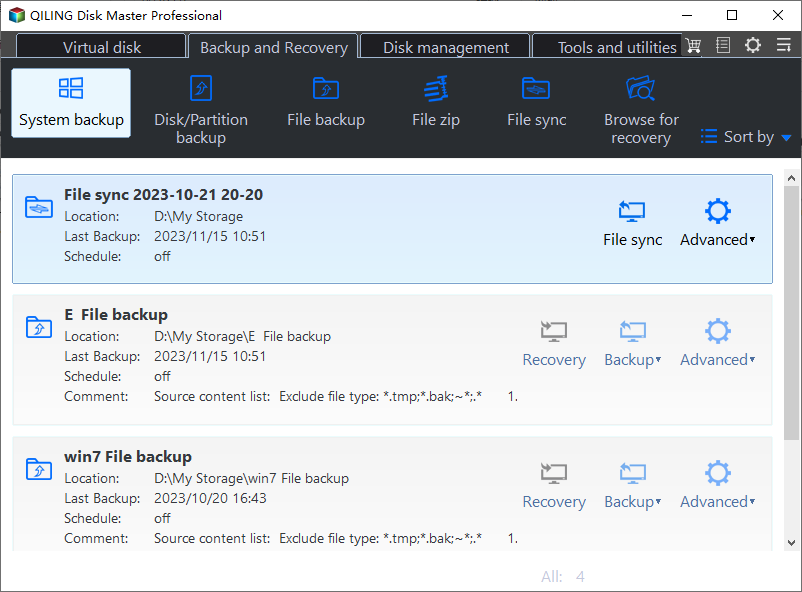
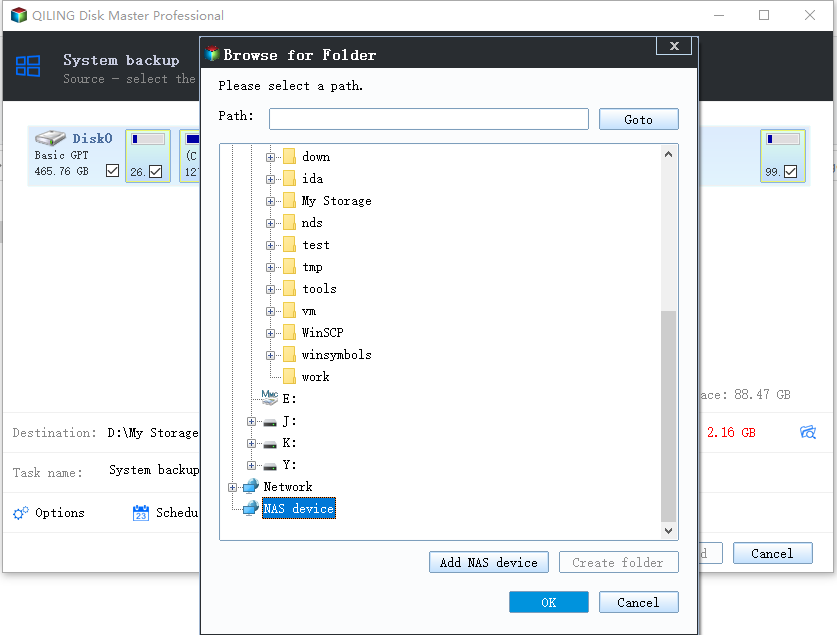
Step 2. Save the image to a drive other than the target disk and start the backup.
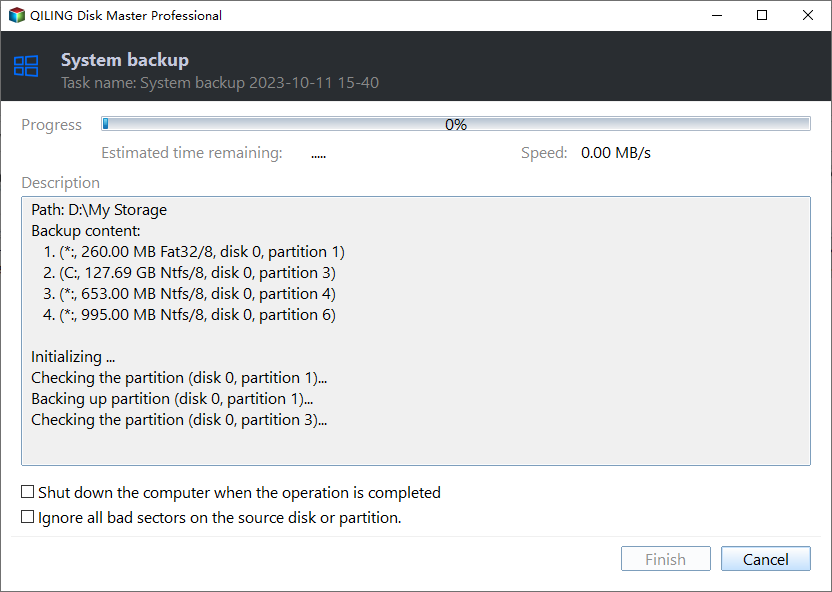
Step 3. Click Proceed to start the system backup and wait patiently until it finishes. You can also tick Shut down the computer when the operation is completed to power off automatically.
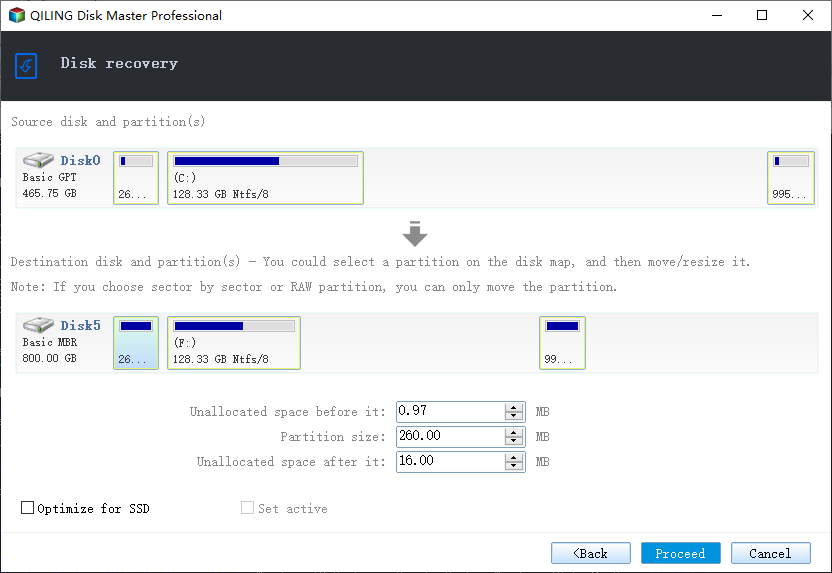
Step 4. If the clone or the boot repair fails, restore the image and then reassign drive letters or rebuild the boot records from Windows Recovery.
Conclusion
The WD SSD Dashboard answers questions about a drive that already works. Cloning is a separate job, and it goes faster when the tool does not ask which brand the target is. Copy, boot, check, and only then retire the old disk.
For more on Western Digital upgrades, see Clone a Western Digital SSD, Clone a Drive with WD Acronis, Cloned Drive Won't Boot? Fix It, and Clone a WD Black SN850X SSD.
Related Articles
- Migrate the Operating System to an SSD
Move only Windows to the new drive. - SSD Not Detected After Cloning
Make Windows recognize the new SSD. - Clone an SSD to a Larger SSD
Expand the copy onto a bigger drive. - 4K Alignment When Cloning an SSD
Keep the partitions aligned for full SSD speed. - Windows Not Activated After Cloning
Reactivate Windows after the disk swap.
Products
Articles & Tutorials
- Data Recovery
- Data Backup
- File Recovery
- File Backup
- System Backup and Restore
- Disk and Partition Clone
- Technical articles
- Mobile articles
- Disk Master Help
- Windows Data Recovery Tutorials
- Windows Secure Delete Tutorials
- Windows Partition Management Tutorials
- Windows File Backup and Restore Tutorials
- Windows System Backup and Restore Tutorials
- Windows Disk Backup and Restore Tutorials
- Windows Clone Tutorials