What Is Data Loss | Definition, Causes, Prevention Methods, and Data Recovery
What Is Data Loss
When using data storage devices, data loss can occur due to failure, transmission, or processing errors, or physical medium loss, resulting in the loss of stored information.
Data Loss Types
Data loss types can be broadly categorized into several main types, including loss due to intentional action, unintentional action, system failure, disasters, and criminal activity.
| 🧑🔧Intentional Action |
Intentional deletion of files or programs |
| 😣Unintentional Action |
Accidental deletion of files or programs Misplacement of physical storage media |
| ⚠️Failure |
Failure of power, hardware, software Software crashes, freezes, bugs, or poor usability Data corruption |
| 🔥Disaster | Nature disaster |
| 🧑💻Crime | Theft, hacking, sabotage |
Hardware failure and human error are the primary causes of data loss, accounting for approximately three-quarters of all data loss incidents.
Common Causes of Data Loss
Data loss can be a significant problem for individuals and businesses, resulting in wasted time and energy spent on retrieving essential information. Various factors can cause data loss, with hard drive crashes being the leading cause, according to research.
Here are the nine common causes of data loss:
1. Hard Drive Damage
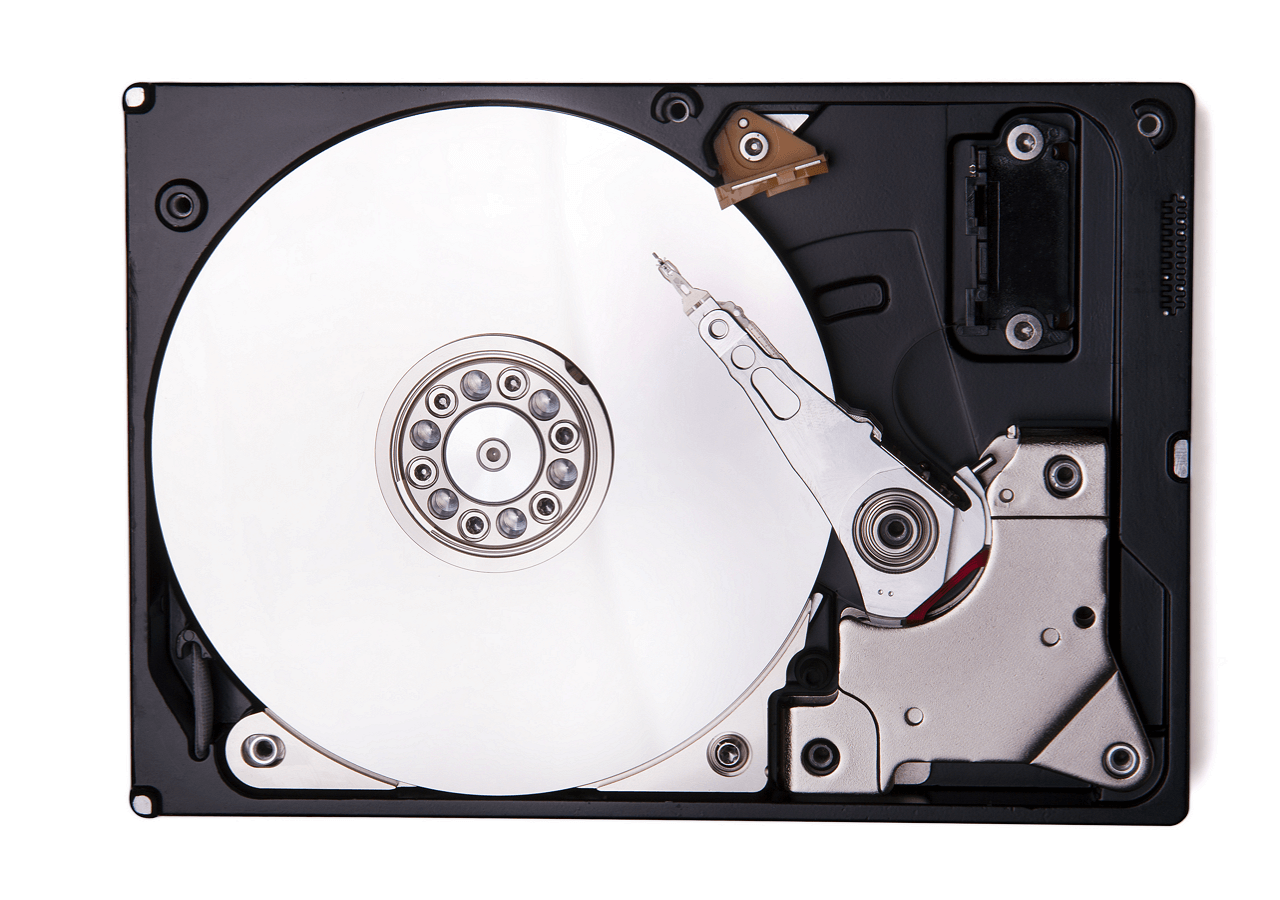
Most data losses are caused by hardware malfunctions, with hard drives being particularly fragile. They can be damaged due to overheating caused by overuse, and other signs indicating damage include the following:
- Your hard drive frequently crashes.
- Your computer is always overheating.
- The speed of the process becomes slower.
- Your computer freezes frequently.
- Your computer makes abnormal noises while working.
Losing data from a hard drive can be a nightmare, but there are effective solutions to recover it. With the right tools and expertise, it's possible to retrieve lost files, photos, and other important data from a malfunctioning or damaged hard drive.
When you lose files on your hard drive, stay calm and know that there are effective solutions to recover them. This article will guide you through the process of retrieving your lost files, providing you with the necessary information to get back on track.
2. Human Error
Human error can also lead to data loss due to hard drive damage, software corruption, and formatting, as people may unintentionally delete or overwrite important files without realizing it.
Share this article on social media to read it anytime.
3. Software Corruption
Implementing procedures for shutting down software after every use can help prevent software corruption caused by factors like power outages or other uncontrollable events. This ensures that software is properly closed and saved, reducing the risk of data loss or corruption.
Unexpected or improper software shutdowns can cause severe issues for your computer's data, potentially corrupting it or deleting progress, resulting in wasted time and lost valuable data.
4. Hard Drive Formatting
Formatting a hard drive can cause data loss if new data is written to the formatted partition, but if no new data is written, data recovery software can be used to restore lost data.
How to Recover Files from Formatted Hard Drive (2023)
Don't worry, if you've accidentally formatted your hard drive and lost important data, there are ways to recover it. You can try using data recovery software, such as Deep Data Recovery or Disk Drill, which can scan your hard drive and restore lost files. Alternatively, you can also use a USB drive or external hard drive to create a backup of your data, which can be used to recover the lost files.
5. Viruses and Malware
Viruses can delete and steal data, destroy functionality, and bring operations to a halt. They can attack a computer through email links or corrupted links that allow malware to enter the system.
6. Power Outages
Power outages can cause unsaved work to be lost and files to become corrupted due to improper shutdown, disrupting work processes.
Programs could be rendered non-functional by power outages, which may occur while the computer is writing the hard drive system, potentially making the computer unbootable.
7. Theft of Physical Storage Medium
Theft of physical storage mediums, such as laptops and smartphones, used in public places poses a risk of data loss and leakage, with studies showing that stolen or lost devices accounted for over 40% of all data breaches from 2005 to 2015.
8. Liquid Damage
Liquids can cause short circuits in computers, leading to data loss and making it difficult to recover data.
Spilling coffee or water on a computer can cause internal damage, even if it seems to be working fine afterwards, as the liquids can corrode internal components, particularly acidic drinks like coffee, which can lead to a short-circuit.

9. Disasters
Natural disasters, such as earthquakes, tornadoes, and fires, can have a devastating impact on your vital data, potentially destroying your computer and data, and even your work, completely.
To minimize the impact of a disaster, back up your essential data once a week and store it in a secure location, allowing your work process to continue uninterrupted.
How to Prevent Data Loss
In both personal and professional settings, minimizing data loss is a priority, as it saves time, energy, and resources.

In addition to creating backups of your essential data, you can also prevent data loss by using cloud storage services, enabling automatic backups on your devices, and using external hard drives or USB drives to store your data.
These methods can help ensure that your data is safe and can be easily recovered in case of any unexpected events.
- Partitioning your hard drive allows you to divide it into separate sections, called partitions, where you can store different types of data. This can help protect your data in case of a partition failure, as you can recover the data from the unaffected partitions.
- Defragmenting your disk can help speed up your computer's processing time and lower the risk of data loss by arranging files in a more efficient manner.
- Installing anti-virus software on your PC can help prevent viruses or malware from infecting your computer, and it's essential to keep it updated to ensure its effectiveness.
- Encrypting your data can help reduce the risk of data loss, especially the risk of data leakage, by protecting your information from unauthorized access.
- Keep your computer dry to prevent moisture from causing the hard drive to crash and the computer to overheat.
Data Loss Prevention in Company

Data Loss Prevention, known as DLP, is a set of processes designed to avoid data loss and unauthorized access to sensitive data, with many companies and organizations using it to protect their sensitive information.
- Protect personally identifiable information which complies with relevant regulations.
- Protect intellectual property.
- Secure data in the environment workers bring their own devices.
- Secure data on the remote cloud system.
Data Recovery on Windows 10/11 and macOS
Data recovery is the process of restoring lost, corrupted, accidentally deleted, or inaccessible data to its original storage device, whether it's a server, computer, mobile device, or external storage.
This can be a crucial step in retrieving important information and minimizing the impact of data loss in personal and professional settings.
Here are three methods to help you recover deleted or lost data:
Data Recovery Using Software
To recover lost or deleted data, consider using data recovery software like Deep Data Recovery, which can work on both Windows and macOS operating systems, offering a quick and efficient solution.
Deep Data Recovery
- You can recover lost or deleted file types, such as documents, photos, audio, music, emails, and videos, among others.
- Recover files from formatted hard drives, emptied recycle bins, memory cards, flash drives, digital cameras, and other storage devices that have been lost or deleted due to accidental formatting, virus attacks, or other reasons.
- Support data recovery under various conditions, including SD card recovery, hard drive corruption recovery, and more.
And the operation of Qiling data recovery software is easy:
Step 1. Select the partition your deleted/lost data stored before.
Step 2. Click "Scan" to view all the deleted/lost data.
Step 3. Choose the data you want to restore and click "Recover".
Data Recovery from Specialize Services
If you're unable to install data recovery software or recover deleted/lost data yourself, you can seek help from data recovery services.
Experts like Qiling Data Recovery Service, with over 18 years of experience, can assist in recovering various file types under different circumstances, including recovering permanently deleted files from an external hard drive or recovering data from a RAW partition.
Data Recovery from Cloud-based Backup
This method works on the condition even your physical storage medium is destroyed. If you keep the cloud-based backup of your essential data, you can restore it anytime from the backup, keeping frequent backups of your data and files to avoid data loss.
To make backups, you can use built-in tools like Windows Backup or Time Machine, or third-party software such as OneDrive, Clonezilla, or Cobian Backup.
Conclusion
Data loss occurs when information is destroyed due to failure, transmission, or processing errors, or when the physical medium storing the data is lost.
Data loss can occur due to hardware failure or human error, and various factors can lead to computer data loss. To recover essential data, installing Deep Data Recovery can provide an easy and fast solution to restore your data.
Data Loss FAQs
When searching for information on data loss, people often ask questions like: what is data loss, how does it happen, and what are the consequences of data loss?
These questions are likely to be asked by individuals and organizations looking to understand and mitigate the risks associated with data loss, which can have significant impacts on businesses and individuals alike.
1. What are examples of loss of data?
Data loss can occur due to various reasons such as accidental deletion or overwriting of files, power outages and surges, liquids being spilled on devices, laptops being stolen, and the failure or wearing out of hard drives.
2. How do you fix data loss?
The most efficient solution to data loss is to keep frequent backups, which also makes data recovery easier. This approach ensures that your data is safely stored and can be easily restored in case of a loss, minimizing the impact of any potential data disaster.
3. How does data loss happen?
When data is lost due to accidental deletion, corruption, or damage from external factors like virus attacks, system crashes, or physical harm, data recovery becomes crucial to salvage the lost information.
4. What is data loss and recovery?
Data loss occurs when information is destroyed, and data recovery is the process of restoring that lost information.
Related Articles
- What Is MRT Process Mac: High CPU Usage [Updated 2023]
- What is Read-Only Memory? Definition and Types
- What Is an ISO File, Full Explained in Detail 2023
- [Solved!] How to Fix Windows 10 Activation Key Not Working
Do you know how to fix Windows 10 activation key not working? This article will share 6 ways to help you easily solve Windows 10 activation key not working error. After reading this article, you can pick one to cope with this error. - How to Factory Reset ASUS Laptop [Step-by-Step Guide]
If you're having trouble selling your ASUS laptop or need to troubleshoot issues, factory resetting it might be the solution. This article provides 5 methods to factory reset your ASUS laptop in various situations, helping you to resolve any problems and prepare the device for sale. - How to Factory Reset Microsoft Surface with Every Possible Way
Learn how to factory reset Microsoft Surface safely. Use Windows settings, recovery options, or reset methods while protecting data.
Products
Articles & Tutorials
- Data Recovery
- Data Backup
- File Recovery
- File Backup
- System Backup and Restore
- Disk and Partition Clone
- Technical articles
- Mobile articles
- Disk Master Help
- Windows Data Recovery Tutorials
- Windows Secure Delete Tutorials
- Windows Partition Management Tutorials
- Windows File Backup and Restore Tutorials
- Windows System Backup and Restore Tutorials
- Windows Disk Backup and Restore Tutorials
- Windows Clone Tutorials