Rosetta Mac All You Need to Know (Rosetta VS Rosetta 2)
What Is Rosetta Mac
Rosetta Mac is an emulator that translates Intel-built apps to run on Apple silicon Macs, using dynamic binary translation to convert x86_64 code to Arm64 architecture, making it safe for your Mac as it's developed by Apple.
Here are the differences between Rosetta 2 and Rosetta:
| Version Name | Rosetta | Rosetta2 |
| Release Time | Introduced in 2006 | Introduced in 2020 |
| System | Mac OS X Tiger | macOS Big Sur |
| Transition Form | Mac transition from PowerPC processors to Intel processors | Mac transition from Intel processors to Apple silicon |
| Application Type | Allow PowerPC applications to run on Intel-based Macs |
Allow Intel applications to run on Apple silicon Macs |
Rosetta 2, an updated version of the original Rosetta, can automatically translate non-native apps during installation, not at runtime, leading to improved app performance without added processing overhead.
How to Use Rosetta Mac
Rosetta Mac works automatically in the background, translating applications built for Intel processors to be compatible with Apple silicon, making the process seamless and unnoticeable in most cases.
Applications That Need Rosetta Mac
To identify apps that need or can use Rosetta Mac:
Step 1. Select an application first.
Step 2. Click the "Get Info" icon from the File menu in the menu bar.
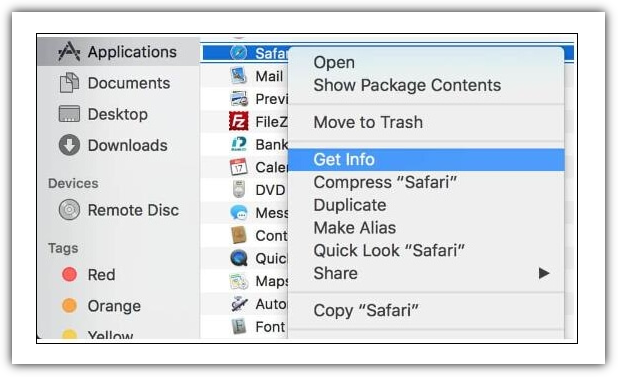
Step 3. See the kind of information labeled.
- An application that is Intel-based requires Rosetta to run on a Mac with an Apple silicon processor. This means it is designed specifically for Intel processors and may not be optimized for Apple silicon.
- Universal apps support both Apple silicon and Intel processors, using Apple silicon by default, and therefore don't require Rosetta.
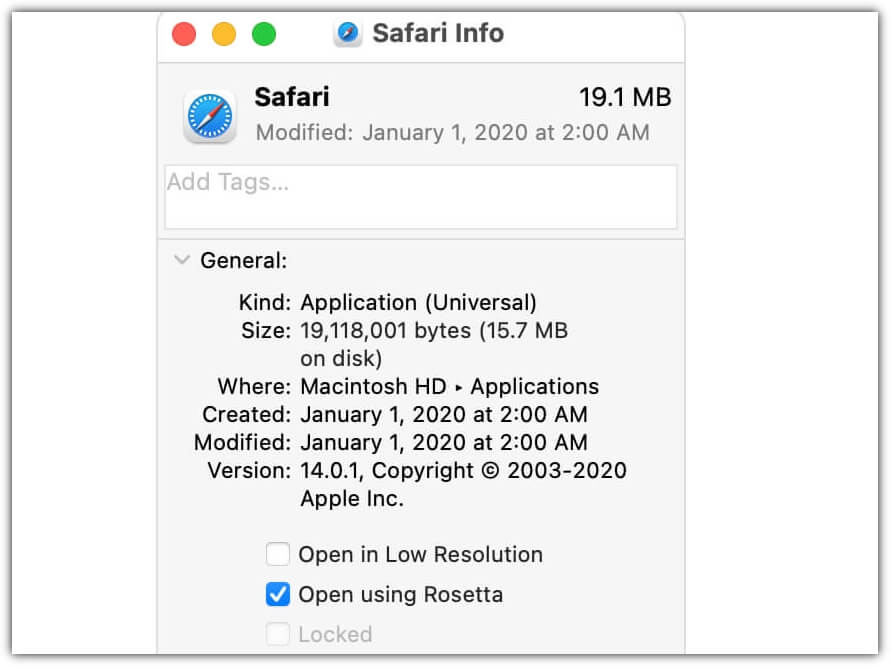
The "Open using Rosetta" option in the information window of a labeled Application (Universal) allows a universal app like Safari to use plug-ins, extensions, or other add-ons that haven't been updated to support Apple silicon.
If universal apps don't recognize the add-ons you installed, you can quit the app, select this setting, and try again.
How to Install Rosetta on M1/M2 Mac
You should check if Rosetta Mac is pre-installed on your Mac.
How Do I Check Whether Rosetta Mac Is Installed
Rosetta isn't automatically included with a standard macOS installation, so you must install it separately, with macOS asking if you want to install it when launching an app with Intel-based features for the first time.
And here's a picture of the Rosetta installation prompt window:
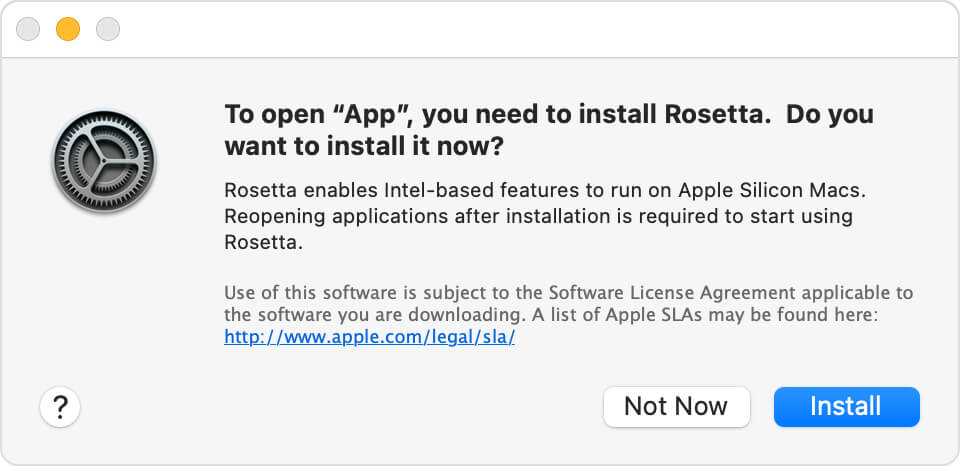
- To install the software, click "Install" and enter your username and password to allow the installation to proceed.
- If you click "Not Now" on the Rosetta Mac installation prompt, you'll be asked again the next time you open an app that needs it. If Rosetta Mac is already installed, you won't be asked to install it again.
To check if Rosetta has been installed on your Mac, go to the Apple logo in the top left corner, select "About This Mac", click on "System Report", and then select "Software>Installations" in the left-hand margin. This will show you if Rosetta is installed or not.
If you scroll down, you should see the "Rosetta Update Auto" which indicates that Rosetta is installed on your M1/M2 Mac.
How to Install Rosetta on Mac
If you're not prompted to install Rosetta on your M1/M2 Mac, you can install it manually using Terminal on your Mac.
Here's how to install Rosetta on M1/M2 Mac:
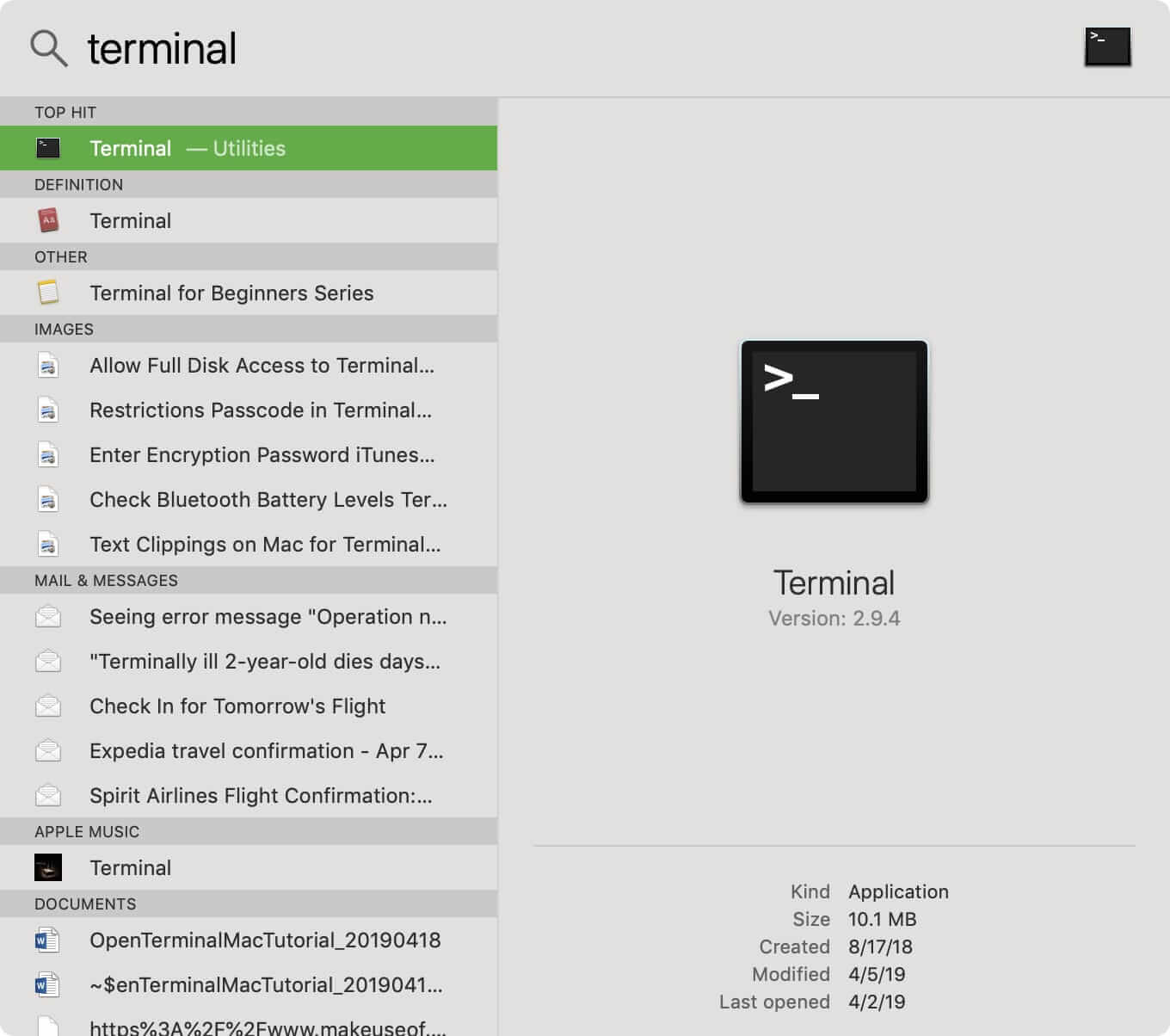
Step 1. Open the Terminal app on your Mac. If it's not visible in your Dock, use Spotlight to search for it.
Step 2. To install Rosetta, run the command `/usr/sbin/softwareupdate --install-rosetta --agree-to-license` in the terminal. Root permission is required.
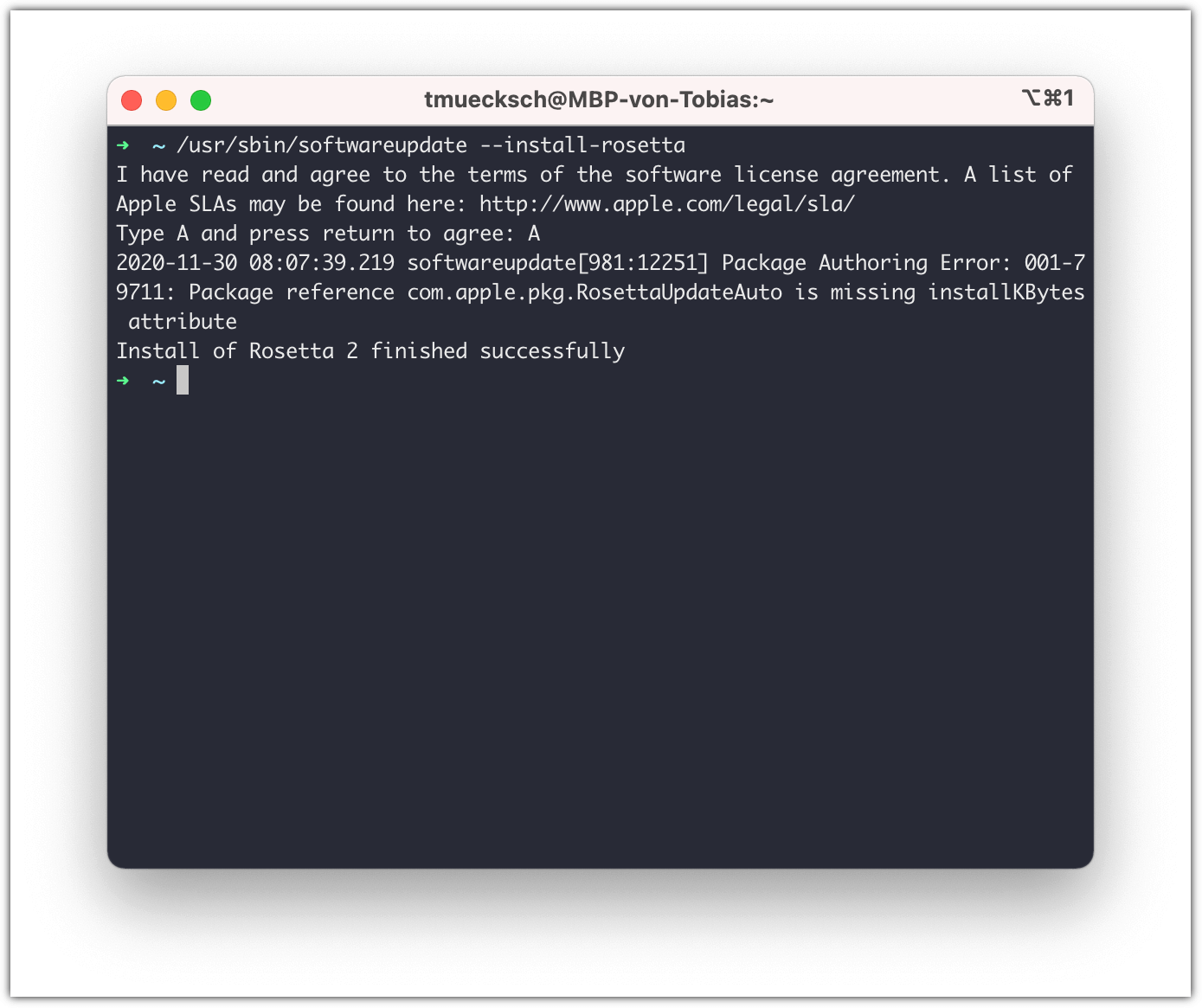
Step 3. Rosetta will now install automatically on your M1/M2 Mac.
How to Fix Installing Rosetta 2 on This System Is Not Supported
When installing Rosetta 2, two installation errors may occur, but don't worry, they can be easily fixed. To resolve these issues, you can follow specific steps to troubleshoot and resolve the installation failures, making sure to successfully install Rosetta 2.
How to Fix Installing Rosetta 2 on This System Is Not Supported
You're getting the error "Installing Rosetta 2 on this system is not supported" when trying to install Rosetta on your Mac, likely because you're trying to install Rosetta 2 on an Intel Mac, which only needs Rosetta 1, whereas Apple Silicon Macs require Rosetta 2.

If your Mac's system version is lower than macOS Big Sur, you can't install Rosetta 2, as it's only available in macOS Big Sur or later. To check your system version, go to Settings.
If you're experiencing the error "Installing Rosetta 2 on this system is not supported" on an Apple Silicon Mac, even after checking the "Open using Rosetta" box in Terminal, try unchecking this box. This might resolve the issue.
Step 1. To access the Terminal app, right-click on it in your Dock or your Applications folder.
Step 2. Select "Get info" and uncheck the "Open using Rosetta" box.
Step 3. Try to install Rosetta again in the Terminal.
How to Fix Rosetta 2 Update Not Available
Rosetta 2 is a compatibility layer that allows older non-native Intel x86 applications to run on new Apple Silicon Macs. It must be installed manually on these Macs, including the M1 MacBook Pro, MacBook Air, and Mac mini, as it is not installed by default.
In most cases, running the command "softwareupdate --install-rosetta --agree-to-license" successfully installs Rosetta 2. However, on occasion, the system may prompt that "Rosetta 2 update not available". To troubleshoot, you can use a script to check if Rosetta is working properly.
#!/bin/bash
# Installs Rosetta as needed on Apple Silicon Macs.
arch=$(/usr/bin/arch)
#if arch type is arm64
if [ "$arch" == "arm64" ]; then # is rosetta 2 working?
    arch -x86_64 /usr/bin/true 2> /dev/null
    if [ $? -eq 1 ]; then
            echo "Rosetta not working, instaling now."
        /usr/sbin/softwareupdate --install-rosetta --agree-to-license
        else
         echo "Rosetta is already installed and working. Nothing to do."
         exit 0
    fi
else
    echo "No need to install Rosetta on intel."
    exit 0
fi
View More: Intermittent Rosetta install failures
If the system says it cannot update and needs to connect to the internet while you are still online, it means Rosetta 2 is pre-installed on your Mac.
Conclusion
Rosetta Mac is an emulator that translates apps built for Intel Mac to run on Apple Silicon Mac, making it necessary for running older non-native Intel x86 applications on new Apple Silicon Macs.
When launching an app with Intel-based features for the first time, macOS will ask if you want to install Rosetta.
Related Articles
- [Fixed] What/Where Are Temp Files? Should You Delete or Keep Them?
- Laptop vs. Desktop: Which Is Better for You? [Comparative Analysis]
- What Is Unified Memory and How to Compare Unified with RAM? [Complete Information]
- What Is 4K Ultra HD [All You Need to Know]
Products
Articles & Tutorials
- Data Recovery
- Data Backup
- File Recovery
- File Backup
- System Backup and Restore
- Disk and Partition Clone
- Technical articles
- Mobile articles
- Disk Master Help
- Windows Data Recovery Tutorials
- Windows Secure Delete Tutorials
- Windows Partition Management Tutorials
- Windows File Backup and Restore Tutorials
- Windows System Backup and Restore Tutorials
- Windows Disk Backup and Restore Tutorials
- Windows Clone Tutorials