Top 5 ISO Burner for Windows 10 in 2026 [New Checklist]
ISO burners are used for burning ISO files to DVD, CD, or Blu-ray discs. This article will discuss the five best ISO burning software for Windows 10, providing a simple yet efficient solution for users. A table below provides a general understanding of these 5 ISO burners for Windows 10.
| Items | Paid or Free | Functions |
|---|---|---|
|
|
|
|
|
|
|
| PowerISO |
|
|
| Etcher |
|
|
| Rufus |
|
|
You're familiar with the five ISO burners for Windows 10, but do you know their pros and cons? Each one has its own advantages and disadvantages, making some more suitable for certain users than others. To help you choose the best one, let's dive into their features, pros, cons, target users, and reviews. This provides you a better understanding of which ISO burner is right for you.
Top 5 ISO Burners for Windows 10 in 2026
From the many options, Qiling includes here 5 of the most popular and reliable ISO burner software. After in-depth analysis and research, we have prepared this compendium.
🥇1. Qiling Disk Master
Qiling Disk Master is a versatile tool that allows you to burn ISO files to a USB drive, regardless of your Windows version (10, 11, 8, 7, XP, or Vista), without requiring a certified USB stick as long as it has a 13 GB drive capacity. The tool's clear interface makes it efficient to burn ISO files to a USB, and it can also help you pre-download compatible Windows and create an ISO file in advance. Additionally, Qiling Disk Master can create bootable USB drives, format USB drives, check USB speed, and more, making it a useful tool for those with little experience.
Well, you can download this tool for free by clicking the button below:
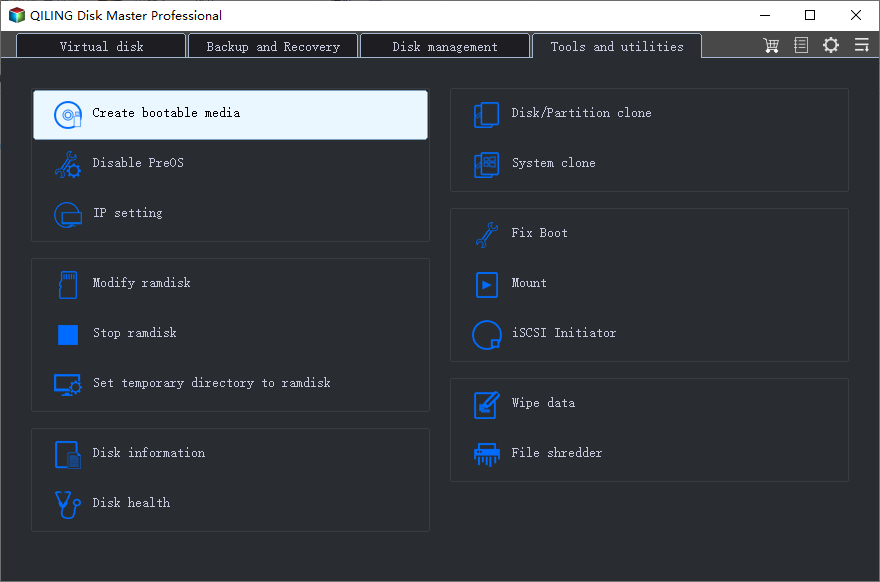
The free ISO burner has both advantages and disadvantages, as shown in the table. On the one hand, it offers convenience and flexibility in burning ISO files to CDs, DVDs, and USB drives, with the ability to create bootable copies.
| Pros👍 | Cons👎 |
|---|---|
|
|
Check the review to get more details:
The best Windows ISO burner can help you manage your USB or other storage devices well by performing various tasks, including burning Windows ISO files to a USB drive, creating a bootable USB drive, and managing your storage devices.
- Burn ISO to DVD
- Test USB speed
- Format 128GB USB to FAT32
- Split/create/delete/merge partitions on a USB
🥈2. Media Creation Tool
The Windows Media Creation Tool, developed by Microsoft, enables users to easily install Windows 10 on their PC or laptop by creating a bootable USB. However, one drawback of this tool is that it can take a long time to prepare for the burning process. Despite this, it also has the ability to detect compatible software versions and download the latest Windows 10 image.
🚩Also Read: Top 3 Windows 1123H2 ISO Downloader
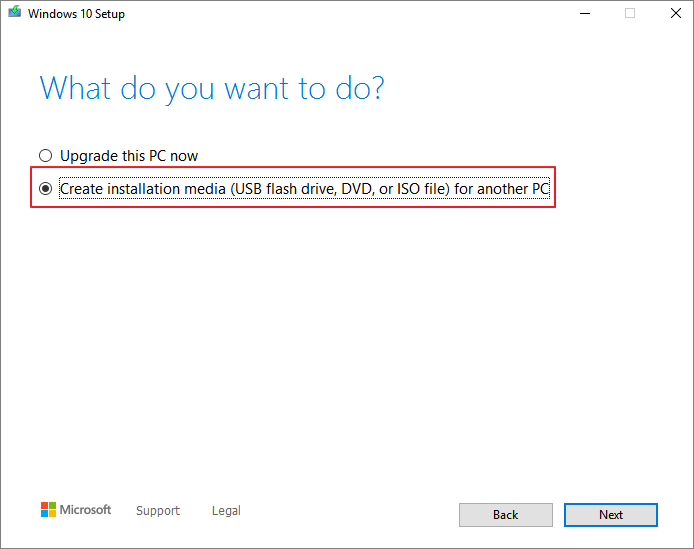
The Media Creation Tool has its pros and cons, which can be summarized in the following table:
| Pros👍 | Cons👎 |
|---|---|
|
|
Check the review to get more details:
🥉3. PowerISO
PowerISO is a tool that can open, extract, burn, create, and convert ISO files, handling various image file types, but be cautious of adware when using it.
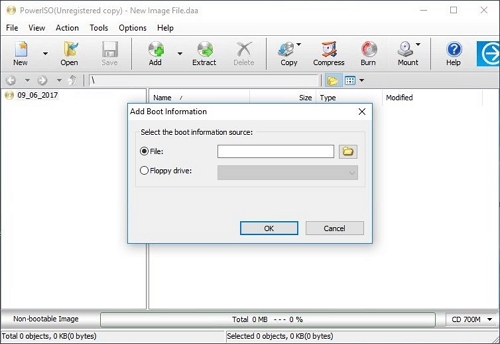
Here are the pros and cons of PowerISO:
| Pros👍 | Cons👎 |
|---|---|
|
|
Read the content below to learn more about PowerISO:
🏅4. Etcher
Etcher is also an open-Rufus is a free source utility that can burn.iso and.img files in the operating system and make live SD cards and U disks. It also offers a powerful feature called Image Verification that verifies system images and removable drives before flashing, but may take up a lot of space on your hard drive.
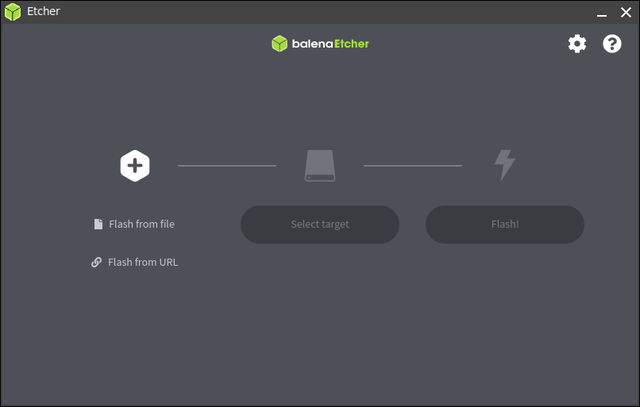
Check the table to get details of this tool:
| Pros👍 | Cons👎 |
|---|---|
|
|
Here is a review of Etcher; read it to get more details.
🏅5. Rufus
Rufus is a powerful Windows program that allows users to install multiple operating systems on a single device, and also enables them to store Windows applications on a portable USB drive for easy access in case of system failure.
You can use this tool to create a Windows 10 UEFI bootable USB drive from an ISO.
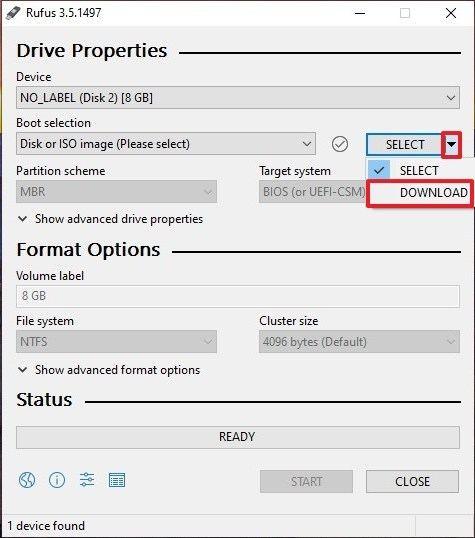
Rufus is a popular tool for formatting and creating bootable USB drives. Its advantages include being free, user-friendly, and able to support a wide range of file systems, including FAT, FAT32, and NTFS.
| Pros👍 | Cons👎 |
|---|---|
|
|
We list a review to help you learn more about this tool below:
The five ISO burners for Windows 10 mentioned above are great options for users who need to burn ISO files. If you've found this information helpful, consider sharing the article with others who may also benefit from these tools. This way, more users can discover the best ISO burners for their needs and take advantage of their features.
Conclusion
This article reviews five ISO burners for Windows 10, highlighting their advantages and disadvantages. Most can burn Windows 11/10/8/7 ISO files, but Qiling Disk Master stands out for its smooth burning process, compatibility check, and ability to locate the right Windows version. Additionally, it's a multifunctional tool that can burn ISO files to USB on Windows 10/11/8/7.
ISO burner Windows 10 FAQ
Have you found an ideal ISO burner for Windows 10? Here are some other questions you may like to know. Check the answers below:
1. How to burn Windows 10 ISO files to USB?
Burning Windows 10 ISO files to a USB can be easy if you use Qiling Disk Master. Simply follow the steps to create a bootable USB drive for your Windows 10 installation.
Step 1. To proceed, install Qiling Disk Master and navigate to the Bootable Media section. From there, click on 'Burn ISO' and select the 'Next' option.
Step 2. Select the target ISO image you preloaded and click 'Open.'
Step 3. Choose your USB and click 'Burn' to start.
Step 4. Wait for the process to be done.
2. Which is the best and free ISO burner for USB?
If you're looking for a free ISO burner for a USB, there are several options available, including Rufus, PowerISO, and Etcher. However, for a widely compatible, free, and user-friendly option, Qiling Disk Master is a good choice.
3. Does Windows 10 Have a built-in ISO burner?
Windows 10 has a built-in feature called Windows Disc Image Burner that allows users to burn ISO files directly to a CD or DVD, eliminating the need for third-party software, unlike previous versions of Windows.
Related Articles
- How to Fix IRQL_NOT_LESS_OR_EQUAL Blue Screen on Windows 11
- How to Check Total Hard Disk Size in Windows 10/8/7 in Every Possible Way
- Guide on Seagate External Hard Drive Transfer Speed
- Windows 10 Password Reset USB Free Download - Easiest
- C Drive Full, D Drive Empty-What Should You Do?
If your C drive is full D drive is empty, you can delete D drive and extend C drive. If your C drive is full but D is nearly empty, you can transfer the free space from D drive to C drive or move apps from C drive to D drive. This post offers the complete details. - The Solution to Cannot Extend Volume to Unallocated Space in Disk Management
Here you can find out why you cannot extend volume to unallocated space in Disk Management in Windows 11, 10, 8, 7 and how to fix it.
Products
Articles & Tutorials
- Data Recovery
- Data Backup
- File Recovery
- File Backup
- System Backup and Restore
- Disk and Partition Clone
- Technical articles
- Mobile articles
- Disk Master Help
- Windows Data Recovery Tutorials
- Windows Secure Delete Tutorials
- Windows Partition Management Tutorials
- Windows File Backup and Restore Tutorials
- Windows System Backup and Restore Tutorials
- Windows Disk Backup and Restore Tutorials
- Windows Clone Tutorials