USB Flash Drive & External Hard Drive - Everything You Should Know
When it comes to portable storage devices, two popular options are USB flash drives and external hard drives. While they may seem similar, they serve different purposes and have distinct differences. Users often get confused about the two, wondering if a USB flash drive is the same as an external hard drive. This article aims to clarify the differences between these two devices, helping you make an informed decision on which one to buy.
This table provides a quick overview of key information about USB flash drives and external hard drives, helping to easily compare and understand the characteristics of each.
|
Workable Solutions |
Step-by-step Troubleshooting |
|---|---|
| What Is a USB Flash Drive/ External Hard Drive |
A USB flash drive is a data storage device that includes flash memory with an integrated USB interface, and it's also called a USB flash drive and thumb. An external...Full steps |
| Difference Between USB and External Hard Drive | Although both of the two devices are used for data storage, they differ from each other in many aspects for you to check the differences. Generally, external hard drives...Full steps |
| Which One Should I Buy | Both USB flash drives and external hard drives perform great in data storage, to decide which one suits you best, you should first think about what you need....Full steps |
| Recover Lost Data from USB/External Hard Drive | No matter you are using a USB flash drive or an external hard drive, data loss can happen to your device. Several scenarios would lead to data loss, such...Full steps |
What Is a USB Flash Drive and What Is an External Hard Drive
A USB flash drive is a portable data storage device that combines flash memory with a USB interface, also known as a USB flash drive or thumb drive.
An external hard drive is a portable storage device that allows for large-capacity data transfer between computers, emphasizing convenience and ease of use.
Both devices can be connected to any PC or laptop using a USB port, and are compatible with most operating systems, allowing for a simple "plug and play" experience. Once connected, the external hard drive will appear as another drive on the system.
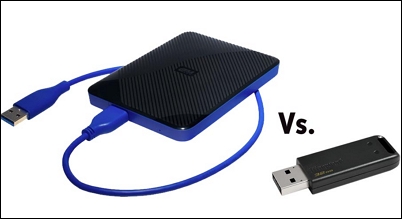
What's the Difference Between USB Flash Drive and External Hard Drive
Although both of the two devices are used for data storage, they differ from each other in many aspects. Here we have listed the six most concerning aspects for you to check the differences.
Capacity
External hard drives have larger capacities than USB flash drives, ranging from 150MB to 2TB, with capacities increasing over time. They can be either hard drives or solid-state drives (SSD).
A USB flash drive stores information on a chip with no moving parts, holding capacities from 500MB to 32GB, and even larger sizes like 128GB and 256GB are now available.
The USB flash drive's smaller capacity is due to its use of TLC memory particles, which store 3 bits of data per cell, compared to SLC (1 bit) and MLC (2 bits). This allows manufacturers to use fewer chips to produce high-capacity products, but at the cost of reduced speed. In contrast, external hard drives often use MLC or SLC, which makes them faster but less compact.
Lifespan
External hard drives have a longer lifespan compared to USB flash drives, as the latter's master controller lacks wear-leveling technology, which evenly distributes data to avoid specific storage blocks from being overused and becoming bad blocks. This technology is not typically supported by USB flash drives, making them more susceptible to wear and tear from frequent data updates, ultimately affecting their service life.
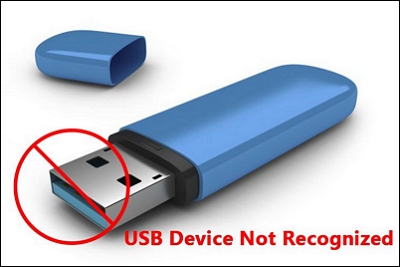
How to Repair and Fix USB Flash Drive Not Recognized?
USB flash drive not recognized or detected issues are common problems that users face. Fortunately, there are workable ways to resolve this issue, and they are listed here to help fix the USB flash drive that is not recognized error.
Speed
When comparing external hard drives and USB flash drives, users may be concerned about transfer speed. External hard drives tend to be faster for bulk data transfer, while USB flash drives may be faster for small data transfers. This is because external hard drives often come with USB 3.0 connectors, which optimize performance, although some USB flash drives also have USB 3.0. However, speed won't be affected unless the computer has a USB 3.0 port. For reference, the maximum transmission bandwidth of USB 2.0 and USB 3.0 are listed to help illustrate the difference in transfer speed.
- USB 2.0 maximum transmission bandwidth: 480 Mbps, namely 60 MB/s
- USB 3.0 maximum transmission bandwidth: 5.0 Gbps, namely 500 MB/s
Portability
USB flash drives are the clear winner when it comes to portability, excelling in two key areas: size and weight. These devices can be shaped to resemble various objects, but at their core, they are small memory sticks that are incredibly lightweight, typically weighing between 20 to 50 grams.
External hard drives are designed to replace internal hard drives and are shaped similarly. They come in three main types: 3.5-inch desktop hard drives, 2.5-inch notebook hard drives, and 1.8-inch mini hard drives, with the latter being the lightest.
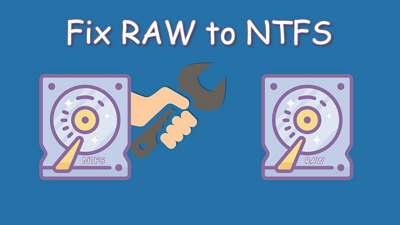
RAW Drive Fix: How to Fix RAW External Hard Drive?
If your computer hard drive or external hard drive suddenly became RAW. Both Windows built-in CMD and Deep Data Recovery can help recover your data.
Management
A key difference between a USB flash drive and an external hard drive lies in their management capabilities. Unlike external hard drives, which can be partitioned on a computer, USB flash drives cannot be partitioned and can only be seen as a single partition in disk management.
Price
External hard drives are generally more expensive than USB flash drives, but some large-capacity USB drives can be pricier than smaller external hard drives.
Which One Should I Buy, USB Flash Drive or External Hard Drive
To choose between a USB flash drive and an external hard drive, consider the amount of storage you need, the purpose of the device, and your budget. This will help you decide which one is best for you.
Bonus Tip: Recover Lost Data from USB Flash Drive/External Hard Drive
Data loss can occur on both USB flash drives and external hard drives due to various scenarios such as accidental deletion, formatting, partition loss, OS crash, and virus attacks.
When you have trouble recovering lost data, it's best to seek help from delicate data recovery software, such as Deep Data Recovery, which can scan all of your lost data and recover it to your computer with just a few clicks.
Step 1. Launch Deep Data Recovery on your PC, and click "Fast Scan" to begin the process.
Launch Deep Data Recovery and quickly filter scanned files by category, such as Pictures, Videos, Documents, Audio, for a more efficient recovery process.

Note: You can choose different search modes based on where and why the data was lost.
Step 2. Choose and scan the external hard drive
- Download and install Qiling Data Recovery software on your computer.
- Connect the external hard drive to your computer.
- To recover data, run Deep Data Recovery, select the external drive from the External drives list, and then click scan for lost data.

Step 3. Check the scan results
- Qiling data recovery software scans the selected drive for all data, including deleted, corrupted, and existing data, immediately.
- You can quickly locate files of a specific type, such as Pictures, Word, Excel, PDF, videos, or emails, using the Filter feature.

Step 4. Preview and recover data
- double-clicking a file from the scanned results to preview.
- Choose the files you want and click "Recover".
- To avoid overwriting the original files, save the recovered files to a different drive, such as an external hard drive or a USB drive. This will ensure that the recovered files are kept separate from the original ones and can be safely accessed and used.
Conclusion
The choice between a USB flash drive and an external hard drive ultimately comes down to personal preference and specific needs. If you require a large storage capacity with partitioning capabilities, an external hard drive is the better option. On the other hand, if you need a portable storage device, a USB flash drive is the way to go. Both options are effective for data storage, and there is no clear winner between the two.
USB Flash Drive and External Hard Drive FAQs
1. Which is better, the USB flash drive or external hard drive?
Both USB flash drives and external hard drives are effective for data storage, but they have some key differences. External hard drives have a larger storage capacity, faster transfer speeds, and a longer lifespan, but are generally more expensive. In contrast, USB flash drives are lighter, more portable, and becoming increasingly larger in capacity, making them a popular alternative to external hard drives.
2. Are USB flash drives good for backup?
You can back up your files, pictures, and operating system to a USB flash drive, providing a safe and portable storage solution. Additionally, you can use a USB to create bootable media, allowing you to boot up your computer from the drive, which can be useful in case of a system failure or other issues.
3. The difference between USB 2.0 and USB 3.0.
The primary difference between USB 2.0 and 3.0 is the maximum transmission bandwidth, which translates to a significant increase in transfer speed.
- USB 2.0 maximum transmission bandwidth: 480 Mbps, namely 60 MB/s
- USB 3.0 maximum transmission bandwidth: 5.0 Gbps, namely 500 MB/s
Related Articles
- RAW USB Recovery | How to Recover Data from RAW USB Drive for Free
- Solved: Hard Drive Not Showing Files Though They Still Exist
- [Fixed] Google Chrome Not Downloading Files
- Red Dead Redemption 2 Lost Save Game, How to Recover?
- Can VLC Repair MP4? Look How to Repair Corrupted MP4 Video Files Using VLC
Yes, VLC can repair MP4 files by renaming them to .avi and automatically fixing the corruption. If the video still doesn't play, Deep Data Recovery can help solve the issue. - 4 WD My Passport Repair Tools: Fix Cannot Access My Passport External Hard Drive
If you're experiencing issues with your WD My Passport external hard drive, such as being unable to access it, four repair tools - Disk Management, CHKDSK, CHKDSK Alternative, and Windows troubleshooter - can help resolve the problem in Windows 10/8/7.
Products
Articles & Tutorials
- Data Recovery
- Data Backup
- File Recovery
- File Backup
- System Backup and Restore
- Disk and Partition Clone
- Technical articles
- Mobile articles
- Disk Master Help
- Windows Data Recovery Tutorials
- Windows Secure Delete Tutorials
- Windows Partition Management Tutorials
- Windows File Backup and Restore Tutorials
- Windows System Backup and Restore Tutorials
- Windows Disk Backup and Restore Tutorials
- Windows Clone Tutorials