Best NAS for Home Media (2024 Selected)🏅
In today's digital age, efficient storage and seamless access to media files are crucial. Network Attached Storage (NAS) devices provide a robust and reliable solution for managing your content. The best NAS for home media needs offer large storage, excellent media streaming, and user-friendly interfaces to enhance your digital experience, making them ideal for both personal and business media.
Some Standards While Choosing a NAS for Home
Here are the criteria for choosing a NAS device in short:
- 🥛Storage Capacity: Choose a NAS (Network-Attached Storage) device with enough storage capacity to meet your current and future data storage needs, ensuring you have ample space for your files, photos, and other digital assets.
- 💾Number of Drive Bays: Determine the number of bays you need based on the amount of storage you require and the types of devices you plan to connect to your NAS. A single-bay NAS is sufficient for small storage needs, while a two-bay or multi-bay NAS is better suited for larger storage requirements or for connecting multiple devices.
- 🔗Drive Compatibility: Check if the NAS supports the types and sizes of hard drives you intend to use.
- 🔢Data Redundancy: Ensure the NAS supports RAID (Redundant Array of Independent Disks) configurations to provide data redundancy and protection against drive failures, safeguarding your digital assets and ensuring business continuity.
- 🔒Security Features: Check the security features, such as encryption, user access controls, and support for VPNs, to protect your data from unauthorized access and prevent data loss.
5 Best NAS Devices to Save Home Media Data
With a rising need for secure and accessible home media storage, Network Attached Storage devices have become essential. Here are the five best NAS options for safeguarding your home media data.
- 1️⃣Asustor AS5202T
- 2️⃣Synology DS220+
- 3️⃣QNAP TS-251D
- 4️⃣Western Digital My Cloud EX2 Ultra
- 5️⃣Buffalo LinkStation 220
1️⃣Asustor AS5202T
The Asustor AS5202T is a feature-rich NAS solution that offers excellent value for money, starting at $299 for the diskless model. It has two drive bays, supporting up to 32TB of storage, and is powered by a 2.0GHz dual-core Intel Celeron J4005 processor and 2GB of DDR4 RAM. It features a built-in media server, cloud storage support, RAID protection, Plex support, and Surveillance Station.
| ✅Pros | ❎Cons |
|---|---|
|
|
2️⃣Synology DS220+
The Synology DS220+ is a top-notch Network Attached Storage device that offers an exceptional home media storage experience. With its extensive features and user-friendly interface, it has earned a leading reputation in the NAS device market. Available at a starting price of $319 for the diskless model, it provides excellent value for its feature set. The device features two drive bays, allowing for up to 32TB of storage space using 16TB drives, and is powered by an Intel Celeron dual-core CPU and 2GB RAM, making it capable of handling multitasking. Its features include seamless data sharing, photo indexing, video streaming, well-rounded recovery options, and data protection.
| ✅Pros | ❎Cons |
|---|---|
|
|
"Hey, just a heads up that I've been experiencing some issues with my mental health lately. I've been feeling really overwhelmed and anxious, and it's been hard for me to manage my emotions.
3️⃣QNAP TS-251D
The QNAP TS-The QNAP TS-251D is a cost-effective NAS solution suitable for home users and small businesses, offering reliable hardware and innovative software features. Starting at $559 for the diskless model, it can support up to 32TB of storage with 16TB drives, and is powered by a 1.4GHz quad-core Intel Celeron J4005 processor and 4GB of DDR4 RAM. The TS-251D features Plex support, a built-in media server, cloud storage support, RAID protection, and a Surveillance Station, making it a versatile and feature-rich solution.
| ✅Pros | ❎Cons |
|---|---|
|
|
4️⃣Western Digital My Cloud EX2 Ultra
The Western Digital My Cloud EX2 Ultra is a budget-friendly, secure NAS solution for homes and small businesses, offering affordability without compromising on features, starting at $181, with a maximum storage capacity of up to 16TB, powered by a dual-core CPU and 512MB of RAM.
| ✅Pros | ❎Cons |
|---|---|
|
|
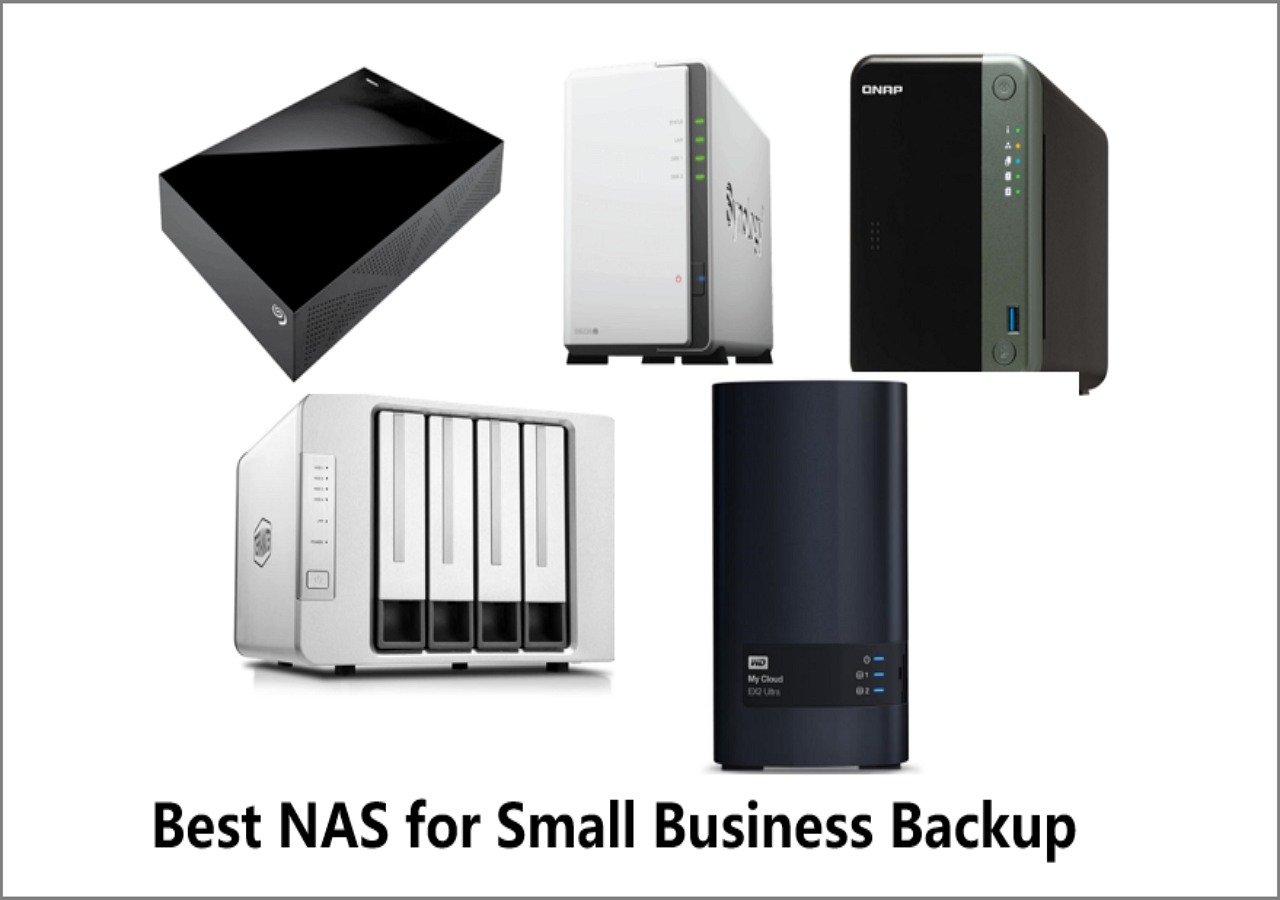
Five Excellent NAS for Small Business Backup 2023
NAS devices offer network storage and file sharing capabilities, making them a popular choice for small businesses to backup their computers and ensure continuity. This article recommends the top 5 NAS devices and provides a tutorial on how to back up files to NAS, providing a convenient and reliable solution for data storage and protection.
5️⃣Buffalo LinkStation 220
The Buffalo LinkStation 220 is a budget-friendly NAS solution that offers reliable storage and accessibility. It can support up to 16TB of storage with two drive bays and is powered by a 1.2GHz dual-core CPU and 2GB of RAM. It features a user-friendly operating system, DLNA certification, and supports multiple platforms, making it a great option for families.
| ✅Pros | ❎Cons |
|---|---|
|
|
Share it with your friends if you find it helpful:
How to Save Digital Data to NAS Easily and Effectively
Qiling Disk Master is a robust, user-friendly backup software that protects your data with its intuitive interface, flexible backup options, and strong encryption, making it a reliable choice for data protection.
Qiling Disk Master provides comprehensive solutions for securing important data, including documents, photos, and the entire operating system. It simplifies the backup and recovery process, ensuring data is safe and accessible for unlimited time, giving users peace of mind knowing their data is protected.
| 💾Multiple Types of Backup | Qiling Disk Master allows you to perform various backup types, including file and disk backups, with the option to save your data to a NAS. |
| ⚒️Compatible with Various Brands of NAS Devices | The device is compatible with a range of NAS brands, including Asustor AS5202T, Synology DS220+, QNAP TS-251D, Western Digital My Cloud EX2 Ultra, and Buffalo LinkStation 220. |
| ☁️Flexible Scheduling | You can configure backup times and frequencies, which will automatically be carried out by the system.backup your data and files to an external hard drive and NAS. |
| 🗳️Incremental and Differential Backup | Capturing only changes made since the previous backup reduces storage space and time, and also enables rapid data restoration by saving modifications made since the last full backup. |
Pro Tips: Better Utilize NAS for Home Media
Here are some tips to help you get the most out of your NAS device:
- Leave My NAS On All the Time: Keeping a NAS running 24/7 is generally safe, as it's designed for continuous operation and consumes minimal idle power, but ensure proper ventilation to prevent overheating.
- Regularly Backup Your NAS: To avoid losing data on your NAS device, set up a backup system, such as an external drive or another NAS, and regularly back up critical data. This will help prevent unexpected loss in case of hardware failure or data corruption.
- Implement User Access Controls: To ensure secure access to the NAS, consider implementing user access controls if multiple family members use the device. This involves restricting access to sensitive data and setting up individual accounts to keep your files secure. By doing so, you can prevent unauthorized access and maintain the privacy of your personal information.
- Use RAID for Data Redundancy: If your NAS supports it, consider setting up a RAID configuration, which can mirror data across drives, providing redundancy against drive failures, as seen in RAID 1.
- Use Encryption for Sensitive Data: To protect sensitive files on your NAS, enable encryption to prevent unauthorized access, a feature supported by many NAS devices.
Conclusion
Choosing the right NAS device can help you manage, access, and enjoy your home media, serving as an ultimate source of protection for your digital entertainment. The top five NAS devices for home, listed in the article, offer a seamless and enriched digital experience, enabling you to stream 4K movies, access your music library remotely, and secure your memories.
To further enhance your peace of mind, we recommend using Qiling Disk Master as a valuable addition to your NAS setup, providing efficient backup solutions and robust features to ensure your home media remains safe and readily accessible.
FAQs on Best NAS for Home Media
If you're searching for a NAS device for the first time, you might have some common questions in mind. A NAS (Network-Attached Storage) device is a type of storage system that allows you to store and share files across a network, providing a centralized location for storing and accessing files. It offers several benefits, including increased storage capacity, improved data sharing and collaboration, and enhanced security and backup capabilities.
1. What is the best NAS for a beginner?
The ideal NAS for beginners often includes user-friendly options like the QNAP TS-251D or Western Digital My Cloud EX2 Ultra, which are known for their simple setup and management interfaces, making them excellent choices for new users of NAS technology.
2. Is there a better NAS than Synology?
Synology is highly regarded for its NAS solutions, but other brands like QNAP and Asustor offer competitive options. The choice of a NAS depends on specific requirements and preferences, considering factors such as storage needs, desired features, and budget when choosing.
3. Should I leave my Synology NAS on all the time?
It's generally safe and convenient to keep your Synology NAS running 24/7 due to its low power consumption and continuous operation design, allowing for constant remote access and backup capabilities.
Related Articles
- NVRAM Reset Not Working on Mac, 3 Steps to Fix!
- How to Empty Trash on Mac [macOS Ventura Applicable]
- Acronis Clone Disk Wizard Stuck During Cloning Process - How to Fix
- [Linux Format Disk Guide] How to Format Disk in Linux
- Palworld Save File Location & Config File on PC/Steam/Xbox
Find Palworld save file and config file locations on PC, Steam, and Xbox, and learn how to back up game saves safely. - Five Ways to Fix "Path Not Found C:Boot" Error in Windows
Do you know why the path not found C:\boot error happens? This guide will help you figure out the reasons and provide you with several ways to fix this issue.
Products
Articles & Tutorials
- Data Recovery
- Data Backup
- File Recovery
- File Backup
- System Backup and Restore
- Disk and Partition Clone
- Technical articles
- Mobile articles
- Disk Master Help
- Windows Data Recovery Tutorials
- Windows Secure Delete Tutorials
- Windows Partition Management Tutorials
- Windows File Backup and Restore Tutorials
- Windows System Backup and Restore Tutorials
- Windows Disk Backup and Restore Tutorials
- Windows Clone Tutorials