How to Clone an mSATA SSD to an M.2 SSD
Older ultrabooks and small form factor PCs often use mSATA storage, a format that new boards no longer accept. Moving the system to an M.2 SSD keeps the install alive on modern hardware.
This guide explains the connector differences, the two adapters the copy needs, and how to make the M.2 drive start after the clone.
PAGE CONTENT
- Why Move from mSATA to M.2
- Check the Connector and Protocol
- Prepare Both USB Adapters
- Clone the mSATA Drive with Qiling Disk Master
- Boot the M.2 Drive
- FAQs About Form Factor Moves
- Back Up Windows Before You Clone
Why Move from mSATA to M.2
- The old slot is gone. New laptops and boards carry M.2 slots, not mSATA.
- M.2 drives are faster. An NVMe module can be several times quicker than mSATA SATA storage.
- Capacity is larger. mSATA modules rarely exceed 1 TB, while M.2 drives reach 4 TB and beyond.
- The install is proven. A working Windows setup is worth copying rather than rebuilding.
- The chassis is smaller. M.2 2280 modules fit in thin machines that mSATA can never fill again.
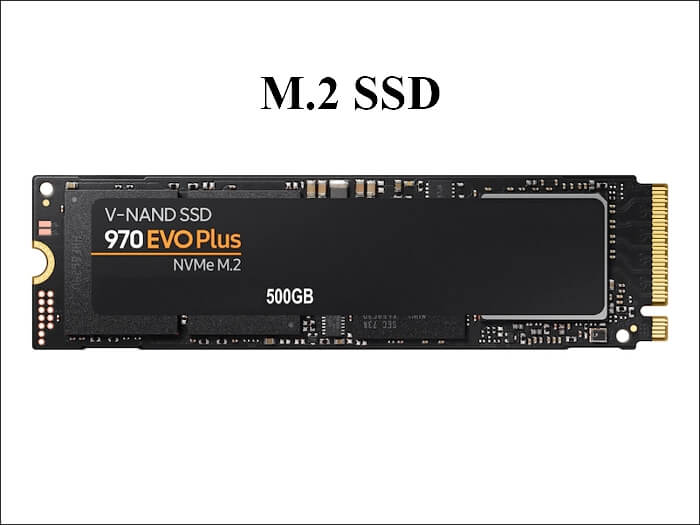
The two formats share a SATA heritage but not a physical connector. An mSATA module cannot be inserted into an M.2 slot, so the copy must happen outside both machines.
Check the Connector and Protocol
- Confirm the M.2 key. A B+M key slot accepts SATA modules, while an M key suits NVMe drives.
- Check the length. M.2 modules come in 2230, 2242, and 2280 sizes, and the bay fits only one.
- Verify SATA or NVMe. The clone copies data, but the firmware must support the new protocol.
- Note the boot mode. An older mSATA machine may be legacy BIOS, while the new board is UEFI.
- Record the drive size. The M.2 module must be at least as large as the used space.
A legacy BIOS install on an MBR disk will not start on a UEFI-only board. Convert the disk to GPT and repair the boot files before you rely on the copy.
Prepare Both USB Adapters
- Use an mSATA to USB adapter. It exposes the old module as a normal USB disk.
- Use an M.2 to USB enclosure. Match the enclosure to the key and length of the new module.
- Plug both into one PC. The clone needs the source and the target visible at the same time.
- Avoid unpowered hubs. Long copies drop connections when a hub cannot supply enough current.
- Keep the M.2 unformatted. An empty module lets the clone rebuild the partition table.
If the M.2 enclosure supports only NVMe or only SATA, check the model before you buy it. The wrong enclosure simply will not detect the module.
Clone the mSATA Drive with Qiling Disk Master
Qiling Disk Master copies any disk Windows can see, including both drives behind USB adapters. Download it on the PC that performs the copy.
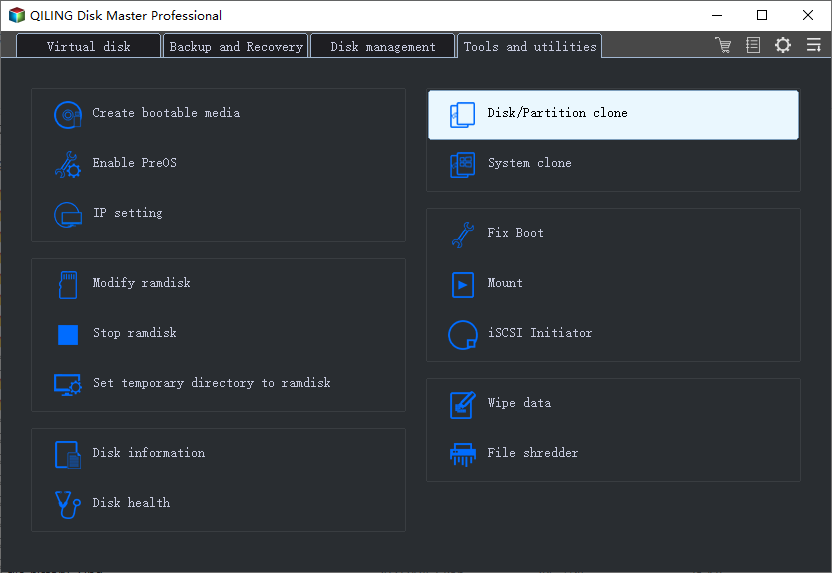
Step 1. Open Qiling Disk Master, choose Clone, and then select Disk Clone.
Step 2. Select the mSATA drive as the source and click Next.
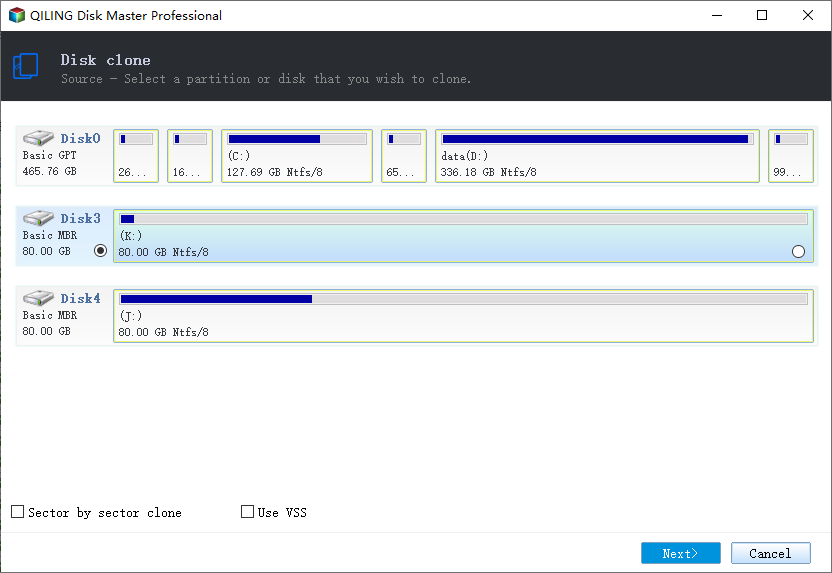
Step 3. Select the M.2 SSD as the destination and confirm that its data will be replaced.
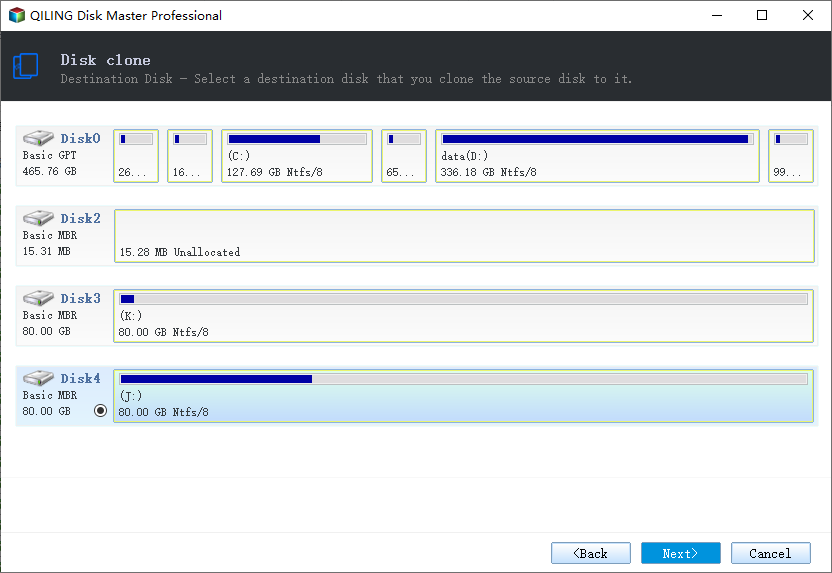
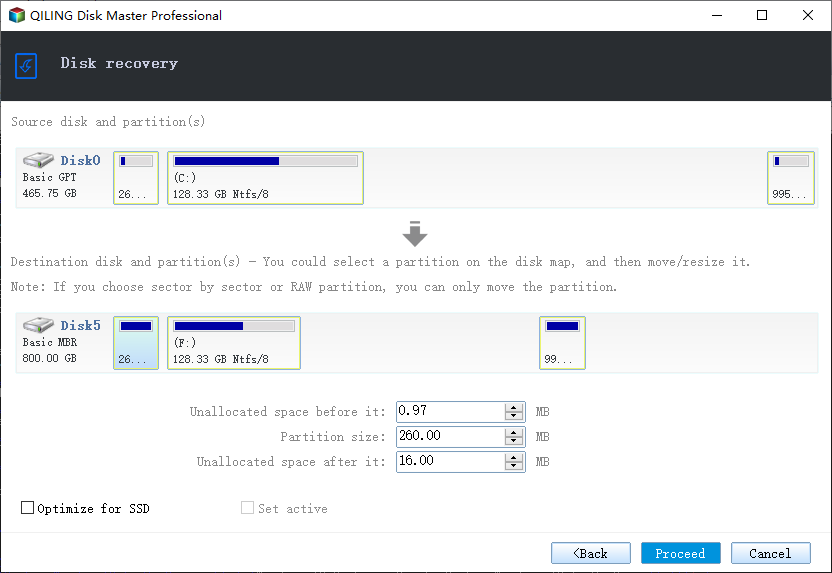
Step 4. Review the layout, keep the EFI or system reserved volume, and tick Optimize for SSD.
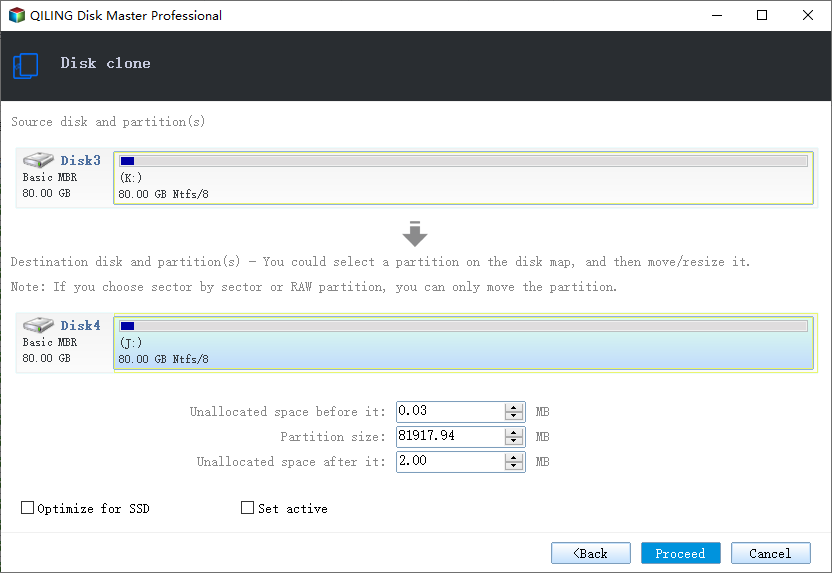
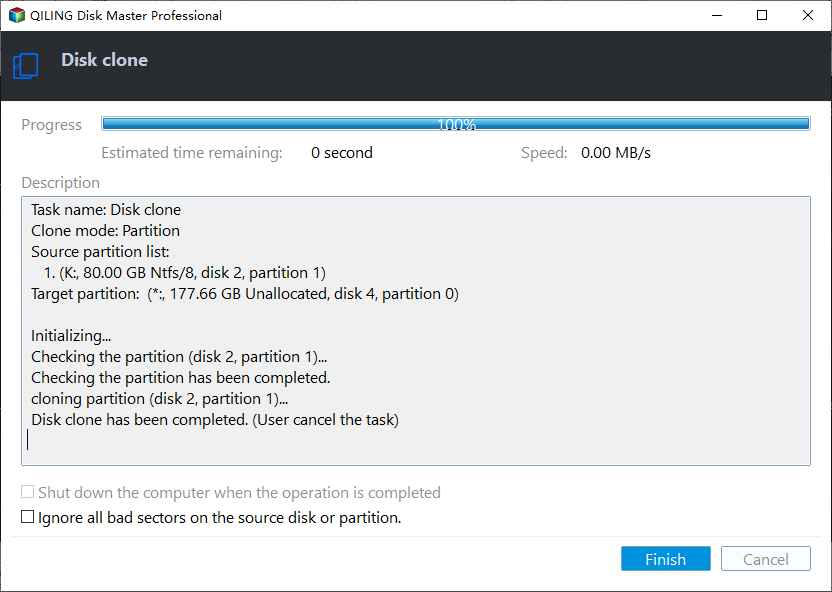
Step 5. Click Proceed, wait for the copy to finish, then shut the PC down before you unplug either adapter.
Boot the M.2 Drive
- Install the module. Seat it in the M.2 slot and fix it with the retaining screw.
- Set the boot mode. Match UEFI or legacy to the disk layout the clone produced.
- Choose the boot entry. Select the M.2 drive in the firmware boot order.
- Watch for a repair cycle. A new controller can trigger one automatic restart.
- Confirm the capacity. Extend the system volume if the M.2 drive is larger.
If the board does not list the module, check the key type and the slot sharing. Some M.2 slots disable a SATA port when an NVMe drive is installed.
FAQs About Form Factor Moves
Can an mSATA SSD be cloned to an M.2 SSD?
Yes. Both are SATA-class drives, and the clone copies the data through USB adapters.
Can I put an mSATA module in an M.2 slot?
No. The connectors differ, and no passive adapter makes them interchangeable.
Does the M.2 drive need to be NVMe?
Not necessarily. A SATA M.2 module works in a B+M key slot, while NVMe needs an M key slot.
Will Windows still activate?
Same hardware keeps the licence. A new board may trigger reactivation, so link the licence first.
Why is the new drive not detected?
The enclosure may support the wrong protocol, or the module is seated in a shared slot.
Back Up Windows Before You Clone
Before changing drives, create a full system backup. Qiling Disk Master creates an image you can restore from if the M.2 drive will not start.
Step 1. Open Qiling Disk Master and select System Backup to include Windows and the boot partitions.
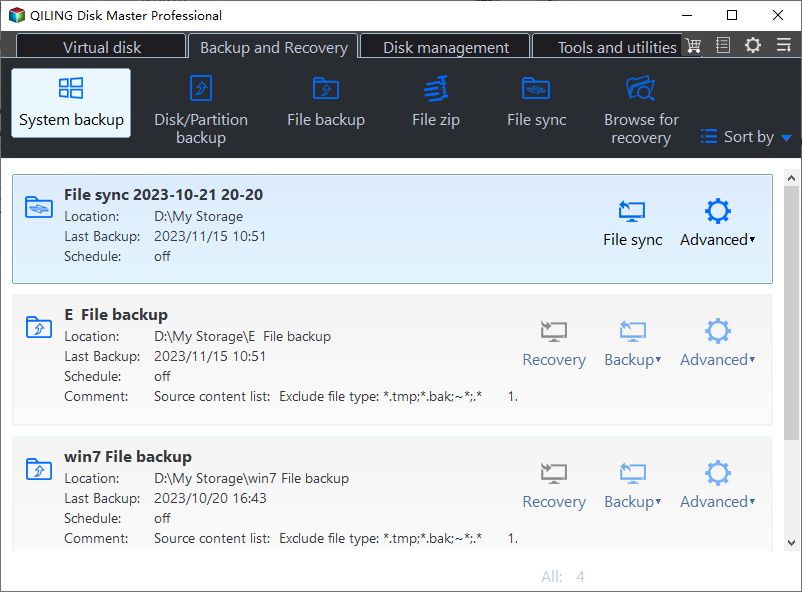
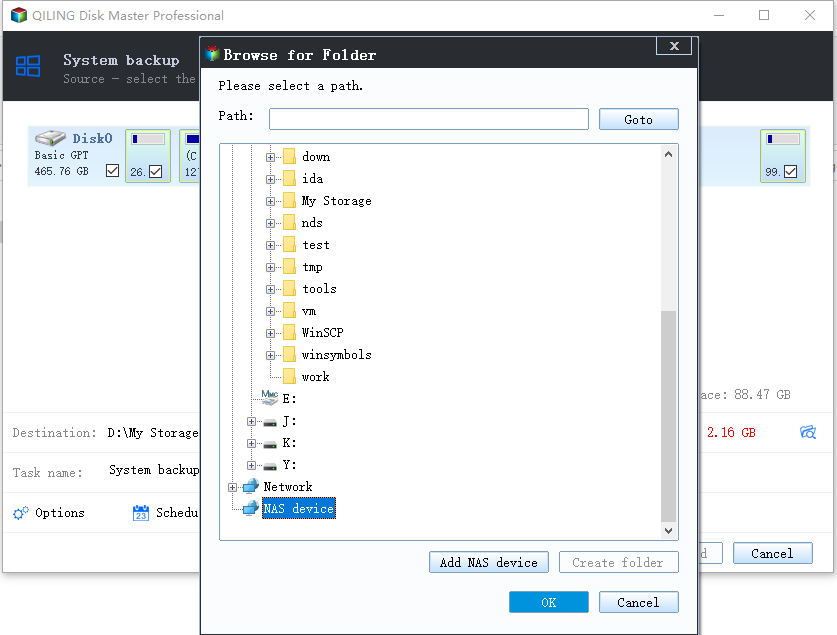
Step 2. Save the image to a drive other than the target disk and start the backup.
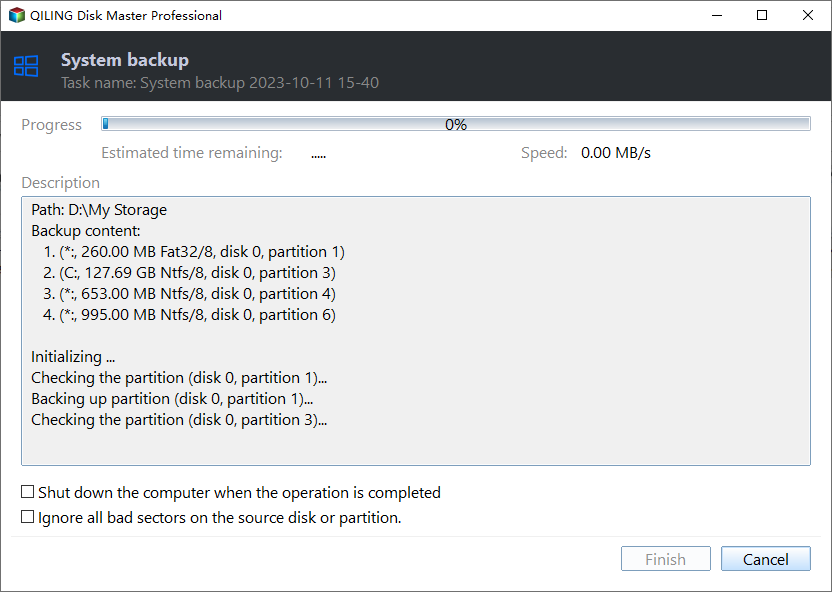
Step 3. Click Proceed to start the system backup and wait patiently until it finishes. You can also tick Shut down the computer when the operation is completed to power off automatically.
Step 4. If the M.2 drive will not start, restore the image to the original module and try again.
Conclusion
An mSATA to M.2 move is a connector change, not a system change. Confirm the M.2 key, length, and protocol, keep one USB adapter for each format, and clone the whole disk with SSD optimisation. Then match the boot mode to the disk layout, set the M.2 drive first, and extend the volume if the module is larger. Keep the old mSATA drive until the new machine runs normally.
For more on M.2 moves, see How to Clone a 2.5-Inch SSD to an M.2 SSD, How to Clone an M.2 SSD to a SATA SSD, How to Clone an M.2 SSD When There Is Only One Slot, and How to Clone an NVMe SSD to a Larger NVMe.
Related Articles
- Cloned Drive Wont Boot Fix
Repair the boot entry when the copy refuses to start. - 4K Alignment When Cloning an SSD
Raw copies keep the original alignment intact. - How to Clone an SSD to a Larger SSD
Grow the partition after copying a bigger drive. - How to Clone an HDD to an NVMe SSD on Windows 11
NVMe brings its own driver and boot rules. - How to Replace the C Drive with an SSD
Swap the system drive without reinstalling Windows.
Products
Articles & Tutorials
- Data Recovery
- Data Backup
- File Recovery
- File Backup
- System Backup and Restore
- Disk and Partition Clone
- Technical articles
- Mobile articles
- Disk Master Help
- Windows Data Recovery Tutorials
- Windows Secure Delete Tutorials
- Windows Partition Management Tutorials
- Windows File Backup and Restore Tutorials
- Windows System Backup and Restore Tutorials
- Windows Disk Backup and Restore Tutorials
- Windows Clone Tutorials