How to Choose Suitable Digital Photo Storage Devices?
Losing digital photos can be a distressing experience, but with the right storage devices, you can safeguard your memories. This article explores five options for digital photo storage devices, comparing their pros and cons to help you find the most suitable one for your needs. By reading on, you'll be able to identify the best digital photo storage device for your requirements.
What Are Digital Photo Storage Devices?
Digital photos are created through digital photography, consisting of a series of picture elements. Most modern digital photos use a 24-bit RGB system to color each element. After taking them, digital photos need a safe storage device, as storing them on a camera can be risky due to various reasons.
- Privacy leaks once the camera is lost.
- Photo may get lost due to physical damages.
Finding a safe storage device for your precious photos is crucial, but where exactly should you store them?
Where Is the Best Place to Store My Digital Photos?
Whether you use a DSLR, point-and-shoot camera, or smartphone, digital photo storage devices such as external hard drives or cloud storage services are necessary due to the limitations and vulnerabilities of camera or smartphone storage. However, even these alternatives are not completely immune to data loss, making it essential to find the most reliable option available.
Digital photo storage options include memory cards, external hard drives, Cloud storage, USB flash drives, and laptop computers, each with its own pros and cons. This article explores the advantages and disadvantages of these storage methods, helping you decide which one is best for your needs.
In today's digital age, the best digital photo storage device for users who take and share photos on their mobile phones is likely a cloud-based storage service, such as Google Photos or iCloud. These services allow users to store and access their photos from any device with an internet connection, and often include features like automatic backup, photo editing, and sharing capabilities. They also provide a convenient way to free up storage space on the user's phone and to protect their photos from loss or damage.
What Is the Best Digital Photo Storage Device for iPhone and Android?
For many people, smartphones have become the primary device for taking and storing photos, in addition to recording and sharing their lives. While some may prefer to store their photos on their phone, others may opt for cloud storage options like iCloud for iPhone users, providing a convenient and secure way to access and manage their digital memories.
Android users can store their digital photos on their local devices or OneDrive, and for those with low capacity needs, Google Photo is a suitable option.
Choosing the right digital photo storage device can be a bit overwhelming, given the variety of options available, including computers, USB flash drives, and external hard drives. However, by considering your specific needs and preferences, you can select a suitable device that meets your requirements, and the next part will provide guidance on how to do so.
What Digital Photo Storage Devices Should I Choose?
With numerous types of digital photo storage devices available, users have a wide range of choices. However, selecting the most suitable one can be challenging. To make an informed decision, it's essential to consider individual demands and needs.
Memory Cards
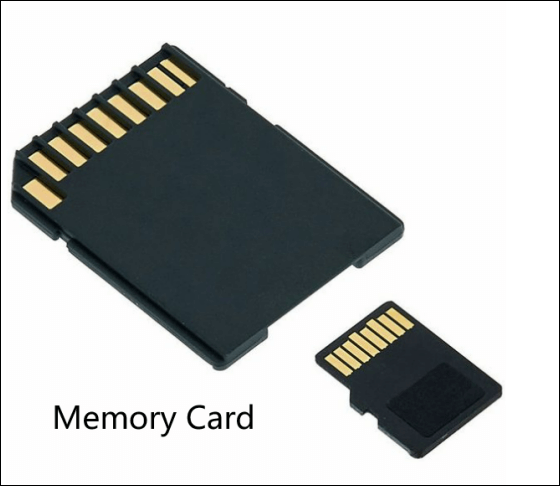
You can learn more about memory cards by checking the table, which shows their cost, pros, and cons. This will give you a better understanding of what to expect from memory cards.
| Cost |
|
| Pros |
|
| Cons |
|
2022 Three Trustworthy Brands
- SanDisk Extreme PRO SDXC UHS-I (32GB-512GB, $10-$100)
- Canvas React Plus SDXC UHS-II (128GB, $102)
- Lexar Professional Class 10 UHS-II 2000X (128GB, $249)
Portable External Hard Drives
External hard drives are devices that provide extra space to store photos and other data. They typically have plug-and-play interfaces that make computer connections straightforward, and many are powered directly through the USB cable. Some external hard drives come with backup software that automatically copies image files from the computer to the external drive, making it easy to keep your files organized and backed up.

External hard drives are widely used, and this table provides a clear summary of their cost, pros, and cons.
| Cost |
|
| Pros |
|
| Cons |
|
2022 Three Trustworthy Brands
- Seagate Backup Plus Hub (8TB, $146)
- Transcend StoreJet M3 (1TB, $60)
- WD My Passport SSD (1TB, $129)
If you're curious about the difference between a Network Attached Storage (NAS) device and an external hard drive, this link may help you understand the distinction between the two.
USB Flash Drives
A USB flash drive is a small, removable storage device with high capacity that connects to computers via a USB port, providing a plug-and-play service.
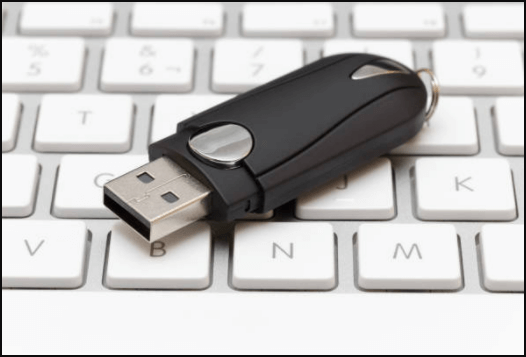
The USB flash drive is a portable device that offers great convenience, featuring a compact design that allows users to easily carry it with them.
| Cost |
|
| Pros |
|
| Cons |
|
2022 Three Trustworthy Brands
- Samsung Fit Plus (MUF-128AB) (32GB-256GB, $10-$40)
- SanDisk Cruzer CZ36 (16GB-256GB, $7-$27)
- Kingston DataTraveler G4 (32GB-256GB, $6-$38 )
Here, do you want to deeply compare USB flash drives with external hard drives? This link can help.
Laptop Computer
Laptop computers offer high storage capacity and a large screen, making them ideal for viewing and editing digital photos. Users can install software such as photo editing, cataloging, or backup tools to enhance and protect their digital images, ensuring their safety and organization.

Storing digital photos on a laptop computer has both pros and cons. On the one hand, having photos stored on a laptop allows for easy access and viewing, and can be a convenient way to share photos with others. However, the laptop's hard drive may not be designed to handle large amounts of photo data, potentially leading to storage space issues and decreased performance.
| Cost |
|
| Pros |
|
| Cons |
|
2022 Three Trustworthy Brands
- MacBook Pro M1 (512GB, $2099)
- Razer Blade 17 (1TB, $3229)
- Dell XPS 15 (1000GB, $2210)
Cloud
Uploading digital photos to the Cloud is a convenient and popular option, with services like Google Drive, Microsoft OneDrive, Apple iCloud, and third-party software available to integrate with almost any device or computer.

Cloud storage allows users to store and access their files from anywhere, using any device with an internet connection. It provides a scalable and flexible storage solution, with features such as data backup and recovery, file sharing, and collaboration tools. Cloud storage services, like Google Drive, Dropbox, and Microsoft OneDrive, offer varying levels of storage capacity, security, and compatibility with different operating systems. The benefits of using Cloud storage include reduced storage costs, increased accessibility, and enhanced data protection.
| Cost |
|
| Pros |
|
| Cons |
|
2022 Three Trustworthy Brands
- IDrive (5GB free)
- PCloud (10 GB free)
- Qiling Cloud provided by Qiling Disk Master Pro (250GB free)
What Can Qiling Disk Master Pro Do?
Qiling Disk Master software is a reliable backup and restore tool that allows users to back up their photos to Cloud, providing free storage capacity. With its user-friendly interface, users can easily back up their digital photos, whether they prefer automatic backup to an external hard drive or backing up to the Cloud. This software meets the needs of users who want to protect their valuable memories.
- Easy system clone.
- Security zone protects photos from ransomware.
- A backup solution should support backing up the entire disk, partitions, photos, and the system. This comprehensive backup approach ensures that all important data, including operating system files, applications, and personal files, are safely preserved in case of data loss or system failure.
Qiling can help manage digital photos and bring great convenience by providing a safe place to store and organize them, making it a useful tool for anyone looking to keep their digital memories organized and easily accessible.
Digital Photo Storage Devices: Verdict
We've introduced five digital photo storage devices, each with its pros and cons, and created a table to help you better understand and make a more informed choice.
| User | Digital Photo Storage Device |
|---|---|
| Traveler |
|
| Photographer |
|
| Ordinary home or office user |
|
| Budget user |
|
To ensure your digital photos' safety, develop a backup habit using Qiling Disk Master's secure Cloud storage service, making backup plans easier and more convenient.
Start a live chat with a Qiling Expert to get a tailored enterprise backup solution that fits your specific needs. We're here to help with that and more.
- Commence a free trial
- Obtain a quotation
- Arrange a free demonstration
FAQs About Digital Photo Storage Devices
What is the best device to store digital photos?
For storing digital photos, consider using external hard drives, Cloud storage, USB flash drives, laptop computers, or memory cards. Each option has its own advantages, and you can choose the one that best suits your needs and requirements.
How can I store my digital photos forever?
To ensure the safety of your photos, it's essential to regularly back them up to prevent data loss from physical storage devices and cloud storage devices, protecting your cherished memories.
Can I store photos on a USB memory stick?
The USB memory stick is a portable and convenient digital photo storage device due to its compact size and high capacity.
Related Articles
- How to Backup Valheim Saves in 2024
- How to Fix the Task Image Is Corrupted or Tampered With (4 Ways)
- pCloud Backup vs Sync: What's the Difference & How to Choose
- How to Save Game on FIFA 23 Career Mode
- What is Disk Imaging | See Definition & Learn File Formats & Application
- Is Windows 10 Backup Any Good? Check the Answer
- Windows 7 System Image Backup Failed Not Enough Disk Space[SOLVED]
To avoid losing your Valheim world, characters, and progress due to a save data crash, back up your game data regularly. Learn how to locate the Valheim saves folder and use external hard drives or cloud storage to protect your game.
Products
Articles & Tutorials
- Data Recovery
- Data Backup
- File Recovery
- File Backup
- System Backup and Restore
- Disk and Partition Clone
- Technical articles
- Mobile articles
- Disk Master Help
- Windows Data Recovery Tutorials
- Windows Secure Delete Tutorials
- Windows Partition Management Tutorials
- Windows File Backup and Restore Tutorials
- Windows System Backup and Restore Tutorials
- Windows Disk Backup and Restore Tutorials
- Windows Clone Tutorials