[Full Guide] How to Install Windows 10 from One PC to Another
To move Windows 10 from one PC to another, you can clone the system drive, restore a system image to compatible hardware, or create bootable Windows 10 installation media for a clean install. The best method depends on whether you want to keep programs, settings, and files.
Installing Windows on a new computer or transferring Windows 10 to another computer used to be complex, but modern cloning and backup tools make the process easier. This Qiling guide explains the available options and preparation steps.
Why Need to Install Windows 10 from One PC to Another
Many users want to transfer their old computer's operating system to a new one while keeping the same settings, data, and programs instead of reinstalling Windows from scratch.
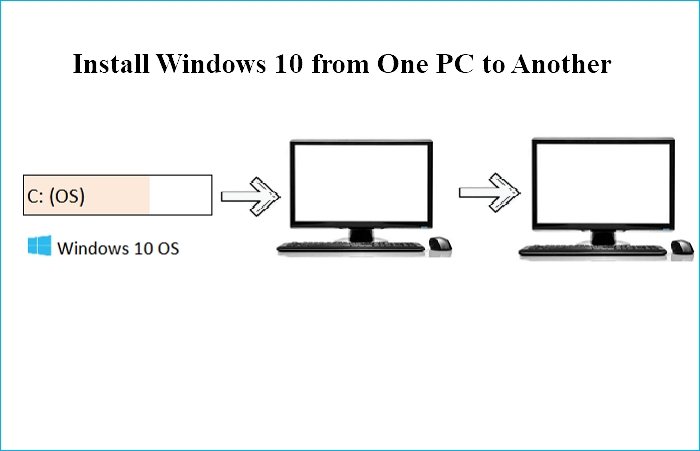
To install Windows 10 on another computer with a similar configuration, you can perform a universal restore. This involves creating a system backup, saving it to an external drive, and restoring it to the target computer with compatible hardware and a valid Windows license.
What to Do Before Installing Windows from One PC to Another
If you want to ensure a successful installation of Windows 10 from one computer to another, make the following preparations. Firstly, ensure that both computers have the necessary hardware and software requirements for Windows 10.
Confirm New Computer Support the Same Boot Mode as your Old One
To ensure that your new PC's motherboard supports the same boot mode as your old computer, you should check the boot modes on both devices. This can be done by checking the specifications of your motherboard and the boot mode settings on your old computer. The boot modes that are typically supported by motherboards include UEFI and Legacy BIOS.
To resolve the issue, restart your computer and access the BIOS settings by pressing F2/F8/Del. In the BIOS, navigate to the Boot Menu and verify the Boot Mode is set to either Legacy or UEFI.
- BIOS Mode: UEFI - BIOS Mode: UEFI
- BIOS Mode: Legacy - BIOS Mode: Legacy
Prepare an External Hard Drive
To ensure a smooth OS migration to a new computer, it's essential to have an external hard drive with sufficient space to save the Windows system image. The external drive's capacity should be larger than the C drive's capacity to accommodate the system image. This will allow for a seamless transfer of the operating system and all installed programs to the new computer.
Select a Proper Universal Restore Software
The universal restore feature can help you install Windows on a new PC by migrating the operating system from an existing one. Qiling Disk Master, a top-rated universal restore software, can facilitate this process, making it easier to set up a new PC with the same Windows installation as an existing one.
How to Install Windows from One Computer to Another
Performing a universal restore is the quickest and most effective way to install Windows 10 from one computer to another, and can be achieved with a third-party universal restore tool like Qiling Disk Master, as built-in Windows tools such as Backup and Restore (Windows 7) cannot allow system image restoration to another computer.
Qiling Disk Master Pro is a Windows utility that offers automatic backups, system and disk imaging, and cloud storage, with 250GB of free cloud storage.
Installing Windows 10 from one PC to another involves two main parts. Firstly, you need to prepare the target PC by backing up any data, removing any existing operating system, and ensuring the hardware is compatible with Windows 10.
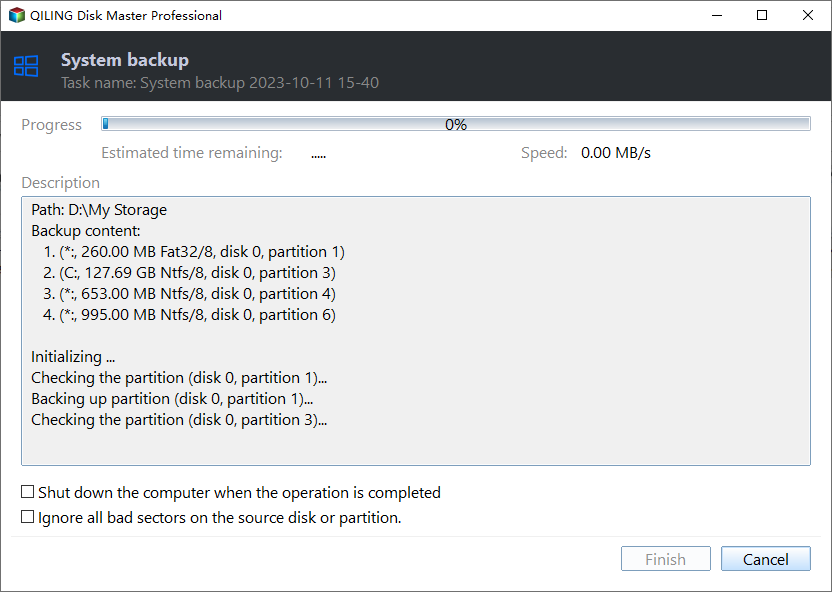
Part 1. Create a system image of your computer.
Step 1. On the main page, click "Select backup contents".
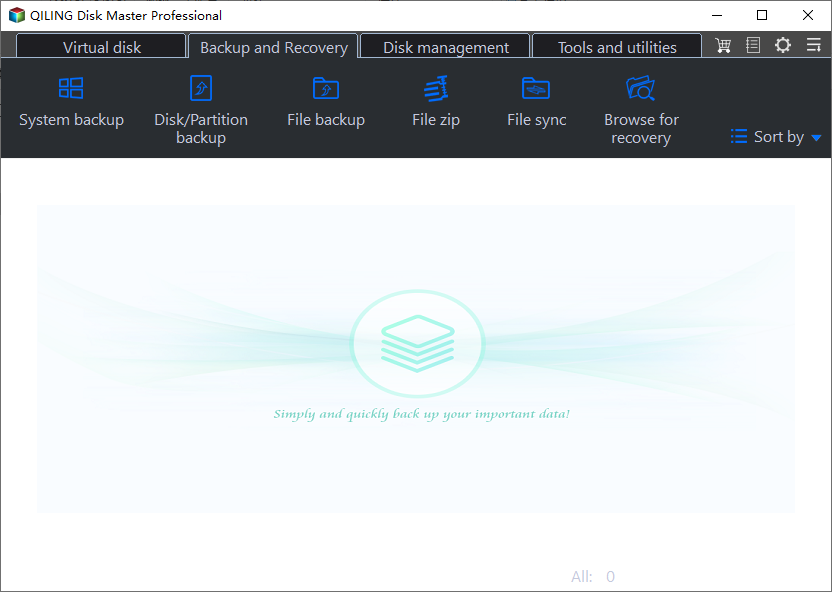
Step 2. Among the four available categories, click System backup.
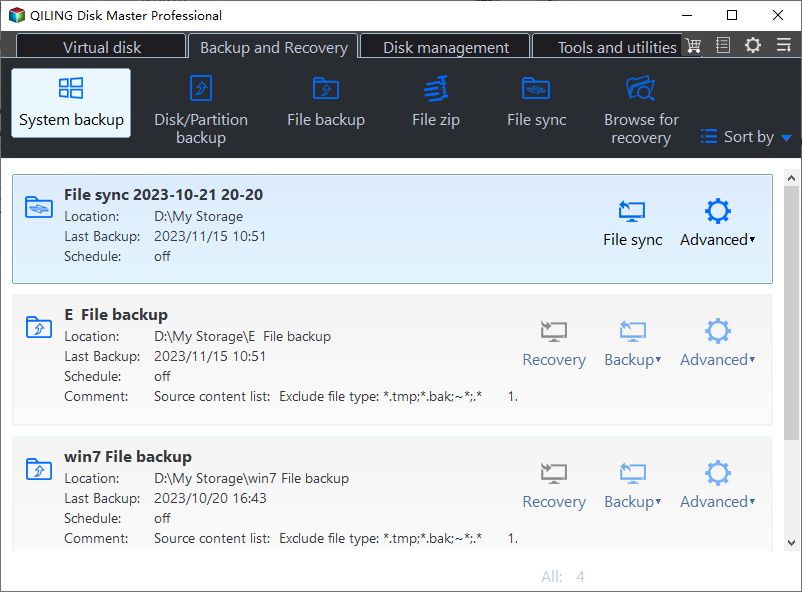
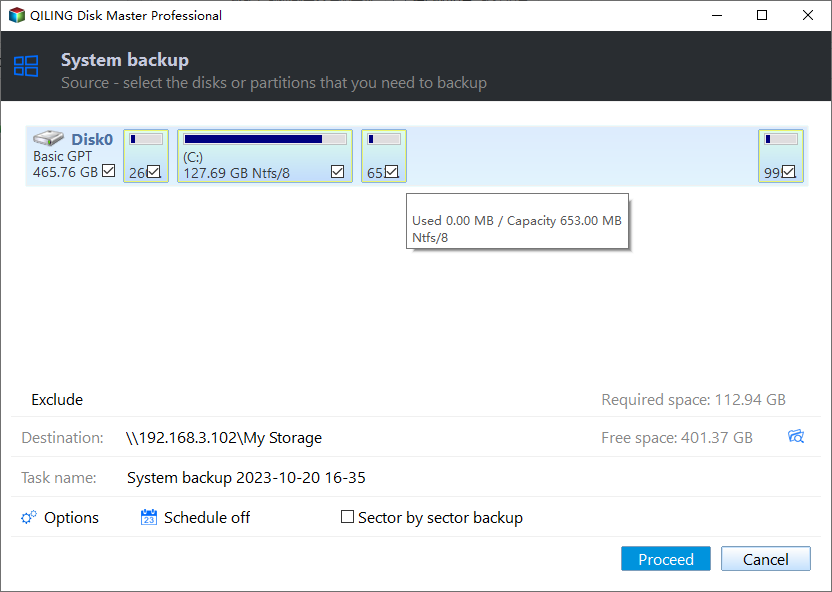
Step 3. Qiling Disk Master will automatically select the system partition, requiring only a choice of backup destination.

Step 4. Both Local Drive and NAS can be used to save the backup file.
Step 5. After completing the backup process, you can check the backup's status, recover, open, or delete the backup by right-clicking on the backup task on the left.
Part 2. Restore the system image to another computer.
To perform system recovery on a non-bootable machine, try to boot the computer through the USB drive or CD/DVD that contains the system recovery software. This software can help restore the system to its original state by repairing or replacing corrupted files and settings.Qiling Disk Master emergency disk.
Step 1. Launch Qiling Disk Master, click "Browse to Recover".
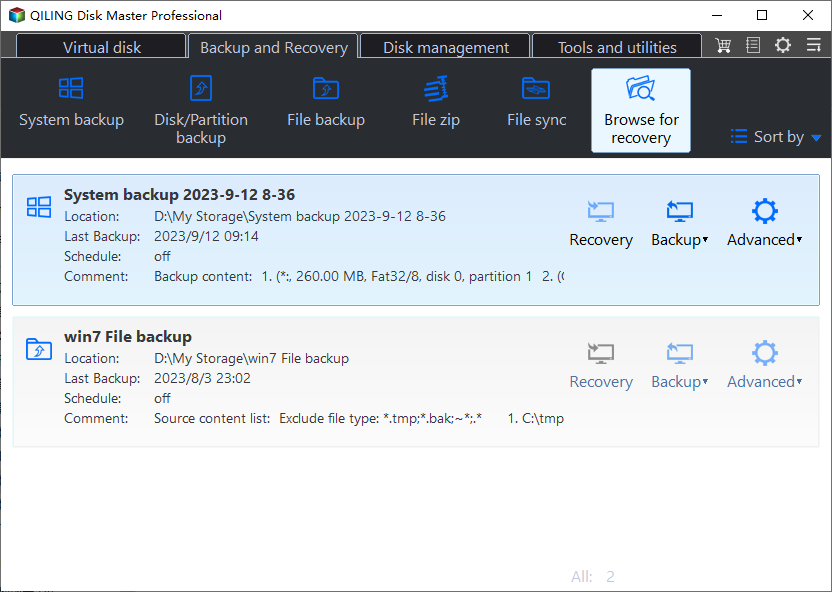
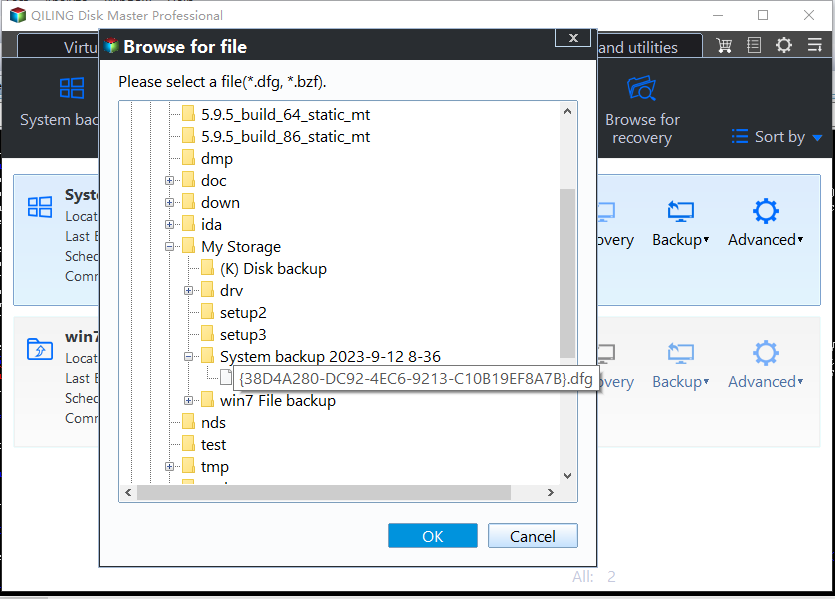
Step 2. Choose the system backup file you need. The backup file created by Qiling Disk Master is a pbd file.
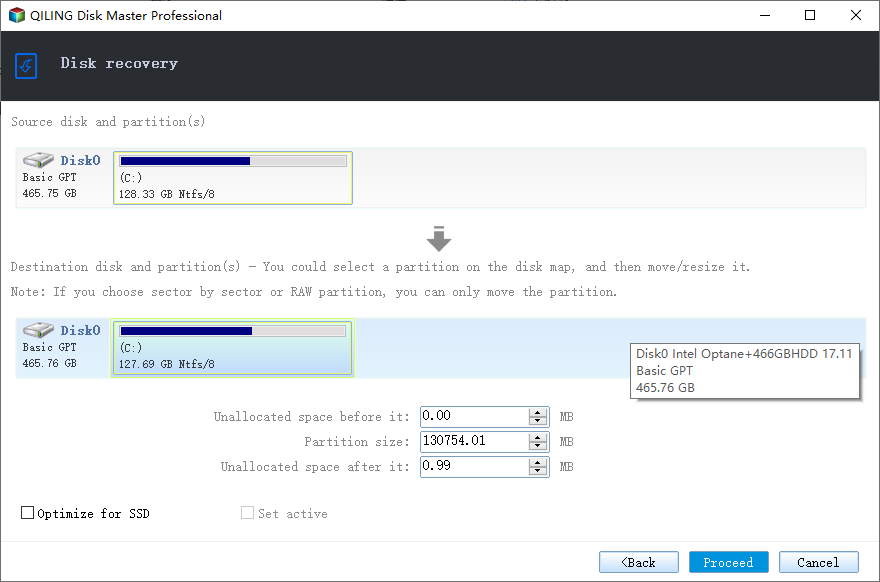
Step 3. Select the recovery disk and ensure it has the same partition style as the source disk.
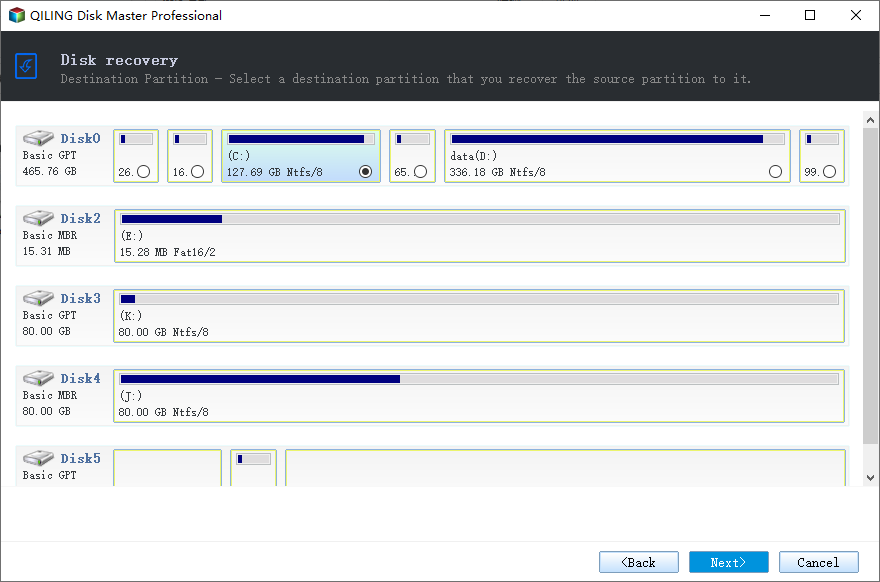
Step 4. You can customize the disk layout according to your needs and then click “Proceed” to start system backup recovery.
The Final Say
Installing Windows 10 from one PC to another is a straightforward process that can be accomplished through a universal restore. By utilizing Qiling Disk Master, you can easily transfer Windows from one computer to another, making the installation process a breeze.
Qiling Disk Master Pro is a practical tool that allows you to perform a universal restore, image a hard drive, and compress a backup to save storage space.
FAQs
1. Can I directly install Windows 10 without USB?
You can install Windows 10 without a USB drive by using a tool like Qiling Disk Master to help with the installation from the Windows 10 ISO file, or by using Qiling Disk Master to clone your Windows 10 to a USB drive for a more straightforward approach.
2. How to create a bootable USB for Windows 10?
To create a Windows 10 bootable USB, use Qiling Disk Master, a highly effective tool that simplifies the process of creating a bootable USB for Windows 11/10/8/7.
3. Can I install Windows on a drive for another computer?
You can install your Windows on a hard drive for another PC by performing a universal restore, which allows you to deploy your current operating system to different computers.
4. What format does a USB need to be for Windows 10 boot?
The ideal format for creating a bootable USB drive for Windows 10 is FAT32, as the Windows system necessitates it to be FAT32 on USB drives.
Related Articles
- Lenovo Backup Software Download for Windows 10 [2023 Overall]
- How Can I Backup Files in Safe Mode
- [2 Ways] How to Create Windows 10 Image with Pre-Installed Software
- How to Backup BitLocker Encrypted Drive in Windows 2023
- [All-in-One] Create Windows 11 Backup to NAS (Network Drive)
- How to Create A File History Backup? Full Guide About File History
- How to Reinstall Windows 10 without Losing Files
To keep data safe during Windows installation or upgrade, use the Windows backup system or Qiling Disk Master PCTrans software to take a backup of apps and files, allowing for quick restoration of applications without re-downloading and re-activating them.
Products
Articles & Tutorials
- Data Recovery
- Data Backup
- File Recovery
- File Backup
- System Backup and Restore
- Disk and Partition Clone
- Technical articles
- Mobile articles
- Disk Master Help
- Windows Data Recovery Tutorials
- Windows Secure Delete Tutorials
- Windows Partition Management Tutorials
- Windows File Backup and Restore Tutorials
- Windows System Backup and Restore Tutorials
- Windows Disk Backup and Restore Tutorials
- Windows Clone Tutorials