How to Keep Hard Drive Cool [Step-by-Step Guide]
If your hard drive is overhitting, it can lead to failure due to excessive heat generated by its platter rotation. While some heat is normal, overhitting can be catastrophic. To prevent this, it's essential to take preventive measures. In this article, we'll explore effective ways to keep your hard drive cool, so be sure to read on for a better understanding.
Why Keep Hard Drive Cool Matters
Excess heat formation in a hard drive can cause damage to its electrical components and lead to a head crash due to element expansion. Constant overheating can hurt your hard drive, potentially resulting in data loss and a crash in the future.
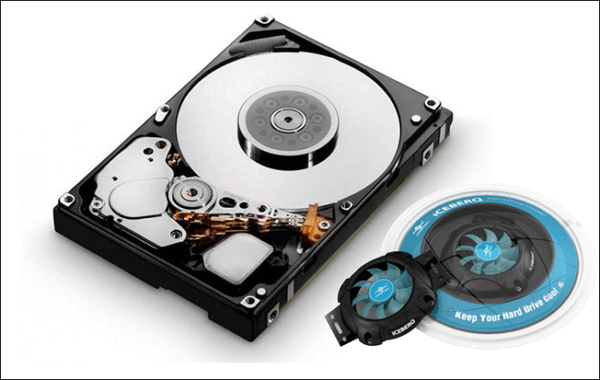
Now the question is, what are the symptoms of hard drive hitting? Here we are listing some of the acute symptoms of an over hitting a hard drive, which are:
- Files take a long time to open.
- You notice excessive physical heat.
- Programs take a long time to load fully.
- There's a delay between input and action.
- Your device takes a long time to awaken from sleep or stand by.
- Performance issues and lag when watching videos or playing games.
If you're experiencing symptoms such as your computer freezing frequently, shutting down randomly, or making strange noises, it may be due to the hard drive over-hitting issue.
How to Keep Hard Drive Cool - 5 Tips
Here in this part, we will guide you on how to keep the hard drive cool. We will list five excellent working tips to help you avoid overhitting issues on your hard drive, so let's get started with more details.
Reduce the Ambient Temperature
If you notice your hard drive is overheating, it could be due to the high ambient temperature in your PC room. To prevent this, it's recommended to keep the room temperature below 21°C to keep your hard drive cool.
Consider Your Usage
To prevent overheating, it's essential to manage your hard drive usage. When you have multiple programs and files open at the same time, it puts a lot of pressure on the drive, leading to overheating. To avoid this, close any unnecessary programs and files, allowing your hard drive to stay cool and prolong its lifespan, even with casual use.
Clean Your Device's Vents
Cleaning your PC's vent regularly, ideally every month, is essential to maintain optimal airflow and prevent overheating, which can negatively impact your hard drive's performance.
Upgrade Your Cooling System
If you use your PC intensively, consider upgrading to more powerful cooling fans and a liquid cooling system to maintain a stable temperature and ensure optimal performance, especially when gaming or running resource-intensive programs.
Monitor Your Hard Drive Temperature
To keep your hard drive cool, it's a good idea to monitor its temperature to prevent overheating. There are many online programs available that can easily track the temperature, and a recommended option is Qiling Disk Master, a reliable and feature-rich hard drive temperature monitor.
A Professional Tool to Monitor the Hard Drive Temperature
For monitoring hard drive temperature, we recommend using Qiling Disk Master, a professional tool that offers advanced hard drive monitoring and disk management features. Its disk health feature is particularly useful, tracking system components and attributes related to disk health efficiency, including PC temperature, power on hours, hard drive rotation rate, and other performance-critical metrics.
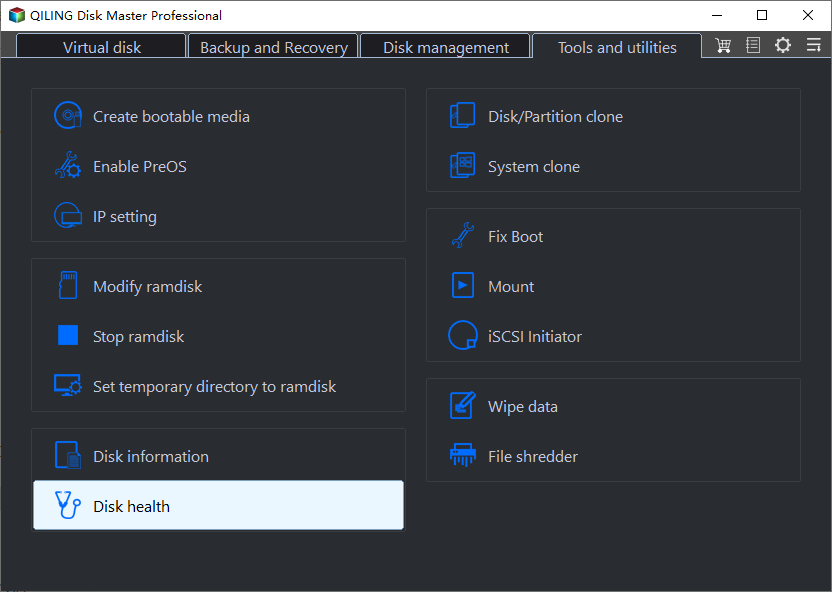
Step 1. Launch Qiling Disk Master, click the blue arrow to activate the "Disk Health" feature under the "Discovery" section.
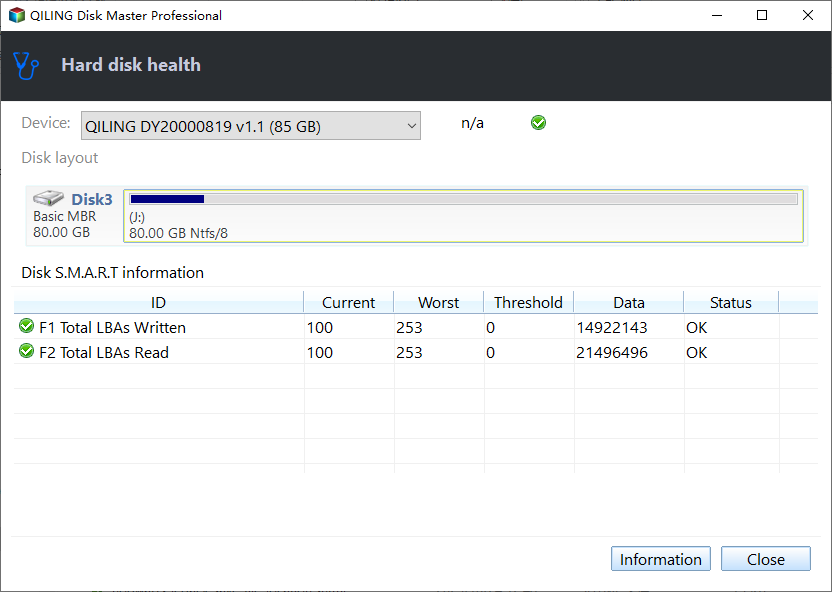
Step 2. Select the target disk and click the "Refresh" button to view its health condition.
The key features of Qiling Disk Master are as follows:
- Test SSD read/write speed
- Check SSD health on Windows 10
- Check SSD temperature on Windows 10
- Check hard drive health on Windows 7/8/10/11
- Run an external hard drive speed test or SD card speed test to ensure they are functioning properly and at optimal speeds. This can help identify any issues or bottlenecks that may be affecting data transfer rates or overall performance.
This tool provides disk temperature readings, allowing users to monitor and manage their hard drive's temperature to prevent overheating issues.
For safety purposes, we recommend using the Qiling Disk Master tool and downloading it only from its official website to avoid any potential risks or malware.
Conclusion
If you're still reading this post, you likely know how to keep your hard drive cool. We've shared the 5 most effective ways to avoid overheating issues with hard drives, so try them all and see which one works best for you. As a professional Windows temperature monitor, Qiling can efficiently check the health status of your HDD or SSD, preventing data loss.
Keep Hard Drive Cool FAQs
Here, we answer some frequently asked questions that might clear your doubts. So, read these answers thoroughly.
1. How do I stop my hard drive from overheating?
To prevent overheating, ensure your PC has an efficient cooling system that can detect temperature increases and speed up fans to improve airflow. Additionally, be aware of your hard drive's temperature range and take steps to prevent overheating, such as manually increasing fan speed during intense activities like gaming. This can help prevent damage to your PC's components.
2. Do hard drives need to be cooled?
Hard drives need to be cooled to maintain their performance and prevent issues like failure and data loss due to overheating, which can also shorten their lifespan.
3. What temperature will damage a hard drive?
Most hard disks can safely operate within a temperature range of 5 to 50 degrees Celsius, with temperatures above this range potentially damaging the drive. However, this also depends on the manufacturer's specifications, and some hard drives are designed to withstand extreme conditions. It's essential to check the official documentation for your specific SSD model to determine its safe operating temperature.
Related Articles
- How to Fix 'Switch User' Option Missing in Windows 10/11
- (3 Easy Solutions) How to Safely Reset Registry Windows 10
- What Is System Restore Command and How to Use It on Windows 11/10
- Top 8 Ways to Fix Kernel Mode Heap Corruption BSOD Error
- Top 7 Best Product Key Extractor for Windows 11/10
Looking for the best product key extractor for Windows 11/10? Discover the top 7 tools to recover lost Windows, Office, and software product keys quickly and easily. - Quick Fixes for Windows Stuck on Repairing Disk Error in Windows 10/8/7
If your Windows 10/8/7 computer is stuck on "Repairing disk errors" or fails to boot with this error message, don
Products
Articles & Tutorials
- Data Recovery
- Data Backup
- File Recovery
- File Backup
- System Backup and Restore
- Disk and Partition Clone
- Technical articles
- Mobile articles
- Disk Master Help
- Windows Data Recovery Tutorials
- Windows Secure Delete Tutorials
- Windows Partition Management Tutorials
- Windows File Backup and Restore Tutorials
- Windows System Backup and Restore Tutorials
- Windows Disk Backup and Restore Tutorials
- Windows Clone Tutorials