10 Best Free ISO Burner Software for Windows [New Checklist]
Key Takeaways:
- To install Windows OS from ISO, you'll need to use a reliable ISO-burning software. This software will help you create a bootable USB drive or CD/DVD from the ISO file, allowing you to install Windows on your computer.
- If you need to burn, convert, and transform disc image files, free ISO burning tools can assist you.
Qiling will help you choose the best free ISO burner according to your needs by comparing the top 10 options. Burning ISO files requires specialized software, whether you're burning Windows systems or images to DVD/USB, so finding a reliable tool is necessary. This article discusses the 10 best free ISO burners, providing a guide to find the most suitable tool for burning ISO files.
Overview of 10 Free ISO Burner Software
There are many free ISO burners available, but not all of them are the best. To help you choose, we've selected the top 10 free ISO burner software, which we've reviewed in terms of compatibility, supported disks, key features, and technical support. This provides you a quick overview of each option, allowing you to pick the one that suits your needs.
| Comparison | Supported OS | Supported Disk | Burning Highlights | Technical Support |
|---|---|---|---|---|
| Full version of Windows 11/10/8/7 and Windows XP/Vista/Server | USB/DVD/CD | Strong support for burning ISO to USB | Online and remote technical service and support | |
| Windows XP - Windows 10 | CD/DVD | Aim at creating bootable discs from ISO | Technical support | |
|
32-bit Windows 98/XP/Vista and 64-bit Windows XP/Vista/7/8/10 |
CD/DVD/USB | Strong support for all types of image files | Only tutorial support | |
| Windows 2000/XP/Vista/Server 2008 | CD/DVD/Blu-ray disc | Suitbale for simple CD buring | Only contact support | |
| Windows XP/Vista/Windows 7/8/Windows 10 | CD/DVD/Blu-ray disc | No support | ||
| Windows 95/98/Me/XP/2003/Vista/2008/2/8/10 | CD/DVD/Blu-ray disc | Guides support | ||
| Windows 8/8.1/10 | CD/DVD/Blu-ray disc | Designed for ISO to disk converter | No support | |
| 32-bit Windows 2000/XP/Vista and 64-bit Windows XP/2003/Vista/7/8/10 | CD/DVD/Blu-ray disc | For large file burning | No support | |
| Windows XP/Server/Vista/7/8/10 (x86 / x64) | CD/DVD | No technical support | ||
|
Windows XP/2003/Vista/7/8 |
CD/DVD | Designed for disk image files | Guide from website |
The ten best free ISO burners are each well-supported in their unique area, with their own strengths and weaknesses. Reading further will reveal the pros and cons of these tools, providing a comprehensive understanding of their capabilities. If you find this information helpful, you can share it with others who may be in need of a reliable ISO burner.
10 Free ISO Burner Recommend and Download
An ISO file is a single file that contains an exact copy of the entire disc, including all program files, and can be used for disc backup. It's also widely used for programs, systems, and audio/video, and can be burned to CD-ROM for viewing and operation.
When selecting a free ISO burner, consider its pros and cons, including technical support, product security, additional features, and other factors to make an informed decision. This will help you choose the most suitable ISO burner for your needs.
1. Qiling Disk Master
Qiling Disk Master is a computer management tool that supports ISO files and allows creating bootable USB/CD/DVDs from ISO, making it useful for installing operating systems from ISO files, with the added feature of automatically downloading ISO files and performing the task.
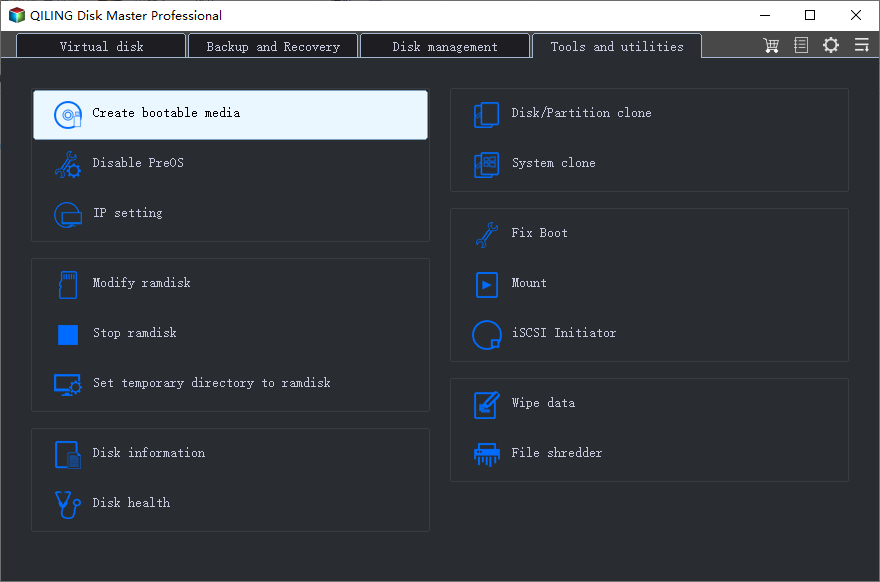
Here are the pros and cons of Qiling Disk Master:
Pros
- Simple interface for inexperienced users.
- High compatibility, supports all Windows versions and DVD/CD/USB.
- Provides one-Stop service for burning ISO to USB, DVD, and external hard drive on Windows 10.
- The software provides many additional features, including partitioning, cloning, and disk conversion, among others.
- Provides technical support.
Cons
- Lack of support for burning ISO videos.
- To access some advanced features, an upgrade to the Pro version is required.
Download button:
#ISO Burner#Windows ISO Burner#Burn Windows ISO
The reviews from SoftwareHow suggest that Qiling Disk Master is a user-friendly software that offers a simple and intuitive interface, making it easy to use even for those who are not familiar with disk management tools. Users have reported being able to create, format, and delete partitions with ease, as well as recover lost data from damaged or corrupted disks.
You can share this helpful ISO burner with your friends to make it easy for them to create Windows ISO installation media. It's a great tool to have, and it can save them time and effort in the process.
2. Passcape ISO Burner
Passcape ISO Burner was initially designed to create bootable CDs from ISO images, but its functionality has since expanded to include features such as partitioning schemes and ISO image extraction.
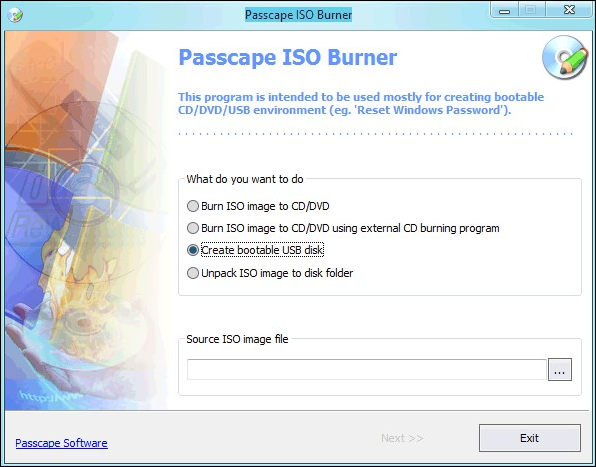
Here are the pros and cons of Passcape ISO Burner:
Pros
- It requires no installation.
- It will work without installing CDs or DVDs.
Cons
- Need to modify the basic system settings.
- Requires administrative privileges.
Download page: https://www.passcape.com/passcape_iso_burner
#Burn ISO File#ISO Burner#CD ISO Burner
To learn more about how Passcape ISO Burner software works, we've reviewed the tool from the perspective of gHacks, a reputable source that provides detailed insights into software functionality.
3. PowerISO
PowerISO is a comprehensive disc image solution that supports various file formats, including ISO, BIN, and NRG, making it a one-stop solution for disc image problems. It also ensures good compatibility with audio and video files, providing a seamless experience for users.
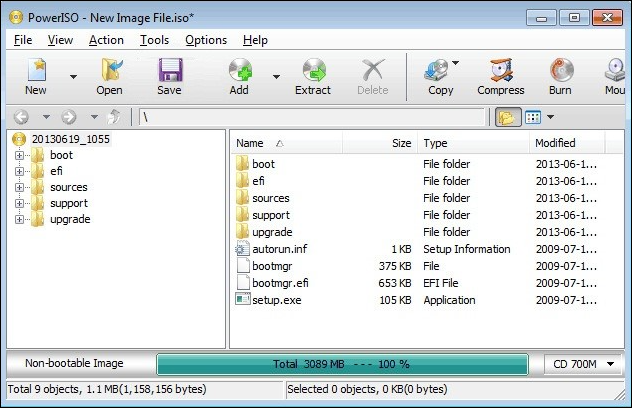
Here are the pros and cons of PowerISO:
Pros
- Good compatibility with a wide range of disc formats.
- Can edit ISO files in the software.
Cons
- An unregistered copy can only support ISO files of 300MB.
- GUI is outdated, so it is hard to find updates.
Download page: https://www.poweriso.com/download.htm
#Burn ISO#ISO Burner#Burn ISO to CD
Based on user reviews and ratings on Capterra, PowerISO has been selected as a top choice for many users due to its user-friendly interface, efficient file management, and ability to handle large files with ease. This software is particularly popular among users who need to work with ISO files, as it allows for easy creation, editing, and burning of ISO images.
4. Active@ ISO Burner
Active@ ISO Burner is a free utility provided by Soft Technologies that offers several burning modes for copying multiple files. It also enables the creation of multiple copies on the same disc, making it useful for file backup purposes.
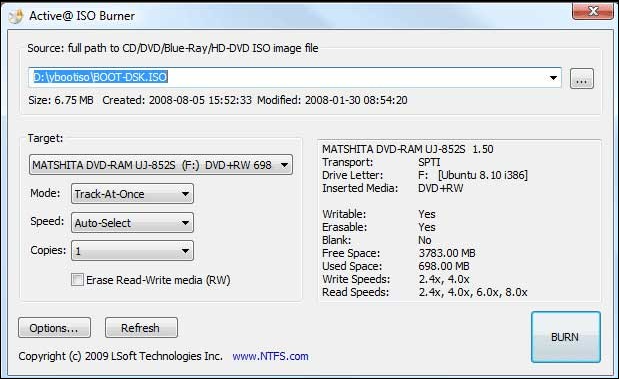
Here are the pros and cons of Active@ ISO Burner:
Pros
- The script accepts command line parameters to automate the ISO image burning process, allowing users to specify the ISO file, burn speed, and other settings through the command line. This enables users to perform the ISO burning process with minimal user interaction, making it more convenient and efficient.
- Multiple output formats.
Cons
- Presence of some advertisements for other products.
- Lack of editing or conversion capabilities.
- Automated burning may cause data loss.
Download page: https://www.lsoft.net/iso-burner/
#ISO Burner#Free ISO Burner#Burn Files
Based on user reviews, Active@ ISO Burner is a reliable and user-friendly tool for burning ISO images to CDs, DVDs, and USB drives. Users praise its simplicity, ease of use, and ability to handle large files.
5. Free ISO Burner
Free ISO Burner is a software that allows users to burn ISO, CD, and other files directly to CD-R and other discs, eliminating the need for virtual drives. It supports a wide range of discs, including CD-R, DVD-R, DVD+R, CD-RW, DVD-RW, DL DVD+RW, HD DVD, and Blu-ray discs. The tool offers customization features, such as selecting the burning driver and setting the burning speed and cache, providing users with flexibility and control over the burning process.
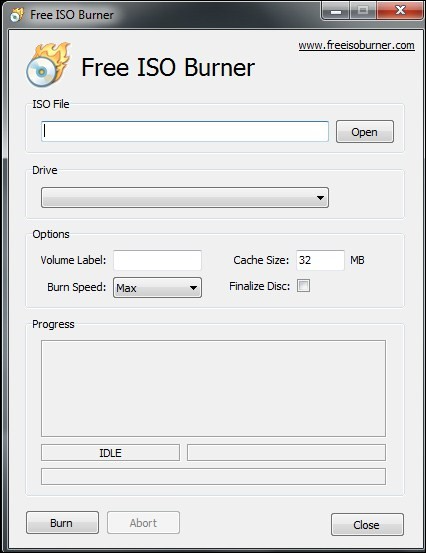
Here are the pros and cons of Free ISO Burner:
Pros
- Easy interface, free ISO burning in a few simple steps.
- The device supports a wide range of discs, including CDs, DVDs, and Blu-ray discs, while also allowing users to customize their burning requirements, such as file format and burning speed.
Cons
- Windows may delete the program as a redundant file.
- No commercial version. Features are hidden in the software.
- Some malware and viruses may come with it.
- No technical support.
Download page: http://www.freeisoburner.com/
#Free ISO Burner#DVD ISO Burner
To get a more precise idea of the user experience with Free ISO Burner software, we have carefully selected the reviews from the download page, where users have shared their experiences, with some praising the software's ease of use and effectiveness, while others have reported issues with the burning process, such as errors or incomplete burns.
6. ImgBurn
ImgBurn has powerful features, supporting many image formats and allowing users to burn, convert, and create ISO images from various sources.
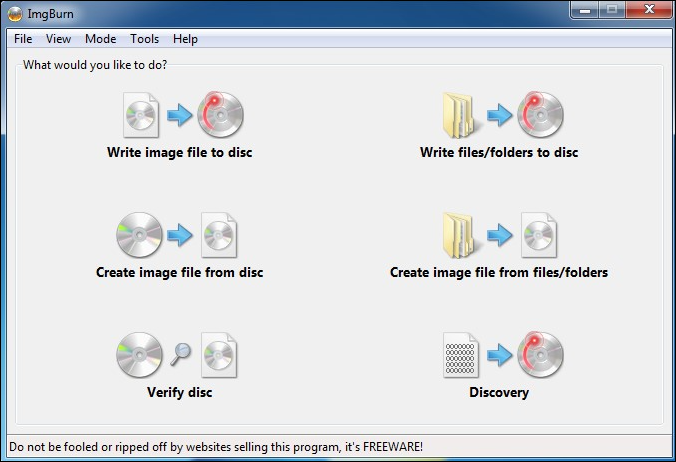
Here are the pros and cons of ImgBurn:
Pros
- Support for dual-layer DVD jobs.
- Support for many advanced features.
Cons
- Typical configuration, not suitable for beginners.
- Adware may be provided during the installation process.
- It stopped updating for a long time.
Download page: https://www.imgburn.com/
#Image ISO Burner#File ISO Burner#Burn ISO to CD
To help you make a better choice, we have selected from PCWorld about the experience of using ImgBurn, which is a free burning software that can burn CD, DVD, HD-DVD, and Blu-ray discs. It also has the ability to create and burn ISO images, as well as rip audio CDs and DVDs.
7. ISOburn
ISOburn is a straightforward solution for burning ISO image files, with strong compatibility for video, audio, and photo digital files. It's designed for basic burning operations, allowing users to create integrated audio CDs or DVDs, either in a single layer or in layers.
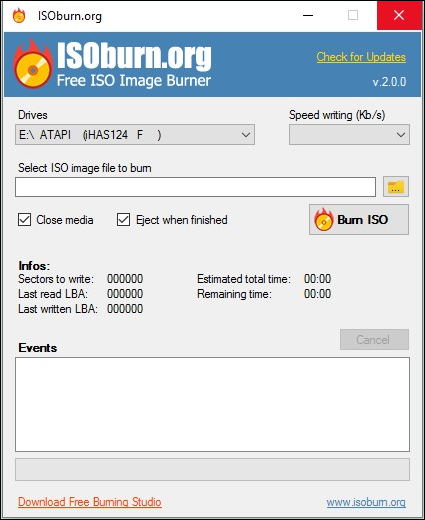
Here are the pros and cons of ISOburn:
Pros
- No other adware.
- Simple and easy to use.
Cons
- Net Framework 4+ is required to run efficiently.
- Cannot erase rewritable CDs.
Download page: https://isoburn.org/
#ISO Burner#Media File ISO Burner#Burn Photos#Burn Videos
To help you make a better choice, we have selected reviews from the download page about the experience of using ISOburn.
8. AnyBurn
AnyBurn is a lightweight ISO cloning software for Windows that offers rich ISO solutions, including copying and burning ISO image files, switching between different disc image files, and making bootable USB drives.
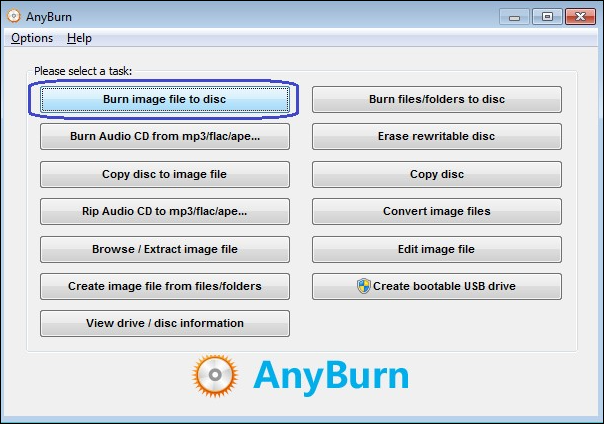
Here are the pros and cons of AnyBurn:
Pros
- Lightweight software that doesn't take up too much space.
- Suitable for large file-burning processes.
- Supports creating bootable USB drives and installing Windows.
Cons
- Limited support for data disks.
- Cannot copy multiple discs.
Download page: https://www.anyburn.com/download.php
#Burn ISO#Multi-Media File Burner#Windows
AnyBurn is a free and user-friendly disc burning software that offers a range of features, including support for various file formats, customizable settings, and the ability to create bootable discs. Users praise its simplicity, ease of use, and fast burning speeds.
9. CD BurnerXP
CD BurnerXP allows users to burn ISO files to various types of discs, including CDs, DVDs, and Blu-rays, and also enables the creation of ISO images from existing discs. It offers a range of functions, including converting image file formats, creating and erasing discs, and more, making it a versatile but potentially complex tool.
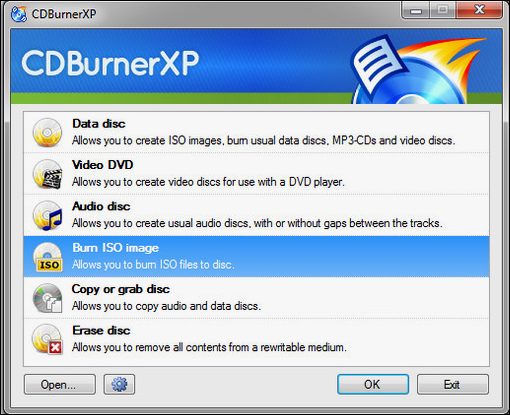
Here are the pros and cons of CD BurnerXP:
Pros
- The software interface supports multiple languages.
- Burning audio does not leave traces between tracks.
Cons
- Data verification takes a lot of time and burns slowly.
- Lack of more advanced features.
Download page: https://cdburnerxp.se/en/download
#ISO Burner#CD Burner#Video Burner
To learn more about how you feel about CD BurnerXP software, we have selected the following reviews from TechRadar:
10. WinISO
WinISO is a tool provided by Windows that specializes in working with CD images, allowing users to edit, convert and extract ISO files, as well as create bootable CD/DVD/Blu-ray images.
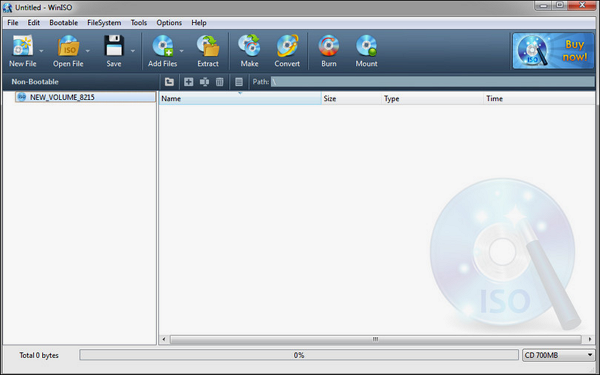
Here are the pros and cons of WinISO:
Pros
- Complete technical support system.
- A comprehensive solution for ISO burning requirements.
Cons
- It only allows users to save files up to 500MB.
- The free version has limited features.
Download page: https://winiso.com/
#Windows ISO Burner#Burn ISO#Free
WinISO software has received positive reviews from users, with many praising its user-friendly interface and ability to handle various file formats. Some users have reported issues with the software's performance, such as slow processing times or crashes, but these seem to be relatively rare.
If you think the above 10 ISO Burner software are great and you like some of them, don't forget to share this page to help more of your friends online.
You May Also Like:
Conclusion
This article provides an overview of free ISO burners, covering various burning tools that can be used to burn files, video, audio, and systems. Whether you're looking to burn a specific type of file or system, you can find the right software for your needs in this article.
- Qiling Disk Master offers the Burn ISO feature to help users easily clone their downloaded ISO to DVD for installing or upgrading their operating system.
- If you're looking for software to burn ISO discs, consider using ISOBurn, AnyBurn, or PowerBurn - all of which are reliable options.
Choosing the right free ISO burning tool can be a daunting task, but this article aims to help you make an informed decision. With a plethora of options available, it's essential to consider your specific needs and requirements before selecting the best tool for you.
FAQs About Free ISO Burner
If you're interested in learning more about the free ISO burner, keep reading. This part will offer additional questions related to the software, providing you with further information and insights.
1. Does Windows 10 have an ISO burner?
Windows 10 has a built-in ISO burner called Windows Disc Image Burner, which allows users to burn an ISO file to a CD, DVD, or Blu-ray disk.
2. What should be a good ISO burner?
A good ISO burner should meet your needs perfectly, be safe, and offer technical support. If you want to burn ISO to USB/DVD and create bootable media, Qiling Disk Master is a suitable option. Alternatively, if you want to create and write ISO images to CD, ImgBurn is a good choice.
3. How to burn an ISO to USB?
To burn an ISO to USB, you can use third-party tools like Qiling Disk Master, Rufus, or YUMI. For example, with Qiling Disk Master, you'll need a USB drive and an ISO file downloaded beforehand. Then, follow the steps to complete the process.
Step 1. Launch Qiling Disk Master to turn to Bootable Media.
Step 2. Select Burn ISO and click Next.
Step 3. Select and open the ISO files you download.
Step 4. Choose the target USB and click Burn.
Related Articles
- Best Bootable Manager Software for Windows 2023 Recommend
- How to Fix SSD Health at 99% [Full Guide in 2026]
- Reset Windows 10 Password with USB Drive - 3 Ways with Guide
- How to Upgrade Xbox 360 Hard Drive to SSD [Easy Tutorial]
- Selected Boot Device Failed - 6 Quick Fixes with Pictures
Does your PC encounter the error of the selected boot device failed? Learn six quick fixes step-by-step with pictures to resolve the issue in no time. - How to Fix Selected File Is Not a Proper BIOS [4 Ways]
Learn 4 effective methods with our expert troubleshooting guide to resolve the selected file is not a proper BIOS issue easily to get your system running smoothly again.
Products
Articles & Tutorials
- Data Recovery
- Data Backup
- File Recovery
- File Backup
- System Backup and Restore
- Disk and Partition Clone
- Technical articles
- Mobile articles
- Disk Master Help
- Windows Data Recovery Tutorials
- Windows Secure Delete Tutorials
- Windows Partition Management Tutorials
- Windows File Backup and Restore Tutorials
- Windows System Backup and Restore Tutorials
- Windows Disk Backup and Restore Tutorials
- Windows Clone Tutorials