Top 6 SSD Benchmark Tools Recommend and Free Download
The article explores the terminology of SSD (Solid State Drive) benchmarking and reviews the top six SSD benchmark tools for Windows users, helping you learn how to evaluate the performance and storage speed of your computer's vital SSD component, which stores your data, including operating systems, documents, and applications.
As an SSD user, benchmark technology can help enhance its efficiency. SSD benchmarks are standardized workloads with specific reporting rules and measurement methods, making them unchangeable.
If you are clear about the SSD benchmark, continue to read, and we will introduce more useful tools. Click the button below to share with other people in need.
6 Best SSD Benchmark Tool Recommend
This section will introduce 6 SSD Benchmark tools to run multiple SSD speed tests on Windows computers, allowing users to evaluate the performance of their solid-state drives.
You can choose one from the list of SSD Benchmark tools that suits you best. Feel free to share this list with your friends online to help them monitor their SSD performance easily.
1. Qiling Disk Master
Qiling Disk Master takes the top spot as it supports all storage devices, making it a valuable tool for testing SSD performance. Compatible with all Windows versions, it's also incredibly easy to use, even for non-tech-savvy users. This makes it a must-have for anyone looking to test their SSD's workload.
Download it, and you can enjoy the convenience it brings to you.
Features:
- One-click to test SSD Speed.
- Test read/write speed, test disk I/O speed, and delay speed.
- Create a test result report for users to save.
- Apply to test all types of SSD drive speeds.
- Support SSD 4K Alignment.
This tool is also a reliable NVMe SSD benchmark software, allowing users to test and evaluate the performance of their NVMe solid-state drives. For more detailed information on how to use this powerful tool, click the link below.

How to Run SSD Performance Test (Step-by-Step Guides)
Regularly checking SSD performance is essential. There are two methods to do so, which can be compared based on several aspects such as ease of use, accuracy, and time required.
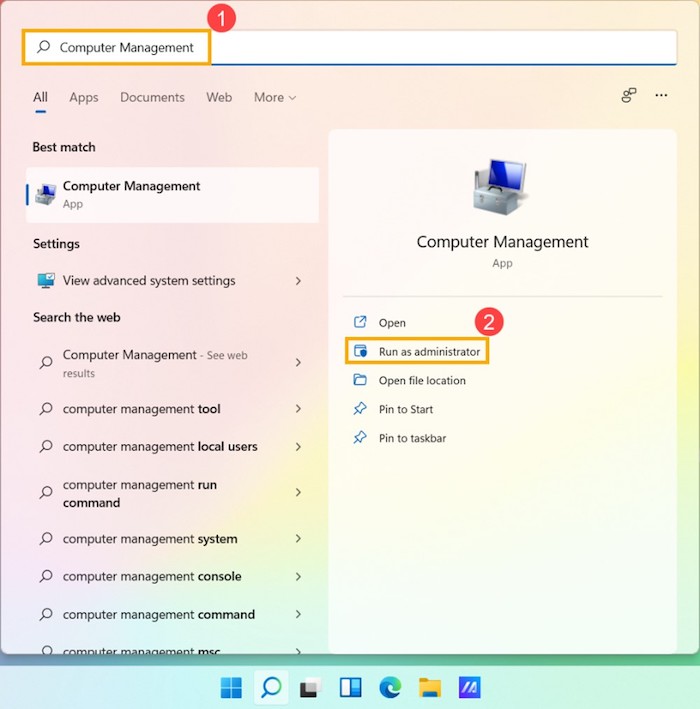
This software can also support performing an SSD health check and checking SSD temperature to ensure your SSD is in good performance, and can be downloaded.
2. AS SSD
AS SSD is a tool designed to measure SSD performance and read/write speed, providing detailed reports with a final score. It also features a copy benchmark that allows for hassle-free benchmarking of SSD drives.
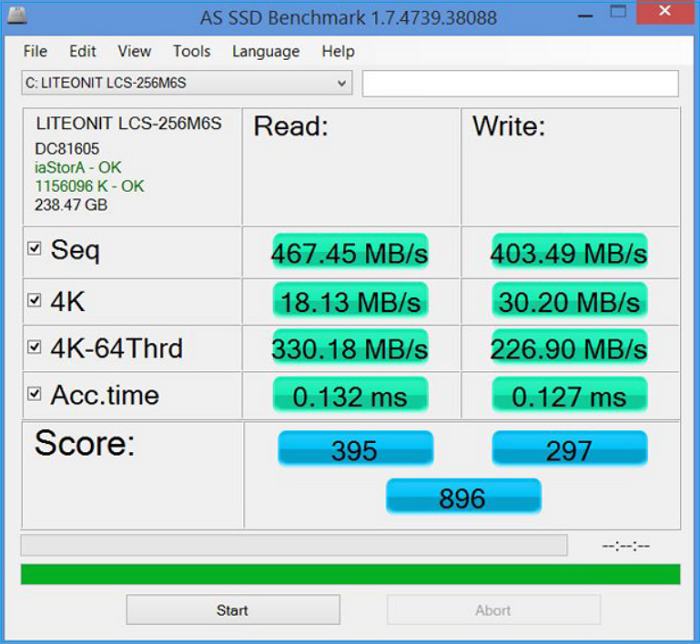
Click here to download and use this tool now: https://as-ssd-benchmark.en.softonic.com/
Features:
- Carry out several specific tests.
- Customization of settings.
- Measure read/write speed according to data size.
- Allow users to compare the results of different drives
#SSD Benchmark Tool#Benchmark SSD Performance#SSD#Free
3. CrystalDiskMark
CrystalDiskMark is a tool that allows users to benchmark the performance of their Solid State Drives (SSDs) by measuring sequential and random read/write speeds. It also offers the option to schedule SSD optimization if needed. With its user-friendly interface, CrystalDiskMark is a well-established tool in the market for testing hard drives and solid-state drives.
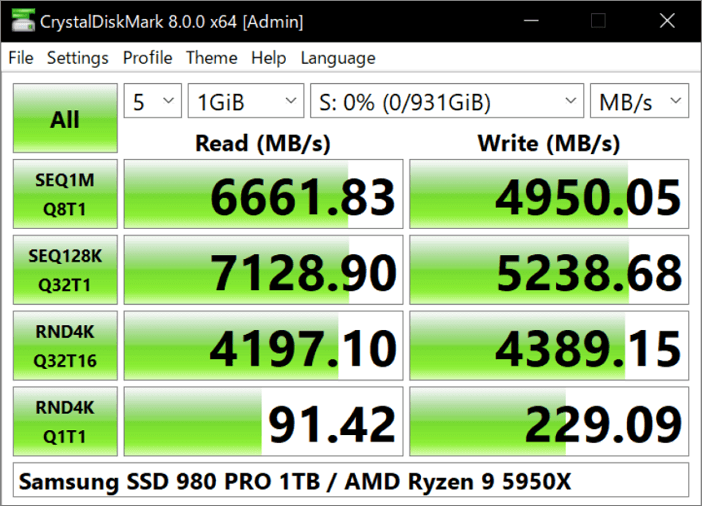
Click here to download and use this tool now: https://crystalmark.info/en/download/#CrystalDiskMark
Features:
- Runs both sequential and random read/write tests.
- Displays quick and easy-to-understand results.
- It can measure any drive, including incompressible and compressible data.
- It can support a queue depth of up to 32.
#CrystalDiskMark#SSD Benchmark Tool#Free#SSD
4. ATTO Disk Benchmark
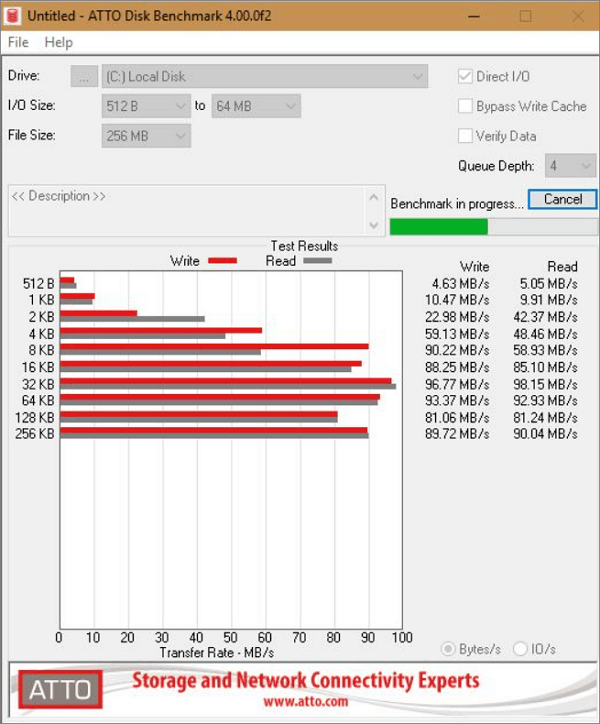
The ATTO Disk Benchmark is a popular tool for testing HDD (Hard Disk Drive) and SSD read/write speeds, allowing straightforward testing with predefined block sizes up to 8MB. It offers a simple interface for beginners to perform tests and view data results, helping to manage the best SSD performance. Testing file sizes range from 64KB to 2GB, with queue depths from 2 to 10.
Click here to download and use this tool now: www.atto.com/disk-benchmark/
Features:
- I/O comparisons with various test patterns.
- It supports several line depths.
- Its time mode enables users to continuous testing.
- Non-destructive testing on formatted drives.
- Support for overlapped I/O.
#SSD Benchmark Tool#Monitor SSD Performance#Free
5. lometer
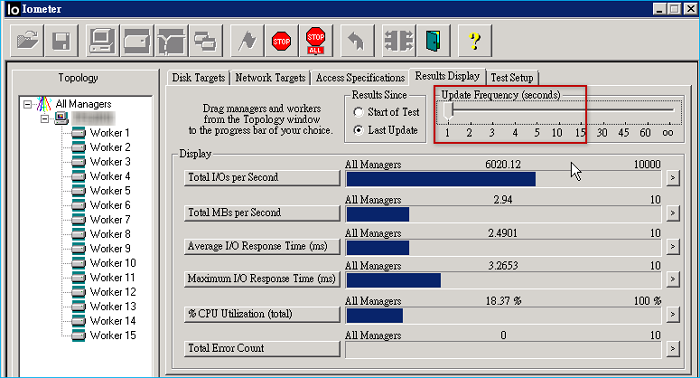
Iometer, developed by Intel in 1998, is an open-source SSD benchmarking software that has become a staple in the storage industry. It offers in-depth testing and reporting capabilities, allowing users to run multiple tests and customize its functionality. However, its user interface is more complex compared to other tools.
Click here to download and use this tool now: https://sourceforge.net/projects/iometer/files/iometer-stable/1.1.0/iometer-1.1.0-win64.ia64-bin.zip/download
Features:
- Create multiple tests for I/O workloads.
- Random read and write speeds.
- Great bandwidth and latency capabilities.
- Compare data using different patterns.
- Supports mixed I/O.
#Benchmark SSD#SSD Benchmark Software
6. PCMark10
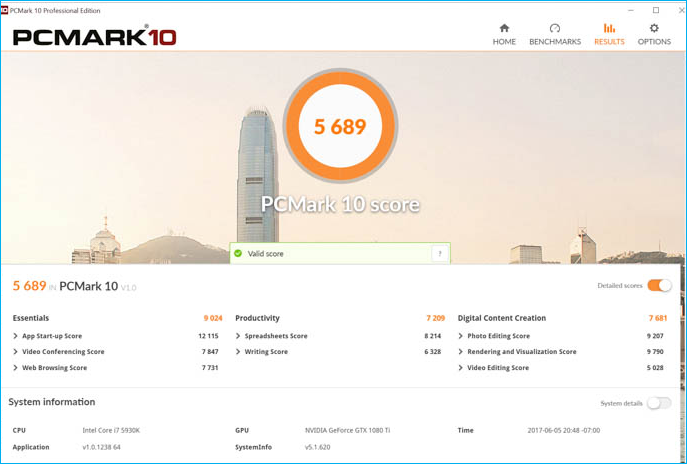
PCMark10 has evolved from focusing on traditional HHDs to supporting a range of test options, including SATA SSDs, hybrid drives, and the latest PCIe 4.0 NVMe storage drives. With its advanced features, PCMark10 is now a popular benchmarking tool, offering exciting new capabilities. It's also user-friendly, with a free basic version available for personal use, allowing users to run major benchmark tests for heavy workloads and report results.
Click here to download and use this tool now: benchmarks.ul.com/pcmark10#buy
Features:
- Quick system drive benchmark for light workloads.
- Relevant tests to fulfill trending storage needs.
- You can evaluate and compare the latest SSDs.
- Accurate and unbiased test result.
- Provides extended and custom run option.
#SSD Benchmark Software#Benchmark SSD Performance#SSD
You May Also Like:
Understand the Terminology of SSD Benchmark
Solid-SSD benchmarking is the process of testing the performance of your solid-state drive (SSD) under different situations and workloads. This process allows users to understand and test the read/write speed, performance, and lifespan of their SSD, making HDD benchmark tools a valuable resource for those seeking relevant results.
Windows users with an SSD in their system should be familiar with SSD benchmark terminology. To comprehend the most common specifications of SSD benchmarking, it's essential to understand how SSDs work. SSD benchmarking typically involves measuring an SSD's performance in various aspects, including read and write speeds, access times, and overall system responsiveness.
- Throughput: The data transfer rate measures the speed at which data is transferred between a drive and a computer, typically expressed in megabytes (MB) or gigabytes (GB) per second. It provides a concrete estimate of storage performance by showing how much data can be processed and transferred.
- IOPS: IOPS stands for input/output operations per second, measuring the high input and output performance of SSDs and HDDs, representing how quickly they can read and write data per second.
- Latency: The tool shows the processing time of I/O operations, providing results in microseconds or milliseconds, which measures the SSD response time. A lower latency indicates better performance from your SSD.
- 4K: 4K is a measure of how quickly an SSD can write multiple small files, which is the least read and write unit in SSDs.
- 64 thread: Queue depth measures how many I/O requests can wait at one time on an SSD, and a depth of 64 indicates that 64 requests can be held in queue. The 64-thread write speed, meanwhile, measures how fast a device can write random 4K data blocks and how many I/O requests can wait at once on a solid-state drive.
Further Reading:
Conclusion
Understanding the importance of SSD benchmarking and how it works is crucial, and a summary of the six industry-leading SSD benchmark tools can fulfill all your needs.
If you're looking for an advanced yet user-friendly tool, we suggest using the Qiling Disk Master software. This tool allows you to test SSD speed with just one click and offers various disk optimization features to enhance SSD performance.
FAQs About SSD Benchmark Tool
The SSD benchmark tool is a software application designed to measure the performance of solid-state drives (SSDs). It evaluates various parameters such as sequential read and write speeds, random read and write IOPS (input/output operations per second), and endurance.
1. How do I benchmark my SSD?
A third-To benchmark your SSD, the party SSD benchmark tool is best used, specifically Qiling Disk Master, which allows you to follow a series of steps.
Step 1. Launch Qiling Disk Master and navigate to the "Discovery" section, then select "DiskMark".
Step 2. Choose the target drive, set the test data, and click "Start".
2. How to test SSD speed in Windows 10?
To check the read/write speed of your SSD, open Task Manager, click Performance, and select your Disk from the left column. This will display the current read/write speed of your SSD.
3. What program tests SSD speed?
Here are some top listed third-party programs to test SSD speed:
- Qiling Disk Master
- CrystalDiskMark
- AS SSD
- ATTO Disk Benchmark
Related Articles
- How Big Is Valorant | Download Size & System Requirement🔍
- Should I Select Disk Cleanup Compress Your OS Drive? Your Answer Is Here [2024 Full Guide]
- What Is the Easiest Way to Shred Files in Windows 10?
- Tutorial: How to Resize External Hard Drive on Windows 10/11
If you're looking for a comprehensive guide on how to resize external hard drives, we've can help! Our guide will walk you through the entire process, from preparation to execution, to help you resize your external hard drive with ease. - How to Stop Disk Checking and Stock CHKDSK on Startup in Windows 11
It is a very time-consuming process when chkdsk runs automatically every time startup of Windows 11 - looking for solutions on how to stop disk checking in Windows 11. Here is a detailed guide for you to stop chkdsk on startup. - How to Fix System and Compressed Memory 100 Disk Usage (7 Fixes)
If you receive a 100 disk usage problem caused by the System and compressed memory, you can solve this high CPU issue now. We provide you with 9 fixes to fix the System and compressed memory high disk usage in Windows 11/10/8/7. Read on and solve your problems now.
Products
Articles & Tutorials
- Data Recovery
- Data Backup
- File Recovery
- File Backup
- System Backup and Restore
- Disk and Partition Clone
- Technical articles
- Mobile articles
- Disk Master Help
- Windows Data Recovery Tutorials
- Windows Secure Delete Tutorials
- Windows Partition Management Tutorials
- Windows File Backup and Restore Tutorials
- Windows System Backup and Restore Tutorials
- Windows Disk Backup and Restore Tutorials
- Windows Clone Tutorials