What Are the Best External SSDs for Backup [5 Recommendations]
If you're looking for the best external SSDs for backup, this page has got you covered. It lists the top 5 options, providing detailed information on their capacity, price, pros, and cons, making it easier for you to make an informed decision.
Introduction
Data backup is crucial for maintaining privacy and economic security, but choosing a safe location for backup is essential. One option to consider is a Solid-State Drive (SSD), which raises questions about its suitability for backup and whether it's possible to move the operating system (OS) to an SSD. Further reading is recommended to explore these topics.
Are External SSDs Good for Backup?
SSDs have become increasingly affordable, with prices plummeting over the past few years. As a result, portable SSDs that can fit in a pocket and run on USB power now offer speeds up to ten times faster than portable hard drives, with added benefits of greater durability.
Its main advantages are as follows:
- More durable
- Faster
- Easier to carry
- No noise
With numerous SSD brands available in the market, choosing the best external hard drive for backup can be a daunting task. Let's continue to read to find out more.
Which External SSD Is Best for Storage?
There are many SSDs in the market, making it easy to choose one that suits your specific needs. Before making a purchase, it's a good idea to compare several brands based on their specific features. Once you've narrowed down your options, you can consider the top five external SSDs for backup.
Now, let's read the next part to learn more about these five brands.
Best External SSDs for Backup - 5 Recommends
The five best external SSDs for backup are listed here, with each one having its own unique features. Let's start with the first one.
Samsung Portable SSD T7 Touch
The Samsung Portable SSD T7 Touch is a compact, portable, and secure external solid-state drive with excellent performance and easy-to-use security features, including fingerprint reading.
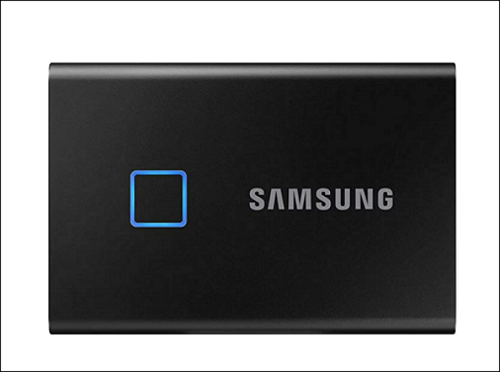
The table provides a comprehensive overview of the product's features, allowing you to learn more about its capabilities and characteristics.
| Features | Samsung Portable SSD T7 Touch |
|---|---|
|
Cost |
|
|
Capacity |
|
|
Pros |
|
|
Cons |
|
|
Suitable Users |
|
SanDisk Extreme Portable SSD V2
The SanDisk Extreme Portable SSD V2 offers good speed and data encryption at a relatively affordable price.
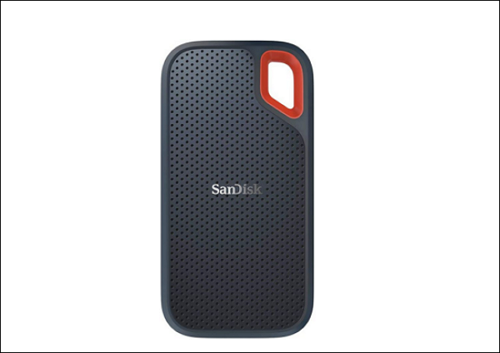
The SanDisk Extreme Portable SSD V2 is a high-performance external SSD that offers a range of features, including a compact design, high-speed transfer rates, and advanced security features. It is designed to be portable and durable, with a ruggedized exterior and a compact size that makes it easy to take on the go.
| Features | SanDisk's Extreme Portable SSD V2 |
|---|---|
| Cost |
|
| Capacity |
|
| Pros |
|
| Cons |
|
| Suitable Users |
|
Crucial X8
The Crucial X8 SSD is a solid choice with excellent performance and a generous storage capacity in a compact size, all at an attractive price.
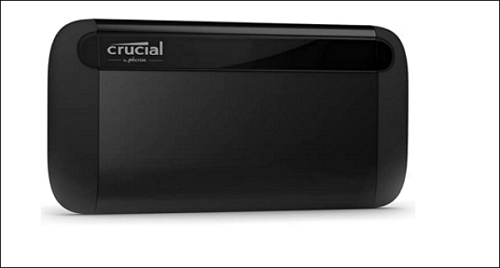
Let's see more features about Crucial X8 in this table.
| Features | Crucial X8 |
|---|---|
| Cost |
|
| Capacity |
|
| Pros |
|
| Cons |
|
| Suitable Users |
|
iStorage DiskAshur M2
The iStorage DiskAshur M2 is a portable SSD that offers robust security features and can withstand harsh conditions, including being run over and exposure to the elements.
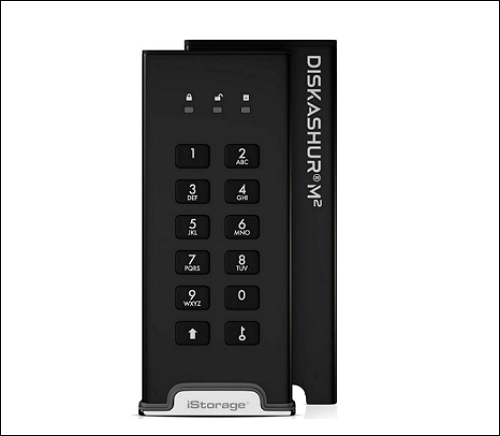
This table can help you learn more about its features.
| Features | iStorage DiskAshur M2 |
|---|---|
| Cost |
|
| Capacity |
|
| Pros |
|
| Cons |
|
| Suitable Users |
|
Kingston XS2000 Portable SSD
The Kingston XS2000 Portable SSD is a compact device that excels in terms of speed and durability, despite its relatively small size.
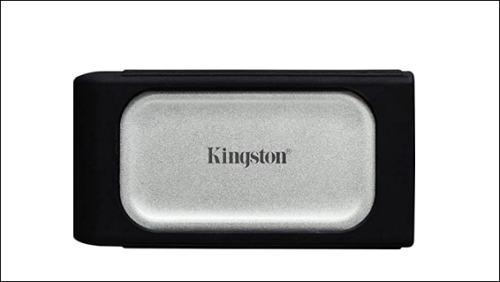
Kingston XS2000 Portable SSD is a compact and lightweight external storage device that provides high-speed data transfer and secure storage for your files. It features a ruggedized design with IP67 rating for protection against water and dust, and a USB-C interface for fast connectivity. The XS2000 also has a high-capacity storage option of up to 4TB and supports password protection and AES 256-bit encryption for secure data storage.
| Features | Kingston XS2000 Portable SSD |
|---|---|
| Cost |
|
| Capacity |
|
| Pros |
|
| Cons |
|
| Suitable Users |
|
We've covered many features of the best external SSDs for backup, but what are they suitable for? Let's continue to explore their capabilities.
What Are the Best External SSD for Mac Backup and Data Backup?
Do you know which the best external SSD for Mac backup or data backup is? There is a table to help you find the answer.
| Best External SSD for Mac Backup | Best External SSD for Data Backup |
|---|---|
|
|
The table shows the pros and cons of different SSDs. You should choose one that suits your needs. However, you need to consider how to back up your data safely.

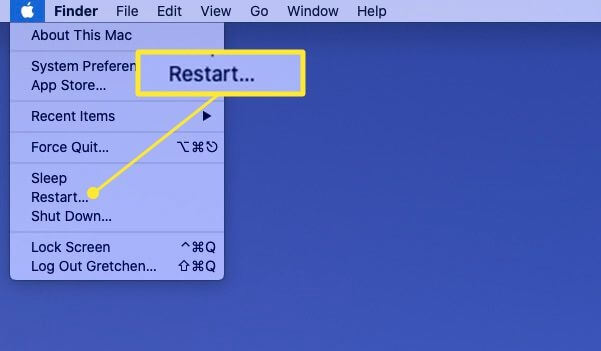
How to fix SSD not showing up on Mac?
SSDs not showing up on Macs can be a frustrating issue, whether it's a brand new or used drive. The problem can arise due to various reasons, including compatibility issues, incorrect installation, or software conflicts. To resolve the issue, users may need to restart their Mac in recovery mode, reformat the SSD, or reinstall the operating system.
How to Use the Best External SSDs for Backup?
External SSDs are a good backup destination, but it's also important to safely back up data to them. Qiling Backup Home is a reliable software that can help users do so.
To back up data to SSDs with Qiling Backup Home, you can follow these specific steps. First, download and install Qiling Backup Home, then create a new backup task by adding the source and destination paths.
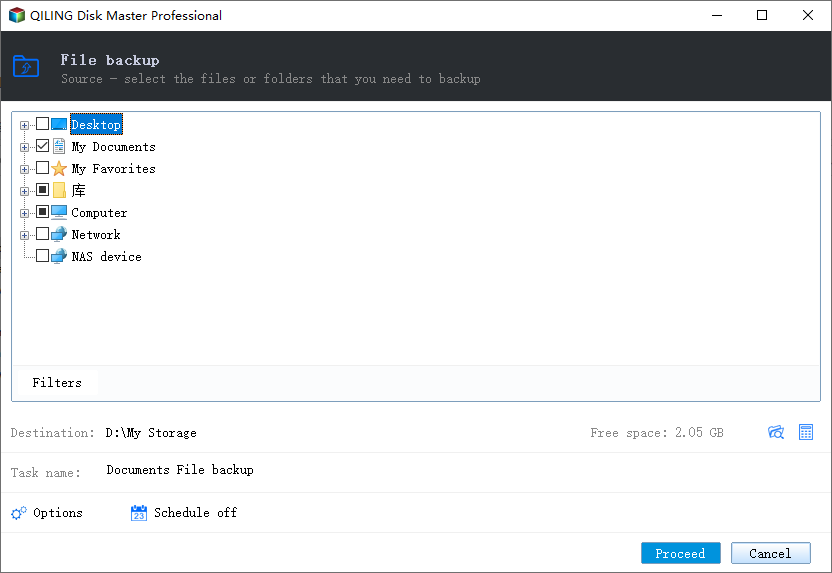
Step 1. When using Qiling Backup for the first time, select File backup on the home screen to back up pictures, videos, documents, and other file types.

Step 2. To back up files, folders, or directories, start by locating them on your device. Select all the desired items by following the paths to find them, and then proceed with the backup process.
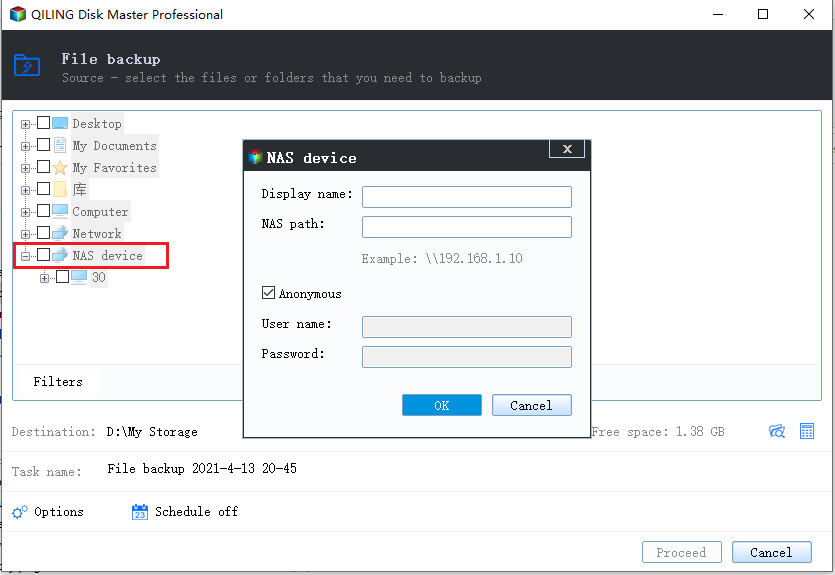
Step 3. You should choose a backup location that is safe, secure, and accessible. This could be an external hard drive, a cloud storage service like Google Drive or Dropbox, or a network-attached storage (NAS) device.
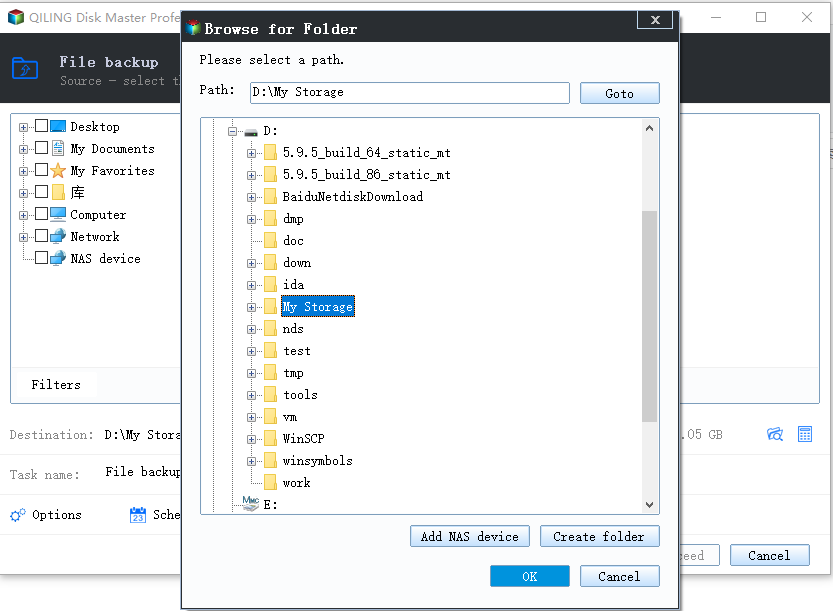
Step 4. Qiling Backup allows users to save backup files to various devices, including local hard drives, external USB drives, SD cards, network drives, and NAS drives, as well as Qiling's own cloud drive. We recommend choosing the cloud drive for greater accessibility, flexibility, and safety, especially for important backups.
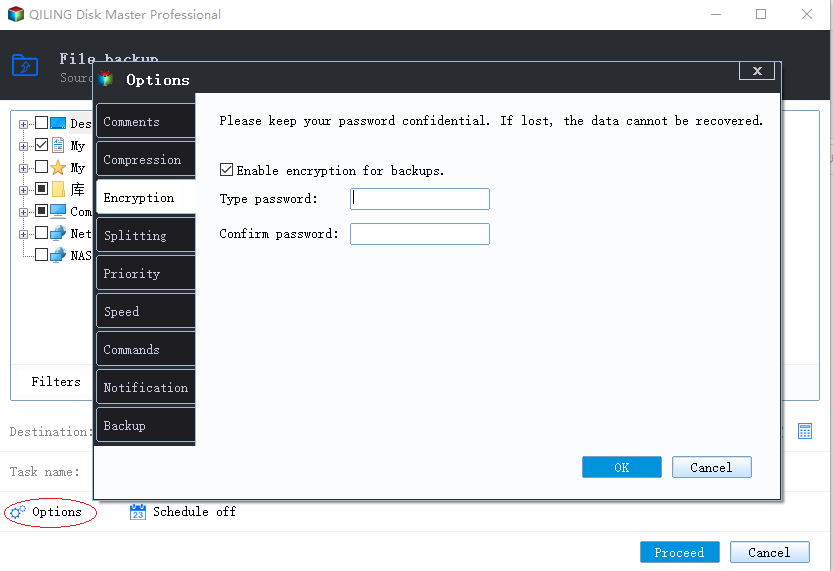
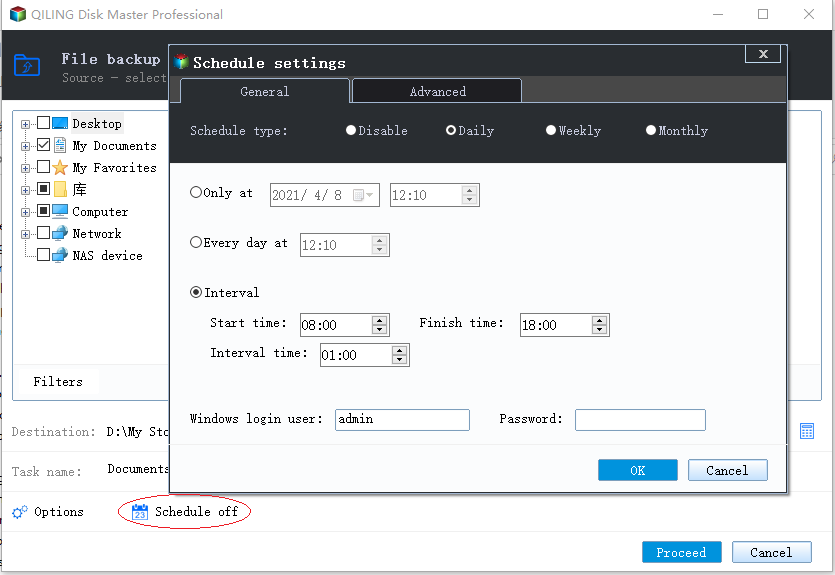
Step 5. If you're looking for a customizable backup schedule, go to the "Options" setting to set up a backup task that can run automatically and intelligently. There, you can choose to encrypt your confidential files, compress the backup image to save space, or schedule the next backup to run at a specific time.
Customize an advanced and automatic backup task here:
Step 6. Click "Proceed" to start the file backup process, and your completed backup files will be displayed on the left in a card style.
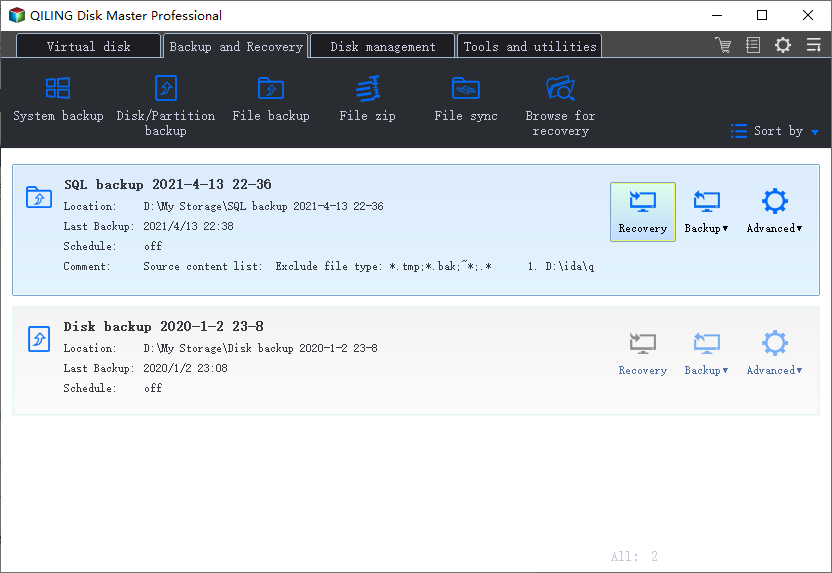
Users can backup hard drive, partitions, and systems to SSDs with the help of it.
What features would you like me to include in the rewritten paragraph? You can give me a hint or provide more context. I'll do my best to summarize the information in a concise and clear manner.
What Else Can Qiling Backup Home Do?
Qiling Backup Home, as a professional backup tool, has many other functions beyond its primary purpose.
There is a list to help you learn:
- Crucial SSD clone
- Clone hard drive to SSD
- Multi-path storage locations
- File, folder, partition, and even system backup
- Scheduled and automatic backup to external hard drive
If you are tired of all kinds of backup problems, just download it and have a try.
Bonus Tip: Will an External SSD Last Longer Than HDD?
The main difference between SSD (Solid-State Drive) and HDD (Hard Disk Drive) is that SSDs use flash memory to store data, while HDDs use physical disks and mechanical heads to read and write data. This difference affects performance, durability, and power consumption.
| Features | External SSD | External HDD |
|---|---|---|
| Cost | $80-$300+ |
39$ - 200$+ |
| Reliability | More reliable | Less reliable |
| Lifespan | Around 20 years | Around 5 years |
| Vibration Resistance | Solid | Fragile |
Generally speaking, an external SSD will last longer than an HDD if properly protected. However, if lost, there may be a difference in lifespan.
FAQs About the Best External SSDs for Backup
Do you have any questions about the best external SSDs for backup? This part lists three questions you may be concerned about. Hope it can help.
1. Are SSDs reliable for backup?
SSDs are generally reliable, with a longer lifespan and shock resistance, providing users with peace of mind when storing data on them.
2. How long will external SSD last?
The lifespan of a well-maintained external SSD is approximately 20 years.
3. How do I keep my external SSD healthy?
The following ways can help:
Keep your computer safe.
- Remove programs that you don't need.
- Think about it before you download any software.
- It's vital to clean the inside and outside of the machine itself.
Related Articles
- [3 Ways] How to Backup Wireless Network Profile
- How to Fix Smart Failure Predicted on Hard Disk 0, 2, 4
- Fix USB Flash Drive Not Working on Windows 10/7
- How Long Does It Take to Factory Reset A PC
- How Do I Password Protect My Files and Folders [All You Should Know]
Learn how to password protect files and folders in Windows. Use encryption, built-in tools, or file protection software to keep private data secure. - How to Fix PC Randomly Turns Off
Random PC shutdowns can be caused by either software or hardware issues, such as overheating, driver problems, faulty cooling fans, malware, or battery issues. To resolve these problems, we can follow some simple steps to troubleshoot and rectify the issues.
Products
Articles & Tutorials
- Data Recovery
- Data Backup
- File Recovery
- File Backup
- System Backup and Restore
- Disk and Partition Clone
- Technical articles
- Mobile articles
- Disk Master Help
- Windows Data Recovery Tutorials
- Windows Secure Delete Tutorials
- Windows Partition Management Tutorials
- Windows File Backup and Restore Tutorials
- Windows System Backup and Restore Tutorials
- Windows Disk Backup and Restore Tutorials
- Windows Clone Tutorials