Windows 10 Backup Keeps Failing? Solutions to Fix It Quickly
Some users have reported that their Windows 10 backup keeps failing or shows the "Windows backup did not complete successfully" message, despite the Backup and Restore utility being a useful tool for completely backing up their Windows system or files.
Windows 10 backup keeps failing due to various reasons, but there are also some solutions to fix the issue. This article will explain why this happens and provide methods to solve the problem, allowing you to successfully back up your Windows 10 system.
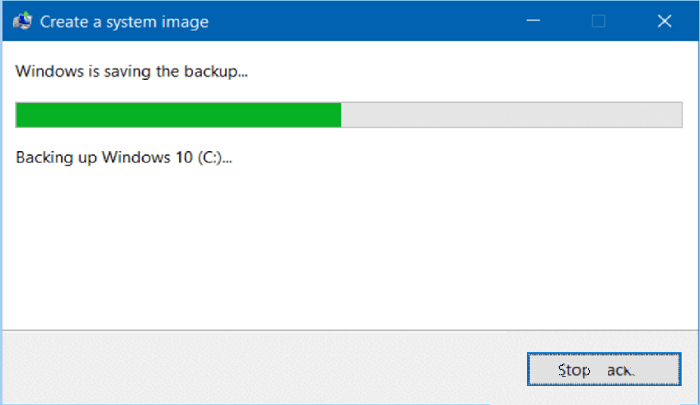
Causes for Windows 10 Backup Keeps Failing
Windows Backup can fail on your computer due to various reasons, including issues with the backup destination, such as a full or corrupted external drive, or problems with the backup software itself, like outdated or corrupted system files. Additionally, conflicts with other system processes or services can also cause backup failures. Furthermore, hardware issues like faulty hard drives or USB ports can also prevent successful backups.
Damaged or corrupted system files can prevent Windows Backup from completing successfully, which may be caused by a software malfunction or virus infection.
To enable System Protection, go to Control Panel, System and Security, System Protection, and click on Configure. Select the drive you want to protect and choose the amount of disk space you want to use for system protection. Make sure to turn on System Protection to create a system image with Backup and Restore.
The backup destination may be full or have insufficient space, so check the "Backup and Restore(Windows 7)" window, click "Change settings," and ensure there is enough space on the drive for the backup.
Ensure the external hard drive is securely connected to your computer to prevent a loose connection from causing Windows Backup to fail.
- Editor's Note:
- If you're not interested in analyzing the specific issue and trying corresponding solutions one by one, you can use Qiling Disk Master Pro, a professional backup software that allows you to back up files, systems, disks, and emails with just a few clicks, and all backup functions are free to use.
Fixes to Solve Windows 10 Backup Keeps Failing Issue
Windows 10 backup failing issues can be frustrating, but there are solutions to fix them. The problem may be caused by corrupted system files, disk space issues, or outdated Windows versions, among other reasons.
Solution 1. Use SFC scannow command (System File Checker) to Fix Corrupted Files
If the Windows backup failed due to corrupted files, you can use the System File Checker (SFC) tool to scan for and repair damaged or missing Windows system files. To do this, open the Command Prompt as an administrator, type "sfc /scannow" and press Enter, then follow the on-screen instructions to complete the scan and repair process. This should help restore the corrupted files and allow you to access your backed-up data.
- To run the Command Prompt as administrator, type "cmd" in the search box, then right-click the Command Prompt and select Run as administrator.
- To scan and replace corrupted system files, type the command "sfc /scannow" at the command prompt and press Enter. This will scan all protected system files and replace any corrupted ones with a cached copy from %WinDir%\Logs\CBS\CBS.log.
If Windows 10 backup gets stuck at 1% or any other percentage, try waiting patiently and restarting your computer. Then, attempt the backup process again to see if it completes successfully.
Solution 2. Enable System Protection
To create a system backup, the System Protection feature must be turned on, allowing you to create a system backup.
- To access the System settings, go to the Control Panel and click on System and Security, then select System.
- Click on "System protection" in the left sidebar.
- Check if System Protection is turned on for the system drive in the Protection Settings section of the System Properties window. If not, turn it on by clicking on the Configure button.
- Click OK to save changes and exit.
After enabling System Protection, try creating a system image again. If the backup still fails, consider using a third-party backup software like Qiling Disk Master, which is designed to handle Windows backup failures and provide more features and flexibility.
Solution 3. Check and Change Backup Destination
If the windows backup destination is full or has insufficient space, you need to check and change it to another drive with more free space. To do this:
- To access the Backup and Restore feature in Windows 7, navigate to the Control Panel, then click on "System and Security", followed by "Backup and Restore".
- To change settings, click on the "Change settings" option in the left sidebar.
- In the Backup and Restore(Windows 7) window, check if there is enough free space on the drive for windows backup in the "Backup Destination" section.
- If Windows 10 backup is not working due to insufficient free space, the issue can be resolved by selecting a different drive with more free space. To do this, click on the "Change" button and choose a drive with sufficient free space to store the backup. This will allow the backup process to complete successfully.
- Click OK to save changes and exit.
You may be interested:
[TIPS] How to Prevent Windows 10 Backup from Failing in the future
Here are some tips to prevent Windows Backup from failing in the future:
- Create a system image backup regularly to restore your computer to a previous state if something goes wrong. This backup includes all files, settings, and applications, allowing you to return to a working configuration.
- To ensure data security, store backups in multiple locations, including an external hard drive, NAS, or cloud storage service, thereby safeguarding against hardware failure or other disasters.
- Regularly verify your backups to ensure they are functioning correctly and can be restored if required.
- Keep your backup software up to date. To ensure that your Windows 10 can properly handle new features, check for updates and install the latest version of the operating system.
- Use reliable and reputable backup software, such as Qiling Disk Master Pro, to avoid common issues that can cause Windows backup to fail.
To prevent Windows 10 backup from failing, consider running the backup process as an administrator, ensuring the backup drive is properly connected and recognized, and checking for any system updates that may be interfering with the backup process.
- Supplementary Instructions:
- Qiling Disk Master Pro is an excellent backup software that allows you to create backups and restore your computer quickly and easily, supporting Windows 11/10/8/7.
-
- Backup and restore file/folder/system/disk/email
- Store backups to hard drives/network location/Cloud service/security zone
- Scheduled backup
- Full/differential/incremental backup
- Disk & system clone
- Secure & compress backup
- Create WinPE bootable disk
- Hot backup
- Email notification
- Fast & smart backup
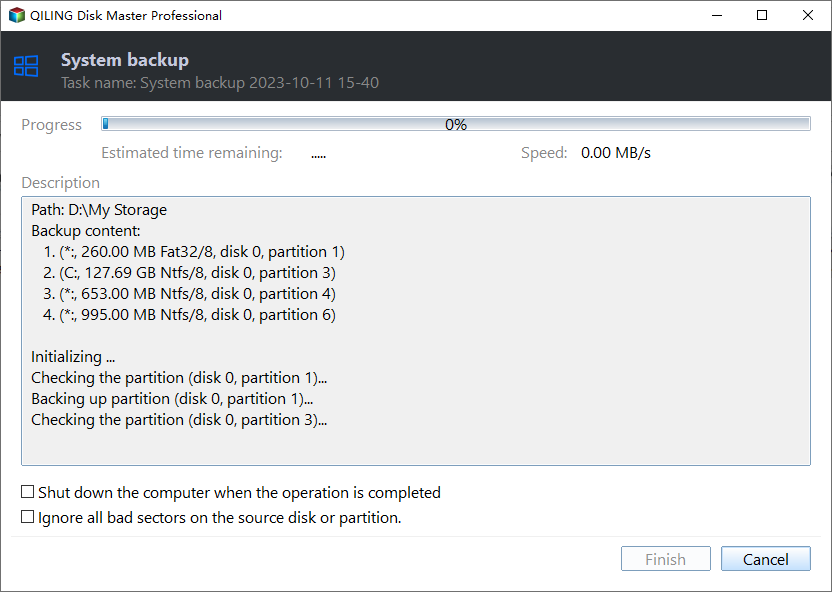
To create a system image using Qiling Disk Master Pro, follow these steps: First, download and install the software, then connect your external hard drive or USB drive to your computer. Next, launch Qiling Disk Master Pro and select the drive you want to clone, which should be the one containing your operating system and all data.
Step 1. On the main page, click "Select backup contents".
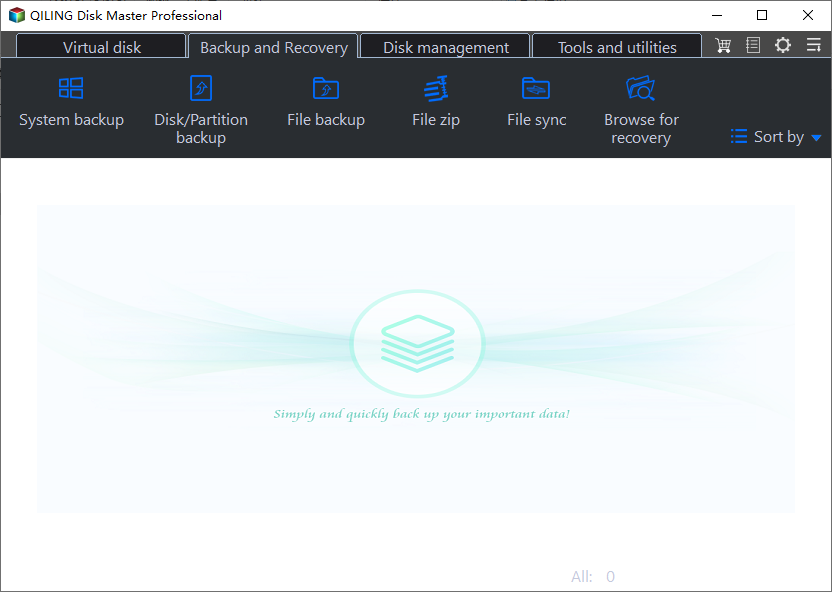
Step 2. Among the four available categories, click System backup.
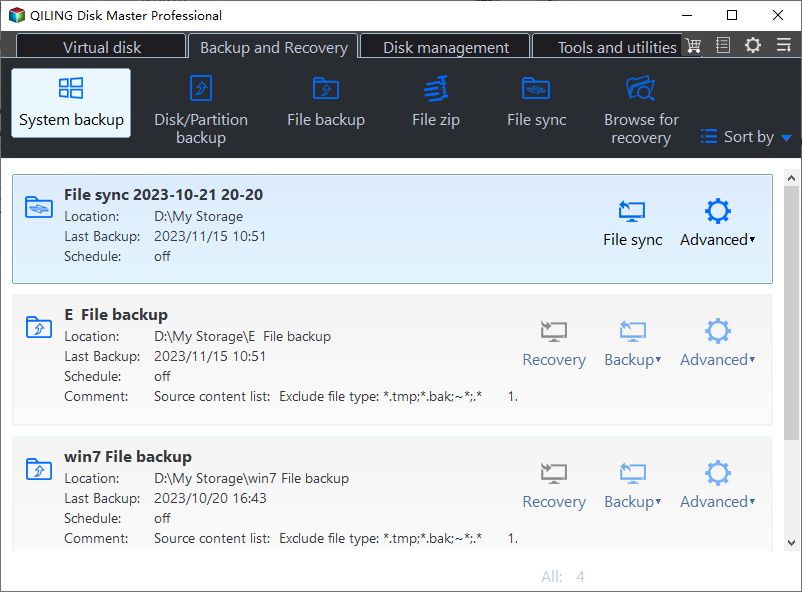
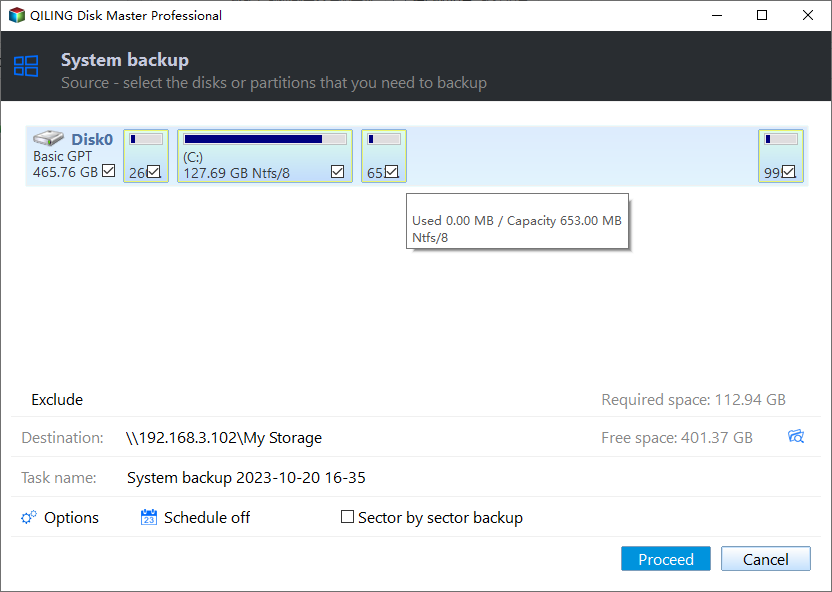
Step 3. Qiling Disk Master will automatically select your system partition, requiring only a selection of the backup destination.

Step 4. You can save the backup file to either a local drive on your computer or a Network-Attached Storage (NAS) device.
Step 5. After completing the backup process, you can check the backup status, recover, open, or delete the backup by right-clicking the backup task on the left.
FAQ on Windows 10 Backup Keeps Failing
1. Why does my computer backup keep failing?
Several reasons could cause Windows 10 backup to fail, including:
- The system protection feature is turned off
- Insufficient free space on the backup destination
- File corruption or damage
- Input & Output devices error
2. How do I fix system image backup failure?
To resolve Windows 10 backup failure, you can try addressing the underlying causes. This may involve checking for corrupted system files using the System File Checker (SFC) tool, running a full disk check to identify any disk errors, or updating your operating system and drivers to ensure you have the latest versions.
- Turn on the system protection feature
- Check and change the backup destination
- Use reliable and reputable backup software, such as Qiling Backup, to create regular backups of your data.
3. Is Win 10 backup any good?
Windows Backup and Restore in Windows 7 can be a reliable tool for safeguarding your data and files, but it may encounter errors. A more reliable option is to use a reputable backup tool like Qiling Disk Master, which is less likely to fail or get stuck, providing a smoother backup experience.
If Windows Backup specifically reports that it cannot get an exclusive lock, use the exclusive-lock backup error guide to check competing jobs and VSS before retrying.
Related Articles
- Backup Hard Drive to Cloud [How to] + Feasible Cloud Backup Suggestion
- [Step-by-step Guide] How to Clean Install Windows 11 Safely
- How to Backup Windows 10/11 to OneDrive
- 2 Tips | How to Backup Firefox History on Windows 11/10/8/7
- Can I Upgrade My Laptop Processor | Your Answer Is Here
- How to Back Up Windows Server 2016 [Step by Step]
Windows Server 2016 backup can be simplified by choosing the right solution. The Windows Server backup guide provides a step-by-step process for backing up files, pictures, operating systems, and other data. Qiling Backup Business and Windows Server Backup are both useful tools during this process.
Products
Articles & Tutorials
- Data Recovery
- Data Backup
- File Recovery
- File Backup
- System Backup and Restore
- Disk and Partition Clone
- Technical articles
- Mobile articles
- Disk Master Help
- Windows Data Recovery Tutorials
- Windows Secure Delete Tutorials
- Windows Partition Management Tutorials
- Windows File Backup and Restore Tutorials
- Windows System Backup and Restore Tutorials
- Windows Disk Backup and Restore Tutorials
- Windows Clone Tutorials