WD Easystore VS My Passport: Which One to Pick?🔥
Western Digital is a leading brand in the hard drive market, with popular models like the WD My Passport and Easystore. If you're unsure which one to choose, this guide can help to learn more.
The WD Easystore and My Passport are two popular external hard drives from Western Digital, but they have some key differences. The Easystore is a more affordable option that offers automatic backup and a sleek design, while the My Passport is a more feature-rich drive that includes password protection and a carrying case. Both drives are designed for easy data transfer and storage, but the Easystore is better suited for those who need a simple and affordable solution, while the My Passport is ideal for those who require more advanced features and security. When choosing between the two, consider your specific needs and preferences to select the best option for your data storage needs.
WD Easystore vs WD My Passport: Overview and Comparison
Hard drives have become a popular choice for backup and storage worldwide, but they also have notable differences and similarities. While both types of drives have been widely used for storing data, they have distinct characteristics that set them apart. Understanding these differences and similarities is essential for making informed decisions about data storage and backup.
WD Easystore
🏅(Customer reviews:⭐⭐⭐⭐⭐4.7 out of 5 from BESTBUY)
The WD Easystore is a portable storage device that can hold up to 5TB of data, making it ideal for storing documents, photos, and other files. It features a USB 3.0 interface, which provides fast data transfer speeds, and is also backward-compatible with USB 2.0 devices, making it easy to connect to a variety of devices.
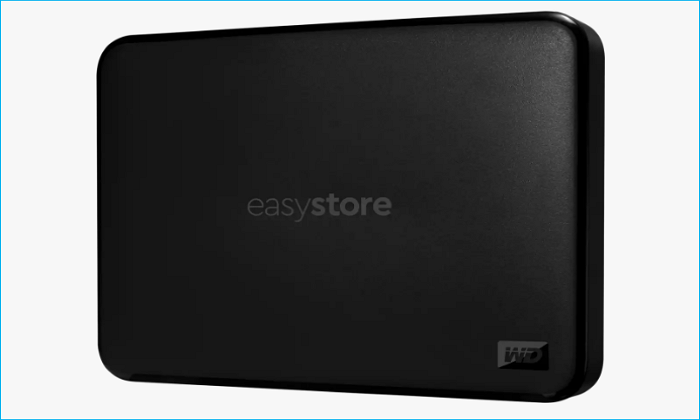
The My Book Duo is equipped with WD Backup and WD Discovery, allowing for automatic backup of files, and is compatible with both Mac and PC for flexible installation options.
WD My Passport
🏅(Customer reviews:⭐⭐⭐⭐⭐4.7 out of 5 from BESTBUY)
My Passport is a portable storage device that securely stores and organizes files, is password protected, and USB 2.0 compatible.

The My Passport drive has a consumer-like design with rounded edges and ripples, giving it a user-friendly tactile feel. It also features WD Backup and WD Discovery.
To compare the two drives, we can consider the following parameters: size, speed, storage capacity, power consumption, durability, and price. Size and speed would be compared in terms of physical dimensions and data transfer rates, respectively.
*️⃣Specification
| Comparison | WD Easystore | WD My Passport |
| Dimension | 4.33" x 3.21" x 0.62" | 4.22" x 2.95" x 0.44" |
| Appearance | black | black, blue, red, white |
| Read speed | up to 400MB/s | up to 1050MB/s |
| Write speed | 195-220 MB/s | up to 1000MB/s |
| Capacity | 1, 2, 3, 4, 5TB | 1, 2, 4, 5TB |
| Interface | USB 2.0/3.0 | USB 2.0/3.0 |
| Encryption |
N/A |
256-bit AES encryption password protection |
| Compatibility | Windows/Mac | Windows/Mac |
| Power supply | USB power supply | USB power supply |
| Warranty | 2-year | 3-year |
💰Price
When buying a portable hard drive like the WD My Passport, consider the price, which varies by capacity. The 1TB, 2TB, 4TB, and 5TB options cost $59.99, $69.99, $114.99, and $119.99, respectively, according to the official WD website.
WD Easystore external hard drives come in five capacities: 1TB, 2TB, 3TB, 4TB, and 5TB. However, pricing information is not available on the official WD website, but it's worth noting that the WD Easystore is generally priced lower compared to the My Passport.
WD My Passport vs. Easystore: Which One to Choose
The WD Easystore is better in terms of capacity and value for money, while the WD My Passport excels in appearance, data protection, and password protection.
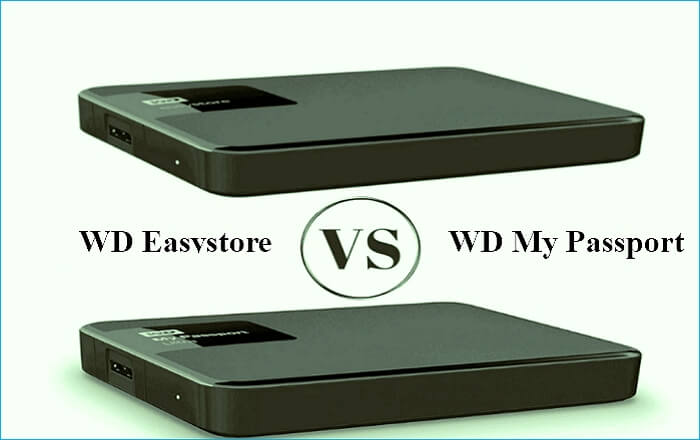
The WD My Passport is generally a better choice, but ultimately, the decision comes down to your individual needs. You can choose one based on your specific requirements.
The My Passport is a good option for storing sensitive information like financial data, medical records, or contracts due to its hardware encryption and password protection features, which enhance security.
The WD My Passport is a superior choice due to its smaller and lighter size, making it easier to carry around. Its distinct colors also make it stand out. However, for those on a tight budget, the WD Easystore is still a fine alternative.
The article discusses the importance of maintaining a healthy work-life balance, especially in today's fast-paced digital age. With the constant demands of work and personal responsibilities, it's easy to get caught up in the cycle of burnout and exhaustion.
Pro Tip: How to Backup Data to WD Easystore or My Passport
Both WD Easystore and WD My Passport come with built-in backup software - WD Backup, which can help you automatically back up files on WD hard drives for data security. You can run this backup software coming with your WD hard drive or download it from WD's official site to back up your external hard drives.
While WD Backup is a useful tool for creating backups of WD hard drives, it's not without its limitations. Sometimes, users may encounter the WD Backup not working error for unknown reasons, and the software also lacks advanced backup options, making it not the best backup option overall.
When faced with a situation where you need to recover data, consider using professional backup software like Qiling Disk Master, which offers practical and multi-functional backup capabilities.
Qiling Disk Master Pro allows you to back up external hard drives from any brand, including HDD and SSD, and automatically backs up systems, files, and computer apps. It also enables you to back up multiple hard drives at once and create an iso image of your hard drive, making it a convenient and efficient tool for data protection.
Qiling Disk Master
- Install Windows on a hard drive for another computer
- Create full, incremental, and differential backups
- Clone a hard drive for backup and recovery
- Store backups in various locations to protect data
- 250G free Cloud storage to back up files to Cloud
Qiling Disk Master is a versatile tool that can meet various backup needs. It allows you to back up data to external hard drives, duplicate external drives to another location, or even clone an entire computer to external drives, all from the comfort of your PC. The software can be easily downloaded and used without any hassle.
To use Qiling Disk Master to back up your computer or data to external drives, follow these steps. First, connect your external drive to your computer.
Step 1. Launch Qiling Disk Master on your computer, and click the Backup and recovery tab page.
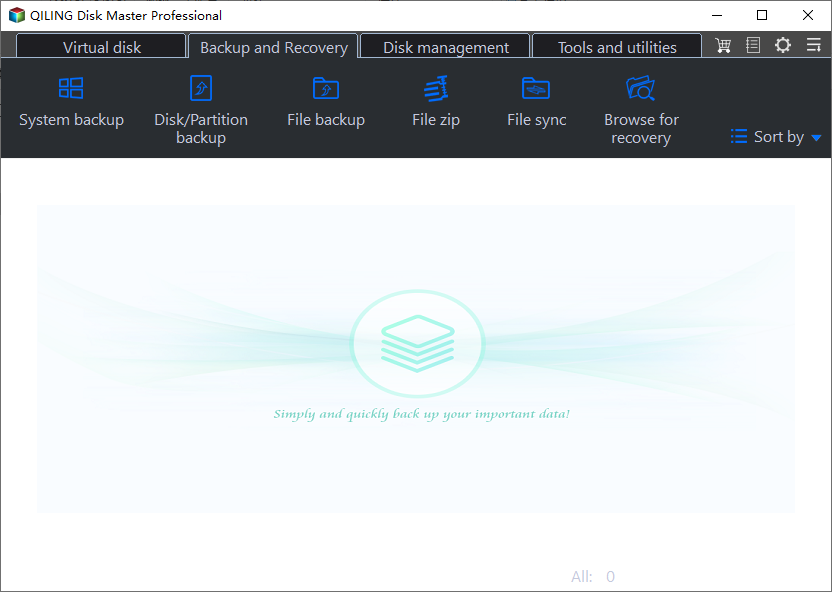
Step 2. To back up your Windows operating system, click "System backup" to initiate the backup process.
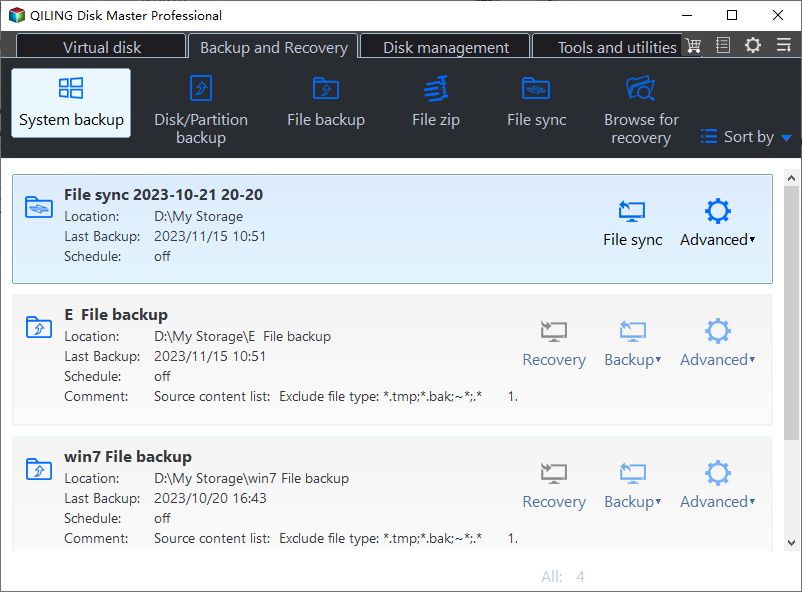
Step 3. The Windows operating system information and system-related files and partitions will be automatically selected, so manual selection is not required. To proceed, simply choose a location to save the system image backup by clicking on the designated area.

Step 4. The backup location can be another local drive on your computer, an external hard drive, network, cloud, or NAS. We recommend using an external physical drive or cloud to preserve system backup files.
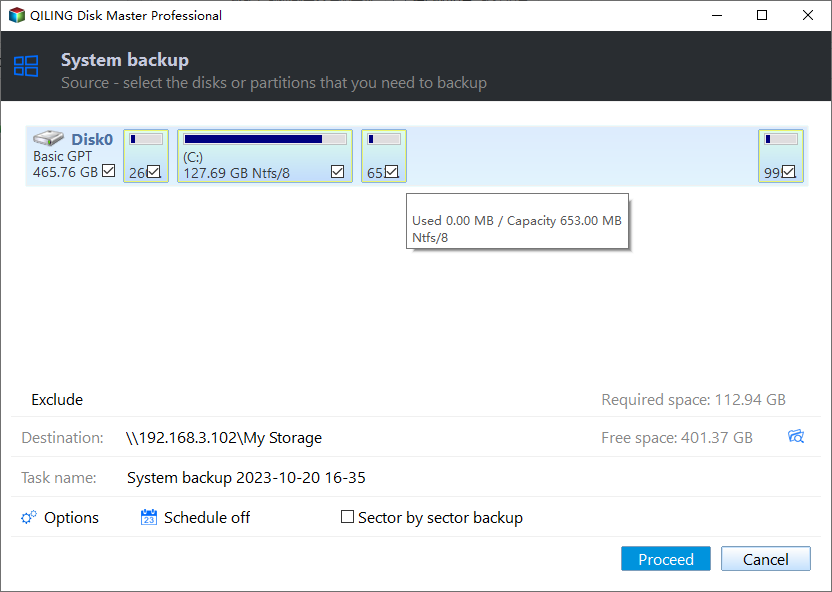
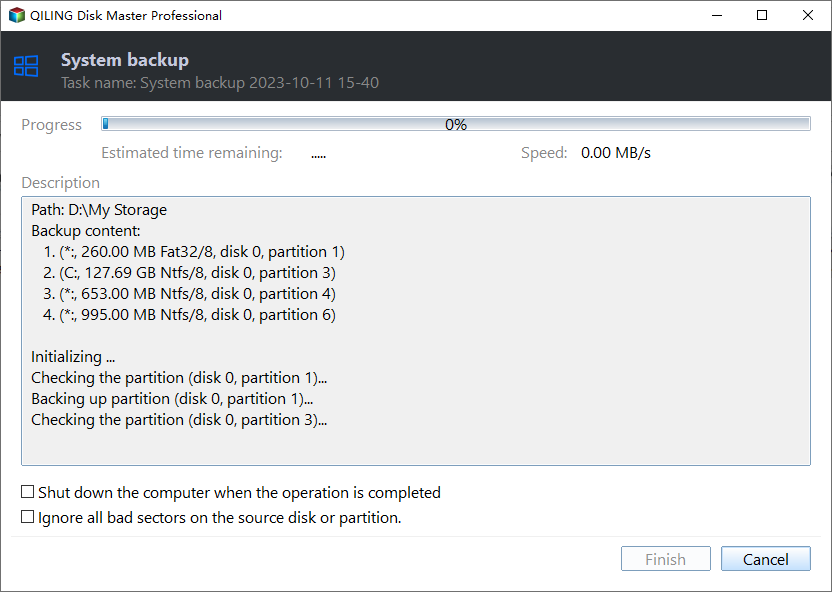
Step 5. The Windows system backup process allows for customization settings such as automatic backup schedules in daily, weekly, monthly, or upon an event, and also enables differential and incremental backups. This can be accessed through the Options button. Once selected, clicking Proceed initiates the backup process, and the completed task is displayed in a card style on the left side.
To Wrap Things Up
WD Easystore vs My Passport: After reading, you will know the differences between portable hard drives and be able to make an informed choice. You can use the WD Backup software to protect your files with data backup.
Considering practicality, compatibility, flexibility, and effectiveness, Qiling Disk Master can suit you well. It can perform various tasks like cloning, imaging, backup, and more, and even help back up a hard drive before formatting, making it a useful tool for different needs.
FAQs on WD Easystore VS My Passport
1. What is the difference between WD Elements and Passport?
The My Passport is an updated version of WD Elements, offering improved design and features. It also boasts enhanced data security and serves as a reliable option for data backup.
2. What's the difference between Easystore and My Passport?
The main difference between WD My Passport and WD Easystore is that the former offers custom password protection and 256-bit AES hardware encryption for enhanced data security, whereas the latter lacks these features.
3. What is the difference between WD Easystore and my book?
Easystore is designed for cloud sharing, streaming, and continuous backup, while Mybook is mainly used for storing business and school information with limited sharing capabilities, similar to an enlarged thumb drive that requires USB power from a PC.
Related Articles
- How to Fix Raw SD Card Won't Format Error [3 Efficient Solutions]
- How to Factory Reset MacBook Air [Manual and Automatic Ways]
- [Fixed] Windows Cannot Delete the Active System Partition on This Disk
- How to Fix Windows Backup Error Code 0x8078002a [5 Methods]🔥
People often use Windows backup to create a system image or back up important files in case of data loss, but may encounter error code 0x8078002a during the process. - Any Tools to Check SD/MicroSD Cards Health? Sure!
There are tools to check the health of SD/microSD cards, and this article discusses one such tool that helps check the condition of these cards. - How to Fix "Unable to Connect to Virtual Disk Service" Windows 10/11
This passage helps you identify the reasons and find solutions to why Windows can't delete the active system partition on a disk.
Products
Articles & Tutorials
- Data Recovery
- Data Backup
- File Recovery
- File Backup
- System Backup and Restore
- Disk and Partition Clone
- Technical articles
- Mobile articles
- Disk Master Help
- Windows Data Recovery Tutorials
- Windows Secure Delete Tutorials
- Windows Partition Management Tutorials
- Windows File Backup and Restore Tutorials
- Windows System Backup and Restore Tutorials
- Windows Disk Backup and Restore Tutorials
- Windows Clone Tutorials