[2023 Best Tip] How to Backup Stardew Valley Saves
While many game studios focus on large 3D titles, Stardew Valley became popular with a small file size, pixel art style, and deeply engaging gameplay.

Stardew Valley offers a relaxed farming and life simulation experience. Players can farm, fish, mine, decorate, build relationships, and shape their own small-town life.
When immersed in the happiness of Stardew Valley, don't forget to back up your saves. This post will guide you through the process of backing up your Stardew Valley saves, whether you prefer automatic or manual backup, with detailed steps and clear screenshots to help you master the skills.
There are some posts about other games you can read too:
The Importance of Backing Up Stardew Valley Saves
In Stardew Valley, players can't save the game at any time, but the game automatically saves after each day, overwriting the previous save. This happens when the player goes to bed, effectively saving the day's progress.
The save data in Stardew Valley is always one day behind the actual progress, and each game ID can only store one save file. This discrepancy can be confusing, and it's crucial to back up your saves regularly to avoid losing progress.
To avoid being overwhelmed by game data, it's recommended to back up your game save in advance. This precautionary measure can help prevent issues when dealing with large amounts of game data.
- Computer Issues: There is a problem with your computer that can cause your game to lose progress, regardless of whether it's due to hardware damage or a computer virus invasion.
- Game Saves Transfer: To play Stardew Valley on other devices, you'll need to back up your game save first.
- Stardew Valley Saves Download: You can download someone else's saved character data from online and put it in the game folder, but make sure to back up your own save first to prevent losing your progress.
- Install Mods: To install rich mods in Stardew Valley, you can find them on websites like Nexus mods, download and install them, but be aware that they may cause game instability, including freezing or not working properly. It's recommended to backup your saves before installing mods to avoid any potential issues.
The most downloaded collection for Stardew Valley, "Stardew Valley VERY Expanded", curated by JennaJuffuffles, aims to flesh out and expand the game experience.
— Nexus Mods (@NexusSites) May 25, 2022
How to Backup Stardew Valley Saves on Steam
If you are a Steam user and purchase Stardew Valley on the platform, you can enjoy the automatic backup service provided by Steam. You need to start Steam Cloud synchronization in Settings, and then Steam Cloud will automatically help you synchronize the game saves to the cloud space.
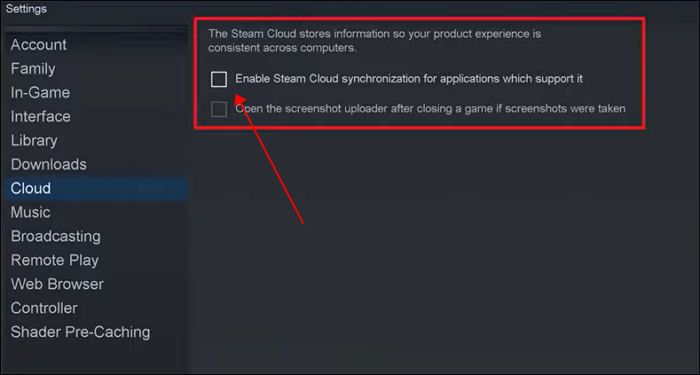
However, relying too heavily on Steam Cloud can be problematic, as many players have experienced unknown errors with it. This can lead to permanent loss of saved data when automated solutions fail to resolve issues.
If you want a stable guarantee for the security of your game saves, don't rely solely on Steam's automatic backup scheme, as it may not be enough, and instead, learn to backup Steam Cloud saves.
How to Backup Stardew Valley Saves on Mac/Windows
If you're looking for a more practical and safe backup solution than Steam Cloud, there's a recommended method for backing up your game saves.
Preparations Before Backing Up Saves
But before we formally show you the detailed steps, you still have some work to do in advance.
Find Stardew Valley Saves Location
To back up Stardew Valley saves without using Steam Cloud, start by finding the game's saves location. This can vary depending on your operating system and where you installed the game.
Transfer Stardew Valley Saves
Stardew Valley has strong compatibility, supporting devices like PC, iOS, Android, PS Vita, and Switch. If you played the game on a device other than PC and want to transfer your game data to a computer before backing up your saves, you can refer to a specific post for guidance.
Best Way to Backup Stardew Valley Saves without Steam
To backup Stardew Valley saves, simply locate the file and manually copy the entire Stardew Valley saves folder to another disk, or create a backup folder on the same location and move all files into it, a process that can be completed in just two minutes.
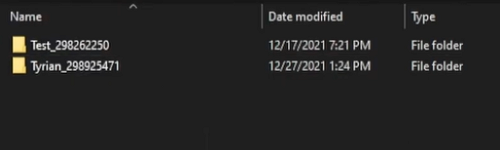
However, if you ask me, is this the best Stardew Valley saves backup method? The answer is no.
In Stardew Valley, the game automatically updates your save every time you sleep, which can be inconvenient for players who need to manually save frequently to ensure data security. This feature can cause problems for those who want to preserve their progress.
We recommend using professional backup software with an incremental backup function, such as Qiling Disk Master Pro, to back up your Stardew Valley saves.
Qiling Disk Master Pro Qiling is a software that allows automatic backup of Windows and Mac devices, enabling users to schedule backups of Stardew Valley saves. It provides 250GB of cloud storage and automatically updates backups according to the user's schedule, allowing for easy retrieval and use of previous saves.
To back up your Stardew Valley saves, follow these steps with the offline backup software. First, open the software and select the backup location.
Step 1. Click "Select backup contents" to initiate a backup.
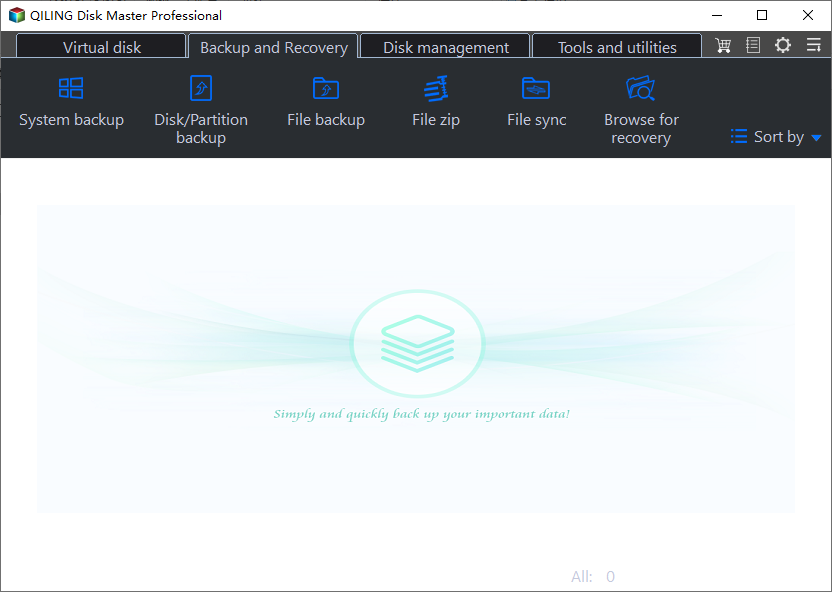
Step 2. There are four data backup categories: File, Disk, OS, and Mail. To create a file backup, click on "File backup".
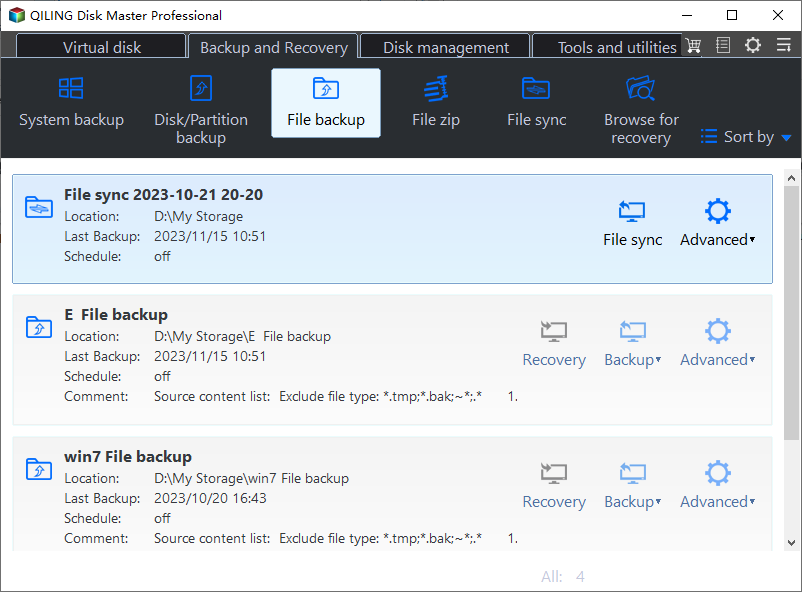
Step 3. On the left side, local and network files are displayed, allowing users to extend the directory to select which files to back up.
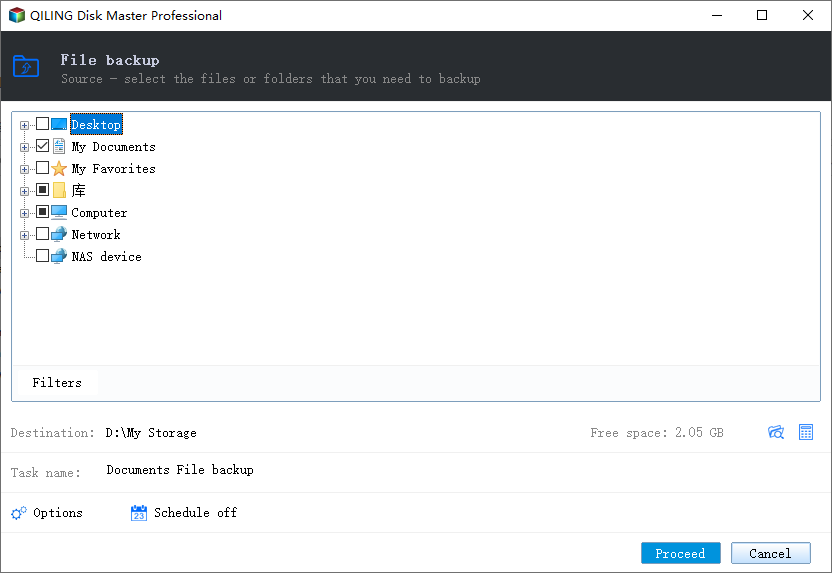
Step 4. To store a backup, go to the "Settings" app on your device, select "Backup" or "Backup & reset" (the exact option may vary), choose the type of backup you want to create, and then select the location where you want to store it, such as Google Drive, OneDrive, or an external hard drive. Follow the on-screen instructions to complete the backup process, review your settings, save your changes, and confirm that your backup is complete.
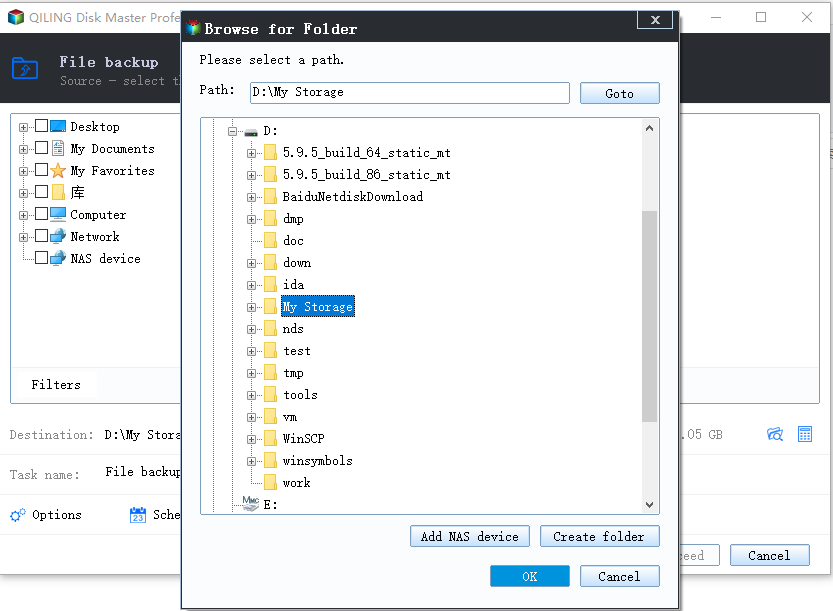
To customize the backup process, click on "Options" and select "Backup Options" to encrypt the backup with a password. Additionally, you can set up a backup schedule and initiate a backup at a specific event in "Backup Scheme." Other customization options are also available.
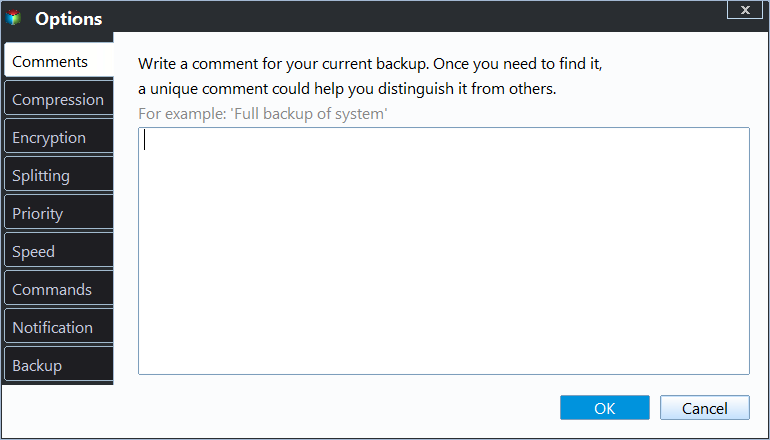
Step 5. You can save the backup to a local disk, Qiling's online service, or a NAS.
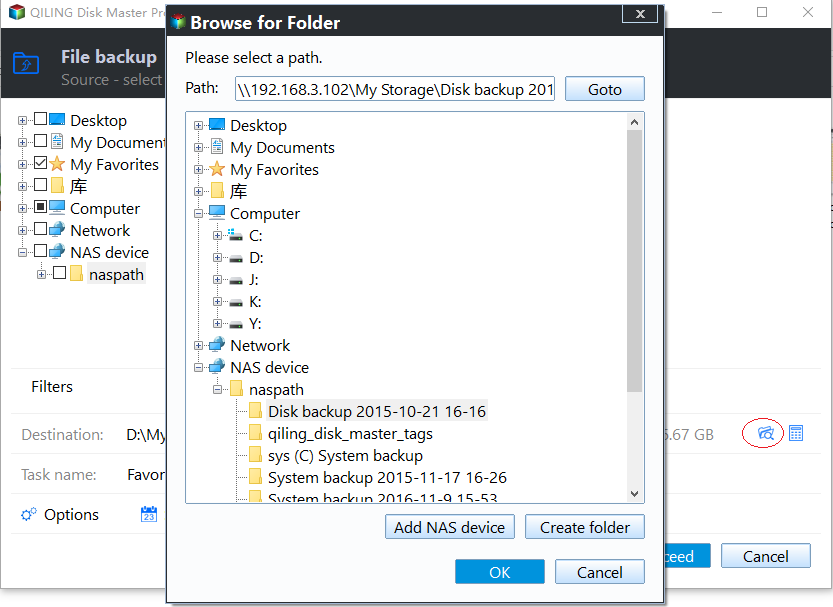
Step 6. Qiling Disk Master allows customers to back up data to both a third-party cloud drive and its own cloud drive.
To back up data to a third-party cloud drive, select Local Drive, scroll down to add Cloud Device, add your account, and log in.
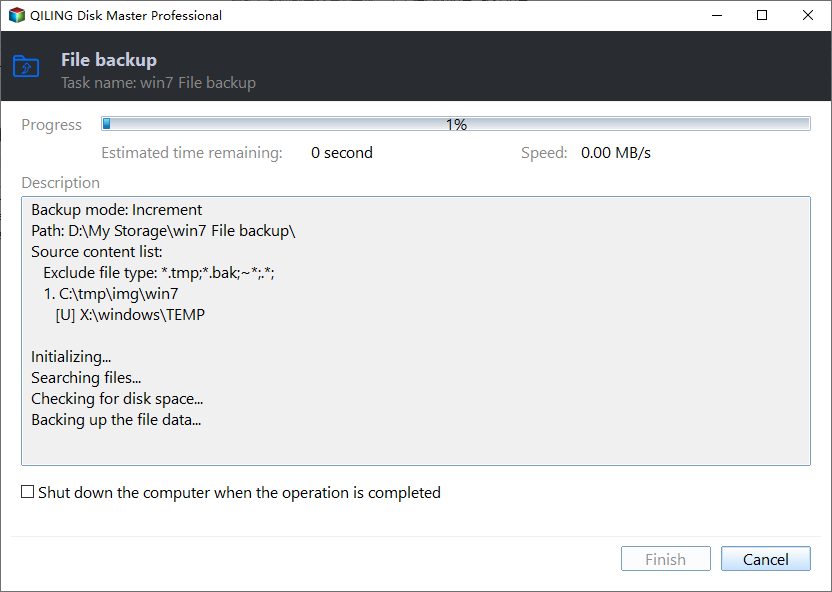
Step 7. To start the backup process, click "Proceed". Once completed, the backup will be displayed as a card on the left side of the panel, and you can manage it further by right-clicking on it.
Conclusion
To protect your Stardew Valley saves, it's essential to back them up regularly. This involves preparing in advance by setting up a backup system, such as using Qiling Disk Master Pro, to ensure your game files are safely stored. By taking this precaution, you can prevent loss of progress in case of game crashes or other issues, and have peace of mind knowing your saves are secure.
FAQs
1. Where are Stardew Valley saves stored?
The location Stardew Valley saves stored on Windows - %appdata%>StardewValley>Saves
On Mac and Linux, Stardew Valley saves its game data to a specific location: ~/.config/StardewValley/Saves.
2. How do I backup my Stardew Valley saves on Switch?
Here is the tutorial for you to back up your Stardew Valley saves on Switch.
Step 1. Start your Switch and navigate to the game software menu.
Step 2. Choose the Save Data Cloud Backup option.
Step 3. Select your ID and then select the Back Up Save Data option to back up your saves now.
Related Articles
- How to Back Up Computer Windows 7 Before Upgrading to Windows 10 (2 Ways)
- [Full Guide] How to Restore Windows 7 from System Image Backup
- How to Create A File History Backup? Full Guide About File History
- 15 Best Backup Software Examples in 2023 Backup Tools List
- How to Move Windows 10 Installation to Another Drive (SSD/HDD)
- How to Create Disk Image Windows 10 for Free on Laptops & PCs
- Qiling Disk Master vs. PCmover, Which File Transfer to Select
If you're looking for a comparison between Qiling Disk Master and Laplink PCmover, this page will help you decide which tool to use for file transfer, app transfer, and even users' settings & account settings.
Products
Articles & Tutorials
- Data Recovery
- Data Backup
- File Recovery
- File Backup
- System Backup and Restore
- Disk and Partition Clone
- Technical articles
- Mobile articles
- Disk Master Help
- Windows Data Recovery Tutorials
- Windows Secure Delete Tutorials
- Windows Partition Management Tutorials
- Windows File Backup and Restore Tutorials
- Windows System Backup and Restore Tutorials
- Windows Disk Backup and Restore Tutorials
- Windows Clone Tutorials